
Can You Have Two WiFi Networks in One House? Four Ways to Do It
Two WiFi networks in one house works, and there are four ways to do it. Which method suits…
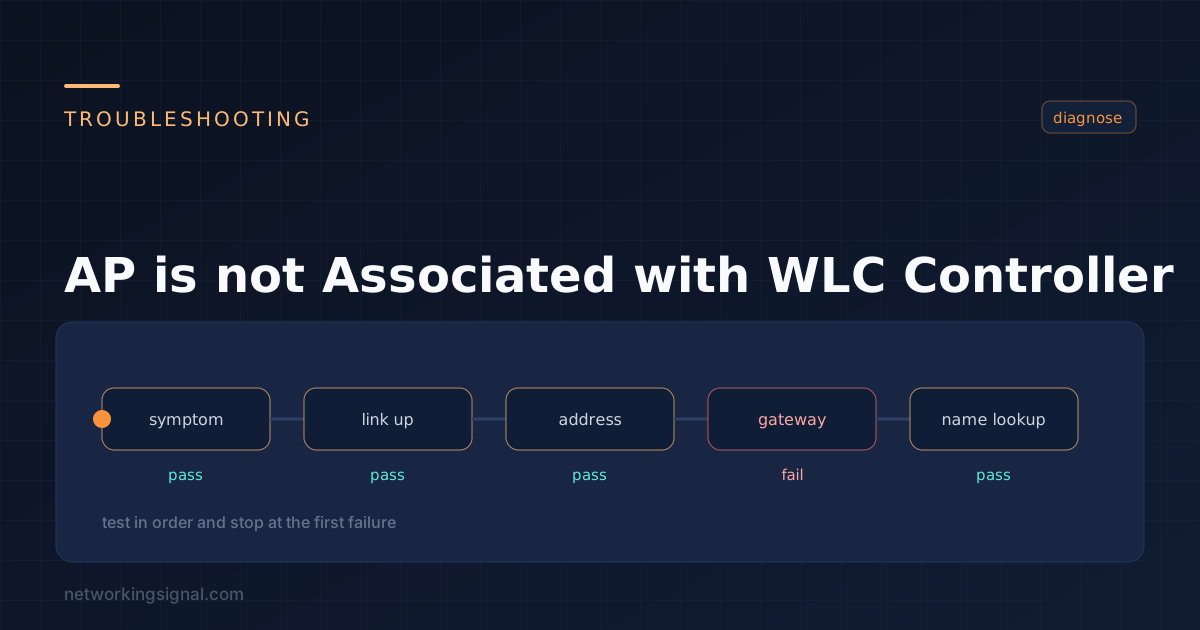
In the realm of networking, Access Points (APs) play a pivotal role in providing seamless wireless connectivity to devices.
However, there are instances where an AP might encounter issues and fail to associate with the Wireless LAN Controller (WLC).
This article aims to explore some of the common reasons behind this problem and provide troubleshooting steps to resolve them.
Access Points, also known as wireless APs, are devices that facilitate the connection between wireless devices and the wired network infrastructure.
They work in conjunction with Wireless LAN Controllers (WLCs), which are responsible for managing and controlling multiple APs within a wireless network.
The association between an AP and a WLC is crucial for the functioning of the wireless network.
When an AP is not associated with its designated WLC, it loses its ability to communicate with other devices and access network services.
One of the primary reasons for AP-WLC association issues is the presence of physical obstructions or interference from other electronic devices.
Physical barriers such as walls, metal objects, or large machinery can hinder the signal transmission between the AP and the WLC, leading to disassociation.
Misconfigurations in the WLC settings can also result in AP disassociation. Incorrect SSID configurations, mismatched VLAN settings, or improper security protocols can create communication conflicts, causing the AP to disconnect from the controller.
Compatibility issues between the AP and WLC firmware versions can lead to disassociation problems.
Running different firmware versions on the AP and WLC can cause communication errors and hinder the association process.
Security and authentication settings must be consistent between the AP and the WLC. If there is a mismatch in these settings, the AP might fail to authenticate with the WLC, resulting in disassociation.
In this step, you need to ensure that all physical connections between the Access Point (AP) and the Wireless LAN Controller (WLC) are properly established.
Physical connections include Ethernet cables and power supply connections. Follow these steps to check the physical connections:
By conducting a thorough inspection of physical connections, you can rule out any connectivity problems caused by loose cables or power supply issues.
This step focuses on ensuring that the Service Set Identifier (SSID) and Virtual Local Area Network (VLAN) configurations on both the AP and WLC match.
Matching SSID and VLAN configurations are crucial for a successful AP-WLC association. Follow these steps to verify the configurations:
By aligning the SSID and VLAN configurations on both the AP and WLC, you increase the likelihood of successful AP-WLC association.
Analyzing WLC logs can provide valuable insights into any errors or disassociation events related to the AP. Follow these steps to access and analyze the logs:
By analyzing the WLC logs, you can gain valuable information about the root cause of the issue and guide your troubleshooting efforts effectively.
Updating the firmware and software on both the AP and WLC are essential for resolving compatibility issues and improving overall network performance. Follow these steps to update the firmware and software:
Regularly updating the firmware and software on both the AP and WLC ensures better compatibility and resolves known issues.
If the previous steps have not resolved the issue, resetting the AP to its factory defaults may help clear any configuration conflicts causing the disassociation problem.
Please note that this step should be considered a last resort, as it will erase all configuration settings on the AP, and you will need to reconfigure it from scratch. Follow these steps to reset the AP:
Performing a factory reset should only be done when other troubleshooting methods have failed to resolve the issue, and you have exhausted all other options.
By following these detailed troubleshooting steps, you can effectively address AP-WLC connectivity issues and ensure a stable and reliable wireless network infrastructure.
Implementing load balancing techniques across multiple APs can ensure a more even distribution of client devices, reducing the risk of overloading a single AP and enhancing the overall network performance.
Identify and eliminate sources of interference within the network environment. Utilize tools such as spectrum analyzers to detect and mitigate interference from other wireless devices.
Adjusting the channel width of the AP’s wireless signal can optimize the connection and reduce signal interference, leading to a more stable AP-WLC association.
Carefully set the transmit power of the AP to avoid signal overlaps and interference. Balancing the transmit power ensures a smooth handover of devices between APs, enhancing the overall network experience.
Maintaining a robust association between Access Points and Wireless LAN Controllers is essential for seamless wireless connectivity.
By understanding the common issues that can disrupt this association and implementing effective troubleshooting and optimization techniques, network administrators can ensure a stable and reliable wireless network infrastructure.
Hand-picked articles you might also find useful.
 Wireless
 Two WiFi networks in one house works, and there are four ways to do it. Which method suits…
 Wireless
 Understanding wireless backhaul is a valuable skill for any user looking to optimize their network performance . Whether…
 Wireless
 In this guide, I will walk you through the step-by-step process of setting up a WiFi repeater to…