
Remote Access VPN — How It Works, Types and Split Tunnelling
A remote access VPN builds an encrypted tunnel from one user's device to the corporate network. IPsec vs…
Network Security Monitoring (NSM) is the practice of collecting network data, analysing it for signs of compromise, and acting on what you find. It rests on a blunt assumption: prevention eventually fails. Something will get in. NSM exists to shorten the gap between that happening and you knowing about it.
That gap is the metric that matters. Industry breach reports consistently put median attacker dwell time in weeks or months, and the difference between an incident and a disaster is usually how long they had before anyone noticed.
| Source | What it gives you | Storage cost | Retention that is realistic |
|---|---|---|---|
| Full packet capture | Everything, byte for byte. Definitive during an investigation. | Enormous | Hours to days |
| Session / transaction logs (Zeek) | Who talked to whom, when, over what protocol, how much, plus protocol detail like HTTP hosts, DNS queries, TLS certificates | Low | Months to years |
| Flow data (NetFlow, IPFIX, sFlow) | Connection metadata only, addresses, ports, bytes, timing | Very low | Years |
| Alert data (IDS) | Signature and anomaly hits | Low | Years |
| Device and host logs | Authentication, firewall decisions, process activity | Moderate | Months to years |
The instinct is to reach for full packet capture. The better first investment is session logs. They cost a fraction of the storage, survive encryption (you still see who connected to what, for how long, with which certificate), and answer the question you will actually ask six weeks later: what else did this host talk to?
A sensor only sees traffic that crosses it. Placement determines what you can detect at all.
Switch(config)# monitor session 1 source vlan 10 , 20 both
Switch(config)# monitor session 1 destination interface GigabitEthernet0/24
SPAN is free but oversubscribes easily, mirroring several gigabit ports into one silently discards the excess. A hardware TAP is lossless and fails open. Anywhere the evidence needs to be complete, use a TAP.
Rather than trying to detect every technique, cover the behaviours an attacker cannot avoid:
| Behaviour | What it looks like in the data |
|---|---|
| Beaconing | Regular, low-volume connections to the same destination at a consistent interval. Jitter makes it harder to see but the periodicity usually survives. |
| Exfiltration | Outbound volume far exceeding inbound on a host that normally does the reverse; large transfers to storage or paste services; long-lived encrypted sessions at unusual hours. |
| DNS tunnelling | High query volume to one domain, long or high-entropy subdomains, unusual record types such as TXT or NULL. |
| Lateral movement | A workstation connecting to other workstations on SMB or RDP; one host authenticating to many. |
| Scanning | One source touching many destinations or many ports in a short window. |
| New or rare destinations | First-time connections to newly registered domains or countries you have no business relationship with. |
| Protocol on the wrong port | SSH on 443, HTTP on 8443, visible to application identification, invisible to port-based rules. |
| Certificate anomalies | Self-signed certificates, mismatched SNI, or JA3 fingerprints associated with known tooling. |
Note that most of these survive TLS. You do not need to decrypt traffic to notice that a workstation contacts one host every 47 seconds, all day, and has done so since Tuesday.
| Layer | Job | Common tools |
|---|---|---|
| Capture | Get traffic off the wire | TAP, SPAN, NetFlow export |
| Protocol analysis | Turn packets into session records | Zeek |
| Signature detection | Match known-bad patterns | Suricata, Snort |
| Aggregation and correlation | Join network, host and identity events | SIEM, Elastic, Splunk, Wazuh, OpenSearch |
| Enrichment | Add asset, user and threat-intel context | CMDB, directory, intel feeds |
| Response | Contain, investigate, remediate | SOAR, or a documented runbook |
Security Onion bundles most of the open-source pieces if you want a working system without integrating each component yourself.
10.20.4.17 is meaningless without knowing what that is and who owns it. Asset inventory is a prerequisite, not a nice-to-have.NSM is the detective layer. It assumes the preventive layers, firewalls, segmentation, ACLs, port security, are in place and will occasionally be bypassed. It pairs naturally with a Zero Trust approach, where the assumption of breach is explicit in the architecture. Full picture in the network security guide.
Network monitoring watches availability and performance, is the link up, is latency acceptable. NSM watches for evidence of compromise in the traffic itself. Different data, different questions, usually different teams.
Not to start. Session logs and flow data answer most investigative questions at a fraction of the cost. Add rolling full capture at your highest-value chokepoint once the basics are running, with retention measured in days.
Yes, with reduced depth. Metadata, endpoints, timing, volume, certificates, JA3 fingerprints, SNI, DNS queries, reveals beaconing, exfiltration and scanning without any payload visibility. Selective TLS inspection at the egress point adds payload depth where privacy and legal constraints permit.
Longer than your likely dwell time. Given that intrusions are frequently discovered months later, session and flow logs held for under 90 days often cannot answer the questions an investigation asks. Twelve months is a reasonable target for metadata.
No. A SIEM aggregates and correlates events from many sources; NSM is specifically the network-derived portion of that, plus the collection and response practice around it. A SIEM with no network telemetry has a substantial blind spot.
Internet egress. Every command-and-control channel and every exfiltration attempt has to cross it, and it is far less noisy than the ingress side.
Hand-picked articles you might also find useful.
 Security
 A remote access VPN builds an encrypted tunnel from one user's device to the corporate network. IPsec vs…
 Security
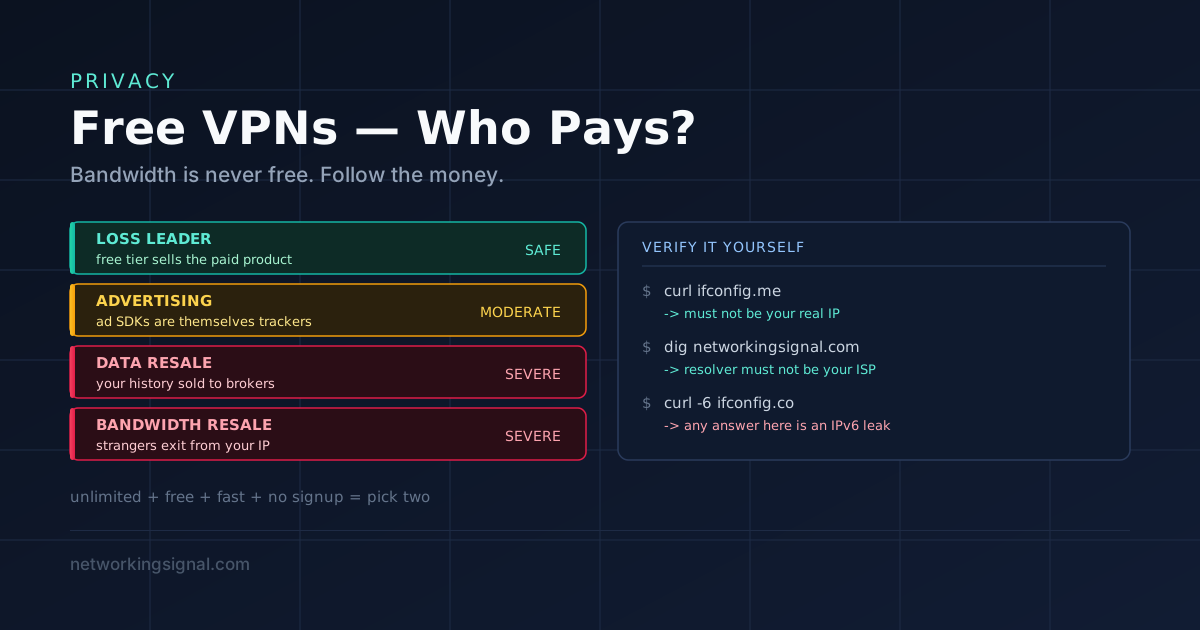
 Only one major free VPN gives genuinely unlimited data without ads or logging. Here is the honest comparison,…
 Security
 What is a Tunnel in Networking? A tunnel is a connection between two computer networks, in which data…