
What is Cisco IOS? Features, Uses, and How to Access It
Cisco IOS is the operating system on Cisco routers and switches. Command modes, how to access it via…
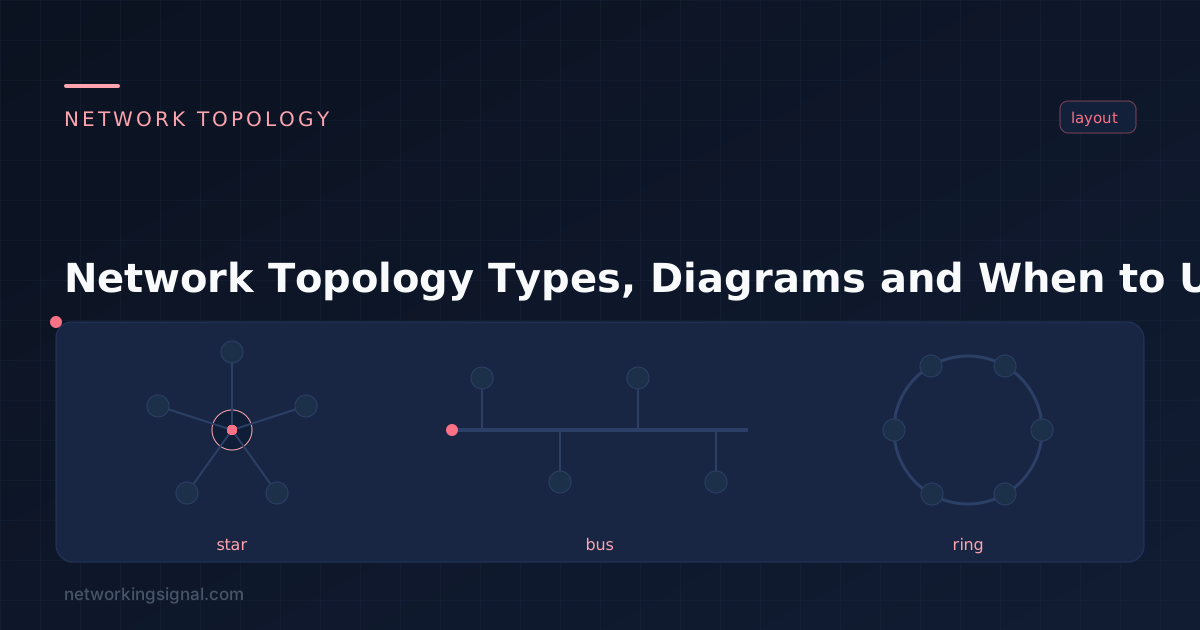
Network topology is the arrangement of devices and the links between them. It determines how data moves across the network, what happens when a link fails, how much cable you need, and how easily the network can grow. Every design decision downstream, cabling, switch placement, redundancy, follows from it.
These two are constantly confused, and the distinction matters.
They are often different. Classic Ethernet with a hub is physically a star, every device has its own cable to a central point, but logically a bus, because every frame reaches every device. Token Ring was physically a star through a MAU, but logically a ring. When someone asks “what topology is this network?”, ask which one they mean.
| Topology | Cabling cost | Fault tolerance | Scalability | Single point of failure | Used today? |
|---|---|---|---|---|---|
| Bus | Lowest | Very poor | Poor | The backbone cable | Obsolete |
| Star | Moderate | Good | Excellent | The central switch | Dominant |
| Ring | Low | Poor (good if dual ring) | Poor | Any single break | Rare (metro fibre) |
| Mesh | Highest | Excellent | Poor (full mesh) | None | WAN cores, wireless mesh |
| Hybrid | Varies | Good | Excellent | Depends on design | Every real network |
Every device connects to one shared backbone cable. Data is broadcast along the bus and every device sees it, but only the intended recipient processes it. Both ends need a terminator, or signals reflect back and corrupt the segment.
It is cheap and simple, and that is where the advantages end. One break in the backbone takes down the whole segment, and because every device shares one collision domain, performance collapses as you add devices. Bus topology is effectively extinct in modern networks.
Read the full bus topology guide.
Every device has its own cable to a central switch. This is what virtually every office and home network uses today.
Its strength is isolation. One bad cable affects one device, not the network. Adding a device means plugging into a free port. Troubleshooting is straightforward because each link is independent, and a managed switch gives you per-port statistics.
The trade-off is the central switch, if it fails, everything behind it goes down. Production networks solve this with a second switch and redundant uplinks, which is why real designs are hybrids rather than pure stars.
Read the full star topology guide.
Devices are connected in a closed loop, and data travels around it until it reaches its destination. Token-passing schemes gave ring networks predictable, collision-free performance, which is why they were used in industrial settings.
A single break splits the ring, so serious implementations use a dual counter-rotating ring that can wrap around a failure. You still see this pattern in metro fibre and some SONET or resilient Ethernet ring deployments, but not in the LAN.
Read the full ring topology guide.
Every device connects to several others, giving multiple paths between any two points. In a full mesh every node connects to every other node; in a partial mesh only the important ones do.
The redundancy is excellent, losing a link just reroutes traffic. The problem is cost. A full mesh needs n(n−1)/2 links, so 10 nodes needs 45 links and 20 nodes needs 190. That is why full mesh appears only where reliability outweighs everything: WAN cores, data centre spine-leaf fabrics, and wireless mesh networks.
Read the full mesh topology guide.
A combination of two or more topologies, and what every real network of any size actually is.
A typical corporate network is a star-of-stars: access switches in a star on each floor, uplinked to distribution switches, which connect to a partially meshed core for redundancy. The access layer gets the simplicity of a star; the core gets the fault tolerance of a mesh. You choose the topology per layer rather than for the whole network.
Topology and domain boundaries are linked, and this is where exam questions concentrate. A hub-based star is physically a star but forms one collision domain and one broadcast domain, exactly like a bus. Replace the hub with a switch and every port becomes its own collision domain, while the broadcast domain stays whole until you introduce VLANs or a router.
This is why “we upgraded to a switch and the network got faster” is so common: the physical topology did not change at all, but the logical behaviour did. See collision and broadcast domains and hub vs switch vs router for the detail.
Star, by a wide margin. Every Ethernet LAN with a switch at the centre is a star, and it is the default for homes, offices and campus access layers because it is cheap to run, easy to extend and simple to troubleshoot.
Fault isolation. In a bus, one cable break kills the segment; in a ring, one break splits the loop. In a star, a failure affects only the device on that cable. Star also scales by simply adding ports, and modern switches give each port a dedicated collision domain rather than sharing bandwidth.
The central switch is a single point of failure. Real designs mitigate this with a second switch, redundant uplinks and protocols such as spanning tree or link aggregation, which is precisely what makes production networks hybrid rather than pure star.
n(n−1)/2, where n is the number of nodes. Five nodes need 10 links, ten nodes need 45, and twenty nodes need 190. The cost grows roughly with the square of the node count, which is why full mesh stays confined to small, critical cores.
Wireless networks have topologies too. A standard access point serving clients is a star, every client talks to the AP, not to each other. A wireless mesh network is a partial mesh, where APs relay traffic for one another so only some need a cable back to the switch.
Topology describes the shape, how devices are connected. Architecture is the broader design, covering addressing, segmentation, routing, security zones and services. Topology is one component of architecture, not a synonym for it.
Go deeper on each type: bus, star, ring and mesh topology. For the devices that build them, see hub vs switch vs router and network devices explained. For the cabling side, read types of Ethernet cable, and for the wider picture start with our networking fundamentals guide.
Hand-picked articles you might also find useful.
 Networking Fundamentals
 Cisco IOS is the operating system on Cisco routers and switches. Command modes, how to access it via…
 Networking Fundamentals
 The world is quickly running out of IPv4 addresses , and a new version of the internet protocol…
 Networking Fundamentals
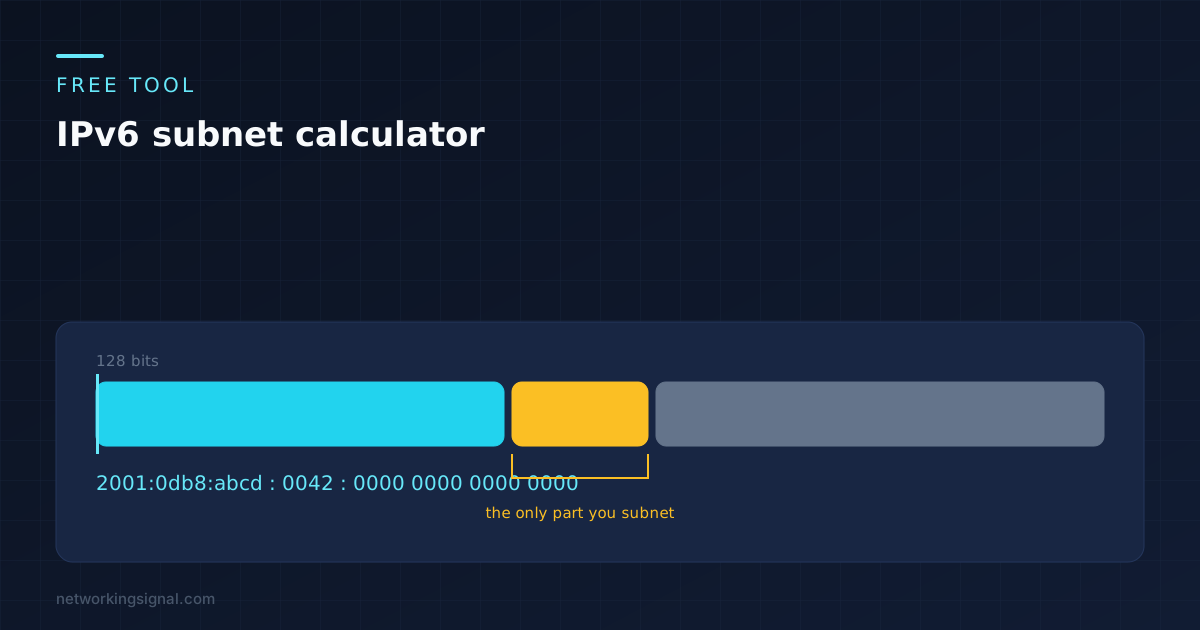
 A free IPv6 subnet calculator that runs in your browser. Enter a prefix, choose a new prefix length,…
One response to “Network Topology — Types, Diagrams and When to Use Each”
[…] Ethernet frame is a data link layer protocol data unit and uses the underlying network topology of MAC addresses for communication between nodes on a network […]