
How To Improve Network Performance? 7 Working Tips
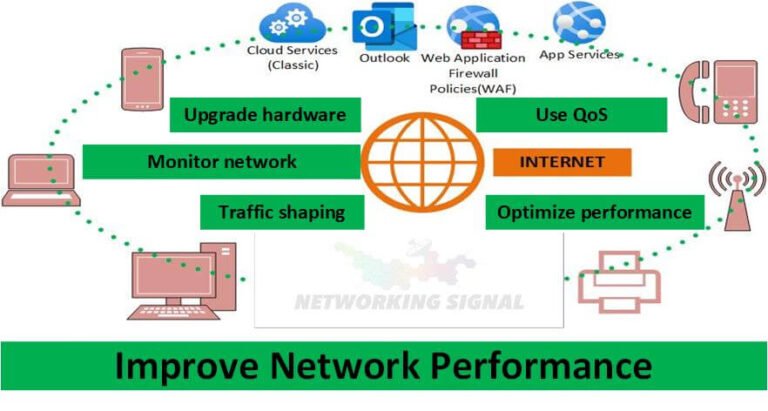
7 Ways to Improve Network Performance 1. Upgrade your hardware If you want to improve network performance, one…
Many students go online every day without even thinking about the threats they encounter. Nevertheless, hackers use every opportunity to get sensitive data from you.
You must pay attention to web security to avoid a very unpleasant experience. Without a doubt, it can take a while before you get used to logging out of your accounts and updating software all the time.
However, every step you take to prevent yourself from insecure internet connections and suspicious requests from strangers makes your student life easier.
This article will tell you about the seven main principles of how to stay safe while surfing virtual reality platforms.
It is impossible to imagine the life of modern students without online shopping. Whether you want to buy a new hoodie or get essay help for students from online experts, you will need to provide payment details.
Therefore, purchase from reputable online retailers with secure payment options. Choose what options are available before you start adding products to your shopping basket.
Avoid entering credit card details on unfamiliar or insecure websites. Before entering sensitive information, look for the padlock symbol and “HTTPS” in the website URL.
It might be surprising to know that many students do not pay close attention to authentication mechanisms like passwords, two-factor authentication, etc.
They often forget or write their passwords somewhere others can easily read them. Strong authentication mechanisms are necessary to verify user identities and ensure users can only access what they’re allowed to.
Use two-factor authentication, which requires a second verification form, like a text message or authentication app, to ensure no one else can access your files.
The authorization process determines what users can and cannot access based on their roles and permissions. For example, if you share a file with other students, you can define if they can edit it.
Stay informed about common cyber threats like phishing, malware, and scams. For instance, here are some of the most popular phishing threats you want to stay away from:
To avoid sharing your information with such attackers, always verify the sender’s email address before opening any links or attachments.
Without a doubt, you can’t live without social media nowadays. You need to know what is going on in the world and what your peers have to say.
Monitoring your online accounts for any unusual or unauthorized activity is crucial. If you spot anything suspicious, take immediate action to secure your account – change passwords and contact the platform’s support team if necessary.
When you receive a request for personal information or money from someone you don’t know via direct messages, verify the requestor’s identity before sharing any sensitive information.
It is also a good idea to set up your privacy settings to limit the amount of personal information visible to the public.
Be selective about the information you share on social media platforms to take care of your personal data properly. Finally, always log out after using online accounts, especially on public computers or shared devices.
Regularly update your operating system, web browser, plugins, and applications. Updates often include security patches that can improve the system’s current operation system.
Also, ensure to back up important files to an external drive or cloud storage. In case of a security incident, you won’t lose valuable information. It is an especially sound tip if you are engaged in a massive project and have already done a lot of work to complete it.

If you have ever watched a teenage comedy, you know what terrible consequences leaving your phone unlocked might have.
If you do not want to feel yourself playing a leading role in such a movie, use PINs, passwords, or biometric locks to secure your devices. Doing so prevents unauthorized access if your device is lost or stolen.
Use a strong and unique password for your Wi-Fi network. You can also enable WPA3 encryption for improved security. Also, try to stay away from public Wi-Fi.
Even though it is a convenient way to stay online wherever you are, some hackers use it to get sensitive information from you. If you just need to use it anyway, avoid making online payments or logging in to your social media accounts.
As you can see, some of these steps are not that difficult to incorporate into your daily routine. Remember, no matter how exciting an email from someone you don’t know may seem, stop yourself from clicking the link right away.
Take a pause and check that email for security. Follow these rules to ensure your personal information stays safe.
It is a good idea to check the new schemes hackers use and stay alert for them. Spending that extra effort is better than getting the disappointing experience of someone stealing your money or identity.
Hand-picked articles you might also find useful.
 Security
 7 Ways to Improve Network Performance 1. Upgrade your hardware If you want to improve network performance, one…
 Security
 What is Parental Control in Firewall? Parental Control in Firewall is a great way to keep your children…
 Security
 What is ACL? The acronym ACL stands for Access Control Lists. An access control list is a set…