
Why Does My Laptop Keep Disconnecting From Wifi?
Having your laptop repeatedly lose connection to Wi-Fi can be incredibly frustrating. You're in the middle of an…

The HP OmniBook 7 Flip 16 ($1,349.99) is the best laptop for working from home, because it gets the two things right that this job actually depends on: a 5MP camera with Poly Studio processing and a 16 inch 3K OLED display.
Almost all buying advice for remote work leads with the processor. That is the wrong specification. Email, documents, spreadsheets and video calls are undemanding, and any current chip handles them.
What matters is that your colleagues experience your webcam and microphone, not your CPU, and most business laptops still ship a poor 720p camera. And you look at the screen for eight hours a day, which is where eye strain comes from.
Want the best camera and battery instead? The MacBook Air M5 ($1,259.99) has a 12MP camera and eighteen hours, silently.
| Product | Laptop | Camera | Display | RAM | Price |
|---|---|---|---|---|---|
 | HP OmniBook 7 Flip 16Best overall | 5MP IR, Poly | 3K OLED 120Hz | 32GB | $1,349.99 |
 | MacBook Air M5Best camera | 12MP Center Stage | 13.6 in Retina | 16GB | $1,259.99 |
 | Dell 16 Plus, Ultra 9Best value | FHD+, AI noise | 16 in FHD+ touch | 32GB | $1,344.00 |
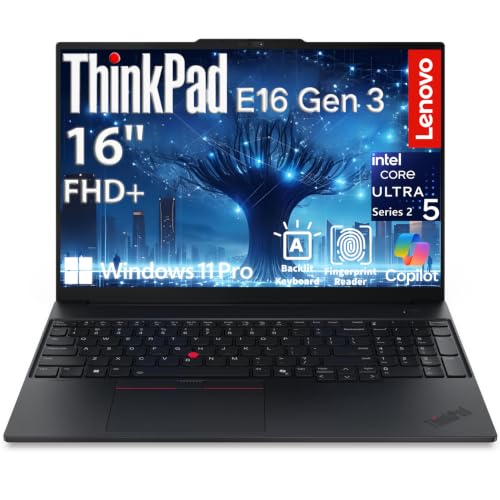 | ThinkPad E16 Gen 3Best desk setup | FHD IR | 16 in WUXGA | 16GB | $1,249.99 |
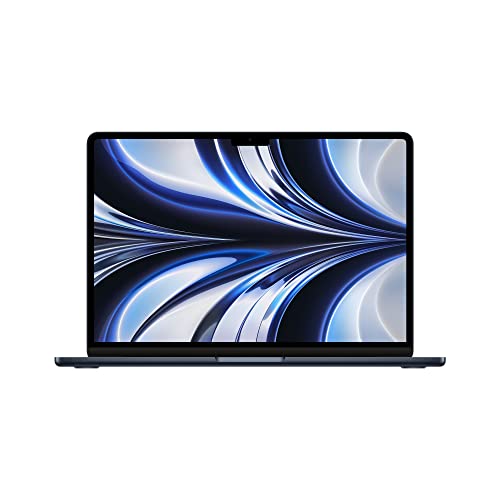 | MacBook Air M2 (Renewed)Best value Mac | 1080p FaceTime | 13.6 in Retina | 16GB | $869.00 |
 | Lenovo V15Budget pick | HD, shutter | 15.6 in FHD | 16GB | $699.98 |
This sounds superficial and it is not. In a hybrid company, the people deciding your next project mostly see you as a video tile. A soft, noisy 720p image with muddy audio reads as less prepared than the same person on a sharp camera with clean sound, whether or not that is fair.
The gap between a 720p webcam and a 5MP or 12MP camera is not subtle. Higher resolution sensors gather more light, so a room lit by a window behind you produces a visible face rather than a silhouette.
Microphones matter as much. Poly Studio on the HP and AI noise cancellation on the Dell both suppress background noise in software, so a dishwasher or a passing van does not interrupt the meeting.
Where a laptop has a poor camera, an external webcam fixes it for $60 to $150. That is a reasonable answer and it is one more thing on the desk.
Eight hours a day, five days a week. This is the component you interact with most and the one people underspend on.
Three specifications matter.
Brightness. Below 300 nits a screen is dim in a bright room, which makes you lean in and squint. Four hundred to 500 nits is comfortable in daylight.
Size and resolution. A 16 inch panel fits two documents side by side; a 13 inch does not. Higher resolution renders text more smoothly, which reduces fatigue over a long day.
Matte or glossy. An anti glare panel is better in a room with a window behind you, which describes most home offices. Glossy panels look richer and reflect the room.
If your laptop lives on a desk, a Thunderbolt 4 port turns arriving at work into plugging in one cable: monitor, power, keyboard, mouse and wired network, all at once.
It matters more than it sounds because it removes friction from moving between the desk and the kitchen table, and friction is what stops people doing it.
The processor. Documents, email, browsers and calls are undemanding. Any current chip is enough, and a faster one changes nothing you will notice.
A discrete GPU. Useless for office work, and it costs battery life and adds fan noise.
Battery, if you work at a desk. Plugged in all day, eighteen hours of battery is wasted money. If you move around the house, it is the most valuable feature on the list.
Sixteen gigabytes of RAM is the sensible floor. Thirty two is worth it if you keep thirty browser tabs open alongside Teams, Slack and a spreadsheet, which many people do.
This is the only laptop here that is genuinely good at both of the things remote work depends on.
The 5MP infrared camera with Poly Studio processing is the best Windows webcam in this price range. Poly makes conference room equipment, and their processing handles the two situations that ruin home calls: a window behind you, and background noise. Combined with DTS:X Ultra audio, you sound and look like someone in an office.
The display is the other half: 16 inch 3K OLED at 2880 by 1800, 120 Hz, 500 nits, 100 percent DCI-P3. OLED gives true blacks and per pixel contrast, which makes text noticeably crisper than an LCD. Five hundred nits stays comfortable next to a window.
The 2-in-1 hinge and included pen earn their place if you review documents. Folding the screen flat and marking up a contract or a design directly is faster than commenting with a mouse.
Thirty two gigabytes and a 1TB SSD handle a browser with many tabs plus Teams, Slack and Office without slowing.
Ports are good: two USB-A, Thunderbolt 4, USB-C and HDMI 2.1, plus a bundled USB-C hub. Thunderbolt 4 means single cable docking.
Wi-Fi 7, which matters on a congested home network where a video call competes with streaming and everyone else’s devices.
OLED has two costs. Static elements such as a taskbar can cause burn in over years, and OLED uses more power on bright pages, so a day of white documents drains faster than on an LCD.
Buy this if you are on calls and reading all day. It is the best of both.
The best camera, the best battery and complete silence. If your day is calls, documents and browsing, this is very hard to beat.
The 12MP Center Stage camera is the best on this page and does something no other laptop here does: it keeps you framed automatically as you move, using the wide sensor to pan digitally. On a long call where you shift in your chair or stand up, you stay centred instead of drifting out of shot.
Desk View uses the same camera to show a top down view of your desk, which is genuinely useful for demonstrating anything physical on a call.
Three microphones and four speakers with Spatial Audio, which is the best call audio here in both directions.
Eighteen hours of battery, at full performance unplugged rather than throttled. If you move between a desk, the kitchen and the garden, this changes how you work rather than just extending it.
Fanless, so completely silent. In a home office that is a real quality of life difference, and it means no fan noise on your microphone.
The 13.6 inch Liquid Retina display is excellent but small for two documents side by side. Most people will want an external monitor, which the machine drives well.
Sixteen gigabytes of unified memory is fine for office work but is soldered and not upgradeable, so it is fixed at purchase.
Two USB-C ports and no USB-A, so expect a hub for older peripherals. And if your employer requires Windows only software, check before buying.
Buy this if you move around the house and your work runs on anything but Windows only software.
Thirty two gigabytes, a 16 inch screen, Wi-Fi 7 and vPro management for $1,344. The most complete Windows package here at the price.
The camera is FHD+ rather than 5MP, so a step below the HP, but the AI noise cancellation is the feature that actually changes calls. It removes background noise in software, so children, a washing machine or traffic outside stop being everyone else’s problem.
Thirty two gigabytes of LPDDR5X at 8533 MT/s is unusually fast memory and keeps a browser with many tabs plus Teams and Office responsive without any hesitation.
The 16 inch FHD+ touch panel at 300 nits is the compromise. It is large enough for two documents side by side, which is the main thing, but 300 nits is dim next to a window and it does not match the HP’s OLED for text clarity.
Wi-Fi 7 at 2×2 and 160 MHz matters at home more than in an office. Home networks are crowded, and Wi-Fi 7’s Multi Link Operation lets a device use two bands at once, so a video call is far less likely to stutter when someone else starts streaming.
Ports: one USB-A, one USB-C with DisplayPort, one Thunderbolt 4 with DisplayPort 2.1, HDMI 2.1. Thunderbolt 4 gives single cable docking.
Intel vPro is included, which lets IT manage and secure the machine remotely, useful if your employer supports the device.
Only one USB-A, so a webcam and a keyboard dongle together need a hub. And the memory is soldered.
Buy this for the most complete Windows setup at the price, especially with a noisy household.
If your home office is a proper desk with monitors, this is built for it.
Three 4K external displays simultaneously through Thunderbolt 4, USB-C DisplayPort 2.1 and HDMI 2.1. Most laptops at this price drive two. If you want a document, a browser and a video call each on their own screen, this does it without a dock.
Gigabit Ethernet is the feature everyone else dropped and it is genuinely useful at home. A wired connection removes an entire category of video call problem, because it never contends with the neighbour’s WiFi or drops when the microwave runs.
The FHD 1080p infrared camera with dual array microphones and Dolby Atmos speakers is a clear step above the 720p cameras common in this bracket, though below the HP and Apple.
Security is the strongest here: fingerprint reader in the power button, Windows Hello facial recognition, physical privacy shutter, TPM 2.0 and Windows 11 Pro with BitLocker. If you handle sensitive work from home, that combination matters.
At 3.59 lbs and 0.67 inches it moves easily between desk and sofa, and 65W USB-C charging means one charger for laptop and phone.
Two limitations. Sixteen gigabytes rather than 32, which is fine unless you keep dozens of tabs open. And the 300 nit display is dim, though with three external monitors available that matters less.
Wi-Fi 6E rather than 7, largely offset by the Ethernet port.
Buy this for a proper desk with multiple monitors and a wired connection.
Eight hundred and sixty nine dollars for a 16GB MacBook Air with 512GB. Four hundred less than the M5, and for office work the difference is mostly invisible.
The M2 is three generations old and still comfortably fast for documents, email, browsers and video calls. Where it falls behind is heavy work such as video editing or large compilations, which is not what this list is about.
Sixteen gigabytes and 512GB is the right configuration and better value than the M5’s base 512GB at this price. Getting 16GB rather than 8 matters, because base Macs with 8GB feel constrained with many browser tabs.
Eighteen hours of battery and a fanless silent design, same as the M5.
The camera is the trade. The M2 Air has a 1080p FaceTime HD camera, good but well short of the M5’s 12MP Center Stage. No automatic framing, no Desk View. Still better than most Windows laptops in this price range.
An eight core CPU and eight core GPU, plenty for office work and light creative tasks.
This is Amazon Renewed, meaning inspected and tested with the Renewed Guarantee, but it is not new and the battery has some cycles on it. Expect somewhat less than eighteen hours in practice.
Two USB-C ports and no USB-A, and the same Windows only software limitation as any Mac.
Buy this for Mac battery life and silence on a budget, accepting a used battery.
Seven hundred dollars with 16GB, Windows 11 Pro and an Ethernet port. The sensible floor for working from home properly.
Windows 11 Pro at this price is the reason to pick this over the many cheaper laptops that ship Home. Pro gives BitLocker encryption, Remote Desktop and domain join, and if you connect to a company network, some of those are not optional.
Sixteen gigabytes of DDR5 is the right amount and enough for a normal working day with a browser, Teams and Office.
Gigabit Ethernet is present, so you can wire the connection and stop video calls from competing with the rest of the household’s WiFi. That single change fixes more call quality complaints than any other.
Two external 4K displays at 60 Hz through HDMI and USB-C without a dock, which is enough for most home desks.
The 15.6 inch FHD anti glare panel is TUV certified low blue light, and anti glare is the right choice in a room with a window.
MIL-SPEC 810H tested, unusual at this price and reassuring for a laptop that moves around the house.
The camera is the weak point: a plain HD webcam with a privacy shutter, well below everything else here. If you are on calls often, budget $60 to $150 for an external webcam and this becomes a good setup.
The Ryzen 5 7520U is a low power four core part and will feel slow with many tabs. HDMI 1.4b caps 4K at 30 Hz, so use USB-C for a 4K monitor.
Buy this on a tight budget, and spend a little of the saving on an external webcam.
The camera, the microphone and the screen. Colleagues experience your webcam and audio rather than your processor, and you look at the display for eight hours a day. Office work is undemanding, so any current chip is fast enough.
Sixteen gigabytes is the sensible floor and covers a browser, Teams, Slack and Office comfortably. Thirty two is worth it if you routinely keep dozens of tabs open alongside several applications. More than that makes no difference for office work.
It works, but it is visibly soft and struggles when there is a window behind you. A 5MP or 12MP camera produces a clearly better image in the same room. If your laptop has a poor camera, an external webcam at $60 to $150 fixes it.
Check what your employer’s software requires first. If everything is web based or cross platform, a MacBook gives better battery life, better cameras and silent operation. If any tool is Windows only, that decides it.
It helps more at home than in an office, because home networks are congested and your call competes with streaming and other devices. Multi Link Operation lets a device use two bands at once, which reduces stuttering. A wired Ethernet connection is better still.
It depends on whether you mark up documents. Folding a screen flat and annotating a contract or a design with a pen is faster than commenting with a mouse. If you only type and read, a touchscreen adds cost and weight for little gain.
Buy the HP OmniBook 7 Flip 16 at $1,349.99. A 5MP camera with Poly Studio processing and a 3K OLED at 500 nits is the right combination for a job made of calls and reading, and the pen is a genuine bonus for reviewing documents.
If you move around the house, the MacBook Air M5 at $1,259.99 gives eighteen silent hours and the best camera here, provided your work software runs on macOS.
For a fixed desk with monitors, the ThinkPad E16 Gen 3 at $1,249.99 drives three 4K displays and has an Ethernet port that removes most call quality problems. On a budget, the Lenovo V15 at $699.98 plus a $100 external webcam beats any $800 laptop with a bad camera built in.
Disclosure: Networking Signal is a participant in the Amazon Services LLC Associates Program. We earn a commission on qualifying purchases made through links on this page, at no additional cost to you. Prices shown were accurate at the time of writing and may change. Renewed items are inspected and sold under the Amazon Renewed Guarantee and are not new. Check your employer’s software and security requirements before choosing an operating system.
Hand-picked articles you might also find useful.
 Laptops
 Having your laptop repeatedly lose connection to Wi-Fi can be incredibly frustrating. You're in the middle of an…
 Laptops
 The best laptops for SolidWorks in 2026. The ThinkPad P16v at $2,899 is the pick. SolidWorks modelling is…
 Laptops
 The best laptops for cyber security students in 2026. The ASUS V16 at $1,849 is the pick. RAM…