
Link Layer Discovery Protocol LLDP
Link Layer Discovery Protocol is a vendor-independent protocol that was developed by the Institute of Electrical and Electronics…
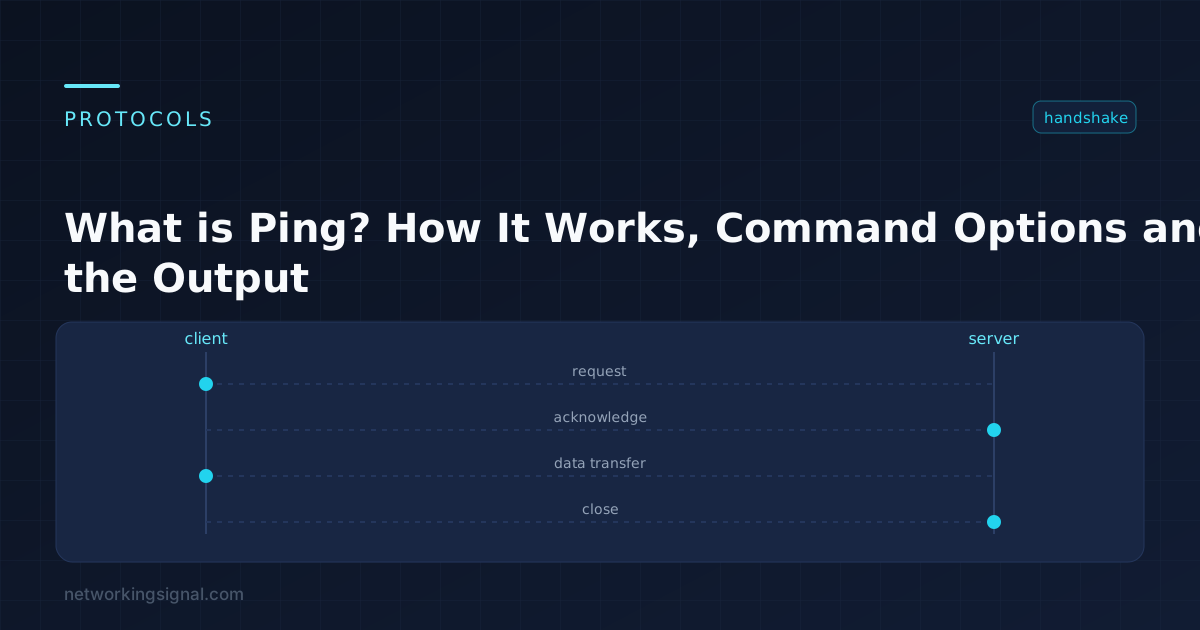
Ping sends an ICMP Echo Request to a target and waits for an Echo Reply, measuring how long the round trip took. It is the first command almost every network problem gets diagnosed with, because it answers two questions at once: is the destination reachable, and how long does traffic take to get there and back.
It was written in 1983 by Mike Muuss and named after sonar, you send a pulse out and listen for the echo.
ping 8.8.8.8. Your host builds an ICMP Echo Request (type 8, code 0) containing a sequence number, an identifier, and a block of padding data.Because ICMP is handled inside the IP stack rather than by an application, it has no port numbers at all, which is why “ICMP port” is a misnomer, a successful ping proves Layer 3 reachability, it says nothing about whether the web server, database or file share on that host is actually working.
$ ping -c 4 8.8.8.8
PING 8.8.8.8 (8.8.8.8) 56(84) bytes of data.
64 bytes from 8.8.8.8: icmp_seq=1 ttl=118 time=12.4 ms
64 bytes from 8.8.8.8: icmp_seq=2 ttl=118 time=11.9 ms
64 bytes from 8.8.8.8: icmp_seq=3 ttl=118 time=13.1 ms
64 bytes from 8.8.8.8: icmp_seq=4 ttl=118 time=12.0 ms

--- 8.8.8.8 ping statistics ---
4 packets transmitted, 4 received, 0% packet loss, time 3005ms
rtt min/avg/max/mdev = 11.912/12.362/13.148/0.472 ms| Field | Meaning |
|---|---|
64 bytes | Reply size. Linux defaults to a 56-byte payload; the 64 includes the 8-byte ICMP header. |
icmp_seq | Sequence number. Gaps here mean lost packets, watch for which ones are missing, not just the total. |
ttl=118 | Time To Live remaining. Most stacks start at 64, 128 or 255, so 118 suggests the reply crossed 10 hops from a start of 128. |
time=12.4 ms | Round-trip time. Not one-way latency, halve it for a rough one-way figure. |
mdev / stddev | Variation in round-trip time. This is jitter, and it matters more than average latency for voice and video. |
| Target | Healthy RTT | Investigate above |
|---|---|---|
| Default gateway on the LAN | < 1 ms | 5 ms |
| Over Wi-Fi to the gateway | 1–5 ms | 30 ms |
| ISP first hop | 5–20 ms | 50 ms |
| Same-country server | 10–40 ms | 80 ms |
| Intercontinental | 100–250 ms | 350 ms |
| Satellite (geostationary) | 500–700 ms | — |
Any packet loss to your own gateway is a fault. Loss to a distant host may just be rate limiting on an intermediate router.
| Command | Purpose |
|---|---|
ping -t 8.8.8.8 | Ping continuously until Ctrl+C. Ctrl+Break prints running statistics without stopping. |
ping -n 10 8.8.8.8 | Send exactly 10 requests. |
ping -l 1472 8.8.8.8 | Set payload size, used for MTU testing. |
ping -f -l 1472 8.8.8.8 | Set the Don’t Fragment bit. Essential for finding path MTU. |
ping -a 192.168.1.10 | Resolve the address to a hostname. |
ping -4 / -6 | Force IPv4 or IPv6. |
| Command | Purpose |
|---|---|
ping -c 10 8.8.8.8 | Send 10 requests then stop. (Linux pings forever by default.) |
ping -i 0.2 8.8.8.8 | Interval between packets in seconds. |
ping -s 1472 8.8.8.8 | Payload size. |
ping -M do -s 1472 8.8.8.8 | Don’t Fragment, for MTU discovery. |
ping -I eth1 8.8.8.8 | Source from a specific interface, useful on multi-homed hosts. |
ping -W 1 8.8.8.8 | Reply timeout in seconds. |
Send a Don’t Fragment packet and shrink it until it gets through. On Windows, ping -f -l 1472 tests a 1500-byte MTU (1472 payload + 8 ICMP header + 20 IP header). If you get “Packet needs to be fragmented but DF set”, reduce the size. This is how you diagnose the MTU problems that break VPNs and PPPoE links while ordinary ping works fine.
| Message | Meaning | Where to look |
|---|---|---|
| Request timed out | No reply arrived. The host may be down, ICMP may be filtered, or the reply may be lost. | Firewall rules, then the host itself |
| Destination host unreachable | A router on the path has no route to the destination, the error came from the router, not the target. | Routing table, default gateway |
| Destination net unreachable | Same, but for the whole network. | Upstream routing |
| TTL expired in transit | The packet exceeded its hop limit. Usually a routing loop. | Run traceroute, you will see hops repeating |
| General failure | Local stack problem, no valid address, or the interface is down. | ipconfig / ip addr |
| Ping request could not find host | DNS failed. The network may be fine. | Try pinging an IP address directly |
| Packet needs to be fragmented but DF set | Payload exceeds the path MTU. | MTU on the tunnel or WAN interface |
This is the most common misreading of ping. Many hosts and networks deliberately drop ICMP:
When ping fails but you need to know whether a service is alive, test the port instead:
# Windows
Test-NetConnection example.com -Port 443

# Linux / macOS
nc -zv example.com 443| Tool | Answers |
|---|---|
ping | Is the destination reachable, and how fast? |
tracert / traceroute | Which path does traffic take, and where does it break? |
pathping (Windows) / mtr (Linux) | Which specific hop is losing packets, measured over time? |
mtr is the one to reach for on an intermittent problem, it runs continuously and shows per-hop loss and latency, which a single traceroute cannot.
ping 127.0.0.1, proves your own TCP/IP stack works.ping your own IP address, proves the NIC is configured.ping your default gateway, proves the local network works.ping 8.8.8.8, proves internet routing works.ping google.com, proves DNS works. If step 4 succeeds and step 5 fails, it is DNS, not connectivity.More diagnostics in our network troubleshooting commands guide.
Under 30 ms feels instant, 30–60 ms is fine for most games, 60–100 ms is playable, and above 100 ms is noticeable in fast-paced titles. Consistency matters as much as the average, 40 ms with heavy jitter plays worse than a steady 70 ms.
No. Ping measures latency, which is independent of bandwidth. A satellite link can have gigabit throughput and 600 ms ping; a slow DSL line can have 10 ms ping.
Over Wi-Fi, usually interference, distance or channel congestion, the same causes behind a laptop repeatedly disconnecting. Over Ethernet, anything above a couple of milliseconds points at a faulty cable, a duplex mismatch, or a badly overloaded switch.
ICMP floods and the historic “ping of death” (an oversized fragmented packet) both used ping, which is part of why ICMP is filtered so widely. Modern stacks are not vulnerable to the ping of death, and volumetric ICMP floods are handled by rate limiting.
Initial TTL is 64 on Linux and macOS, 128 on Windows, 255 on most network devices. Subtract the value you see from the nearest of those to estimate the hop count.
Hand-picked articles you might also find useful.
 Routing & Switching
 Link Layer Discovery Protocol is a vendor-independent protocol that was developed by the Institute of Electrical and Electronics…
 Routing & Switching
 Administrative distance decides which routing protocol a router believes when two of them offer the same route. Full…
 Routing & Switching
 How to set up an office network properly, with a specified equipment list for 10 to 30 people.…
One response to “What is Ping? How It Works, Command Options and Reading the Output”
[…] Ping: Ping is a basic command that can be used to test connectivity to a remote host. This command will send ICMP Echo Request packets to the target host and wait for an ICMP Echo Reply. If the target host responds, then it is considered reachable. […]