
TCP vs UDP — Key Differences Explained
TCP vs UDP — complete comparison of Transmission Control Protocol vs User Datagram Protocol. When to use each,…
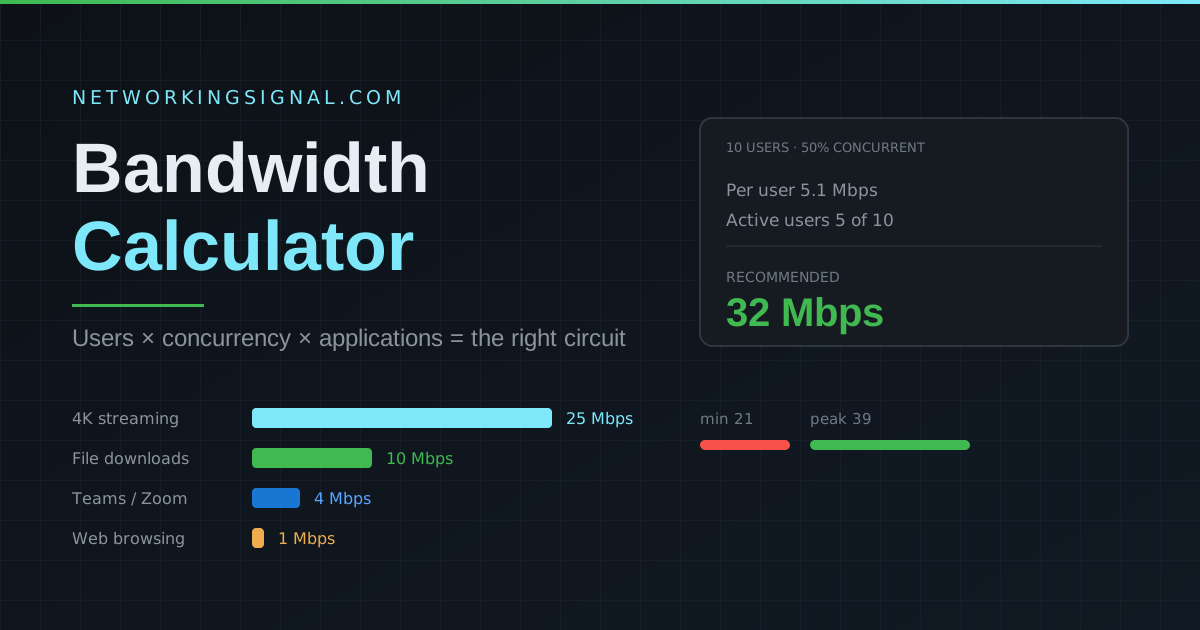
Size an internet connection properly. This accounts for the fact that not everyone is online at the same moment, which is where most bandwidth estimates go wrong and people overpay.
The calculator multiplies three things together:
So 10 users at 50% concurrency, each needing 5.1 Mbps, gives a base of 25.5 Mbps and a recommendation of 32 Mbps.
| Use Case | Users | Recommended Bandwidth |
|---|---|---|
| Home (basic browsing + streaming) | 1 to 4 | 25 to 100 Mbps |
| Small office (email + web) | 5 to 15 | 50 to 150 Mbps |
| Medium office (video calls + cloud) | 15 to 50 | 200 to 500 Mbps |
| Large office (all applications) | 50 to 200 | 500 Mbps to 2 Gbps |
| Enterprise | 200+ | 2 Gbps+ on dedicated circuits |
| Application | Per user | Notes |
|---|---|---|
| 0.1 Mbps | Negligible unless attachments are large | |
| VoIP call | 0.1 Mbps | Low bandwidth, but very sensitive to jitter and loss |
| Web browsing | 1 Mbps | Bursty, loads in short spikes |
| VPN | 1.5 Mbps | Overhead on top of whatever runs inside the tunnel |
| Remote desktop | 2 Mbps | Rises sharply with screen resolution and video |
| Online gaming | 3 Mbps | Latency matters far more than raw bandwidth |
| HD video call | 3.5 Mbps | Both upload and download |
| Teams / Zoom meeting | 4 Mbps | Higher with gallery view and screen sharing |
| Cloud storage sync | 5 Mbps | Can saturate a link during a first-time sync |
| Software updates | 8 Mbps | Schedule outside working hours where possible |
| File downloads | 10 Mbps | Will consume everything available |
| 4K video streaming | 25 Mbps | 25× a browsing session, the biggest single driver |
Most consumer broadband is asymmetric, you might get 500 Mbps down but only 20 Mbps up. Video calls, cloud backup and remote desktop all consume upload as heavily as download. An office of 20 people on video calls needs roughly 70 Mbps of upload, which many “fast” consumer plans cannot deliver. If your users complain that meetings freeze while downloads run fine, upload saturation is almost always the reason.
Buying more bandwidth does not fix every slow network. Check these before upgrading the circuit:
For light use, email, web browsing and the occasional call, yes. If the team runs video conferencing, cloud storage sync and large file transfers, plan for 200 to 500 Mbps. Read our breakdown of what 100 Mbps actually gets you.
Bandwidth is the maximum capacity of the link, measured in Mbps or Gbps. Speed is how fast data actually moves in practice, which latency, packet loss and congestion all reduce. A 1 Gbps link with 5% packet loss will feel slower than a clean 100 Mbps one. See bandwidth in networking for the full explanation.
Because sizing for every user at once is how organisations end up paying for three times the circuit they need. In a typical office roughly half the users are generating traffic at any given moment. Use 70% for a call-centre style environment and 100% only when you genuinely know every seat is active simultaneously.
Use the recommended figure. The minimum is what the network needs to function at all; at that level any burst causes visible slowdown. The peak figure is worth buying if you expect growth within the contract term, since circuit upgrades usually mean a new contract.
Users, mostly. One person with a laptop, a phone and a tablet still generates roughly one person’s worth of active traffic. Count devices separately only when they run independently, security cameras, digital signage and IoT sensors all consume bandwidth with no user attached.
Test what you are actually getting with our WiFi speed test, plan your address space with the subnet calculator and VLAN calculator, or read what throughput means and why internet speed fluctuates. See all our free networking tools.
Estimate each active remote worker’s video-call, cloud-sync and VPN needs, then size the connection for realistic concurrent use rather than every person at maximum load. Check upload capacity separately when workers send files or join video calls.
Not always. If a client has a weak signal, heavy interference or a congested access point, the local Wi-Fi network is the bottleneck. Test near the router and at the affected device before upgrading the WAN connection.
Measure your connection with our WiFi speed test, see whether a plan is sufficient in the 100 Mbps speed guide, and estimate large transfers with the download time calculator.
Hand-picked articles you might also find useful.
 Networking Fundamentals
 TCP vs UDP — complete comparison of Transmission Control Protocol vs User Datagram Protocol. When to use each,…
 Networking Fundamentals
 Ring topology links each device to two neighbours in a closed loop. Here is how token passing worked,…
 Networking Fundamentals
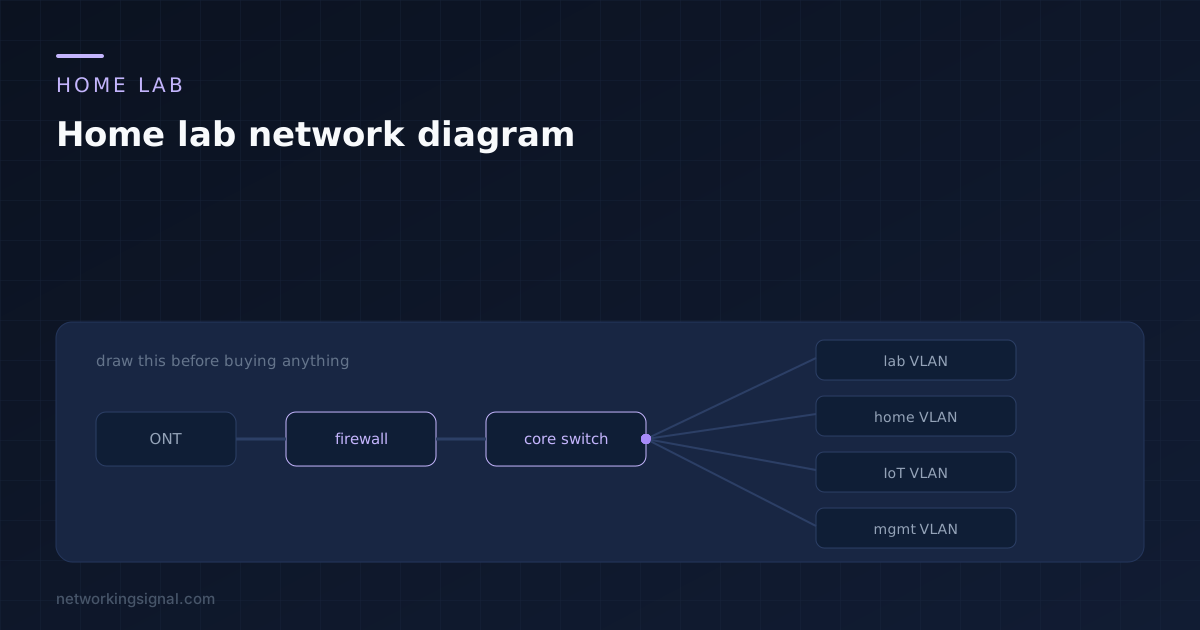
 Drawing the lab first decides your port count, PoE budget and cable runs while they still cost nothing…