
Mesh Topology — Full vs Partial, How It Works and Where It Is Used
Mesh topology explained — the difference between full and partial mesh, why the link count grows so fast,…
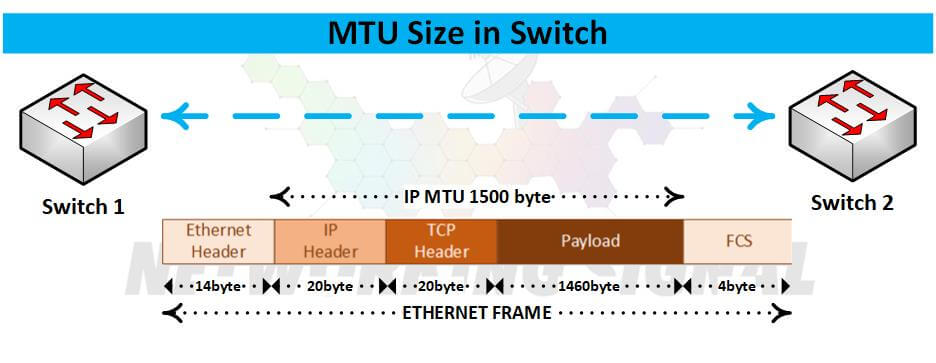
Max Transmission Unit (MTU) is the largest size packet or frame, measured in bytes, that a network can transmit. Any messages larger than the MTU are divided into smaller packets before being sent. The default MTU value is typically 1500 bytes for Ethernet.
The easiest way to understand MTU is to think of it as the largest “chunk” of data that can be sent over a particular type of network connection.
There are three types of MTU:
Default MTU: This is the factory-set MTU value that is programmed into a network device. In most cases, the default MTU is sufficient and there is no need to change it.
Maximum MTU: This is the largest possible MTU value that can be configured for a network device. In most cases, the maximum MTU is 1,514 bytes for Ethernet.
Manual MTU: This is a custom MTU value that can be manually configured for a network device. In most cases, the manual MTU is set to 1,500 bytes for Ethernet.
Giant MTU: Giant MTU is a type of MTU that is used for jumbo frames. Jumbo frames are larger than standard Ethernet frames and can be up to 9,000 bytes in size. Giant MTU is typically set to 2,048 bytes for Ethernet.
Tiny MTU: A tiny MTU is a type of MTU that is used for very small frames. Tiny MTU is typically set to 68 bytes for Ethernet.
No, increasing MTU does not necessarily increase speed. In fact, in some cases, it can actually decrease performance.
Each of those packets will need to be reassembled on the receiving end, which can add latency and decrease performance. So, while increasing MTU might make for fewer packets and less overhead, it doesn’t necessarily mean that your data will be transmitted any faster.
A typical Ethernet header is 14 bytes in size. This includes the destination address (6 bytes), the source address (6 bytes), and the EtherType field (2 bytes). The MTU size for a standard Ethernet frame is 1,500 bytes, which leaves 1,486 bytes for the data payload.
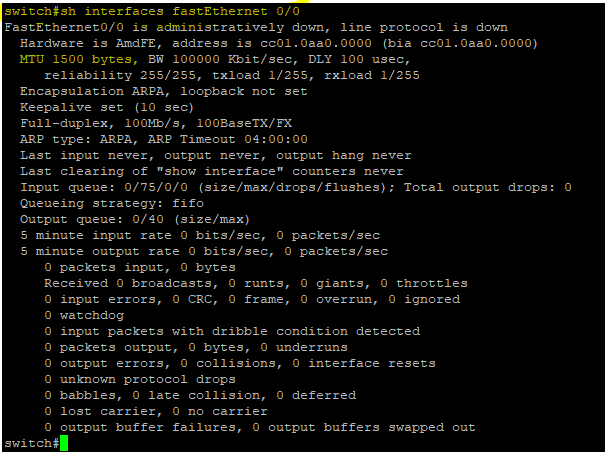
Use the show interfaces command. This will display the MTU size for all of the interfaces on the switch.
Use the show running-config command. This will display the MTU size for all of the interfaces that have been manually configured.
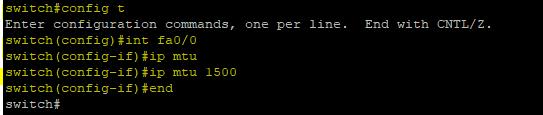
Use the interface command. This will allow you to manually configure the MTU size for a specific interface.
Hand-picked articles you might also find useful.
 Routing & Switching
 Mesh topology explained — the difference between full and partial mesh, why the link count grows so fast,…
 Routing & Switching
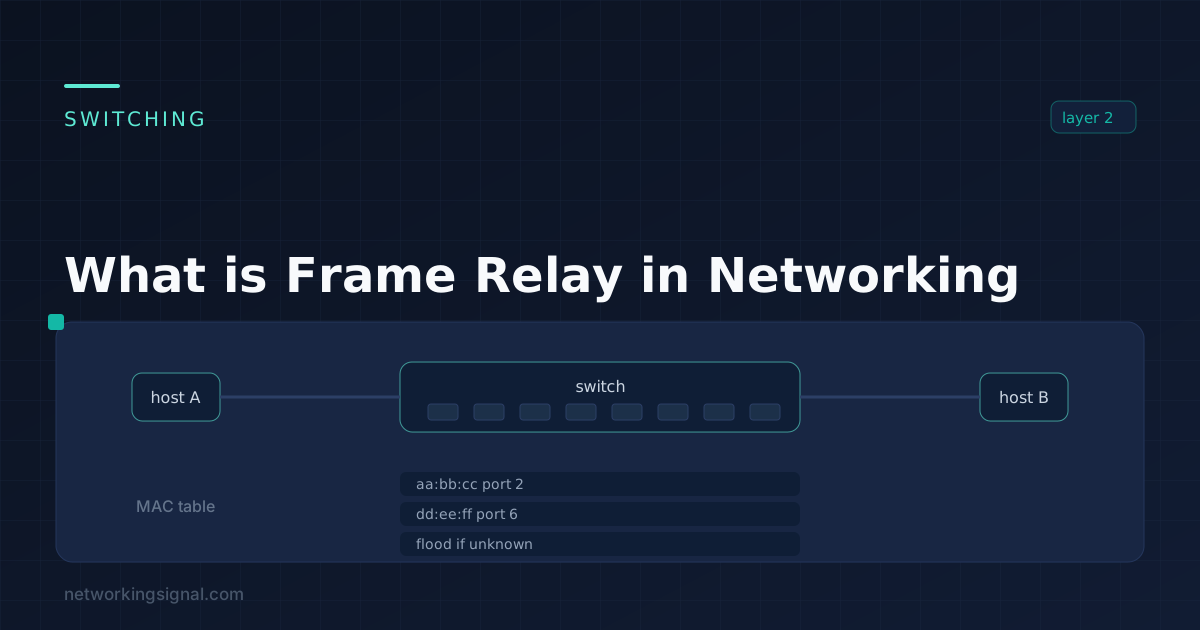
 What is Frame Relay? Frame Relay, a significant advancement in networking, operates at the data link layer of…
 Routing & Switching
 What is Patch Panel? A patch panel is a component of structured cabling that facilitates the connection, organization,…