
APIPA — Why You Get a 169.254 Address and How to Fix It
A 169.254.x.x address means DHCP failed and Windows self-assigned an APIPA address. Here is how APIPA works, what…
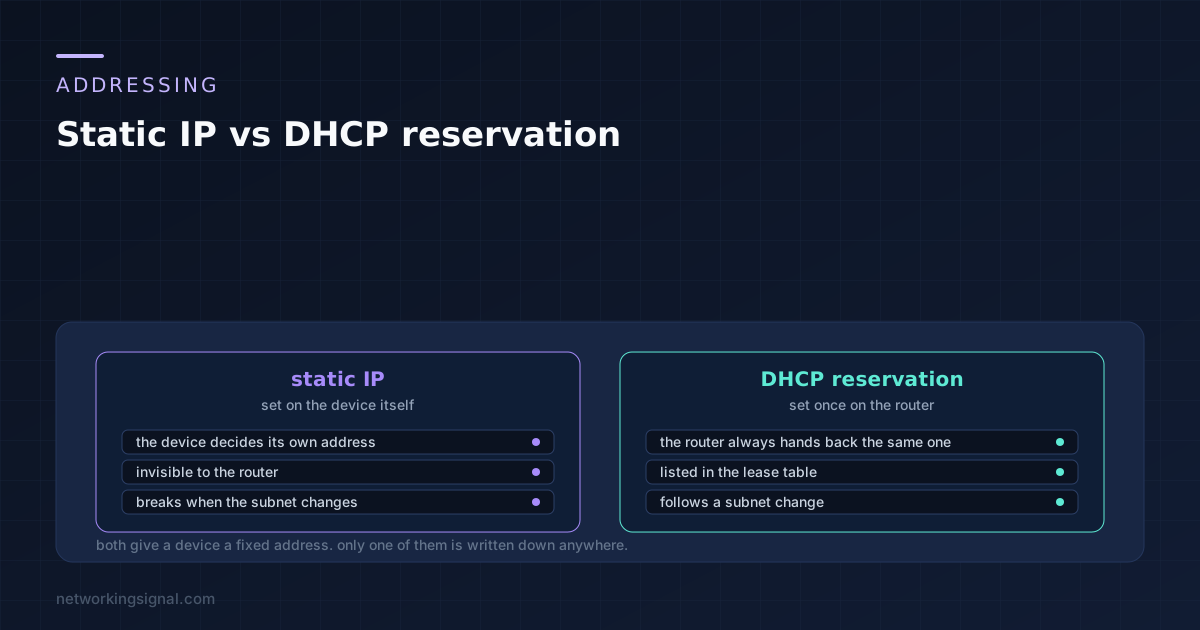
Static IP vs DHCP reservation is a choice between two ways of giving a device the same address every time. A static IP is set on the device. A reservation is set on the router, which then always hands that device the same address.
For almost everything in a home or small office, the reservation is the right answer, and the reason is bookkeeping rather than technology. The router keeps the list, so you do not have to remember it.
With a static IP you open the device’s network settings and type in an address, a subnet mask, a gateway and DNS servers. The device then uses those forever and never asks anybody.
With a reservation you go to the router instead, find the device’s MAC address, and tell the router to always give that MAC the same IP. The device is still set to automatic and still asks for an address at boot. It just always gets the same answer.
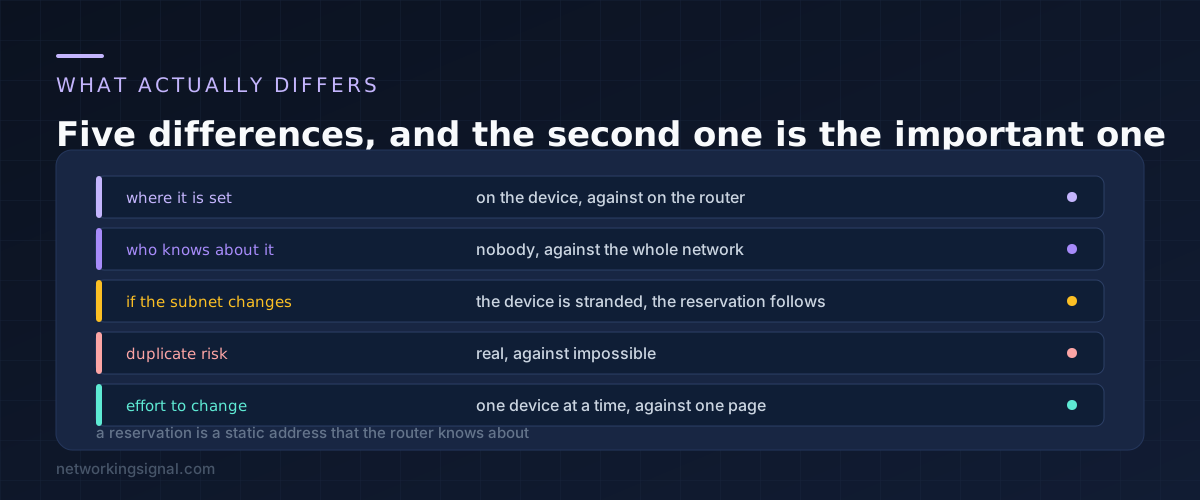
From the device’s point of view the result is identical. From the network’s point of view they are completely different, and that difference is where all the practical consequences come from.
The router has no idea a static address exists. It is not in the lease table, it will not show in the client list as reserved, and the router can hand the same address to something else. A reservation is recorded, visible, and cannot collide with anything the router gives out.
There is a second consequence people meet later. Change your network from 192.168.1.x to 192.168.0.x and every reservation follows automatically, because the router is rewriting them. Every static device is stranded on the old subnet and has to be found and fixed one at a time.
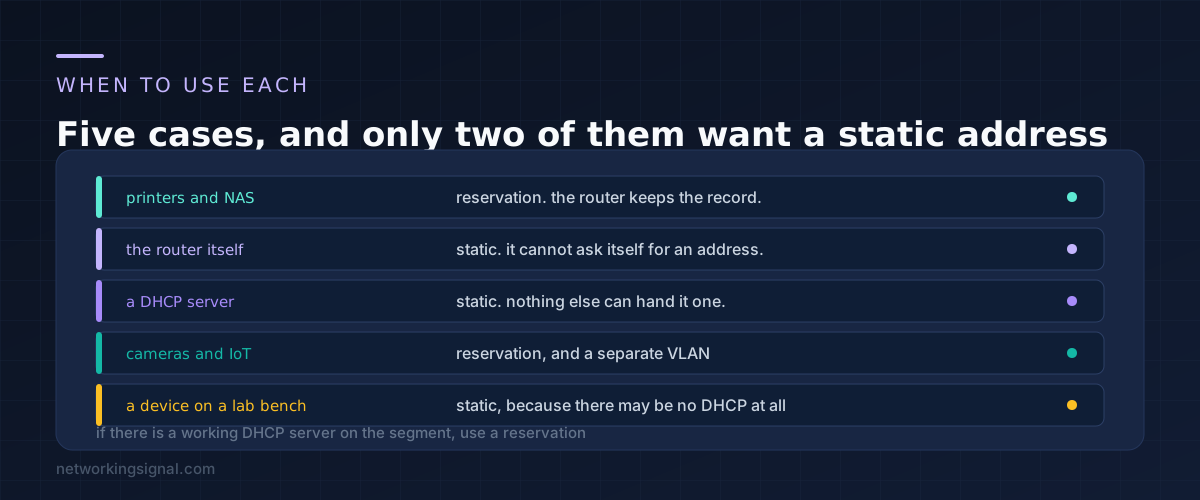
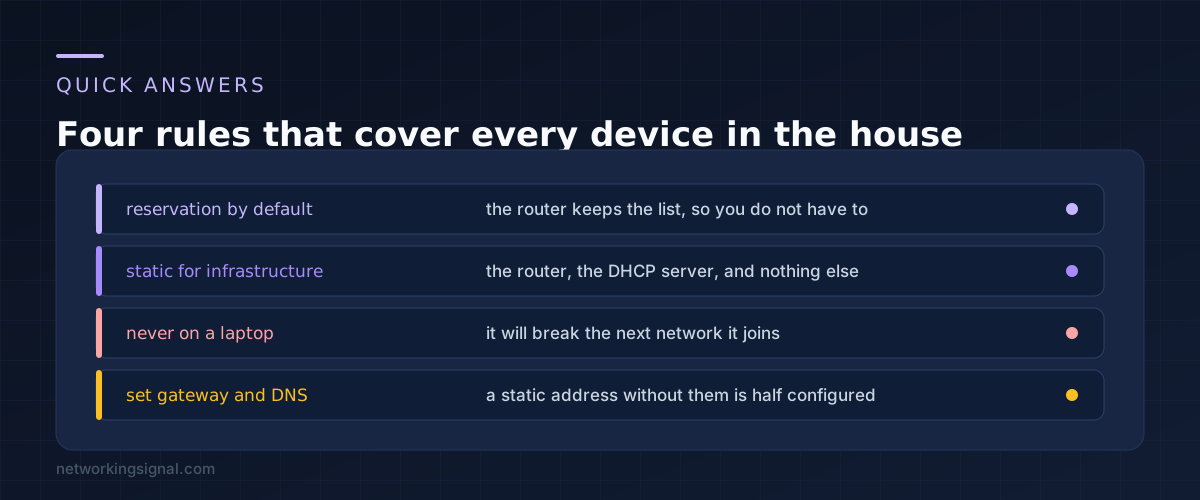
The rule is short. Use a reservation unless the device is part of the addressing system itself.
Reservation for printers, NAS boxes, cameras, media servers and smart home hubs. Anything that other devices need to find at a fixed address, but which is an ordinary client on the network.
Static for the router. It cannot request an address from itself, so it has one configured.
Static for a DHCP server or a Pi-hole style DNS server. A device that hands out addresses cannot depend on a service it provides. If it did, a reboot could leave the whole network without an address server.
Static for equipment on an isolated bench. If there is no DHCP server on the segment at all, static is the only option, which is why switch management interfaces are often configured this way.
Never static on a laptop, phone or tablet. The moment it joins another network the fixed address is wrong and the device has no internet. This is the single most common self inflicted networking problem.
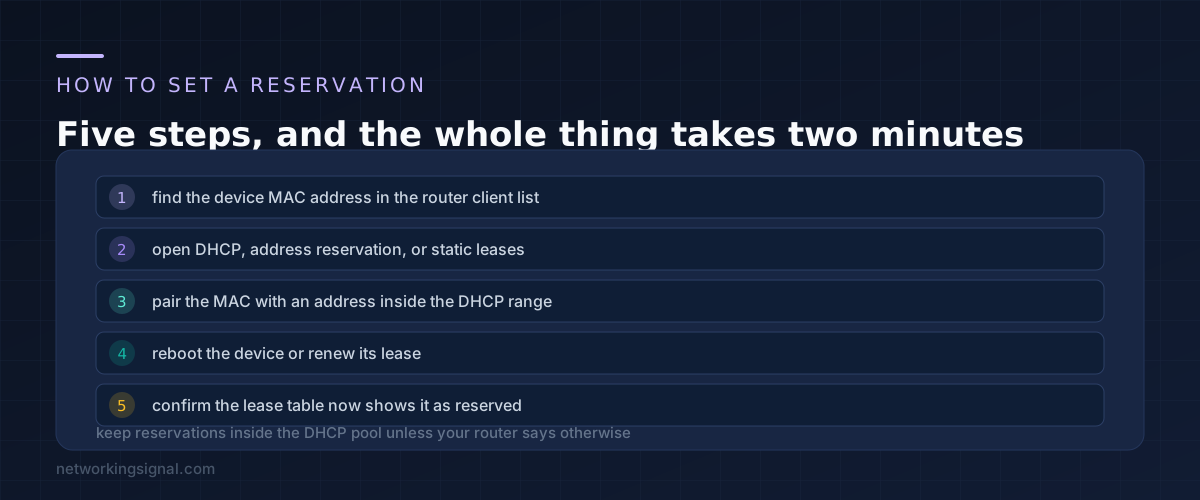
Find the MAC address. The router’s client list shows it next to each connected device, which is easier than digging through the device’s own menus. It looks like a4:83:e7:1c:9f:02.
Open the reservation page. Routers call it different things: Address Reservation on TP-Link, DHCP Reservations on Netgear, Manually Assigned IP on Asus, Static Leases on OpenWrt. It is always somewhere under the DHCP or LAN settings.
Pair the MAC with an address. Pick something memorable and outside the range you use for anything else. Numbering by function helps: printers at .20 to .29, cameras at .30 to .39, and so on.
Renew the lease. The device keeps its current address until the lease expires. Reboot it, or unplug the network cable and plug it back in, and it will pick up the reserved address immediately.
Confirm it took. The lease table should now show the address as reserved rather than dynamic. If it does not, the MAC was typed wrong, which is the usual cause.
One point of confusion worth clearing up. Most routers expect reservations to sit inside the DHCP pool, because the reservation is what stops that address being given to anybody else. A few older models require the reverse. If your router complains, it wants the address outside the pool, and the interface will usually say so.
If you are setting these up for smart home devices, doing it alongside a separate segment is worth the extra half hour, and our guide to an IoT VLAN at home covers that.
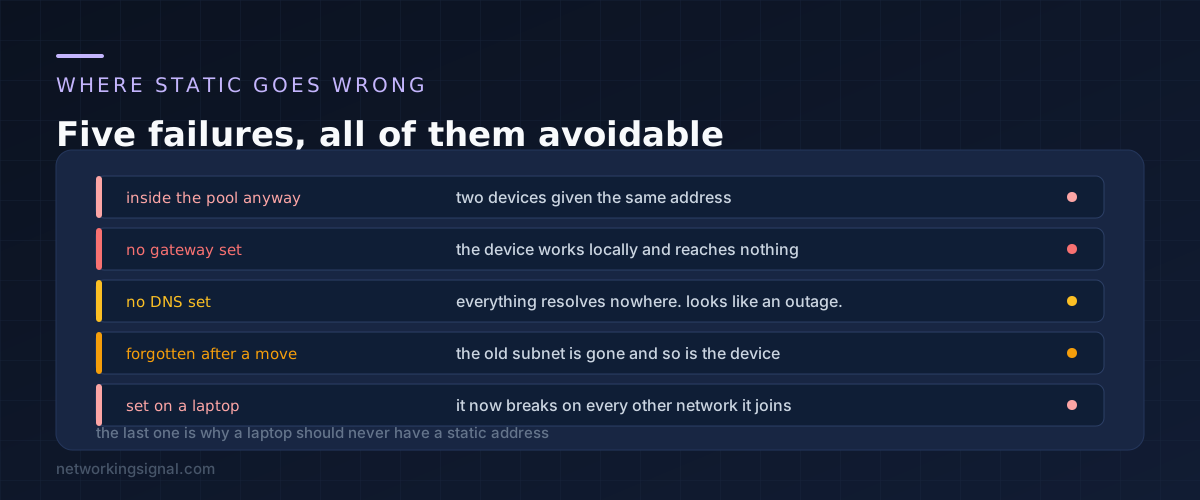
The address is inside the DHCP pool. The router does not know the static device exists, so it eventually hands the same address to a phone. Two devices with one address produces an intermittent fault that is genuinely hard to diagnose. If you must use static, use an address outside the pool.
No gateway configured. The device reaches everything on the local network and nothing beyond it. Printing works, the internet does not, and the symptom looks like an ISP problem.
No DNS configured. Everything fails to resolve while the connection itself is fine. This looks exactly like an outage and sends people to the wrong place entirely, as covered in our guide to DNS server not responding.
Forgotten after a network change. You change the router or the subnet and the static device vanishes. Finding it again means connecting a laptop directly with a matching address, which is an unpleasant afternoon.
Set on something portable. A laptop with a static address works at home and fails everywhere else, and the owner usually has no memory of setting it.
Yes, with one edge case. If the router is rebooting or the DHCP service has failed, a device requesting an address will not get one, whereas a static device carries on regardless. In practice a router that is down takes the network with it anyway, so this rarely matters outside infrastructure.
No. The device makes one DHCP request at boot and gets an immediate answer. After that the address is used exactly as a static one would be. There is no ongoing overhead.
You can, and it is a reasonable belt and braces approach for something critical: set the static address on the device and create a matching reservation on the router so nothing else is ever given it. Make sure the two match exactly, because a mismatch produces a conflict rather than redundancy.
Its current lease has not expired yet. A reservation takes effect at the next renewal, not immediately. Reboot the device or unplug and replug its network connection and it will pick up the new address.
The new one has a different MAC address, so the reservation no longer matches and it gets an ordinary address instead. Update the reservation with the new MAC. This is a genuine advantage of reservations: it is one line to edit rather than a device to reconfigure.
No. Phones, laptops and tablets should stay fully dynamic, because nothing needs to find them at a fixed address and a reservation just clutters the list. Reserve the things that other devices connect to, and let the rest float.
If you are deciding how to lay out the addresses in the first place, our subnet calculator shows how much room each range actually gives you.
Can you explain this topic to someone else in 30 seconds? If not, re-read the key takeaways above.
The core concepts in the takeaways box above. Bookmark this page and come back when you need a refresher.
Hand-picked articles you might also find useful.
 DHCP
DHCP A 169.254.x.x address means DHCP failed and Windows self-assigned an APIPA address. Here is how APIPA works, what…
 DHCP
DHCP DHCP snooping explained — how it stops rogue DHCP servers on your network, what trusted and untrusted ports…
 DHCP
DHCP In the world of networking, protocols play a crucial role in establishing connections and facilitating communication between devices…