
How to Improve Network Security? 11 Working Ways
11 Ways to Improve Network Security Keep your network up to date Use strong passwords and authentication encrypt…
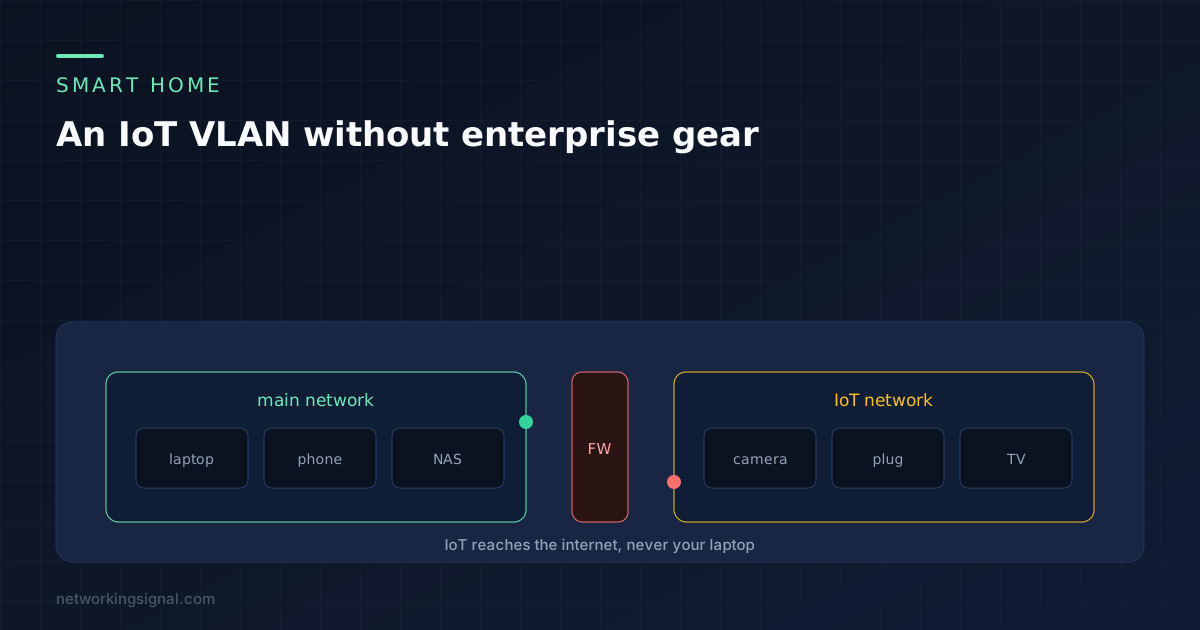
The argument for separating smart home devices is simple. A cheap camera running firmware nobody has updated since 2019 sits on the same network as your laptop, your backups and your work files. If that camera is ever compromised, everything it can reach is in play.
Separating it takes an evening at most, and for many households it takes ten minutes and no new hardware. This covers all three routes, from the version that works on any router to the version worth doing properly.
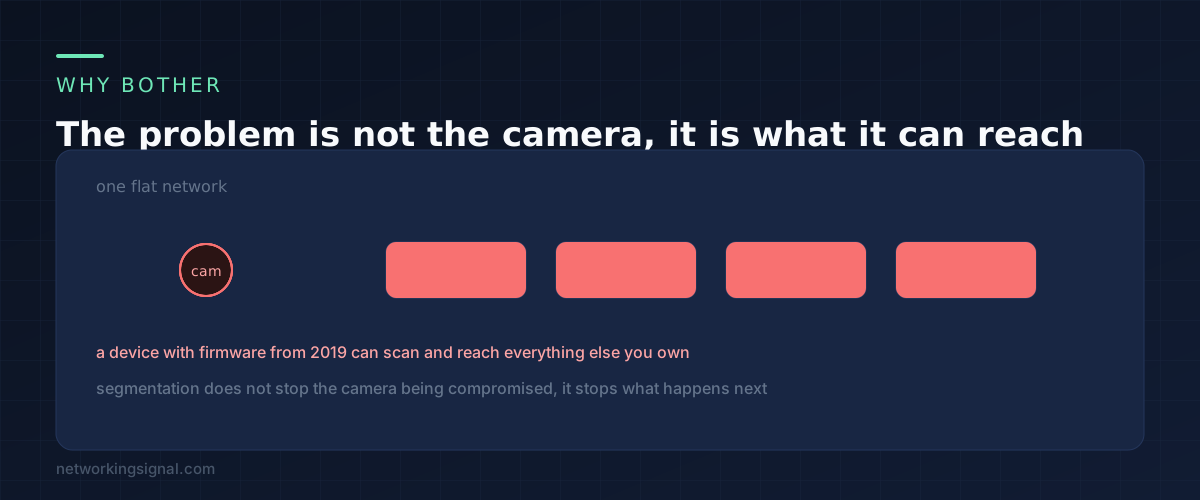
Smart home devices are a bad security bet for reasons that have nothing to do with the people who buy them. They are built to a price, they ship with old software components, they often stop receiving updates a year or two after release, and many of them keep a permanent connection to a manufacturer server you know nothing about.
None of that is fixable from your side. What is fixable is the blast radius. Segmentation does not stop a device being compromised. It decides what happens next.
There is a second reason that has nothing to do with security. IoT devices are noisy. Dozens of cheap 2.4 GHz devices constantly beaconing and reconnecting degrades the band for everything else. Putting them somewhere separate makes the rest of your network measurably calmer.
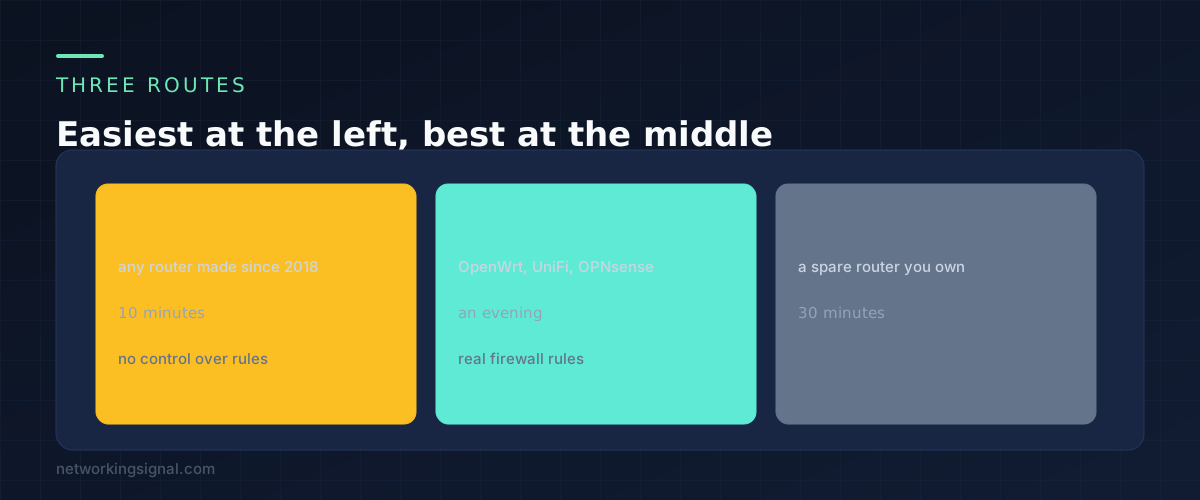
Every router sold in the last several years has a guest network, and a guest network is already an isolated segment. It has its own address range, it cannot reach the main network, and it usually has a client isolation option that stops guests reaching each other too.
Rename it, give it a password you keep, and move your smart devices onto it. That is the whole job. You get most of the security benefit of a VLAN with none of the configuration.
The limitation is control. You cannot write your own rules, you often cannot allow selective access back in, and some routers cripple guest networks in ways that break device setup. Try it first anyway, because if it works you are finished.
If you run OpenWrt, UniFi, OPNsense, pfSense, or a prosumer router with VLAN support, you can do this properly. Create a VLAN with its own subnet and DHCP scope, create a second SSID bound to that VLAN, and write firewall rules between the two.
What you gain is precision. You decide exactly which direction traffic can flow, you can allow one device through for one port, and you can log what the IoT segment tries to do.
A managed switch only becomes necessary if you have wired IoT devices, such as a camera on Ethernet, that need tagged traffic carried across the wire. For a purely wireless smart home, the router and its own radios are enough.
Connect an old router by its WAN port to a LAN port on your main router. It creates its own network behind its own NAT, which means devices on it cannot reach the main network. Put the IoT devices on its WiFi.
It is inelegant, it adds a NAT layer, and you now have two things to update. It also works, costs nothing, and takes half an hour.
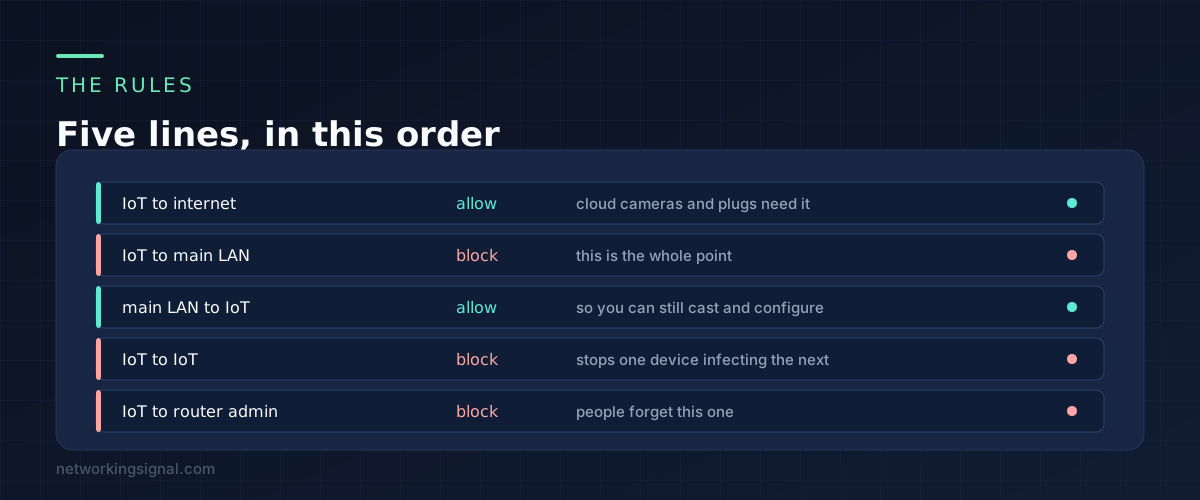
If you are writing rules yourself, these five cover it.
IoT to the internet: allow. Almost every smart device is useless without its cloud service. Blocking this entirely means nothing works, which is why the appealing idea of a fully offline IoT network usually collapses in practice.
IoT to the main LAN: block. This is the rule the whole exercise exists for. Nothing on the IoT segment should be able to open a connection to your laptop or your NAS.
Main LAN to IoT: allow. You still need to reach these devices to configure them, cast to them and check them. Allowing this direction while blocking the reverse gives you the protection without the inconvenience, because a connection you start is still allowed to reply.
IoT to IoT: block. Client isolation within the segment. If one plug is compromised it should not be able to reach the camera next to it.
IoT to the router admin interface: block. Easy to forget, because the router is on the gateway address of the IoT subnet itself and so it looks like part of the segment. A compromised device that can log into your router has undone all of the above.
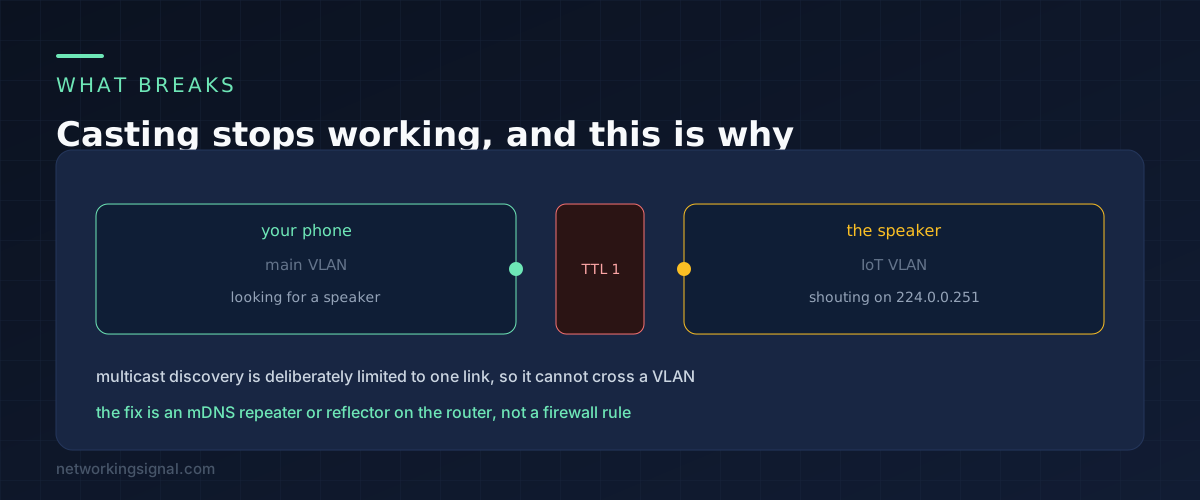
Everything will work until you try to cast something. Then your phone will show no devices, and the firewall rules will look correct, because they are.
Chromecast, AirPlay, Sonos, HomeKit and Matter all find devices using multicast DNS. The device announces itself to 224.0.0.251, and that announcement is deliberately sent with a time to live of 1 so it cannot leave the local link. When you put the speaker on a different VLAN, discovery stops at the boundary even though normal traffic passes fine.
This is not a firewall rule problem and no amount of allow rules will fix it. You need something that repeats those announcements between segments. Depending on your platform it is called an mDNS repeater, an mDNS reflector, or Avahi reflection. UniFi has a toggle. OpenWrt uses Avahi. OPNsense has a plugin.
Turn it on for only the two segments involved. Reflecting everything everywhere puts back some of the visibility you just spent the evening removing.
Two related notes. Devices that use Thread rather than WiFi reach the network through a border router, so whichever segment that border router sits on is the one that matters. And a few older devices refuse to complete setup unless the phone is on the same network, so join the IoT network temporarily to set them up, then move back.
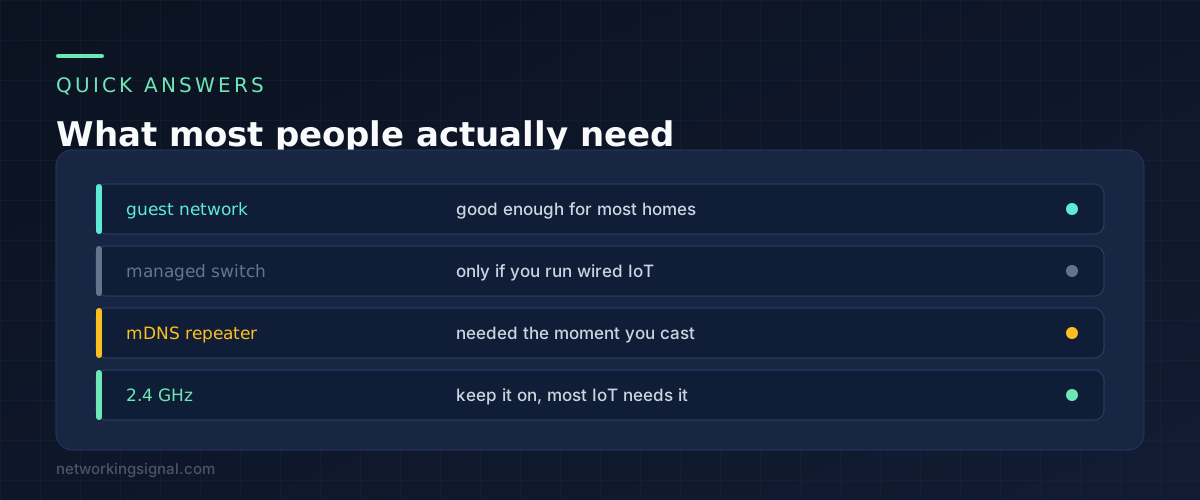
Only if you have wired IoT devices that need to be on the separate segment. For a wireless smart home, a router with VLAN support and a second SSID does everything. Our roundup of managed switches for a home lab covers the options if you do need one.
Yes. Smart TVs are among the worst offenders for tracking and stale software. The only caveat is casting, which needs the mDNS repeater described above.
No, and it would break most of your devices. The majority of smart plugs, sensors and older cameras are 2.4 GHz only. Keep the band, separate the network.
A printer is a reasonable candidate for the IoT segment, since it is another device with firmware nobody updates. Printing from a laptop still works because that direction is allowed, though discovery may need the mDNS repeater again.
Not as good, but close enough for most homes. It gives you the isolation. What it does not give you is control over the rules or the ability to make exceptions. If you are choosing between a guest network today and a VLAN you never get around to, take the guest network.
If you are building the wider network from scratch, the equipment side is covered in our guide to setting up a home network.
Hand-picked articles you might also find useful.
 Security
 11 Ways to Improve Network Security Keep your network up to date Use strong passwords and authentication encrypt…
 Security
 A VPN, or Virtual Private Network, is a private network that encrypts and transmits data while it travels…
 Switching
 Spanning Tree Modes Spanning Tree Modes are essential protocols used in computer networking to prevent loops and broadcast…