
DNS Server Not Responding: What It Means and How to Fix It
Your connection is almost always fine. Two commands prove it is DNS, then five fixes in order, starting…
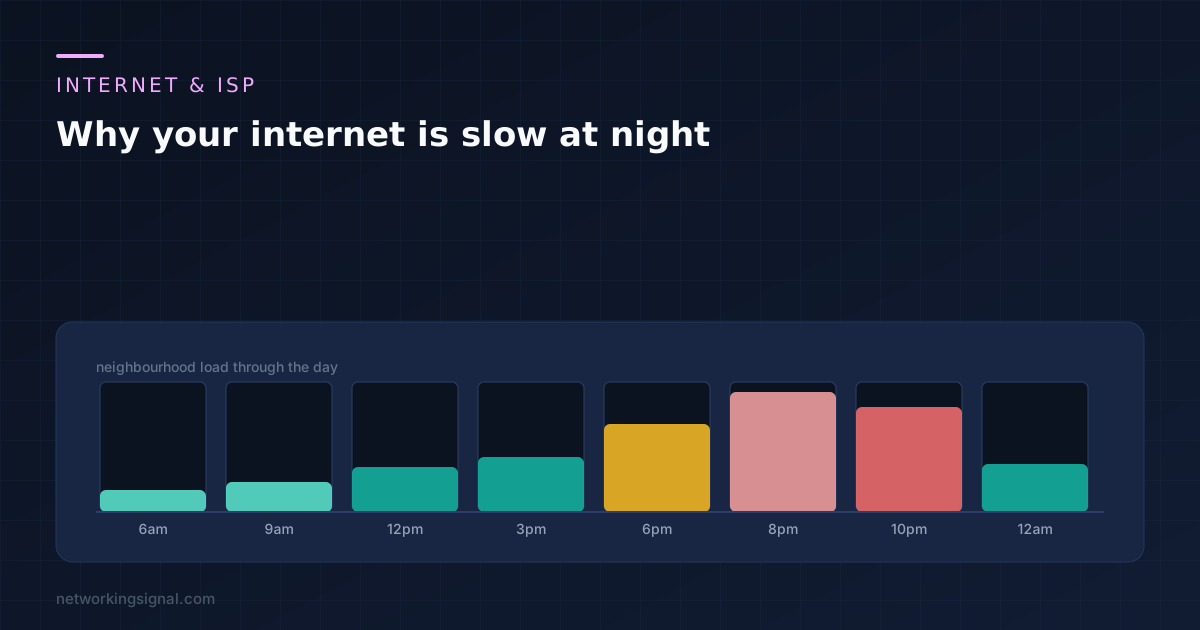
Internet slow at night is congestion, and the only useful question is where. Five different layers can cause it, from your own WiFi to a peering dispute two networks away, and only the first of those is yours to fix.
There is one measurement that tells you which. Run a wired speed test at 9pm, run the same test at 3am, and compare. Everything below follows from that one pair of numbers.
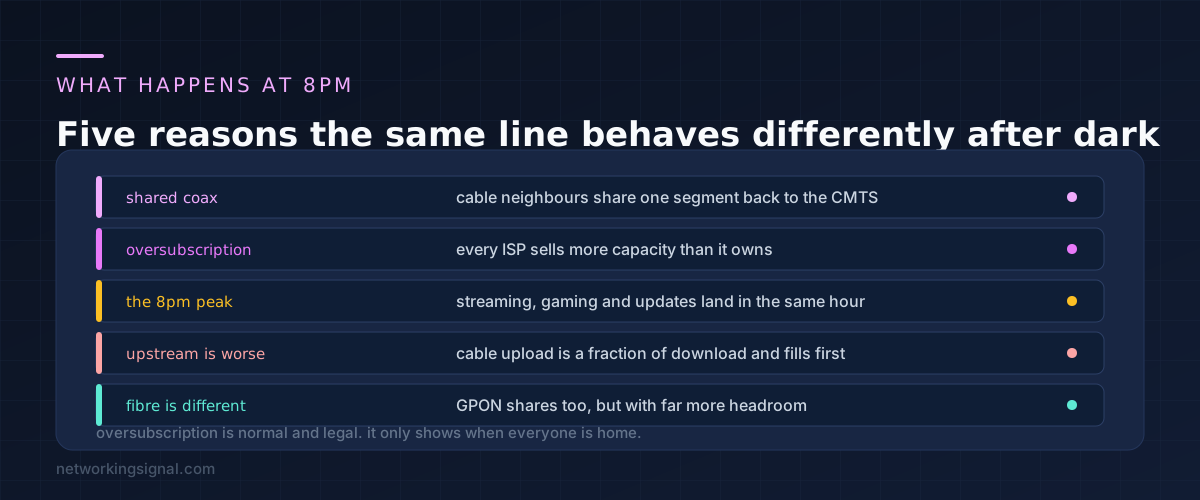
No internet provider owns enough capacity for every customer to use their full speed simultaneously. Nor should they, because that capacity would sit idle almost all the time and you would pay for it. The industry term is oversubscription and every network on earth runs it.
It works because usage is spread out. It stops working between roughly 7pm and 11pm, when streaming, gaming, video calls and console updates all land in the same few hours.
On cable the effect is sharpest, because a group of houses shares one coaxial segment back to the provider’s equipment. Your neighbours are not just sharing the provider’s backbone, they are sharing the physical cable in your street.
Upload suffers first. A cable plan with 500 Mbps down and 20 up has very little upstream capacity to share, and it fills before the download does. That is why video calls degrade before Netflix does.
Fibre is genuinely different. GPON also shares a fibre between homes, typically 32 of them, but the shared capacity is so much larger that peak hour rarely exhausts it. If your evening slowdown is severe and you have the option, this is the strongest argument for switching.
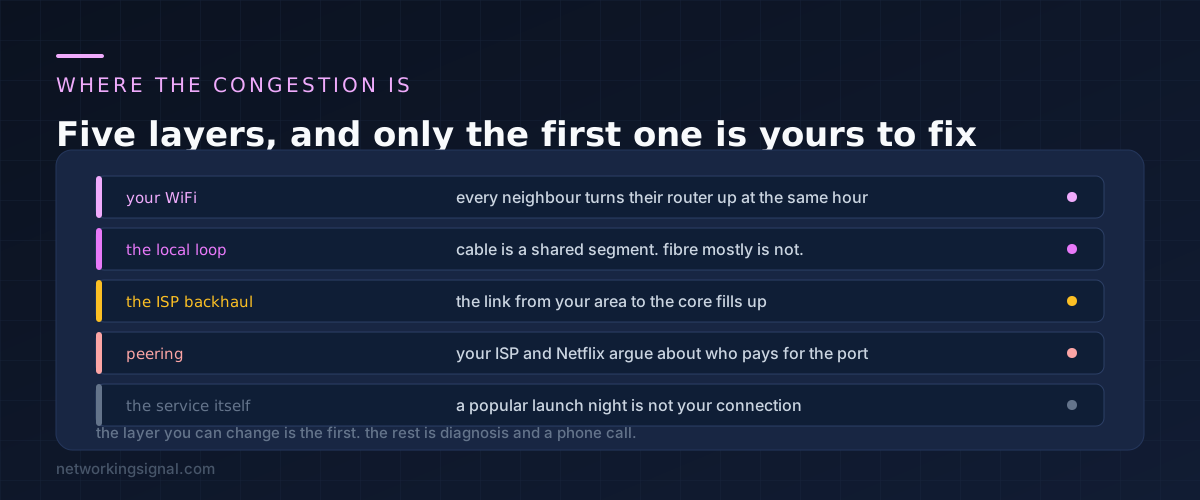
Your own WiFi. Genuinely common and genuinely overlooked. At 8pm every router in the building is busy, and on 2.4 GHz there are only three non overlapping channels. Your connection has not slowed down, your last few metres of it have.
The local loop. The shared segment between your house and the provider’s equipment. On cable this is the usual culprit. On fibre it rarely is.
The provider backhaul. The link carrying your whole area to the core network. When this is undersized, everybody in the area sees the same slowdown at the same time and there is nothing any of you can do except report it.
Peering. Where your provider’s network hands traffic to another one. If Netflix is slow but everything else is fast, this is almost certainly it, and it is a commercial argument between two companies rather than a fault.
The service itself. A game launch night or a popular live event overloads the service, not your connection. Easy to rule out by testing something else.
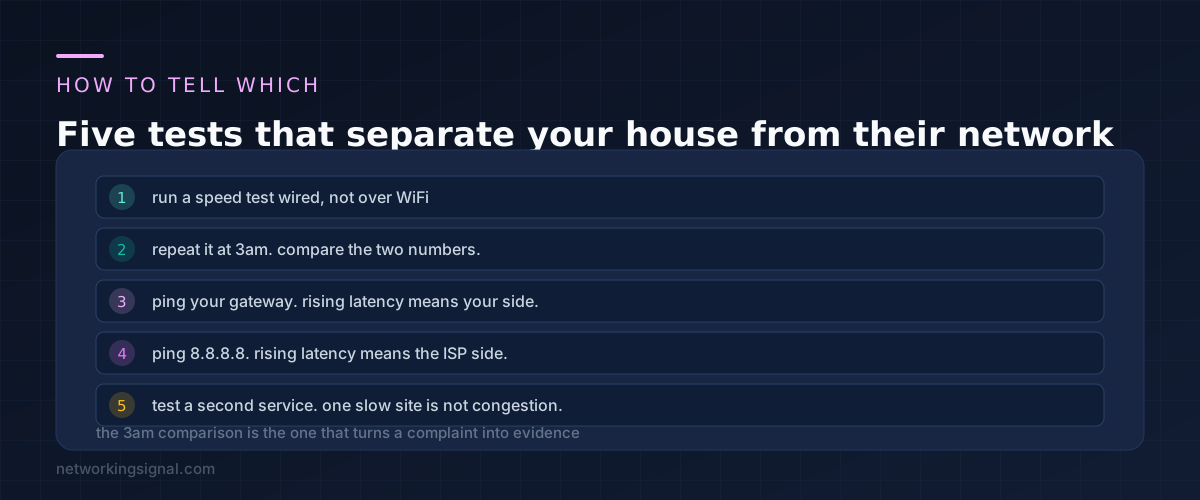
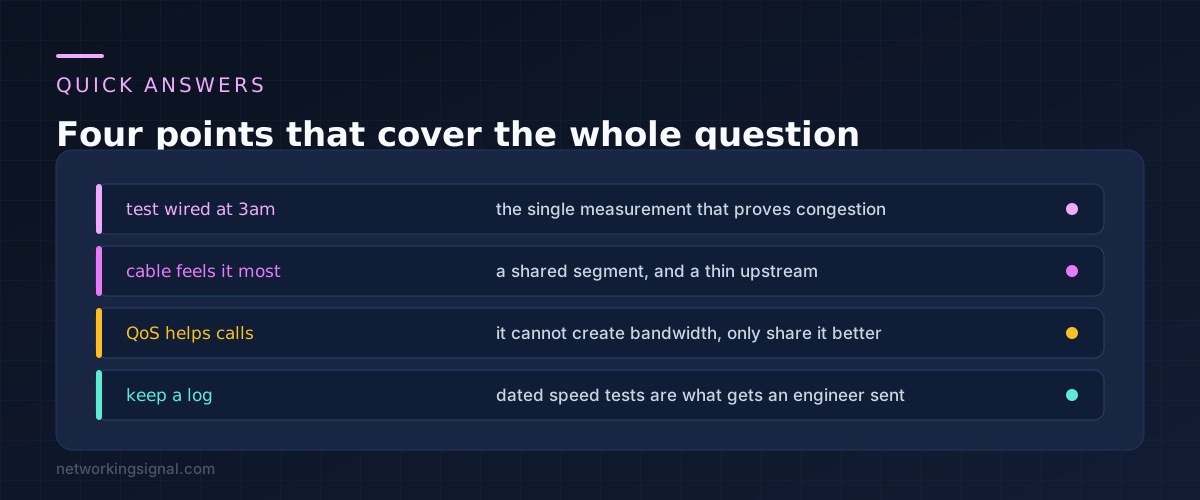
Test wired, not over WiFi. Plug a laptop into the router with a cable and run the speed test there. If wired is fast at 9pm and WiFi is slow, the problem is entirely in your house and the rest of this does not apply to you.
Run the same test at 3am. Schedule it or stay up once. If 3am is fast and 9pm is slow on the same wired connection, that is congestion somewhere on the provider side, and now you can prove it.
Ping your own router while it is slow. Run a continuous ping to the gateway address.
ping -t 192.168.1.1Latency to your own router should stay around 1 ms regardless of the time. If it climbs into the tens of milliseconds at 9pm, the congestion is inside your house, probably on WiFi or from a device saturating the line.
Then ping something outside. A continuous ping to 8.8.8.8 that stays flat at 3am and climbs at 9pm puts the congestion beyond your router.
ping -t 8.8.8.8On macOS and Linux use ping 8.8.8.8 without the flag, and stop it with Ctrl+C.
Test a second service. If one streaming platform buffers and another does not, that is a peering or service problem rather than your line. This distinction matters because a provider will do nothing about the first and may fix the second.
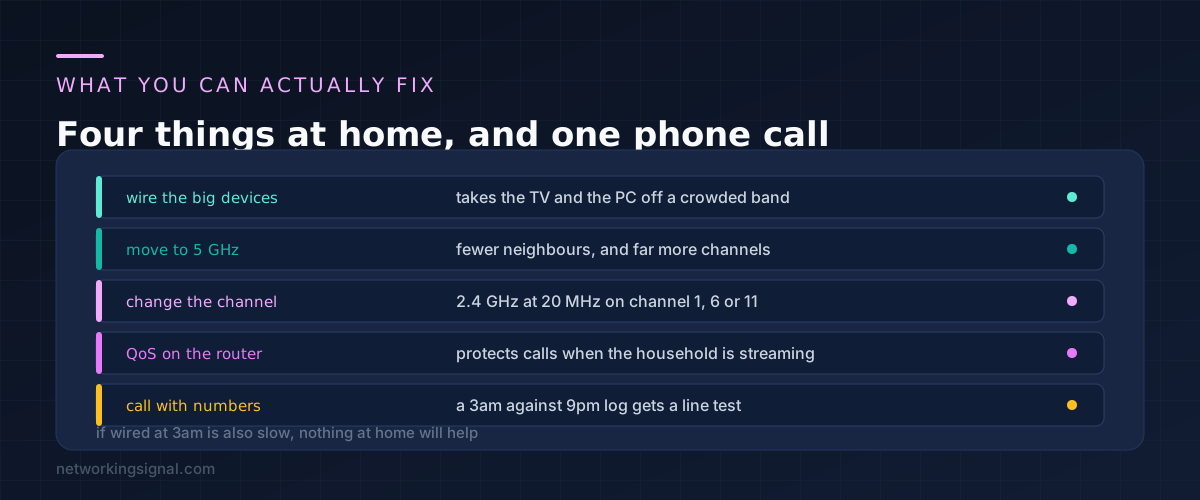
Assuming the tests point at your own house, four things help and they are all free.
Wire whatever sits still. A television, a desktop and a console do not move. Every one you take off WiFi is airtime given back to the devices that do move. This helps more than any other change in a crowded building.
Move devices to 5 GHz or 6 GHz. The 2.4 GHz band has three usable channels and travels through walls, which means you hear every neighbour and they hear you. The 5 GHz band has far more channels and does not reach as far, which in a block of flats is the point.
Fix the 2.4 GHz channel. Set it manually to 1, 6 or 11, and set the width to 20 MHz. Automatic channel selection often picks a channel that overlaps two others, and 40 MHz on 2.4 GHz guarantees interference.
Turn on QoS. This cannot create bandwidth. What it does is decide what gets dropped first when the line is full, and prioritising video calls over background downloads makes a saturated connection feel far better than it measures.
If the tests point beyond your router, the only remaining action is the call, and evidence is what makes it work. Take dated wired speed tests at 9pm and 3am over a week, plus ping logs, and ask specifically whether your segment is oversubscribed. That question, with numbers behind it, gets a different answer than “my internet is slow”.
If the slowness turns out to be constant rather than nightly, the problem is different and our guide to WiFi connected but no internet is the better starting point.
Almost certainly not in the way people mean. Deliberate throttling of a single customer is rare and usually disclosed in the contract. What you are experiencing is shared capacity filling up, which looks identical from your side but has a different cause and a different fix.
Only if the tests pointed at your WiFi. A new router cannot add capacity to a shared segment or a congested backhaul. If wired at 9pm is slow and wired at 3am is fast, new hardware will change nothing at all.
On cable, upstream capacity is a small fraction of downstream, so it fills first and recovers last. If your video calls break up in the evening while streaming is fine, this is why, and it is the clearest sign you are on a congested cable segment.
Occasionally, and not for the reason people expect. A VPN cannot bypass a full local segment. It can sometimes route around a peering dispute, so if one particular service is slow and everything else is fine, a VPN is a reasonable test. If everything is slow, it will make things worse.
A drop of 10 to 20% in the evening is ordinary and not worth a complaint. Half your paid speed or worse, consistently, is a real problem and worth reporting with evidence. Providers generally commit to a minimum rather than an average, so check what your contract actually promises before calling.
Usually yes, if the cause is a shared cable segment. Fibre also shares capacity, but with far more headroom and a symmetrical upload that does not saturate. It is the one upgrade that reliably fixes evening congestion, where a faster cable plan on the same congested segment often does not.
If you are weighing that up, our comparison of MoCA against powerline and mesh covers getting the most out of the connection you already have.
Can you explain this topic to someone else in 30 seconds? If not, re-read the key takeaways above.
The core concepts in the takeaways box above. Bookmark this page and come back when you need a refresher.
Hand-picked articles you might also find useful.
 Internet & ISP
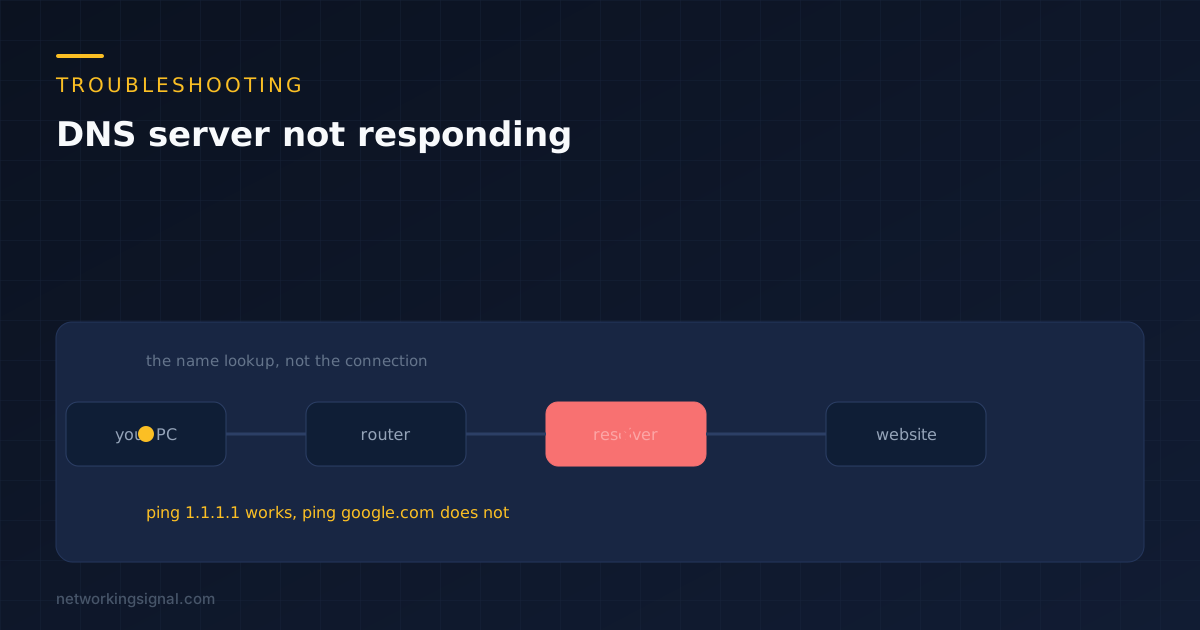
 Your connection is almost always fine. Two commands prove it is DNS, then five fixes in order, starting…
 Internet & ISP
 Is 1 Gbps (gigabit) internet fast? Yes — it's among the fastest available. Learn what you can do…
 Internet & ISP
 Xfinity is one of the largest cable and internet service providers in the United States, offering a wide…