
Is 1 Gbps (1000 Mbps) Fast? — Gigabit Internet Explained
Is 1 Gbps (gigabit) internet fast? Yes — it's among the fastest available. Learn what you can do…
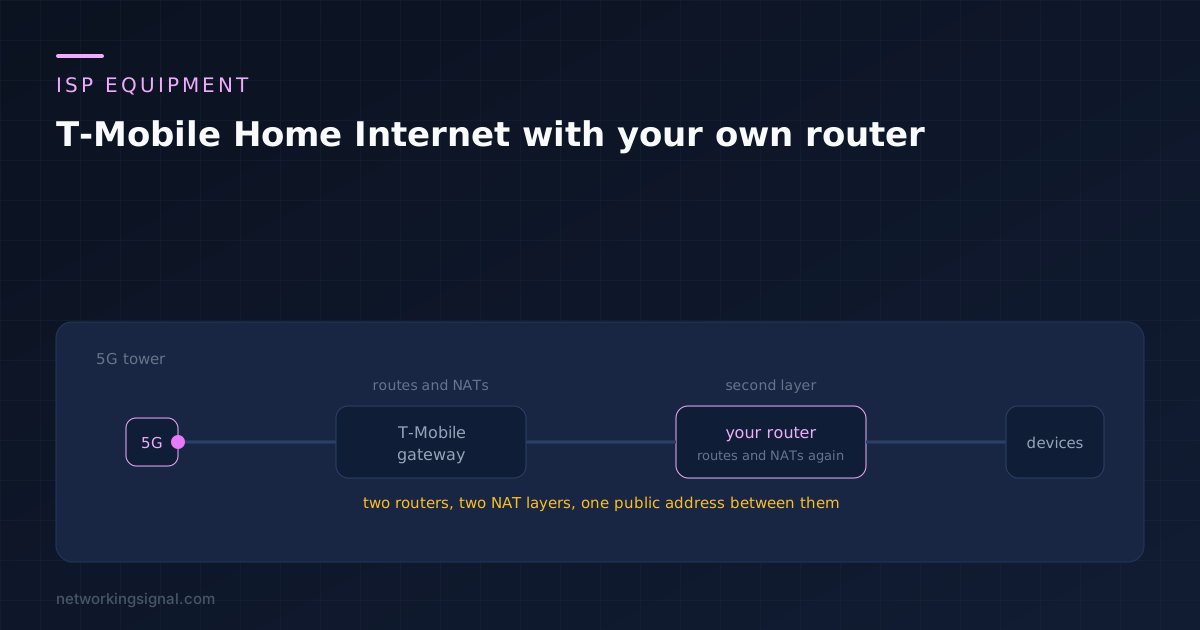
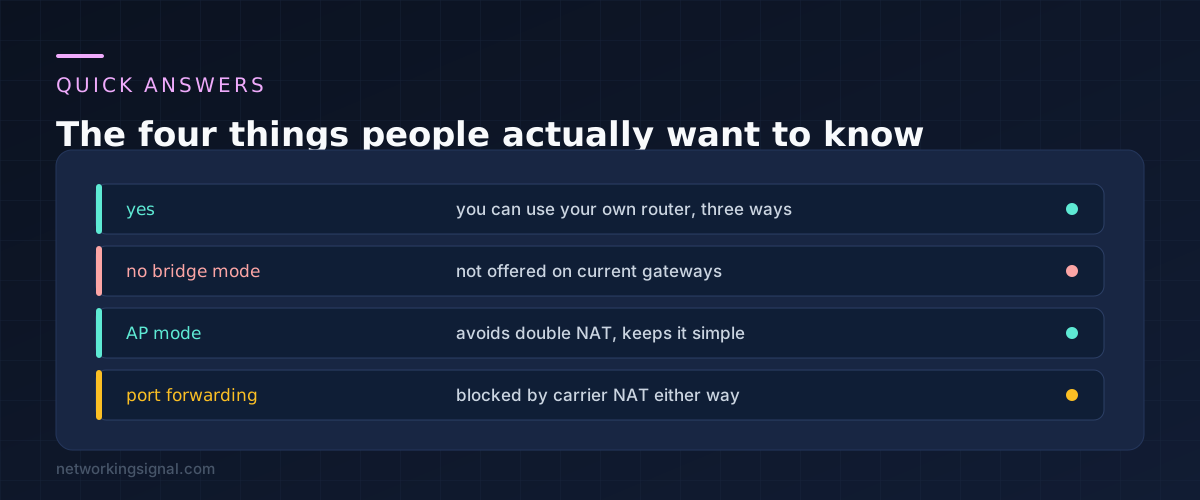
Yes, and there are three ways to do it. What you cannot do is replace the T-Mobile gateway entirely, because the 5G modem lives inside it. Your router goes behind it, and the only real decision is which of the two boxes does the routing.
Most people asking this question want one of two things: better WiFi coverage than the gateway manages on its own, or settings the gateway simply does not expose. Both are fixable. Port forwarding, which is the third common reason, is not, and the section on carrier NAT explains why.
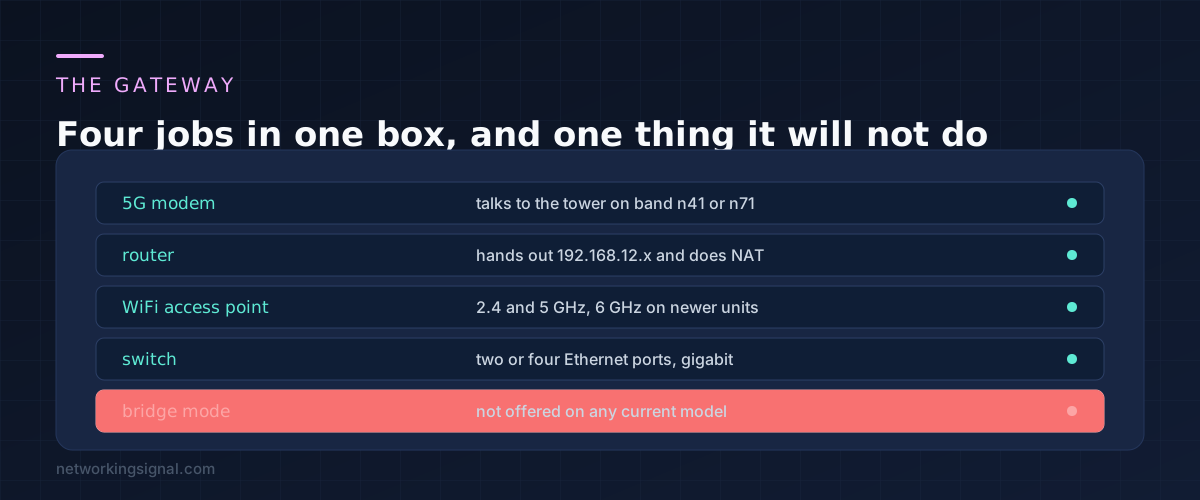
Whether you have the tall cylindrical Nokia unit, the Sagemcom, the Arcadyan cube or one of the newer models, they all do the same four jobs. They hold the 5G modem that talks to the tower, they route and NAT for your home, they act as a WiFi access point, and they give you a couple of Ethernet ports.
The modem is the part you cannot replicate. There is no consumer router you can buy that will accept a T-Mobile SIM and register on their network with the right provisioning. So the gateway stays.
The other three jobs are all replaceable, and that is where your own router comes in.
Point a browser at 192.168.12.1 on a device connected to the gateway. That is the admin page on the Sagemcom and Arcadyan units. The password is usually printed on the underside of the unit, and the T-Mobile Home Internet app exposes some of the same settings from a phone.
What you are looking for is the ability to turn off the WiFi radios, and the DHCP settings. Those two are enough for everything below.
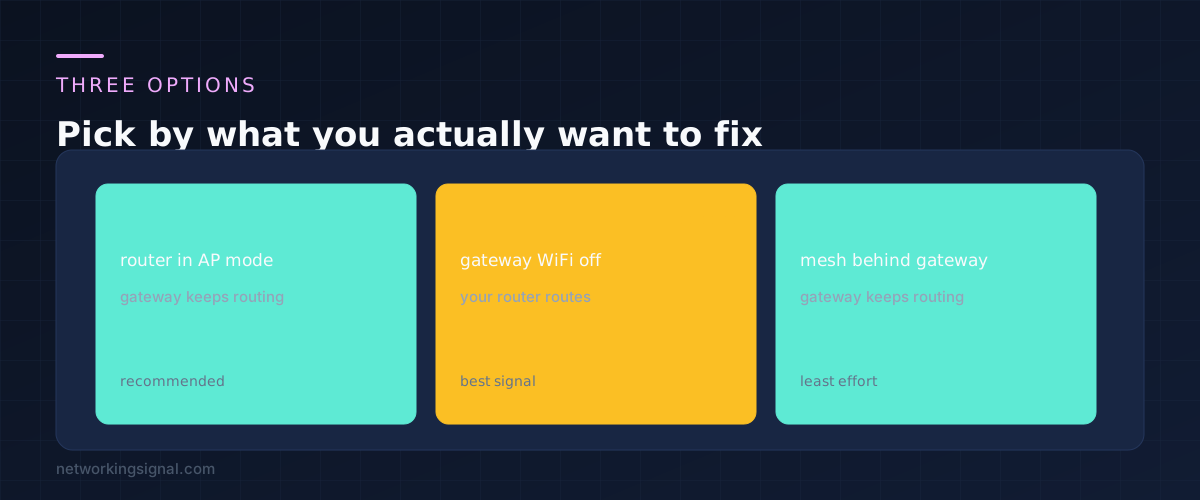
Almost every router made in the last decade has an access point mode, sometimes labelled AP mode or bridge mode in its own menus. In this mode your router stops routing, stops running DHCP, and becomes purely a WiFi radio and switch.
Plug a cable from a LAN port on the gateway to a LAN port on your router, not the WAN port. Switch the router to AP mode, give it a fixed address outside the gateway DHCP range, and turn off the gateway WiFi.
The gateway keeps handing out addresses, so everything is on one network and there is only one NAT layer. This is the option that causes the fewest problems later, and for someone whose only complaint is WiFi range it does the whole job.
Connect the gateway LAN port to your router WAN port, leave the router in its normal mode, and turn off the gateway WiFi. Your router now runs its own network behind the gateway network.
This gives you everything your router can do: VLANs, a properly isolated guest network, custom DNS, traffic shaping, real parental controls. The cost is double NAT. Traffic passes through two rounds of address translation, which adds a small amount of latency and makes some things harder to diagnose.
Double NAT gets blamed for more than it deserves. Streaming, browsing, video calls and gaming all work through it. What it genuinely complicates is running a server at home, and carrier NAT has already ruled that out anyway.
If the actual problem is a dead spot at the back of the house, connect a mesh system to a gateway LAN port and let the gateway carry on routing. Put the mesh in access point mode if it offers one.
This is the least amount of thinking for the most common complaint. Our guide to mesh against an extender against an access point covers which of those is worth buying.
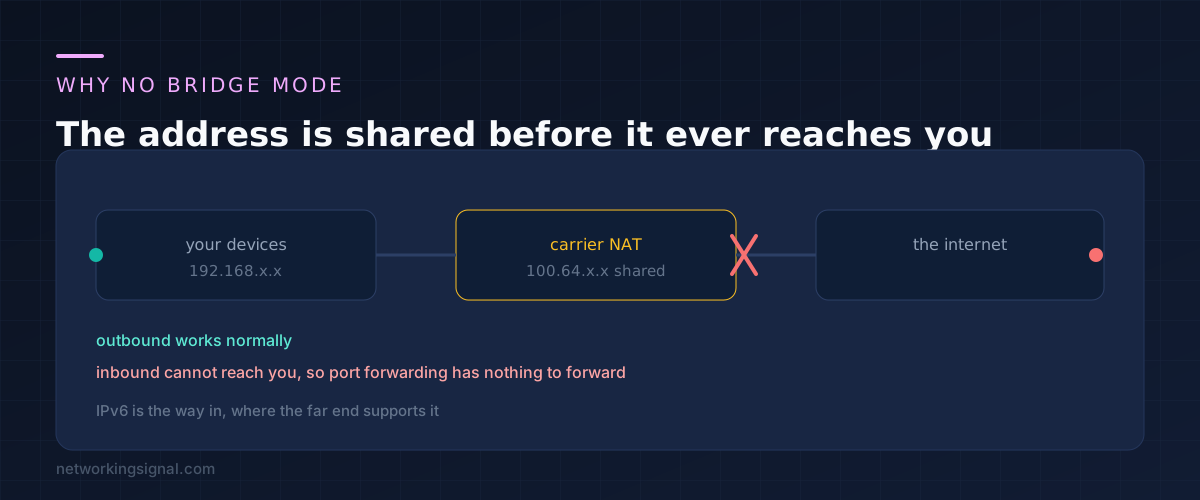
People ask for bridge mode because on cable and fibre it is how you get a public IP address onto your own router. On T-Mobile Home Internet that would achieve nothing, because there is no public address to hand over.
The service runs behind carrier grade NAT. Your gateway is given an address in the 100.64.0.0/10 range, which is shared among many customers and is not reachable from the internet. Outbound connections work perfectly. Inbound connections have nowhere to land.
This is why port forwarding does not work no matter which router you use or how you configure it. There is no rule you can write on your own hardware that changes what the carrier does upstream. If someone tells you a particular router fixes this, they are mistaken.
The one genuine exception is IPv6. T-Mobile does hand out IPv6, and an IPv6 address is globally routable in a way the shared IPv4 address is not. If the thing you are trying to reach also supports IPv6, remote access can work that way. Many services still do not.
For anything that truly needs inbound access, the practical answer is a service that makes the connection outbound from inside your network, such as a hosted VPN or a tunnel product, rather than trying to open a port.
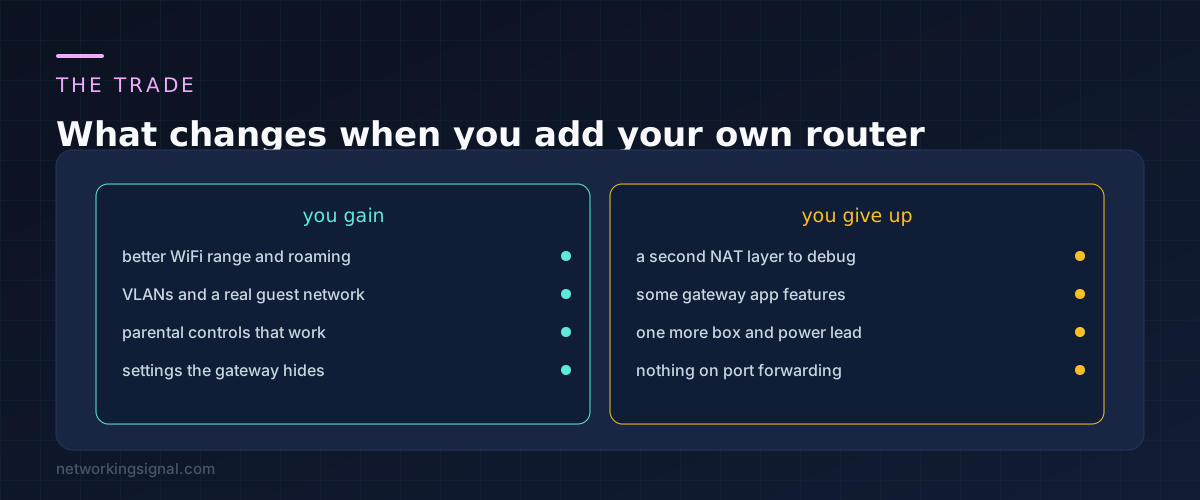
Worth knowing before you buy anything: the gateway is not a bad router. It is a mediocre WiFi access point in a fixed location, and the location is the real constraint.
The gateway has to sit where the 5G signal is strongest, which is usually a window, often upstairs, often at one end of the house. That is rarely where you would put a WiFi access point. Adding your own router lets you separate those two decisions, and that separation is the single biggest improvement available.
Before spending money, try moving the gateway a metre or two and watch the signal bars in the app. Sometimes a better window solves the coverage problem for free.
Not meaningfully. The 5G link is almost always the slowest part of the path, so a modern router behind it has plenty of headroom. If speeds do fall, suspect a bad Ethernet cable or a port that negotiated at 100 Mbps.
You do not have to, but you should. Two sets of radios in the same house on overlapping channels interfere with each other, and devices will keep reconnecting to whichever they saw last. Leaving both on is the most common cause of the coverage getting worse after adding a router.
Start with AP mode. Move to option B only if you want VLANs, a segregated network, custom DNS or controls the gateway does not offer. Those are real reasons. Wanting a second network name is not.
Yes, as long as you use its router and WiFi side rather than its cable modem. Connect its WAN or LAN port as described above. The DOCSIS modem inside it does nothing here and is simply unused.
No. Carrier NAT blocks inbound connections regardless of your equipment. Hosting from a T-Mobile Home Internet line means using a tunnelling service that connects outward, or hosting elsewhere.
If you are still choosing hardware, the coverage side of this decision is covered in more detail in our guide to setting up a home network.
Hand-picked articles you might also find useful.
 Internet & ISP
 Is 1 Gbps (gigabit) internet fast? Yes — it's among the fastest available. Learn what you can do…
 Internet & ISP
 Do you know anyone struggling to afford high-speed internet access? If so, they may be eligible for Comcast's…
 Internet & ISP
 Reliable Wi-Fi connectivity is essential in the modern digital era, but temperamental internet that drops connections can quickly…