
What is Network Automation and Why It is Important?
What is Network Automation? Network automation is the process of automating the configuration, deployment, and management of network…
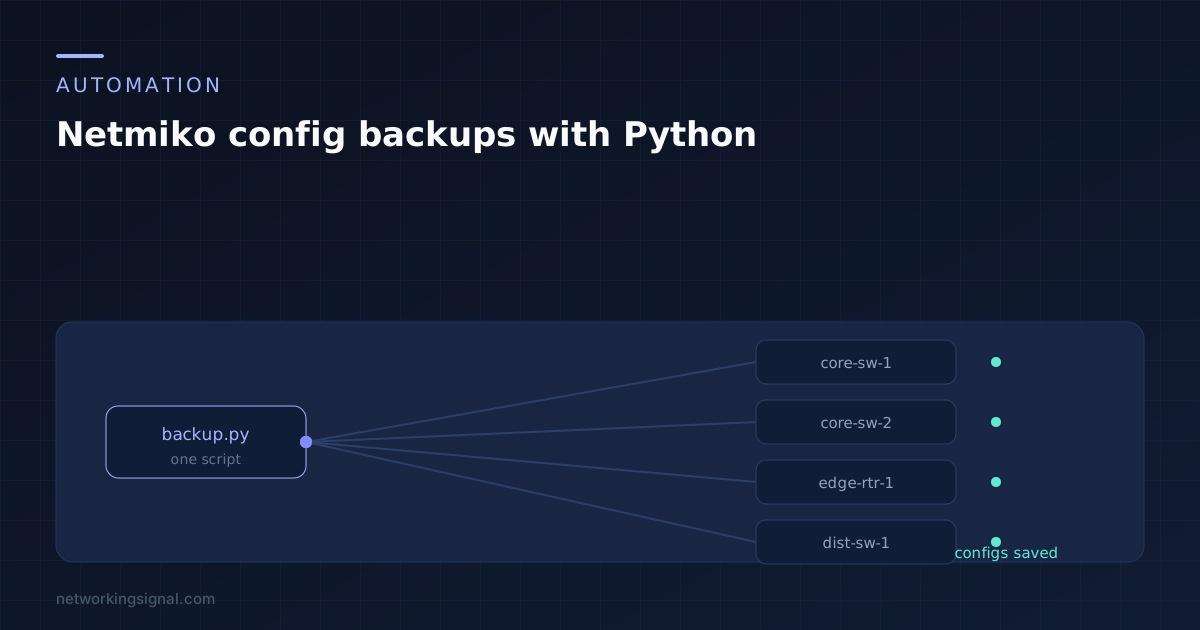
Config backups are the right first automation project. There is no risk, because nothing gets written to a device. The output is obviously useful the first time something breaks. And it teaches the same connect, send, parse loop that every other script you write will use.
By the end of this you will have a script that logs into every device in a list, pulls the running config, and writes each one to a dated folder. It runs unattended, and one broken device does not stop the rest.
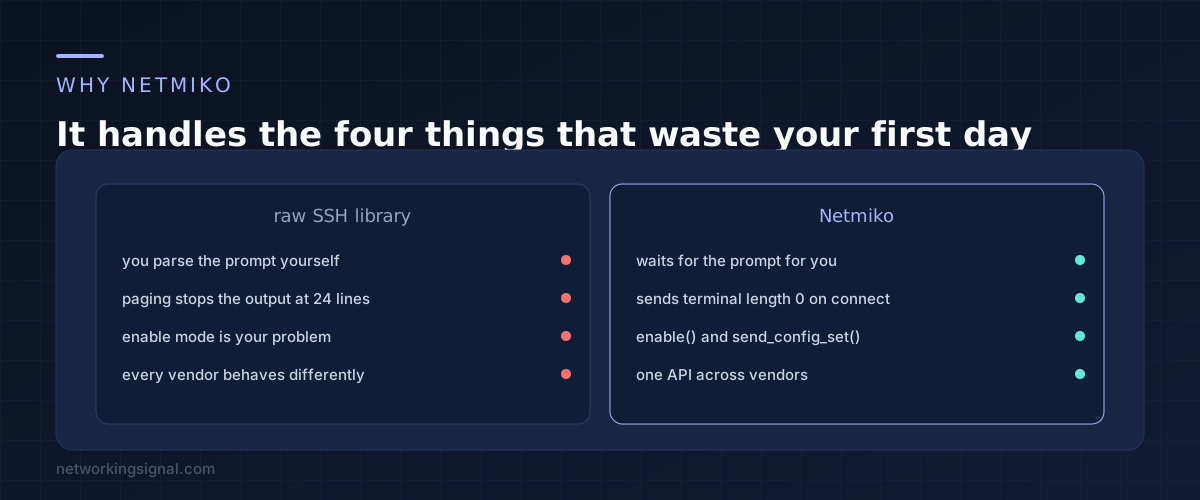
You can SSH to a switch with Paramiko in about ten lines. Those ten lines will then fail in four predictable ways.
The output stops after 24 lines because the device is paging and waiting for you to press space. You do not know when a command has finished, because there is no marker beyond the prompt reappearing, and you have to recognise that prompt yourself. Getting to enable mode means detecting a password challenge and answering it. And every vendor does all of this slightly differently.
Netmiko handles all four. It sends the right paging command on connect, it knows what each platform prompt looks like, it gives you an enable method, and the same code works against Cisco, Arista and Juniper with only the device type changed.
One command, and it brings Paramiko with it.
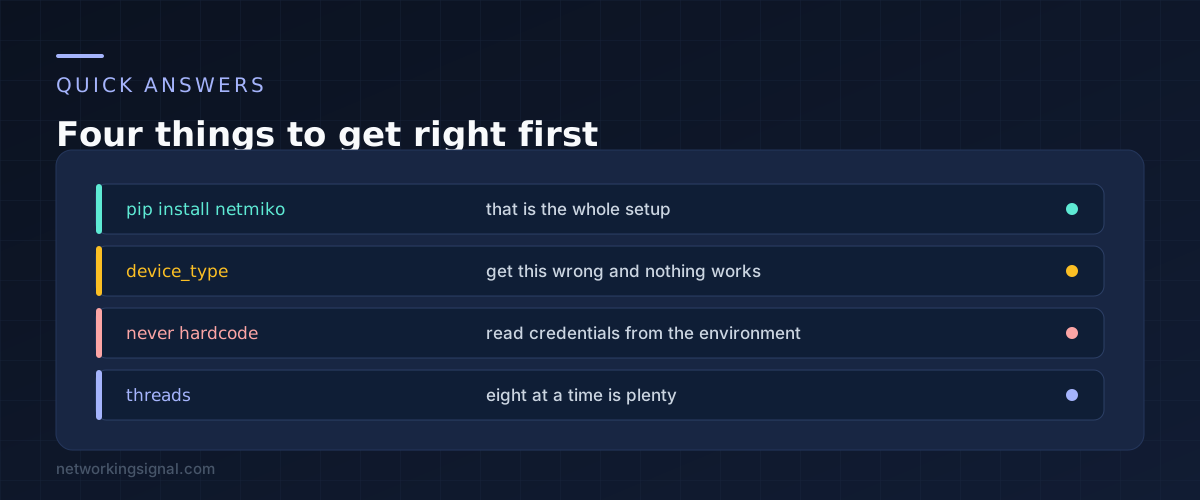
pip install netmiko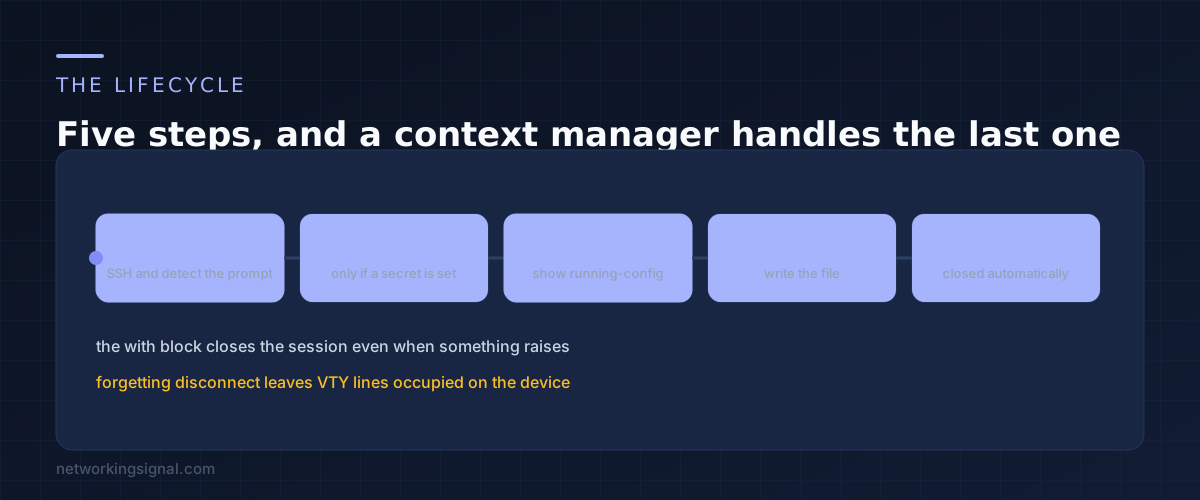
This connects to one device and prints its config.
from netmiko import ConnectHandler

device = {
    "device_type": "cisco_ios",
    "host": "192.0.2.10",
    "username": "admin",
    "password": "your-password",
    "secret": "your-enable-password",
}

with ConnectHandler(**device) as conn:
    conn.enable()
    output = conn.send_command("show running-config")

print(output)
Three things in there are worth understanding rather than copying.
device_type is what selects the platform behaviour, and getting it wrong is the most common reason a first script hangs. Use cisco_ios for IOS and IOS-XE switches, cisco_nxos for Nexus, arista_eos and juniper_junos for those. If the prompt never matches, the session waits and then times out with an error that does not obviously say the type was wrong.
send_command waits for the prompt to come back before returning. That is the behaviour you want almost always. The variant send_command_timing waits on a timer instead, which you need for commands that prompt for confirmation and therefore never return to a normal prompt.
The with block disconnects for you. Leaving sessions open holds VTY lines on the device, and a switch with five VTY lines will refuse the sixth connection. On a script that runs nightly, that turns into a device nobody can log into.
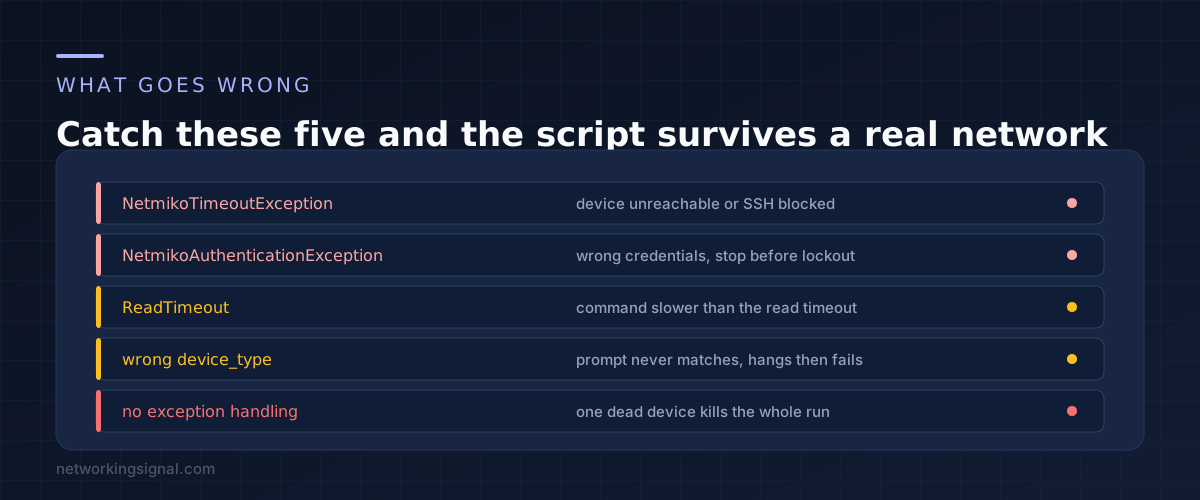
Here is the full thing. It reads credentials from the environment, runs eight devices at a time, catches the failures that actually happen, and reports what each device did.
import os
from datetime import date
from concurrent.futures import ThreadPoolExecutor
from netmiko import ConnectHandler
from netmiko.exceptions import NetmikoTimeoutException, NetmikoAuthenticationException

BACKUP_DIR = "backups"

INVENTORY = [
    {"name": "core-sw-1", "host": "192.0.2.10", "device_type": "cisco_ios"},
    {"name": "core-sw-2", "host": "192.0.2.11", "device_type": "cisco_ios"},
    {"name": "edge-rtr-1", "host": "192.0.2.20", "device_type": "cisco_ios"},
]

def backup(entry):
    device = {
        "device_type": entry["device_type"],
        "host": entry["host"],
        "username": os.environ["NET_USER"],
        "password": os.environ["NET_PASS"],
        "secret": os.environ.get("NET_ENABLE", ""),
    }
    try:
        with ConnectHandler(**device) as conn:
            if device["secret"]:
                conn.enable()
            config = conn.send_command("show running-config", read_timeout=60)
    except NetmikoAuthenticationException:
        return (entry["name"], "auth failed")
    except NetmikoTimeoutException:
        return (entry["name"], "unreachable")
    except Exception as exc:
        return (entry["name"], "error: %s" % exc)

    folder = os.path.join(BACKUP_DIR, date.today().isoformat())
    os.makedirs(folder, exist_ok=True)
    path = os.path.join(folder, entry["name"] + ".cfg")
    with open(path, "w") as handle:
        handle.write(config)
    return (entry["name"], "saved %d lines" % len(config.splitlines()))

def main():
    with ThreadPoolExecutor(max_workers=8) as pool:
        for name, status in pool.map(backup, INVENTORY):
            print("%-12s %s" % (name, status))

if __name__ == "__main__":
    main()
Set the credentials in your shell rather than in the file, so the script can go into version control without going into an incident report.
export NET_USER=admin
export NET_PASS=your-password
export NET_ENABLE=your-enable-password
python backup.pyThe catches are ordered from specific to general. Authentication failure and timeout mean different things and deserve different messages. The bare Exception at the end is there so that something unexpected on device three does not prevent devices four through forty being backed up.
Auth failures are worth watching. If credentials are wrong, running this against fifty devices produces fifty failed logins in a short window. On a network with lockout policies that is how you lock out the account you use for everything. Test against one device first.
Eight threads is a deliberate number. It is fast enough for a few hundred devices and gentle enough not to look like an attack to whatever is monitoring your management network. Raise it if you need to, but understand that each thread is a live SSH session.
The read timeout matters on big configs. A large chassis config can take longer than the default to return, and the failure looks like a timeout rather than what it is.
Dated folders make this useful. One config per device per day means you can diff yesterday against today, which is how you answer the question of what changed just before things broke.
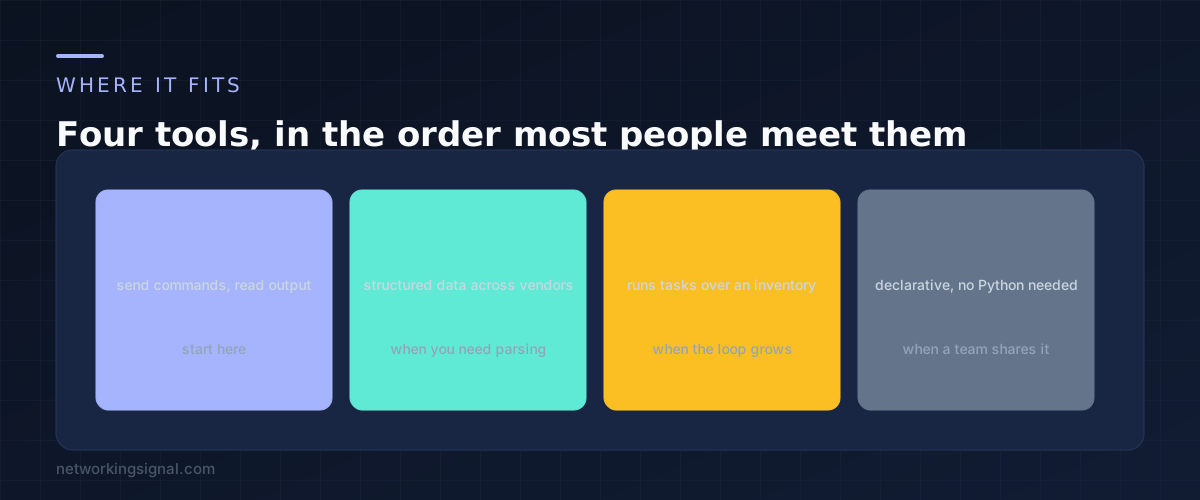
Netmiko returns text. When you find yourself writing regular expressions to pull an interface name out of that text, you have reached its limit, and there are two ways forward.
Pass use_textfsm=True to send_command and Netmiko will parse common show commands into a list of dictionaries for you. That covers a surprising amount.
Beyond that, NAPALM gives you structured data with the same method names across vendors, so get_interfaces returns the same shape on Cisco and on Arista. Nornir handles the inventory and threading that this script does by hand. Ansible is where you go when several people need to run the automation and none of them want to read Python.
Start here though. Most working networks are running on a handful of Netmiko scripts somebody wrote in an afternoon, and a nightly config backup is worth more than an elegant framework nobody finished.
Use send_config_set with a list of commands. It enters config mode, sends each line, and exits. Follow it with save_config to write to startup. Test on one device you can reach another way before running it widely.
Yes, it supports a long list of platforms including Arista, Juniper, HPE, MikroTik and Palo Alto. The code stays the same and only device_type changes, which is most of the reason to use it.
Usually a wrong device_type, so the expected prompt never appears. Sometimes a command that asks for confirmation, which needs send_command_timing instead. Occasionally a device so slow that the read timeout expires first.
Yes where the platform supports it. Netmiko accepts use_keys and key_file, and it removes the password handling problem entirely. Not every network device supports key based authentication for all account types, so check before rolling it out.
More than enough. The automation domain is about ten percent of the exam and largely conceptual. Being able to read this script and explain what it does covers it comfortably. Our guide to building a CCNA home lab covers where to practise it.
If you want to try this against virtual devices before touching production, the lab options in that guide will run Netmiko scripts exactly as real hardware does.
Hand-picked articles you might also find useful.
 Network Automation
 What is Network Automation? Network automation is the process of automating the configuration, deployment, and management of network…
 Network Automation
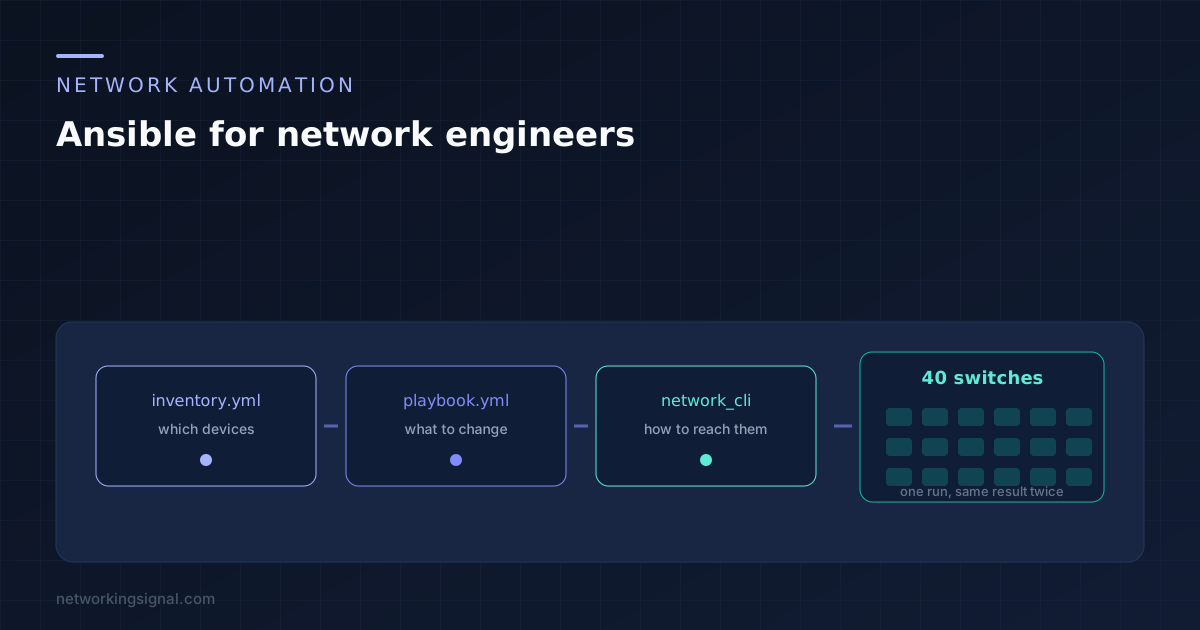
 From an empty folder to a playbook you can run against real switches. The four files, the connection…
 Network Automation
 What is Network Programmability? Network programmability is the ability to control, configure and manage networks using the software.…