
Network Config Backup: Automate It With Oxidized or Ansible
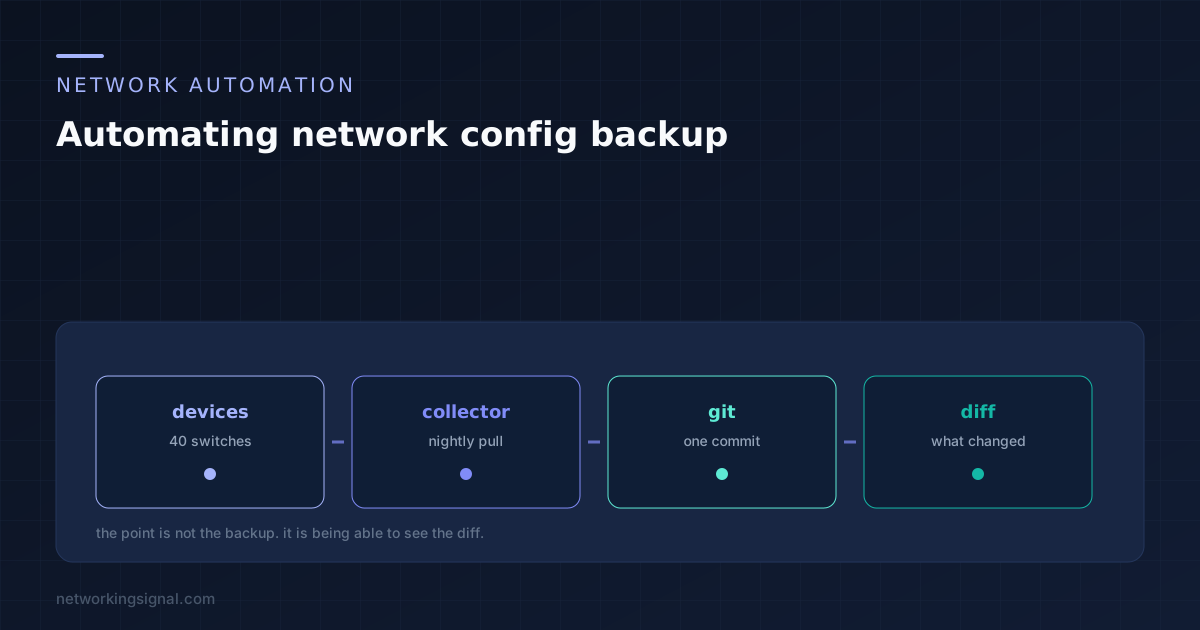
The restore is the obvious reason. The diff is the valuable one. Tools compared, the five steps of…
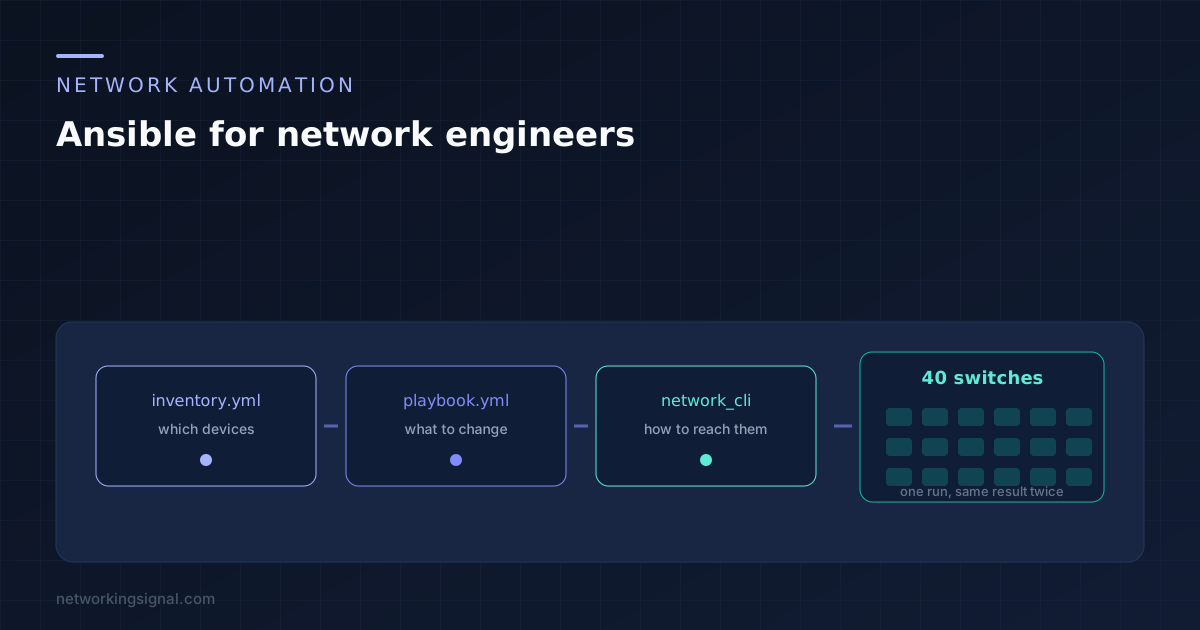
Ansible network automation works over plain SSH, needs nothing installed on the switch, and describes what the config should look like rather than the keystrokes to get there. Run the same playbook twice and the second run changes nothing, which is the property that makes it safe to run on a Friday.
This walks through a working setup from an empty folder to a playbook you can run against real gear. Everything below assumes Ansible 2.14 or newer, where the network modules live in collections rather than in the core install.
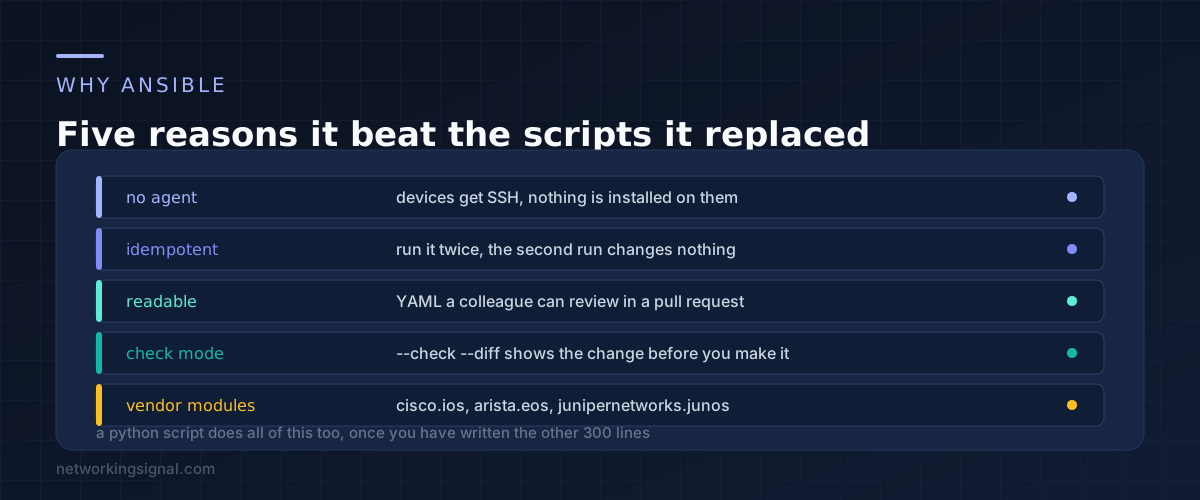
Most network engineers arrive here having already written something with Netmiko or Paramiko that logs in, sends commands and prints output. That works, and it is genuinely useful. The trouble starts at the second and third feature.
Error handling across forty devices. Retries when one is unreachable. Not reapplying config that is already correct. Logging what changed. Letting a colleague review the change before it runs. Each of those is a day of work in a script and is already done in Ansible.
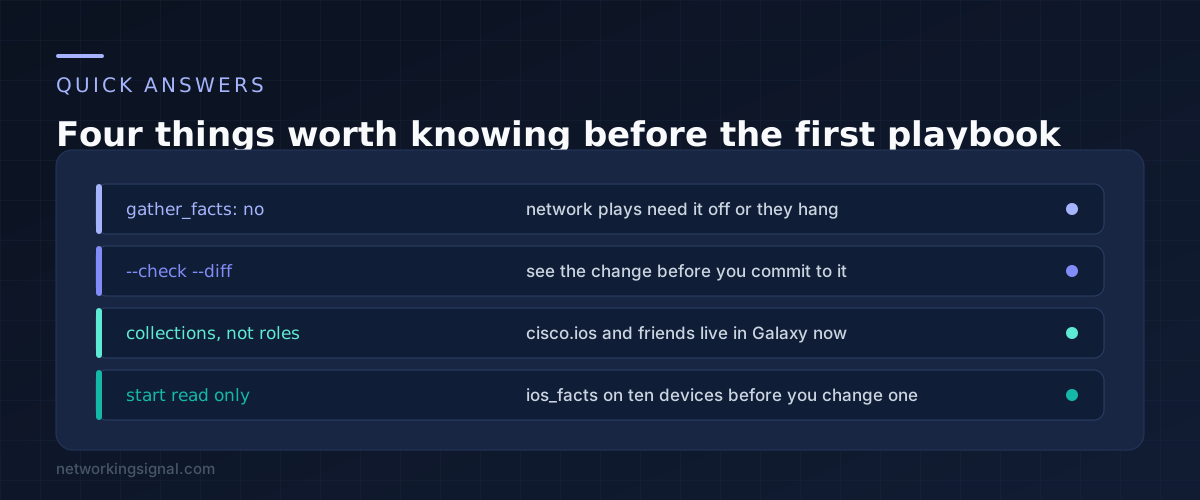
Idempotency is the one that matters most. The network modules read the running config first, compare it to what you asked for, and send only the difference. Run a playbook twice and the second run reports ok rather than changed. That single behaviour is what lets you run the same playbook against production without holding your breath.
The other one worth naming is check mode. Add --check --diff and Ansible tells you exactly which lines it would send, without sending them. There is no equivalent in a script unless you build it.
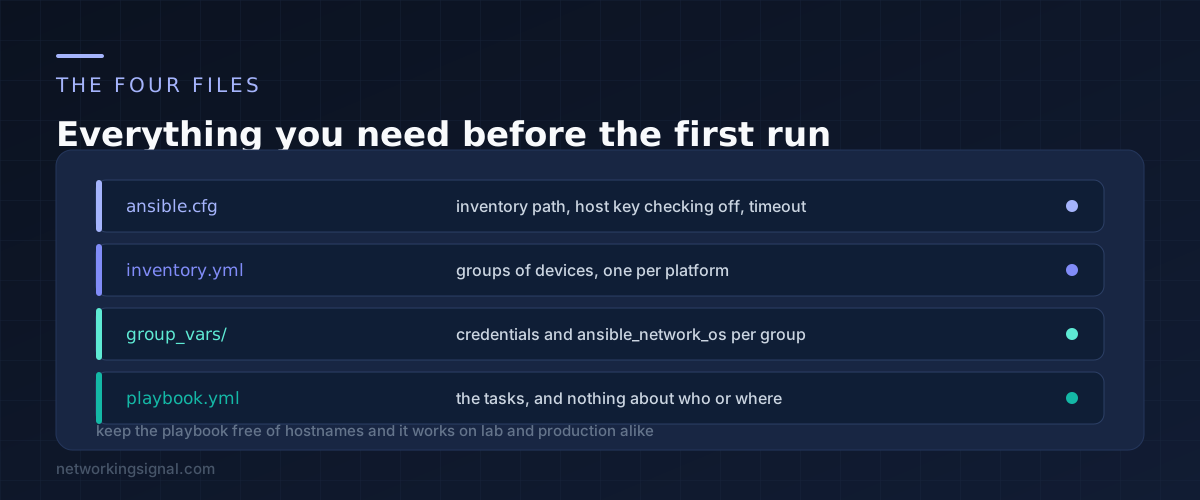
Install the collection for your platform first. These are not bundled any more.
ansible-galaxy collection install cisco.ios
ansible-galaxy collection install ansible.netcommon
Then ansible.cfg in the project folder. Host key checking is the setting that stops a first run dead on gear you have never logged into.
[defaults]
inventory = ./inventory.yml
host_key_checking = False
retry_files_enabled = False
stdout_callback = yaml

[persistent_connection]
command_timeout = 60
connect_timeout = 60
Next inventory.yml. Group by platform, because the connection settings differ by platform and nothing else.
all:
  children:
    ios_switches:
      hosts:
        sw-access-01:
          ansible_host: 10.0.10.11
        sw-access-02:
          ansible_host: 10.0.10.12
    ios_routers:
      hosts:
        rtr-edge-01:
          ansible_host: 10.0.10.1
Then group_vars/ios_switches.yml for the connection details. The three variables that matter are the connection plugin, the network OS, and how to get to enable mode.
ansible_connection: ansible.netcommon.network_cli
ansible_network_os: cisco.ios.ios
ansible_user: automation
ansible_become: yes
ansible_become_method: enable
Leave the password out of the file. Pass it at run time with --ask-pass --ask-become-pass while you are learning, and move to Ansible Vault once it works.
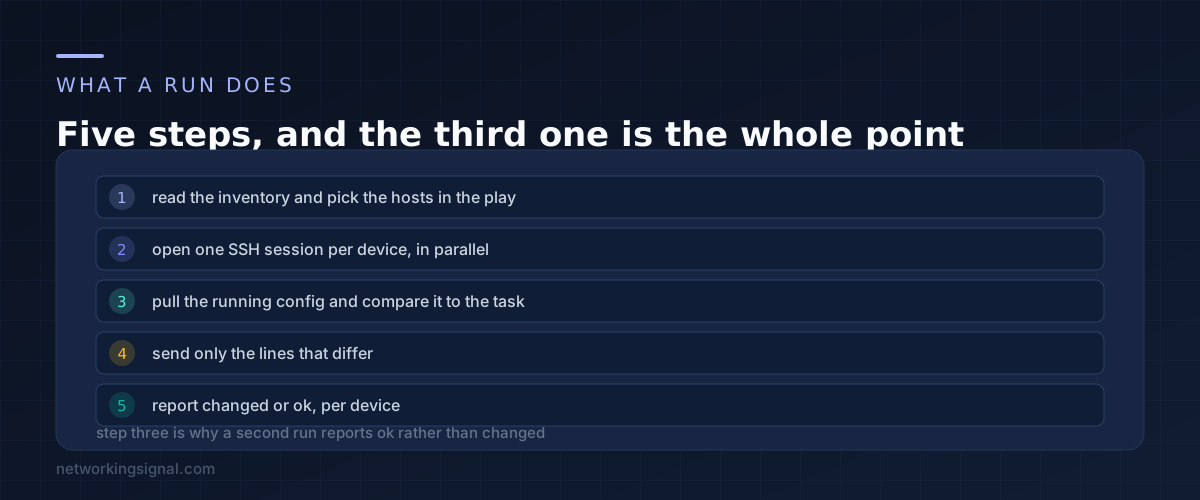
Start read only. This gathers facts from every switch and prints the version, and it changes nothing, so there is no risk in running it on production.
---
- name: Collect facts from access switches
  hosts: ios_switches
  gather_facts: no
  connection: ansible.netcommon.network_cli

  tasks:
    - name: Gather IOS facts
      cisco.ios.ios_facts:
        gather_subset: min

    - name: Show version and model
      ansible.builtin.debug:
        msg: "{{ ansible_net_hostname }} runs {{ ansible_net_version }} on {{ ansible_net_model }}"
Note gather_facts: no at the play level. The default fact gathering expects a Linux host with Python on it. On a switch it either hangs or fails, and this is the single most common first day mistake.
Run it:
ansible-playbook facts.yml --ask-pass --ask-become-passOnce that works, here is a playbook that actually changes something. It sets NTP servers and a syslog host, which is a good first real task because it is low risk and tediously manual.
---
- name: Standardise NTP and syslog
  hosts: ios_switches
  gather_facts: no
  connection: ansible.netcommon.network_cli

  vars:
    ntp_servers:
      - 10.0.0.10
      - 10.0.0.11
    syslog_host: 10.0.0.20

  tasks:
    - name: Configure NTP servers
      cisco.ios.ios_config:
        lines:
          - "ntp server {{ item }}"
      loop: "{{ ntp_servers }}"

    - name: Configure syslog destination
      cisco.ios.ios_config:
        lines:
          - "logging host {{ syslog_host }}"
          - "logging trap informational"

    - name: Save running config if anything changed
      cisco.ios.ios_config:
        save_when: modified
Preview it before you commit:
ansible-playbook ntp.yml --check --diff --limit sw-access-01The --limit flag runs against one device. Do that first, always, then remove it. The --diff output shows the exact lines Ansible would send, and reading that output is the habit that keeps this safe.
save_when: modified writes memory to startup config only when something actually changed. Leaving it out means your careful change survives until the next power cut and no further.
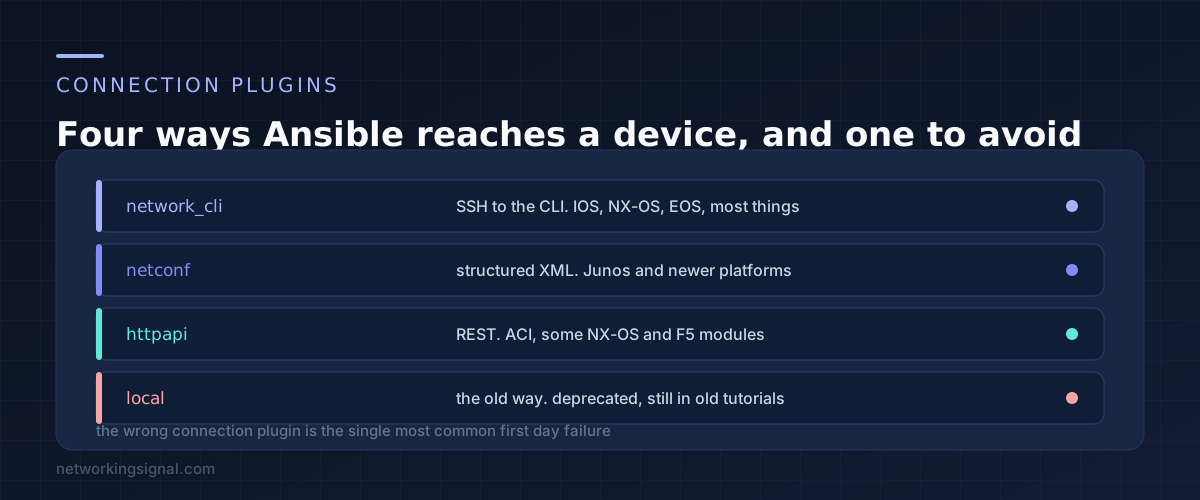
network_cli is what you want for IOS, IOS XE, NX-OS and EOS. It opens a persistent SSH session, handles paging and enable mode, and keeps the connection open across tasks so a twelve task play does not log in twelve times.
netconf talks structured XML instead of screen scraping, and it is the right choice on Junos, where junipernetworks.junos modules expect it. Enable NETCONF on the device first with set system services netconf ssh.
httpapi is for devices with a REST interface, including ACI and parts of the NX-OS module set.
local is the deprecated one. Tutorials written before 2019 use connection: local with a provider dictionary holding the credentials. It still runs on some versions and it produces confusing failures. If a guide you are following mentions a provider block, it is old enough to be misleading elsewhere too.
Three other things catch people in the first week.
Timeouts on slow devices. A switch that takes twenty seconds to return a full running config will time out on the default. Raise command_timeout in ansible.cfg, as above.
Enable passwords. If the device needs an enable secret different from the login password, set ansible_become_password rather than assuming the login one carries over.
Forks. Ansible runs five hosts at a time by default. For forty switches set forks = 20 in ansible.cfg and the run finishes in a quarter of the time. Do not go wild with this if your TACACS server is the bottleneck.
No. Playbooks are YAML and the modules are already written. Python becomes useful when you want a custom filter or a module of your own, and that is a long way past the point where Ansible is already saving you time.
For most things, yes. It pulls the running config and sends only lines that are missing. Where it struggles is config that the device reformats after you enter it, since the comparison is textual. The newer resource modules such as ios_ntp_global and ios_vlans compare structured data instead and are more reliable for the areas they cover.
Run read only tasks against production on day one, and that is genuinely worth doing. For changes, use --check --diff --limit one-device, read the diff, then run it for real on that one device before widening. Skipping the limit step is how people learn this lesson expensively.
Netmiko is a library you build on, so you are back to writing the script. Nornir is a Python framework that keeps the inventory concept and gives you real code, which suits people who are already comfortable programming. Ansible wins where the team is mostly network engineers rather than developers, because YAML is reviewable by everyone in the room.
Ansible Vault encrypts a variables file with a password, and the playbook reads it transparently at run time. Create it with ansible-vault create group_vars/ios_switches/vault.yml and run with --ask-vault-pass. In a team, point at a shared secrets store instead and keep the vault password out of the repository.
Yes. Set ansible_ssh_common_args with a ProxyJump option in group_vars and the persistent connection goes through the bastion. Raise the timeouts when you do, because the extra hop is slower than it looks.
If you are still building the lab to practise on, our guide to a home lab network diagram covers what to build before you buy it, and the CCNA home lab guide covers the virtual options that cost nothing.
Can you explain this topic to someone else in 30 seconds? If not, re-read the key takeaways above.
The core concepts in the takeaways box above. Bookmark this page and come back when you need a refresher.
Hand-picked articles you might also find useful.
 Network Automation
 The restore is the obvious reason. The diff is the valuable one. Tools compared, the five steps of…
 Network Automation
 What is Network Automation? Network automation is the process of automating the configuration, deployment, and management of network…
 Network Automation
 What is Network Programmability? Network programmability is the ability to control, configure and manage networks using the software.…