
SD-WAN vs MPLS: Benefits | Deployment | Security | Cost
When it comes to choosing the right wide area network (WAN) technology, enterprises have traditionally had two main…

A routing table is a data table stored on a router or networked computer that lists the routes to various network destinations. The table includes network addresses and other information needed to make decisions about which route to use when sending information packets over an interconnected set of networks.
Here are the primary uses of routing tables:
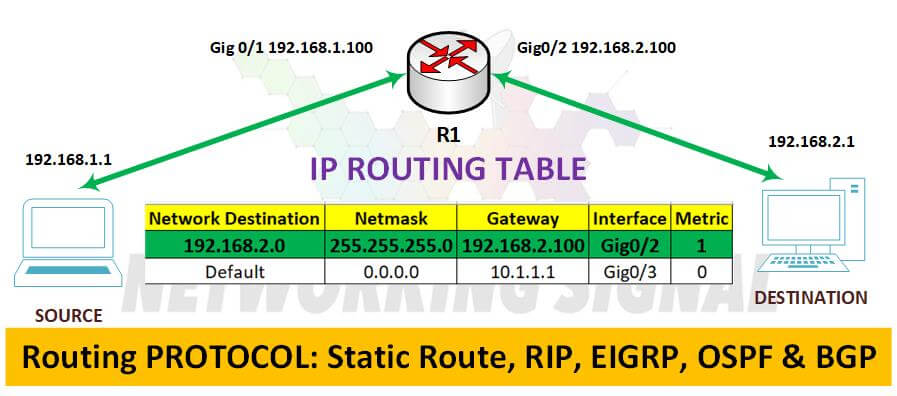
Here are the steps to check the routing table in a router via CLI:
1. Connect to the router by logging into its command line interface (CLI).
2. Type in the command “show IP route” or “show ipv6 route” depending on what kind of network address is being used.
3. The routing table will appear and can be viewed in the CLI window.
4. Once you have finished viewing the routing table, type “exit” to close out of the router’s CLI session.
Example:
A connected route is a route that is directly connected to the local router and can be used to reach other networks. It’s the most direct path for data to travel, so it has a priority of 0 in the routing table. Connected routes are also referred to as “directly attached networks” and are typically denoted in a routing table by “C”.
A local route is a route that is used to reach locally connected networks and hosts. It has a higher priority than connected routes and is usually denoted in the routing table with an “L”. Local routes are also referred to as “statically configured routes”.
Hand-picked articles you might also find useful.
 Routing
 When it comes to choosing the right wide area network (WAN) technology, enterprises have traditionally had two main…
 BGP
BGP OSPF is a link-state IGP that finds the fastest path inside your network; BGP is a path-vector EGP…
 Routing
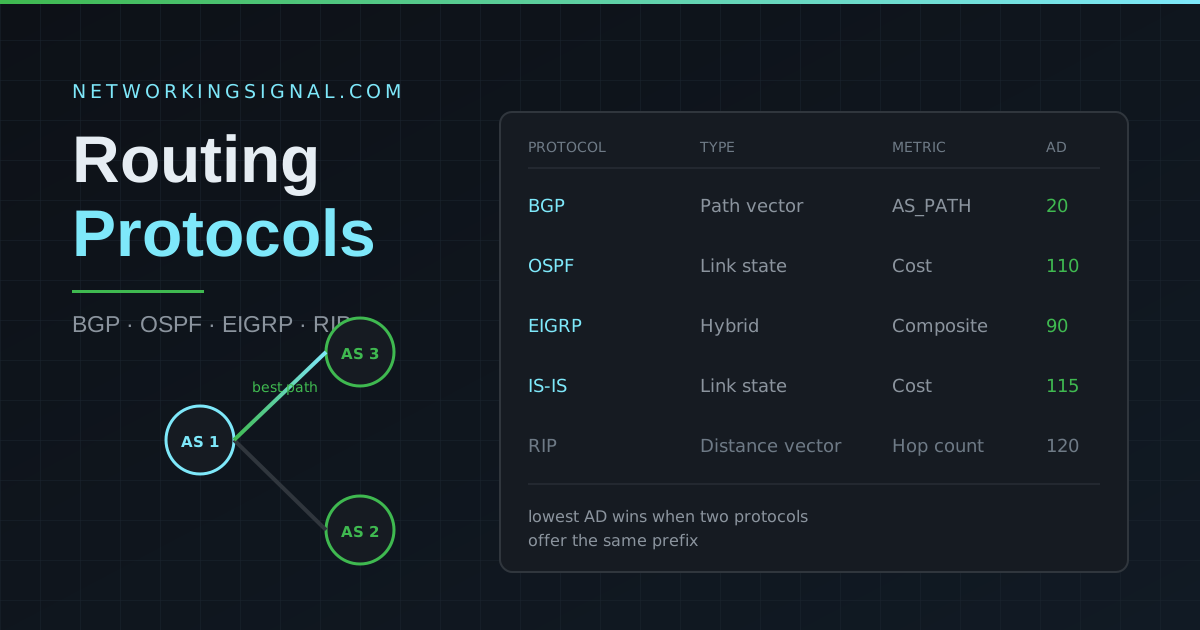
 Routing protocols are algorithms that determine the best path for data to travel across a network. The two…