
5 Best Modem Router Combos for Xfinity in 2026
The Xfinity-approved modem router combos worth buying in 2026, what each one really costs against Comcast's rental fee,…
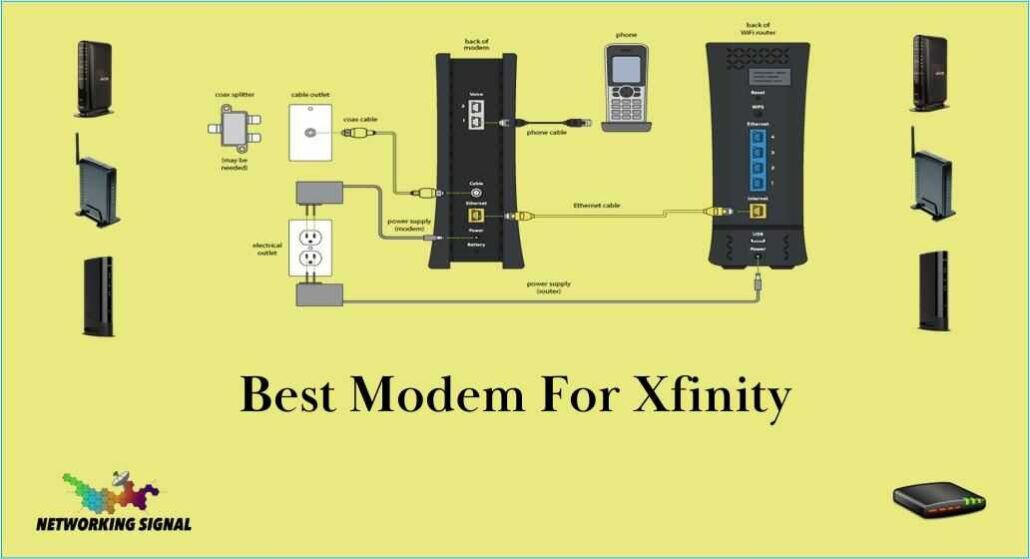
For most Xfinity plans the Motorola MB8611 ($130) is the right modem, DOCSIS 3.1, a 2.5 Gbps Ethernet port, and it pays for itself against Xfinity’s $15/month rental in about nine months. On a plan up to 600 Mbps, the ARRIS SURFboard SB8200 at $89 does the same job for less.
The thing most buying guides miss: Xfinity has been upgrading neighbourhoods to mid-split, which raises upload speeds from roughly 35 Mbps to 100 Mbps or more. A standard DOCSIS 3.1 modem cannot use that extra upstream. Only a mid-split modem, the NETGEAR CM2500 or CM3000, can. If uploads matter to you, that is the specification to check, not the download number.
| Product | Modem | Max plan | Ethernet | Mid-split | Price |
|---|---|---|---|---|---|
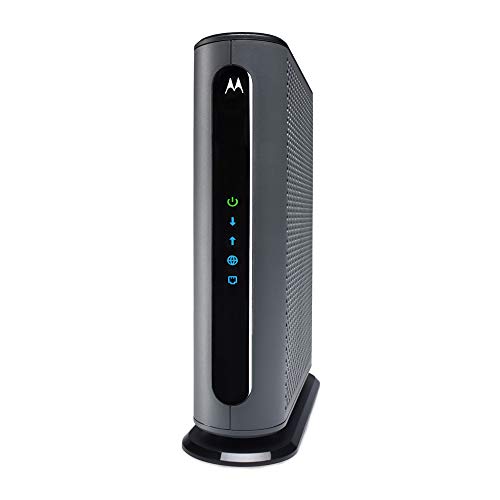 | Motorola MB8611Best overall | 2.5 Gbps | 1 × 2.5G | No | $130.00 |
 | ARRIS SURFboard SB8200Budget pick | 1 Gbps | 2 × 1G | No | $89.36 |
 | NETGEAR Nighthawk CM3000Fastest uploads | 2.5 Gbps | 2.5G + 2 × 1G | Yes | $269.00 |
 | NETGEAR Nighthawk CM2500Best for mid-split | 2 Gbps | 1 × 2.5G | Yes | $197.00 |
 | Hitron CODA56Best multi-gig value | 2.5 Gbps | 1 × 2.5G | No | $159.99 |
 | Motorola B12Most compact | 2.5 Gbps | 1 × 2.5G | No | $129.00 |
 | ARRIS Surfboard G34Best all-in-one | 2.5 Gbps | 4 × 1G + WiFi 6 | No | $180.00 |
Xfinity charges $15 per month for its xFi Gateway. That is $180 a year, every year, for hardware you never own. A $130 modem pays for itself in roughly nine months and then saves you $180 annually for as long as it lasts, and cable modems routinely last five to seven years, because DOCSIS standards move slowly.
There are two catches worth knowing before you buy.
Xfinity Voice. If your plan bundles home phone service, a customer-owned modem will not work. Xfinity’s voice service requires an eMTA gateway that only Xfinity supplies. This is the single most common reason a modem purchase gets returned, and no modem on this page supports it.
xFi features go away. Xfinity’s app-based parental controls, device pausing and network monitoring are tied to their gateway. Buy your own modem and you lose them. Almost every third-party router has equivalent features, often better ones without a subscription, but you do have to set them up yourself.
This is the part worth reading carefully, because it is the difference between a modem that will feel fast in three years and one that will not.
Cable was designed around the assumption that people download far more than they upload, so the standard frequency plan gave upstream traffic a narrow slice of spectrum, roughly 5 to 42 MHz. That is why Xfinity’s upload speeds have historically been stuck around 35 Mbps even on gigabit download plans.
Mid-split widens that upstream slice to 85 MHz. High-split widens it further, to 204 MHz. Comcast has been rolling both out across its footprint, and in upgraded areas upload speeds jump to 100 Mbps and beyond. If you have ever waited on a video upload or watched your video call quality collapse while someone else in the house backed up their photos, this is the fix.
The catch: your modem has to support it. A standard DOCSIS 3.1 modem, the MB8611, the SB8200, the CODA56, will keep working perfectly on a mid-split network, but it will keep giving you the old upload speed. It physically cannot tune the wider upstream range. Only mid/high-split modems can, and right now that is a short list dominated by the NETGEAR CM2500 and CM3000.
Two practical steps: check whether your address has been upgraded (Xfinity support can tell you, and a sudden jump in your plan’s advertised upload speed is a strong hint), and be honest about whether uploads matter to you. If you stream, browse and game, they mostly do not. If you work from home, upload video, or run cloud backups, they matter a great deal.
The MB8611 has been the default recommendation for Xfinity for years, and the reason is that it does not have a weak point. DOCSIS 3.1 with a 2.5 Gbps Ethernet port means it can carry Xfinity’s Gigabit and Gigabit Extra tiers without the port becoming the bottleneck, a real problem with older modems that pair DOCSIS 3.1 to a single 1 Gbps port and then cannot deliver a 1.2 Gbps plan.
Active Queue Management is the underrated feature. AQM stops the modem’s own buffer from filling up when the connection is saturated, which is what causes ping to spike from 20 ms to 300 ms the moment someone starts a large download. On a household connection shared between gaming, video calls and streaming, it is more noticeable than any speed figure.
Motorola’s two-year warranty and US-based support are worth mentioning because cable modems fail in confusing ways, intermittent drops, slow degradation, and getting a straight answer from a human matters more here than with most hardware.
The limitation is that it is not mid-split. Upload speeds cap at whatever the standard upstream allocation gives you, typically around 35 Mbps on Xfinity. If that is fine for you, this is the modem. If it is not, skip to the CM2500.
Buy it if you want the safe choice for any Xfinity plan up to 2 Gbps and your uploads are already fast enough.
The SB8200 is the modem that has been quietly working in millions of homes since 2018, and its age is mostly an advantage. Firmware is stable, Xfinity’s provisioning system knows it well, and activation almost never goes wrong, which is not something you can say about every newer modem.
Two 1 Gbps Ethernet ports rather than one 2.5 Gbps port is the key difference from the MB8611. In practice that caps you at gigabit. If your plan is 600 Mbps, 800 Mbps or a standard 1 Gbps tier, you will never notice; if you are on Gigabit Extra at 1.2 Gbps, you will lose speed you are paying for.
The 32 × 8 DOCSIS 3.0 channel bonding alongside its DOCSIS 3.1 OFDM channels matters more than it sounds. Not every part of Xfinity’s network runs DOCSIS 3.1 yet, and in those areas the modem falls back to 3.0, where having 32 downstream channels rather than 24 is the difference between a usable connection and a slow one at peak hours.
At $89 it is the cheapest way to stop paying rental fees, and it pays back in six months.
Buy it if your plan is 1 Gbps or slower and you want the cheapest dependable way to stop renting.
This is the modem to buy if uploads are the reason you are shopping. The CM3000 supports mid-split and high-split, which means on an upgraded Xfinity node it can pull the full upstream allocation rather than the narrow legacy slice. NETGEAR rates it at up to 2.5 Gbps down and 1 Gbps up, the upload figure is the one that makes it different from everything else here.
The port layout is the most complete in its class: one 2.5 Gbps Ethernet port for multi-gig plans, plus two 1 Gbps ports that support link aggregation for up to 2 Gbps wired to a compatible router. Most modems give you one port and leave it there.
DOCSIS 3.1 Active Queue Management and OFDMA are both present, so latency under load behaves well, relevant if the reason you want faster uploads is video calls rather than raw transfer speed.
The honest caveat is price. At $269 it costs eighteen months of Xfinity rental, and the mid-split capability is only useful if your neighbourhood has actually been upgraded. Confirm that before you buy, otherwise the CM3000 performs identically to a $130 modem.
Buy it if you upload for a living, video, cloud backup, remote work, and your node is already upgraded.
The CM2500 is the CM3000’s cheaper sibling and, for most people, the more sensible one. It has the same mid/high-split capability, the feature you are actually paying for, at $72 less, and gives up only the extra Ethernet ports and a slice of headroom on download speed.
NETGEAR rates it at up to 2 Gbps down and 1 Gbps up. On Xfinity that translates to unlocking the 900 Mbps down / 100 Mbps up tier in upgraded areas, which is roughly a threefold improvement on upload compared with a standard DOCSIS 3.1 modem on the same line.
You get one 2.5 Gbps Ethernet port, which is the right amount for a modem, you connect exactly one router to it. The CM3000’s extra 1 Gbps ports and link aggregation are genuinely useful only in a specific setup most homes do not have.
The same warning applies: verify your area is mid-split before buying. Xfinity support can confirm it, and if your plan’s advertised upload speed has recently jumped, you are almost certainly upgraded.
Buy it if you want faster uploads without paying CM3000 money, this is the mid-split sweet spot.
Hitron is not a household name in the US, which is odd given that it supplies hardware to cable operators worldwide and has done for thirty years. The CODA56 is a straightforward, well-built DOCSIS 3.1 modem with a 2.5 Gbps Ethernet port and no unnecessary features.
Xfinity certifies it for plans up to 2 Gbps, and it is also certified with Spectrum and Cox, useful if there is any chance you will move or switch providers, because a modem tied to one operator becomes landfill when you change.
It runs noticeably cooler than the MB8611, which sounds trivial until you have had a modem in a media cabinet start dropping connection on hot afternoons. Heat is one of the most common causes of intermittent cable modem faults, and a cooler-running unit in a confined space is a genuine advantage.
The listing is aggressively worded about what the modem does not do, no WiFi, no voice, cable only, not fibre, which reads as defensive but reflects the reality that these are the most common returns. It is a modem. You need a router.
Buy it if you want multi-gig capability that follows you to another provider if you move.
The B12 is Motorola’s replacement for the MB8611, same 32 × 8 channel bonding, same DOCSIS 3.1, same 2.5 Gbps Ethernet port, same Active Queue Management, in a smaller and better-ventilated case, for a dollar less.
On paper that makes it the obvious pick over the MB8611. In practice the older model still edges it for one reason: years of accumulated real-world use on Xfinity’s network, and a much larger body of troubleshooting knowledge if activation goes sideways. The B12 is newer and there is simply less of that.
The smaller footprint is a real benefit if space is tight. Cable modems tend to live behind televisions or inside cabinets, and the B12’s case is designed to shed heat in exactly those conditions, where the MB8611 has a mild reputation for running hot.
It carries the same approvals, Xfinity, Cox, Spectrum, RCN, Astound, and the same two-year warranty with US support. If price is equal and you value the smaller case, take it. If you would rather have the model with a decade of field history, take the MB8611.
Buy it if you want MB8611 performance in a smaller box and space or heat is a constraint.
If you want one box instead of two, the G34 combines a DOCSIS 3.1 modem with a dual-band WiFi 6 router rated AX3000. At $180 it replaces both an Xfinity gateway and a separate router purchase, and it is the closest equivalent to what Xfinity rents you, minus the $15 a month.
Plan support goes up to 2.5 Gbps on the cable side, with four gigabit Ethernet ports for wired devices. The WiFi 6 radio is competent for an apartment or a small house, roughly on par with a $90 standalone router, which is a fair trade inside a combo unit.
The structural downside of any modem-router combo applies here. When you want to upgrade your WiFi, you have to replace the modem too, even though the modem is fine. Cable standards change every five to seven years; WiFi standards change every three. Separates let you upgrade the half that is actually out of date.
There is also a troubleshooting cost: when something goes wrong, a combo unit makes it harder to tell whether the problem is your connection or your WiFi, because you cannot swap out one half to isolate it.
Buy it if you want one device, one power cable, one setup and your home is small enough for a single router.
The process takes about fifteen minutes and rarely goes wrong if you do it in the right order.
Before you unplug anything, note down your Xfinity account number and the new modem’s MAC address and serial number, both are printed on the label underneath it. Photograph the label; you will need those numbers and reading them off the back of an installed modem is awkward.
Connect the modem first, then activate. Screw the coaxial cable in finger-tight plus a quarter turn, connect power, and wait. The modem takes two to ten minutes to sync, you are waiting for the online indicator to go solid. Do not start the activation process before this happens; it will fail and you will be told the modem is faulty when it is simply not ready.
Activate at xfinity.com/activate or through the Xfinity app. If self-activation fails twice, call support and ask them to provision the modem manually against your account number and the modem’s MAC address. This works reliably even when the web flow does not.
Return the old gateway. This is where people lose money. Xfinity keeps billing the $15 rental until the equipment is physically returned and scanned in. Take it to an Xfinity store or a UPS Store, and keep the receipt, unreturned-equipment charges are common and the receipt is what resolves them.
Once online, pair the modem with a router. Our guides to router and modem combos for Xfinity and mesh systems for Xfinity cover what to put on the other end.
Xfinity maintains a compatibility list at xfinity.com/mydeviceinfo, and it is the authoritative source, check your exact model there before buying, because approval is per-model and per-speed-tier. Every modem on this page is currently approved for Xfinity internet-only plans.
No. Xfinity Voice requires an eMTA gateway supplied by Xfinity. No retail cable modem supports it. If your plan bundles home phone, you have to keep renting their equipment.
Xfinity charges $15 per month, or $180 a year, for its xFi Gateway. A $130 modem pays for itself in about nine months and then saves $180 every year after that. Over a five-year lifespan that is roughly $770 saved.
No. Xfinity’s DOCSIS 4.0 rollout is early and limited, and retail DOCSIS 4.0 modems are scarce and expensive. A DOCSIS 3.1 modem with a 2.5 Gbps Ethernet port covers every tier most customers can buy today. Mid-split support is a far more useful upgrade right now than DOCSIS 4.0.
Standard cable allocates a narrow slice of spectrum to upstream traffic, which is why uploads sit around 35 Mbps even on gigabit plans. Xfinity’s mid-split upgrade widens that allocation, but you need a mid-split-capable modem, such as the NETGEAR CM2500 or CM3000, to use it.
Not usefully. Xfinity’s xFi Gateway is a combined modem and router; it cannot run as a router alone. Once you own a modem you need your own router, which is normally an improvement, third-party routers give you better control and no monthly fee.
Only if your current modem is the bottleneck. If you have a DOCSIS 3.0 modem on a gigabit plan, or a DOCSIS 3.1 modem with a 1 Gbps port on a 1.2 Gbps plan, then yes, a better modem removes a real cap. If your modem already exceeds your plan speed, a new one changes nothing.
For most Xfinity customers the Motorola MB8611 at $130 is the right modem: DOCSIS 3.1, a 2.5 Gbps port that will not cap a gigabit-plus plan, and nine months to payback. On a plan of 1 Gbps or slower, the ARRIS SB8200 at $89 does the same job and pays back in six.
The exception is uploads. If your neighbourhood has been upgraded to mid-split and you actually push data upstream, video, backups, remote work, the NETGEAR CM2500 is worth its $197, because no standard modem can access that extra upstream capacity no matter what else it does well. Confirm the upgrade with Xfinity before paying the premium.
Disclosure: Networking Signal is a participant in the Amazon Services LLC Associates Program. We earn a commission on qualifying purchases made through links on this page, at no additional cost to you. Prices shown were accurate at the time of writing and may change. Modem approval and speed-tier support are set by Comcast and can change, always confirm your exact model at xfinity.com/mydeviceinfo before buying.
Hand-picked articles you might also find useful.
 Modems
 The Xfinity-approved modem router combos worth buying in 2026, what each one really costs against Comcast's rental fee,…
 Internet & ISP
 In today's fast-paced digital world, a stable and reliable internet connection is crucial for both individuals and businesses.…
 Internet & ISP
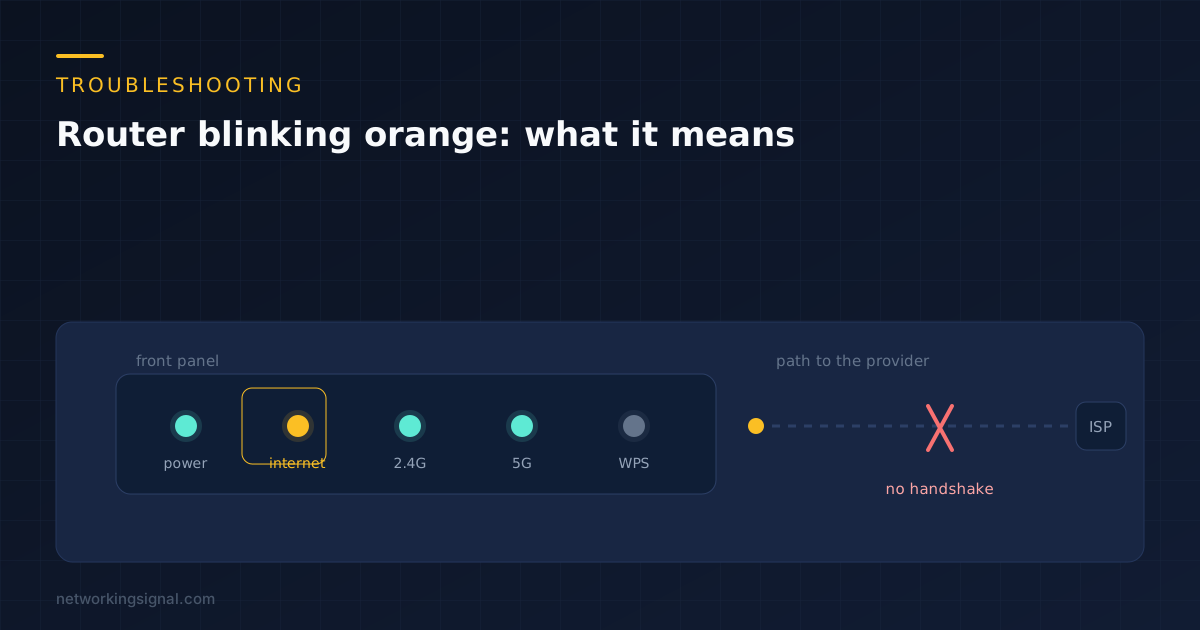
 An orange router light means the internet port has link but no working connection. Here is what each…