
[Easy Way] How to Reset Xfinity Modem?
Resetting your Xfinity modem can help troubleshoot connectivity issues, improve speeds, or clear out old settings and customizations.…
The Motorola MB8611 ($130) is the best modem for Cox. It is DOCSIS 3.1 with a 2.5 Gbps Ethernet port, Cox approved, and it pays back the Panoramic WiFi rental in roughly nine months.
On a plan of 1 Gbps or less, the ARRIS SURFboard SB8200 at $89 does the same job for less. If you are on Gigablast at 2 Gbps, the Hitron CODA56 is certified for it specifically.
Two things to check before you order. Cox charges around $14 a month for Panoramic WiFi, and that fee often disappears from view because it is bundled into the plan price rather than itemised. And if your plan includes Cox Voice, you cannot use your own modem at all, because voice service requires a Cox supplied telephony gateway.
| Product | Modem | Max plan | Ethernet | Built in WiFi | Price |
|---|---|---|---|---|---|
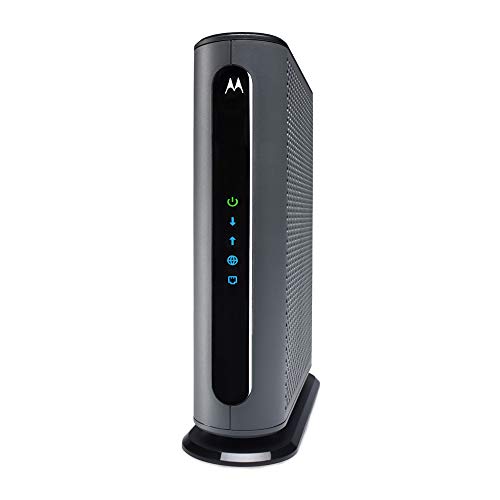 | Motorola MB8611Best overall | 2.5 Gbps | 1 x 2.5G | No | $130.00 |
 | ARRIS SURFboard SB8200Budget pick | 1 Gbps | 2 x 1G | No | $89.36 |
 | Hitron CODA56Best for Gigablast | 2 Gbps on Cox | 1 x 2.5G | No | $159.99 |
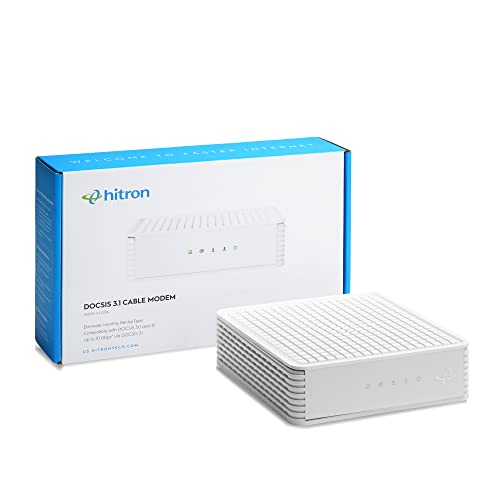 | Hitron CODABest value | 1 Gbps | 1 x 1G | No | $109.99 |
 | Motorola B12Most compact | 2.5 Gbps | 1 x 2.5G | No | $129.00 |
 | ARRIS Surfboard G34Best all in one | 2.5 Gbps | 4 x 1G | WiFi 6 AX3000 | $180.00 |
Cox charges roughly $14 a month for its Panoramic WiFi gateway, which is $168 a year for equipment you never own. A $130 modem pays for itself in about nine months and then saves you that amount every year afterwards. Cable modems routinely last five to seven years, because DOCSIS standards change slowly, so the lifetime saving is close to $700.
The fee is easy to miss. Unlike some providers who itemise equipment separately, Cox frequently bundles Panoramic WiFi into the advertised plan price. Look at your actual bill rather than your plan description, and check whether removing the gateway lowers what you pay. On some promotional bundles it does not, in which case buying your own modem saves you nothing and you should not bother.
That is worth checking first, because it is the one situation where this entire article does not apply to you.
Cox Voice rules out your own modem. If your plan includes home phone service, you must keep Cox equipment. Voice requires a telephony gateway that handles the phone line alongside data, and no retail cable modem provides it. This is the most common reason a modem purchase gets returned.
Cox certifies modems on its own list. A modem approved by Xfinity is not automatically approved by Cox. Certification is per model and often per speed tier, so a modem may be approved for Cox up to 1 Gbps but not for Gigablast. Check cox.com/modem for your exact model before ordering. Every modem on this page is currently listed as Cox compatible, but certification changes and the official list governs.
You lose the Panoramic WiFi app. Cox’s app handles device management, pausing internet for individual users and network monitoring, and it only works with a Cox gateway. Your own router replaces those functions, usually with better versions and without the fee, but you do have to set them up yourself.
Cox tiers run from Essential at 100 Mbps up to Gigablast, which reaches 1 Gbps in most markets and 2 Gbps in some. The right modem depends on where you sit.
Up to 500 Mbps. Any modem here comfortably exceeds your plan. Buy on price, which means the SB8200 at $89.
Around 1 Gbps. A modem with a gigabit Ethernet port becomes marginal, because the port cannot pass more than 1,000 Mbps and overhead eats into that. A 2.5 Gbps port removes the constraint, which is why the MB8611 is the default recommendation at this tier.
Gigablast at 2 Gbps. You need both DOCSIS 3.1 and a 2.5 Gbps Ethernet port, and the modem must be certified for that tier. The Hitron CODA56 states Cox 2 Gbps certification explicitly.
One thing a modem cannot fix: Cox applies a 1.25 TB monthly data allowance on most residential plans, with an unlimited add on available for a fee. Buying your own modem does not change that. If you are being charged for overage, the answer is a plan change rather than hardware.
The MB8611 is the default recommendation for Cox because it has no weak point at the price, and the 2.5 Gbps Ethernet port is the specification that matters most as Cox tiers have climbed.
A gigabit port sounds sufficient for a gigabit plan, but protocol overhead means you never see the full figure, and Cox advertises Gigablast above 1,000 Mbps in many markets. A 2.5 Gbps port removes that ceiling entirely, so the modem is not the thing limiting you now or after your next plan upgrade.
Active Queue Management is the underrated feature. AQM prevents the modem’s own buffer filling when the connection is saturated, which is what causes ping to jump from 20 ms to several hundred the moment someone starts a large download. On a shared household connection that is more noticeable than any speed figure.
Thirty two downstream by eight upstream DOCSIS 3.0 channel bonding sits alongside the DOCSIS 3.1 capability, which matters because parts of Cox’s network still run 3.0. Where that happens, having 32 channels rather than 24 is the difference between a usable connection and a slow one at peak hours.
Motorola includes a two year warranty with US based support, which is worth having because cable modems fail in ambiguous ways, with intermittent drops rather than clean failures.
There is no built in WiFi, so you need your own router. That is a feature rather than a limitation, since a separate router is easier to upgrade and generally better.
Buy this for any Cox plan up to 2 Gbps when you already have or want your own router.
The SB8200 has been in service since 2018, and that age is mostly an advantage. Firmware is settled, Cox’s provisioning system recognises it immediately, and activation rarely goes wrong, which is not something you can say about every newer modem.
At $89 it is the cheapest route out of the Panoramic WiFi fee, paying for itself in about six months rather than nine.
The limitation is the Ethernet. Two gigabit ports rather than one 2.5 Gbps port means you are capped around 1 Gbps. On Cox Essential, Preferred or Ultimate that costs you nothing. On Gigablast you will lose speed you are paying for, and the MB8611 is the correct choice instead.
The 32 by 8 DOCSIS 3.0 channel bonding deserves attention for Cox specifically. Cox’s DOCSIS 3.1 rollout is not universal, and in areas still on 3.0 the modem falls back. Thirty two downstream channels is the maximum, and it is what keeps performance acceptable during evening congestion in those areas.
Note that the two Ethernet ports do not aggregate on Cox, so there is no way to combine them for more than gigabit. The second port is a spare, not extra bandwidth.
Buy this if your plan is 1 Gbps or slower and you want the shortest payback period.
Hitron states Cox certification up to 2 Gbps explicitly, which matters because certification is granted per speed tier and not every DOCSIS 3.1 modem is approved for the top one.
If you are on Gigablast at 2 Gbps, that stated certification is the reassurance worth paying for. A modem that is technically capable but not certified for your tier can be refused during provisioning, and arguing with support about it is a bad afternoon.
Hitron is not a household name in the United States, which is odd given it has supplied cable operators worldwide for thirty years. The CODA56 is a straightforward DOCSIS 3.1 modem with a 2.5 Gbps Ethernet port and no unnecessary features.
It is also certified with Xfinity and Spectrum, which is genuinely useful. A modem tied to one operator becomes worthless if you move house or switch provider, and this one follows you.
It runs noticeably cooler than the MB8611, which sounds trivial until a modem in a media cabinet starts dropping connection on hot afternoons. Heat is among the most common causes of intermittent cable modem faults.
The listing is emphatic about what it does not do, with warnings that it has no WiFi, no voice support, and works only with coaxial cable service rather than fibre. That reads as defensive but reflects the most common returns.
Buy this if you are on Gigablast at 2 Gbps and want certification stated for that tier.
The CODA is the CODA56 without the 2.5 Gbps port, at $50 less, and for a great many Cox customers that is the right trade.
It is certified for Cox Gigablast and supports plans up to 1 Gbps. If your Gigablast tier is the 1 Gbps version rather than 2 Gbps, which it is in most markets, this covers it.
Hitron also lists certification with Comcast Xfinity, Xfinity Business, Charter Spectrum, CableOne Sparklight, Cogeco Breezeline and Zito Media, plus compatibility with Astound, Grande, RCN and Wave. That is the broadest certification list here, and it means the modem retains value if your circumstances change.
Hitron quotes the saving against rental at up to $168 a year, which lines up with Cox’s Panoramic WiFi pricing and gives a payback of roughly eight months.
The single gigabit Ethernet port is the constraint, and Hitron is upfront that a separate router with a 2.5 Gbps port is needed for full speeds on faster plans. Read that as: this modem suits plans up to 1 Gbps and no further.
Like the CODA56 there is no WiFi and no voice support, and it works only with coaxial cable service.
Buy this for Gigablast at 1 Gbps when you want certification breadth without paying for 2.5G.
The B12 is Motorola’s replacement for the MB8611: the same 32 by 8 channel bonding, the same DOCSIS 3.1, the same 2.5 Gbps Ethernet port and the same Active Queue Management, in a smaller and better ventilated case for a dollar less.
On specification that makes it the obvious pick. In practice the older model still edges ahead for one reason: years of accumulated field experience on Cox’s network, and a much larger body of community knowledge if activation goes wrong. The B12 is newer and there is simply less of it.
The smaller footprint is a real advantage where space is tight. Cable modems tend to live behind televisions or inside cabinets, and the B12’s case is designed to shed heat in exactly those conditions, where the MB8611 has a mild reputation for running hot.
Approvals cover Cox, Comcast Xfinity, Spectrum, RCN and Astound, with the same two year warranty and US based support as the MB8611.
Motorola quotes the same rental saving of up to $168 a year.
The choice between the two is genuinely close. If price is equal and you want the smaller cooler case, take the B12. If you would rather have the model with a longer track record on Cox provisioning, take the MB8611.
Buy this if space or heat is a constraint where the modem has to live.
The G34 is the closest direct replacement for the Panoramic WiFi gateway, because it does both jobs in one box. Modem and WiFi 6 router at AX3000, for $180 once rather than $14 every month.
Plan support reaches 2.5 Gbps on the cable side, with four gigabit Ethernet ports for wired devices. The WiFi 6 radio is competent for an apartment or a small house, roughly comparable to a $90 standalone router, which is a fair trade inside a combined unit.
Setup is a single device, one power cable and one activation, which is genuinely simpler than modem plus router if you would rather not manage two things.
The structural downside applies to every combo unit. When you want to upgrade your WiFi, you have to replace the modem too, even though the modem is fine. Cable standards change every five to seven years; WiFi standards change every three. Separates let you replace only the half that is actually out of date.
There is also a diagnostic cost. When something goes wrong, a combo makes it harder to tell whether the problem is the connection or the WiFi, because you cannot swap out one half to isolate it. With separates you borrow a router and know within minutes.
Payback against the Panoramic WiFi fee is about thirteen months, longer than the standalone modems but you are also not buying a router.
Buy this if you want one device replacing the rented gateway and your home is small enough for a single router.
Record the details before you unplug anything. The MAC address and serial number are printed on the label underneath the modem. Photograph it, because reading those numbers off an installed modem in a cabinet is unnecessarily difficult.
Connect first, then activate. Screw the coaxial cable in finger tight plus a quarter turn, connect power, and wait for the online indicator to go solid. That takes two to ten minutes while the modem syncs. Starting activation before it is ready produces a failure and a support call about a modem that is fine.
Activate through cox.com/activate or the Cox app. If self activation fails twice, call support and ask them to provision the modem manually against your account number and the modem’s MAC address. That works reliably even when the web flow does not.
Return the Panoramic gateway and keep the receipt. Cox continues billing the rental until the equipment is physically returned and scanned in. Take it to a Cox store or an approved return location, and keep proof. Unreturned equipment charges are common and the receipt is what resolves them.
Then pair the modem with a router. Our guides to routers under $200 and mesh systems cover what to put on the other end.
Cox maintains a compatibility list at cox.com/modem, and that is the authoritative source. Approval is granted per model and often per speed tier, so a modem approved up to 1 Gbps may not be approved for Gigablast at 2 Gbps. Every modem on this page is currently listed as Cox compatible, but check your exact model before buying.
No. Cox Voice requires a telephony gateway supplied by Cox that handles the phone line alongside data. No retail cable modem provides this. If your plan includes home phone service you have to keep Cox equipment, and this is the most common reason a purchase gets returned.
Cox charges around $14 a month for Panoramic WiFi, or roughly $168 a year. A $130 modem pays for itself in about nine months and saves that amount annually afterwards. Check your actual bill first, because on some bundled plans removing the gateway does not reduce what you pay.
Yes, provided it is DOCSIS 3.1, has a 2.5 Gbps Ethernet port and is certified for that tier. A gigabit port becomes a hard cap on Gigablast because it physically cannot pass more than 1,000 Mbps. The Hitron CODA56 and Motorola MB8611 both have 2.5 Gbps ports.
No. The app’s device management, pausing and monitoring features work only with a Cox gateway. Your own router replaces them, generally with more capable versions and without a monthly fee, but you configure them yourself rather than through Cox.
No. Cox applies a 1.25 TB monthly allowance on most residential plans regardless of whose equipment you use, with an unlimited add on available for a fee. A modem cannot change how much data you are allowed. If overage charges are the problem, the answer is a plan change.
For most Cox customers the Motorola MB8611 at $130 is the right modem: DOCSIS 3.1, a 2.5 Gbps port that will not cap Gigablast, and payback against the Panoramic WiFi fee in about nine months.
On a plan of 1 Gbps or slower, the ARRIS SB8200 at $89 does the same job and pays back in six. If you are on Gigablast at 2 Gbps specifically, the Hitron CODA56 states certification for that tier, which is worth $30 for the certainty during provisioning.
Before buying any of them, check your bill. If Panoramic WiFi is bundled into a promotional price and removing it does not lower your payment, none of this saves you anything.
Disclosure: Networking Signal is a participant in the Amazon Services LLC Associates Program. We earn a commission on qualifying purchases made through links on this page, at no additional cost to you. Prices shown were accurate at the time of writing and may change. Modem certification and speed tier support are set by Cox and can change. Always confirm your exact model at cox.com/modem before buying.
Hand-picked articles you might also find useful.
![[Easy Way] How to Reset Xfinity Modem?](https://www.networkingsignal.com/wp-content/uploads/2026/09/auto/art-how-to-reset-xfinity-modem.svg) Modems
Modems Resetting your Xfinity modem can help troubleshoot connectivity issues, improve speeds, or clear out old settings and customizations.…
 Cables
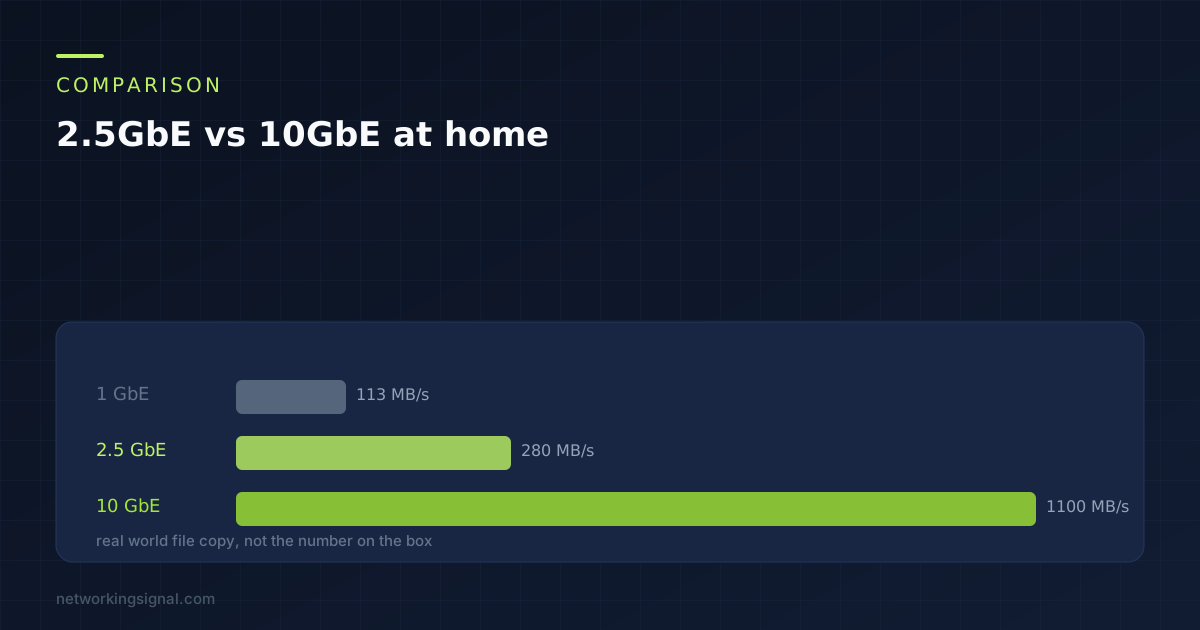
 2.5GbE runs on the Cat5e already in your walls and matches what home storage can actually deliver. 10GbE…
 Networking Gears
 Network-attached storage is a file-dedicated storage device that makes data continuously available for employees to collaborate effectively over…