
What is MU-MIMO Technology, its Benefits and Uses?
What is MU-MIMO Technology? MU-MIMO technology is a wireless communication technology that allows multiple users to be served…
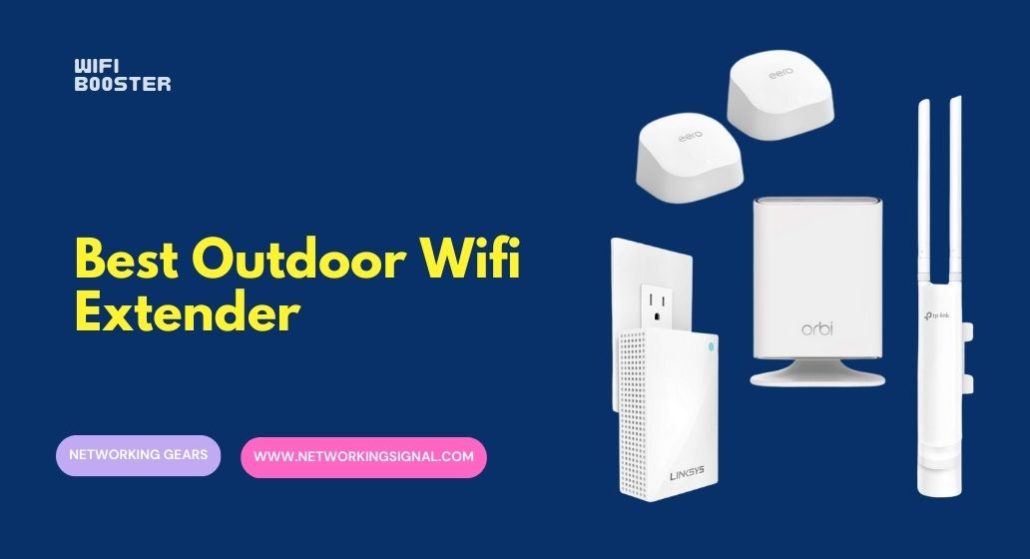
The TP-Link Omada EAP650-Outdoor ($134.99) is the best outdoor unit for most properties: WiFi 6 AX3000, a genuine IP67 enclosure, and the Omada platform if you later add more access points.
These are access points, not extenders, and that distinction saves you half your speed, which our mesh vs extender vs access point guide explains in full. In repeater mode a unit receives WiFi and rebroadcasts it on the same radio, which roughly halves throughput. In access point mode it takes a wired connection and creates fresh WiFi at full speed.
Every device here is PoE powered, which means you are running an Ethernet cable to it regardless. Once that cable exists, use AP mode. Repeater mode is a fallback for when you genuinely cannot get a cable there.
Treat the range figures carefully. Claims of 200 to 300 metres are line of sight across open ground with nothing in the way. Through a hedge, a fence and a garden wall you will see a fraction of that.
| Product | Unit | WiFi | Weather | Antennas | Price |
|---|---|---|---|---|---|
 | TP-Link EAP650-OutdoorBest overall | WiFi 6 AX3000 | IP67 | Internal high gain | $134.99 |
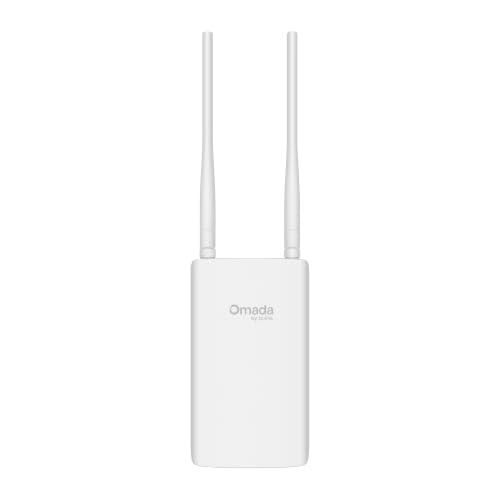 | TP-Link EAP603-OutdoorBest value | WiFi 6 AX1800 | IP65, 6kV | Omnidirectional | $79.99 |
 | TP-Link EAP225-OutdoorBudget pick | WiFi 5 AC1200 | Weatherproof | Internal | $69.99 |
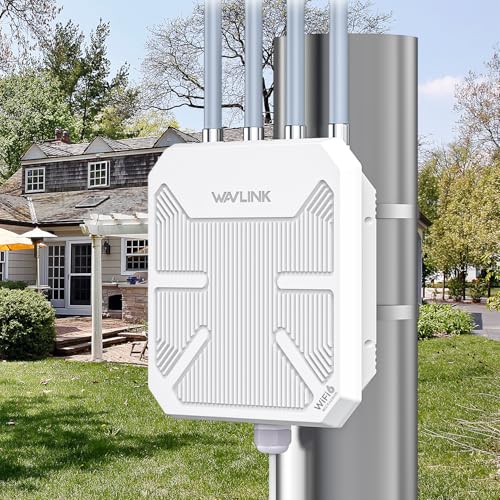 | WAVLINK AX3000 OutdoorLongest range | WiFi 6 AX3000 | IP67, 6kV, 15kV | 4 x 8dBi detachable | $178.42 |
 | WAVLINK AX1800 OutdoorBest for Starlink | WiFi 6 AX1800 | IP67, 6kV, 15kV | 4 x 8dBi detachable | $135.99 |
 | WAVLINK AC1200 OutdoorMost flexible modes | WiFi 5 AC1200 | IP65, 6kV, 15kV | 4 x 7dBi detachable | $100.00 |
These devices support several modes, and choosing correctly matters more than which unit you buy.
Access point mode. The unit takes a wired Ethernet connection from your router and broadcasts fresh WiFi. Full speed, no penalty, and the wired link is unaffected by weather or interference. This is what you want.
Repeater mode. The unit receives your existing WiFi and rebroadcasts it using the same radio. Because it cannot listen and transmit simultaneously, throughput roughly halves. It also inherits whatever signal quality it receives, so a weak input becomes a weak output for everyone connected.
Router mode. The unit runs its own network with its own DHCP. Useful for a completely separate guest network at a barn or workshop, but it creates a second network and double NAT if it sits behind your main router.
Mesh mode. Several of these support mesh, though WAVLINK is explicit that its mesh works only between WAVLINK products, and TP-Link’s requires an Omada controller. Read the small print before planning around it.
The practical point: every unit here is powered over Ethernet, so you are already running a cable to it. That cable can carry data as easily as power. Repeater mode makes sense only where the unit is powered by a local socket and a data cable is genuinely impossible.
IP65 versus IP67. Both are dust tight. IP65 resists water jets from any direction, which covers rain and hosing down. IP67 adds resistance to temporary immersion in up to a metre of water. For a wall under an eave, IP65 is plenty. For a pole in open ground, somewhere that floods, or a coastal site, choose IP67.
Lightning and ESD protection are the specifications that matter outdoors. WAVLINK quotes 6 kV lightning and 15 kV static protection, and TP-Link quotes 6 kV on the EAP603. That protection exists because an outdoor unit on a mast or a wall, connected by copper back into your house, is a path for surges. A nearby strike, not a direct one, induces voltage that travels down the cable into your switch and router.
Fit an Ethernet surge protector at the indoor end regardless. The protection built into the access point defends the access point. It does not defend the switch, the router and everything else on your network. A surge protector costs $15 to $30 and belongs where the cable enters the building.
Use outdoor rated cable. Indoor PVC jackets crack under UV and absorb water. Run direct burial or outside plant cable for the outdoor portion, and switch to indoor rated cable inside walls, because outdoor jackets are not fire rated. Our guide to cables for long distance covers the specifics.
Every listing here notes the same trap: the PoE injector supplied in the box is not waterproof. It lives indoors. Only the access point goes outside.
WAVLINK quotes 200 to 300 metres of radius coverage. TP-Link quotes 200 metres at 2.4 GHz and 300 metres at 5 GHz for the EAP225. Both are true and both need context.
Those figures are line of sight across open ground with nothing between the antenna and the device. That is a realistic scenario for a farm, a campsite or an open yard, and completely unrealistic for a garden with a hedge, a fence and a brick outbuilding in the way.
Transmit power is capped by regulation, so no outdoor unit is permitted to shout louder than another. What high gain antennas do is shape the radiation pattern, concentrating energy horizontally rather than wasting it upward and downward. That produces genuinely better reach across a flat property, and it is why 8 dBi antennas help outdoors while making little difference in a house.
Your phone is still the weak end. A phone transmits at roughly a thirtieth of the access point’s power. The unit will hear you far less well than you hear it, so usable range is set by the return path. Mounting the access point higher and closer to where people actually are beats any antenna specification.
This is the outdoor access point to buy if you want something that works properly and keeps working, and the reason is the platform behind it as much as the hardware.
Omada SDN lets you manage this and any other TP-Link business access point, switch or gateway from one interface, with seamless roaming between units so a phone hands off cleanly as you walk from the house into the garden. You can run it standalone with no controller at all, or add a hardware, software or cloud controller when you have more than one device. Nothing else here offers that path.
WiFi 6 at AX3000 gives dual band speeds up to 2,976 Mbps with 1024-QAM and HE60, which is well beyond what an outdoor connection needs but means the access point is never the bottleneck.
The IP67 enclosure is the higher of the two common ratings, protecting against temporary immersion rather than just water jets. Combined with high gain internal antennas it survives a pole mount in open weather.
Band steering, load balancing, airtime fairness and beamforming are all supported, which matter when several devices connect at once in a garden or on a terrace.
Two caveats. Mesh and seamless roaming require an Omada controller, so in pure standalone mode you get an access point rather than a roaming system. And the internal antennas cannot be swapped for directional ones if you later need to aim coverage at a specific building.
Buy this if you want a proper access point you can build on, especially if more units may follow.
At $79.99 this gives you WiFi 6, the Omada platform and genuine environmental hardening for $55 less than the EAP650, and for most gardens it is the more sensible purchase.
The operating range of minus 40 to 158 degrees Fahrenheit is the widest here and worth noting if you live somewhere with real winters. Consumer hardware rated to freezing point is out of specification for months of the year in a cold climate, and cold is what cracks enclosures and kills capacitors.
6 kV lightning protection is included, which the EAP650 listing does not state explicitly.
AX1800 gives 1,201 Mbps on 5 GHz and 574 Mbps on 2.4 GHz. That is less than the EAP650 and still far more than any outdoor use requires, since you are covering a garden rather than running a data centre.
It has a built in extender function that works with any router, not just TP-Link, which is a genuine convenience if you want repeater mode as a fallback without committing to one ecosystem.
Omada cloud management includes remote configuration and zero touch provisioning, with a free Essential tier so you are not forced into a subscription.
The IP65 rating is a step below the EAP650’s IP67. Under an eave or on a sheltered wall that is fine. On an exposed pole, pay for IP67.
Buy this for a sheltered wall mount in a cold climate, which covers most gardens.
The EAP225 has been deployed in enormous numbers since 2018, and its age is mostly an advantage: firmware is settled, documentation is extensive, and community troubleshooting knowledge is deep.
AC1200 is WiFi 5, delivering up to 1,200 Mbps across both bands with MU-MIMO. For outdoor coverage of a garden, patio or car park, where you are serving phones and cameras rather than moving large files, that is entirely sufficient.
The specification that stands out is up to 16 SSIDs, eight per band. That is unusual at this price and genuinely useful for a small business: a staff network, a guest network and a device network can all run from one access point with different access rules on each.
TP-Link rates coverage at 200 metres plus at 2.4 GHz and 300 metres plus at 5 GHz outdoors, with an operating range of minus 30 to 70 degrees Celsius.
It integrates with Omada like the newer models, so it can join a controller managed network alongside them.
The compatibility warning in the listing is worth heeding: SDN controllers work only with SDN access points, and non SDN controllers only with non SDN units. Check the firmware version matches your setup before buying, because mixing generations does not work.
Buy this for basic outdoor coverage on a budget, or where multiple SSIDs matter more than speed.
If the job is covering a genuinely large open area, this is the unit built for it, and the antennas are the reason.
Four 8 dBi omnidirectional fiberglass antennas, and crucially detachable. Detachable matters because it means you can replace them. If omnidirectional coverage turns out to be wrong for your property, you fit directional antennas and aim the signal at the barn rather than radiating it evenly into empty fields. No unit with sealed internal antennas allows that.
Two built in amplifiers work within the regulatory power limit to drive those antennas properly, and WAVLINK rates coverage at 200 to 300 metres radius with up to 256 simultaneous connections.
The environmental protection is the most complete here: IP67, 15 kV ESD protection and 6 kV lightning protection, operating from minus 20 to 50 degrees Celsius. For a mast in an exposed position that combination is what you want.
AX3000 gives 2,402 Mbps on 5 GHz and 573 Mbps on 2.4 GHz, with a gigabit Ethernet port and support for active 802.3af/at PoE as well as passive PoE.
Mesh, AP, router, repeater and AP plus repeater modes are all available, though mesh works only between WAVLINK products.
At $178.42 it is the most expensive here. Justify it with distance and the detachable antennas, not with speed, since a garden does not need AX3000.
Buy this for a farm, large yard or exposed mast where you may want to change antennas.
WAVLINK calls out Starlink Gen 2 and Gen 3 compatibility specifically, and that pairing makes more sense than it first appears.
Starlink customers are disproportionately rural, on larger properties, with the dish placed wherever it has clear sky rather than where people actually are. The router that ships with Starlink covers a house, not a smallholding. An outdoor access point wired back to the dish is exactly the right fix.
Gen 3 kits have Ethernet ports built into the router, so you simply connect. Gen 2 kits need the Starlink Ethernet Adapter first, which WAVLINK notes.
AX1800 delivers 1,201 Mbps on 5 GHz and 574 Mbps on 2.4 GHz, comfortably beyond what Starlink itself delivers at 50 to 250 Mbps, so the access point will never be your limit.
Protection matches the AX3000: IP67, 6 kV lightning, 15 kV static, minus 20 to 50 degrees Celsius, with the same four 8 dBi detachable fiberglass antennas and 200 to 300 metre rated coverage.
WAVLINK includes a 54V passive PoE adapter, publishes a US phone support line with stated hours, and offers a two year warranty with replacement.
Given the AX3000 costs $42 more for radios Starlink cannot saturate, this is the better buy for a satellite connection. Our Starlink mesh guide covers the indoor side.
Buy this if you are extending Starlink across a rural property, where AX3000 would be wasted.
This sits between the TP-Link budget option and WAVLINK’s WiFi 6 units, and its argument is detachable antennas at a lower price.
Four 7 dBi detachable omnidirectional antennas give 360 degree coverage and, more importantly, can be replaced. Getting that flexibility at $100 rather than $135 or $178 is the reason to consider it.
WAVLINK quotes range extension up to 300 metres at 5 GHz and 100 metres at 2.4 GHz, and is unusually candid in the listing that obstacles significantly affect performance and that you should avoid obstructions between the unit and the coverage area. That is honest in a category prone to overstating.
Protection is IP65 with 15 kV ESD and 6 kV lightning. IP65 handles rain and hosing but not immersion, so this is a sheltered wall unit rather than a pole unit.
AC1200 is WiFi 5, which for outdoor coverage of cameras, phones and a laptop on a patio is adequate. It lacks WiFi 6’s efficiency with many simultaneous devices.
Mode support is the broadest here: AP, repeater, router and mesh, connecting to most wireless signals including Starlink. Mesh gives a single network name and password across WAVLINK units with one touch pairing, and it also works with a WAVLINK AC controller for larger deployments.
Both active 802.3at and passive PoE are supported.
Buy this if you want swappable antennas and every operating mode without paying WiFi 6 prices.
The hardware is usually the same device; the difference is the mode you run it in. In access point mode it takes a wired connection and creates WiFi at full speed. In repeater mode it receives WiFi and rebroadcasts it on the same radio, which roughly halves throughput. Since all these units are PoE powered, you are running a cable anyway, so use access point mode.
Only across open ground with clear line of sight, which is how those figures are measured. Buildings, hedges, fences and trees reduce it substantially. Range is also limited by your phone’s transmit power, which is roughly a thirtieth of the access point’s, so the return path fails before the outbound one does.
IP65 is enough for a wall under an eave or any sheltered position, since it resists water jets from any direction. Choose IP67, which adds protection against temporary immersion, for exposed pole mounting, ground level installation, anywhere prone to flooding, or coastal sites with driving salt spray.
Power over Ethernet. Every unit here accepts PoE, so a single Ethernet cable from indoors carries both power and data. The supplied PoE injector plugs in indoors and is explicitly not weatherproof, so only the access point itself goes outside.
Yes, at the indoor end of the cable. The lightning protection built into these units protects the access point, not the switch and router the cable connects to. A nearby strike induces a surge that travels inside on the copper. An Ethernet surge protector costs $15 to $30 and belongs where the cable enters the building.
Yes. Several units here state Starlink compatibility explicitly. Gen 3 Starlink kits have Ethernet ports in the router, so you connect directly. Gen 2 kits need the Starlink Ethernet Adapter first. Since Starlink delivers 50 to 250 Mbps, an AX1800 unit is ample and AX3000 is wasted.
The TP-Link EAP650-Outdoor at $134.99 is the best overall: WiFi 6, IP67, and a platform you can grow into if you add more access points. For most gardens the EAP603-Outdoor at $79.99 is the smarter spend, with the same WiFi 6 and Omada management, 6 kV lightning protection and the widest temperature range here.
If the property is large and open, the WAVLINK AX3000 earns its $178.42 through detachable 8 dBi antennas you can later swap for directional ones. And whichever you choose, run it in access point mode over a wired connection, because repeater mode throws away half your speed for no reason once the cable is there.
Disclosure: Networking Signal is a participant in the Amazon Services LLC Associates Program. We earn a commission on qualifying purchases made through links on this page, at no additional cost to you. Prices shown were accurate at the time of writing and may change. Quoted coverage figures are manufacturer line of sight measurements. Ethernet surge protectors and outdoor rated cable are sold separately.
Hand-picked articles you might also find useful.
 Wireless
 What is MU-MIMO Technology? MU-MIMO technology is a wireless communication technology that allows multiple users to be served…
 Wireless
 In today's fast-paced digital world, staying connected to a reliable and fast WiFi network is crucial. However, not…
 Wireless
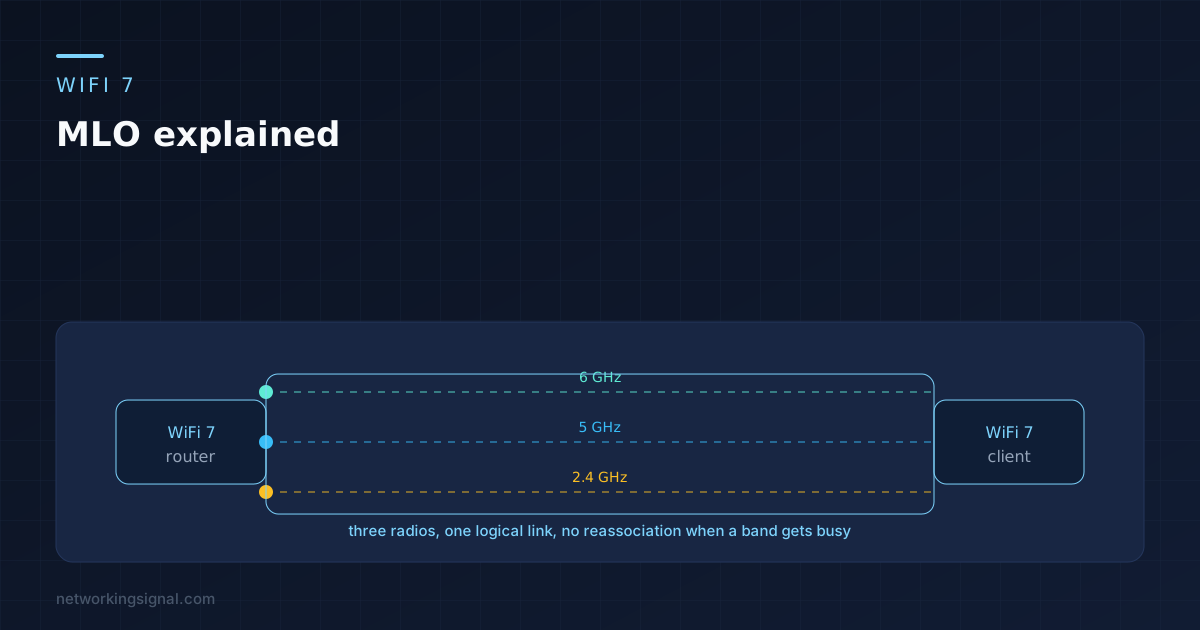
 MLO lets a WiFi 7 device hold 2.4, 5 and 6 GHz at once as one link. What…