
Cat6 vs Cat6a vs Cat7 vs Cat8: Which Ethernet Cable You Actually Need
Cat6, Cat6a, Cat7 or Cat8? Cat6 is right for almost every home and office. Cat7 is not a…
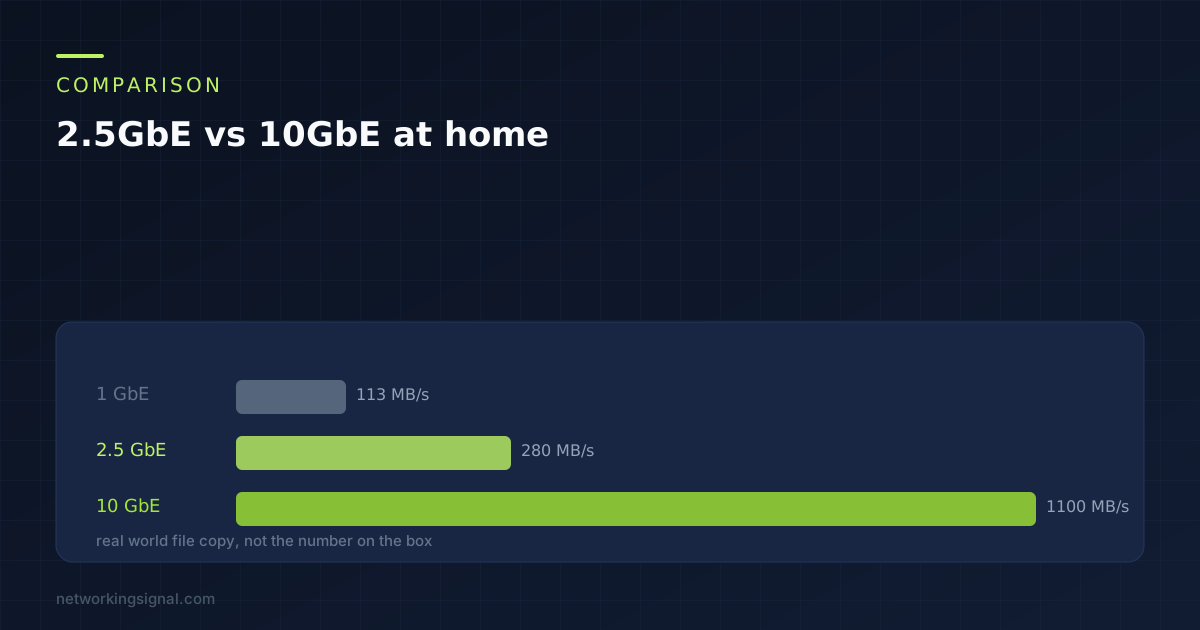
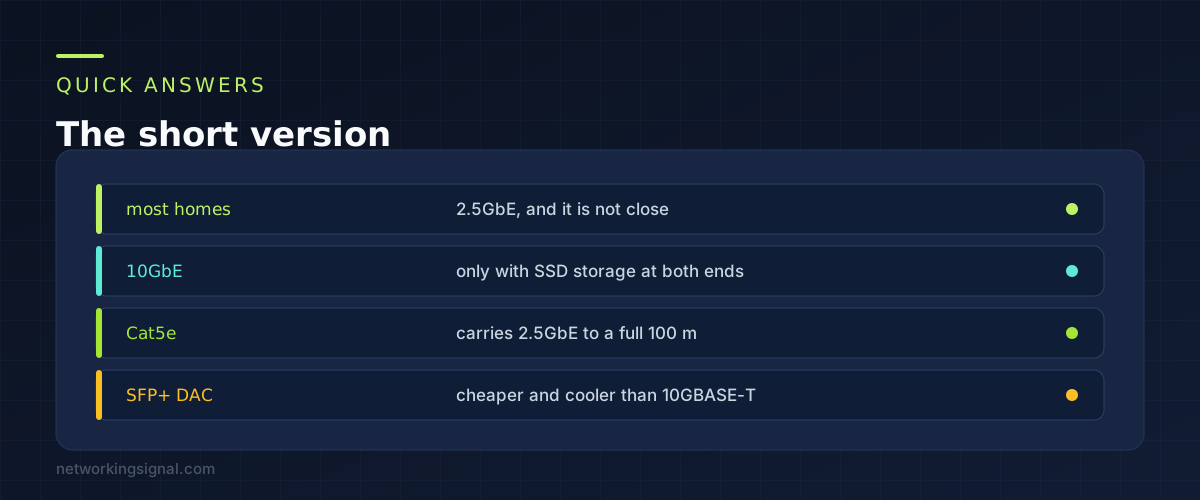
For most homes the answer is 2.5GbE, and it is not close. It runs on the cable already in your walls, the switches are cheap and silent, and it comfortably exceeds what the drives at either end can deliver.
10GbE is worth buying in one situation, which is solid state storage at both ends of the link and files large enough that you sit waiting for them. Everything else is spending money on a number rather than on speed you will feel.
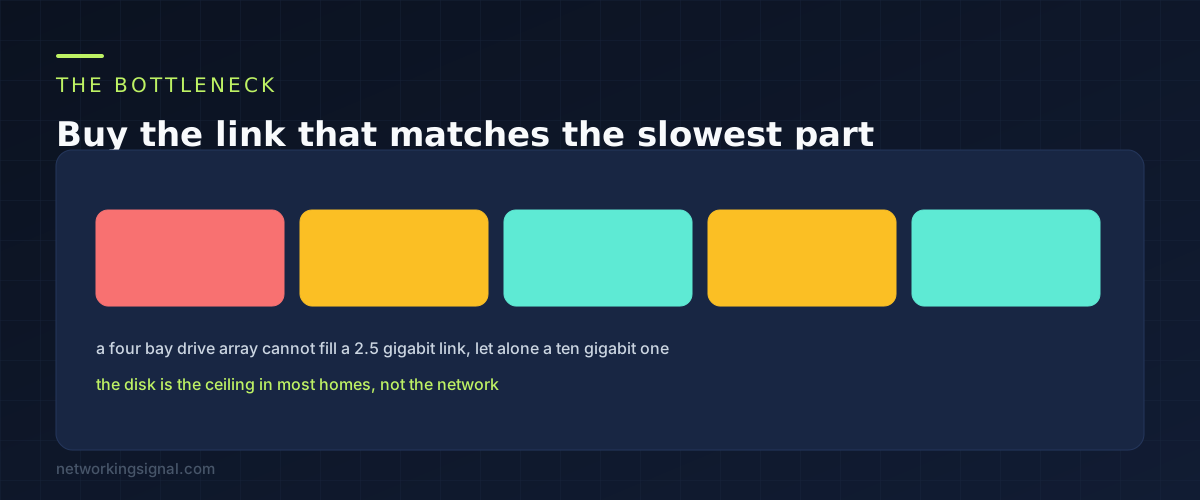
A network link is one segment of a chain, and the chain moves at the speed of its slowest part.
A 2.5 gigabit link delivers roughly 280 MB per second of real file transfer once overheads are accounted for. A 10 gigabit link delivers roughly 1.1 GB per second.
Now look at what feeds it. A four bay NAS full of spinning disks manages somewhere between 200 and 500 MB per second on a good day, and considerably less for lots of small files. That is at or below what 2.5GbE already provides. Putting a 10 gigabit link in front of those drives changes nothing, because the drives were the limit.
A single SATA SSD tops out around 550 MB per second, which does exceed 2.5GbE. NVMe drives go far past it. Those are the cases where a faster link shows up as a faster copy.
The test worth doing before buying anything is copying a large file locally on the machine that holds the data and watching the transfer rate. If that number is under 280 MB per second, the network is not what is slowing you down.
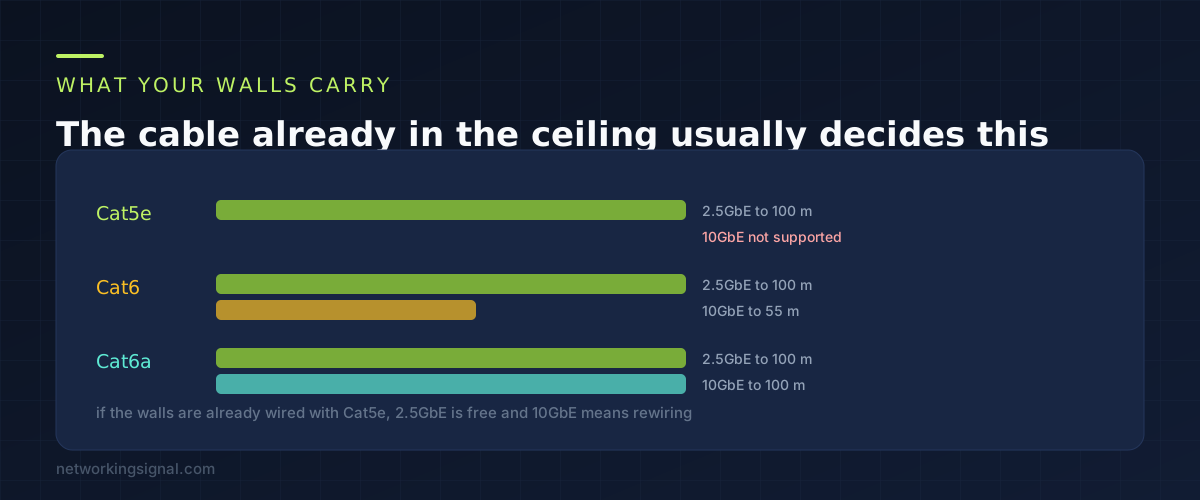
2.5GbE was designed specifically so it would run on Cat5e. That was the entire point of the standard. If your house was wired any time this century, the cable in the walls will carry 2.5 gigabit for a full hundred metres without you touching anything.
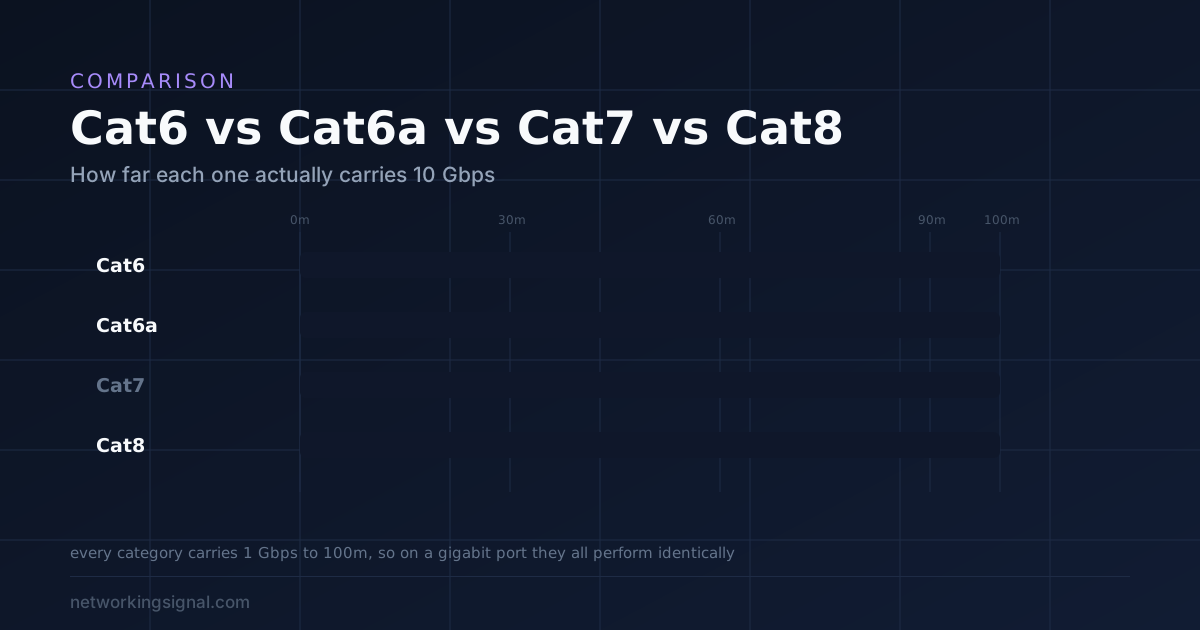
10GBASE-T is a different proposition. It needs Cat6a for a full hundred metre run. Cat6 will carry it to about 55 metres, and less than that where several cables run together in a bundle and interfere with each other.
So for a lot of houses the real comparison is not 2.5GbE against 10GbE. It is 2.5GbE against 10GbE plus pulling new cable through finished walls. Once the cost of the cabling is included the decision usually makes itself. Our guide to Cat6 against Cat6a against Cat7 and Cat8 covers what to buy if you are running new cable anyway.
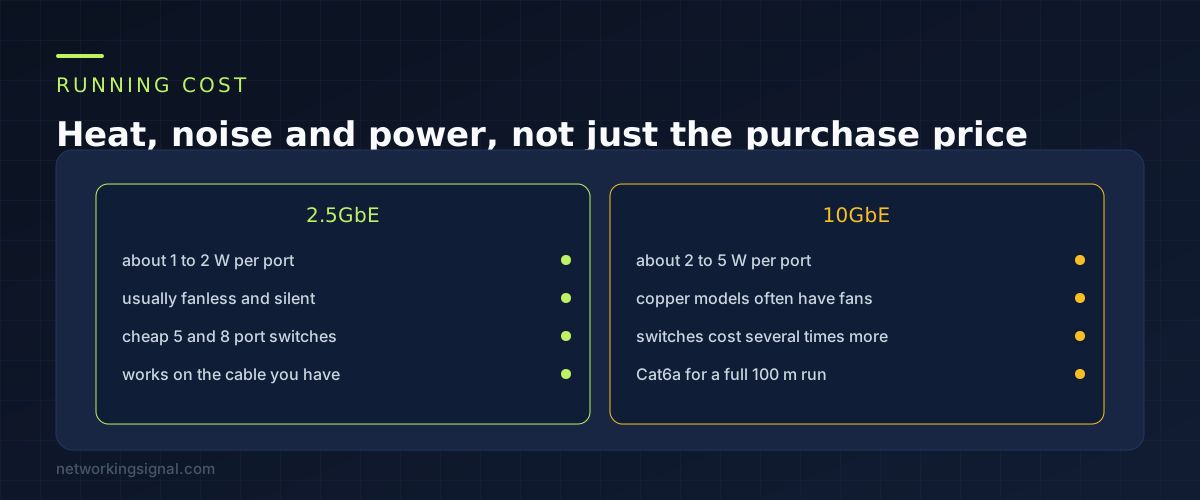
10GBASE-T over copper is power hungry. The signal processing needed to push ten gigabits down twisted pair generates real heat, which is why 10 gigabit copper switches so often have fans while 2.5 gigabit switches are passively cooled.
That matters more than the wattage suggests, because a switch with a fan is a switch you cannot put in a living room. Plenty of people buy a 10 gigabit switch and then move it to a cupboard, which is a cost that never appears on the receipt.
There is a way around it. SFP+ with a direct attach copper cable runs cooler and cheaper than 10GBASE-T, because it skips the heavy signal processing. The limitation is distance, since those cables are typically a few metres, so it works between a NAS and a switch sitting near each other and not for a run across the house.
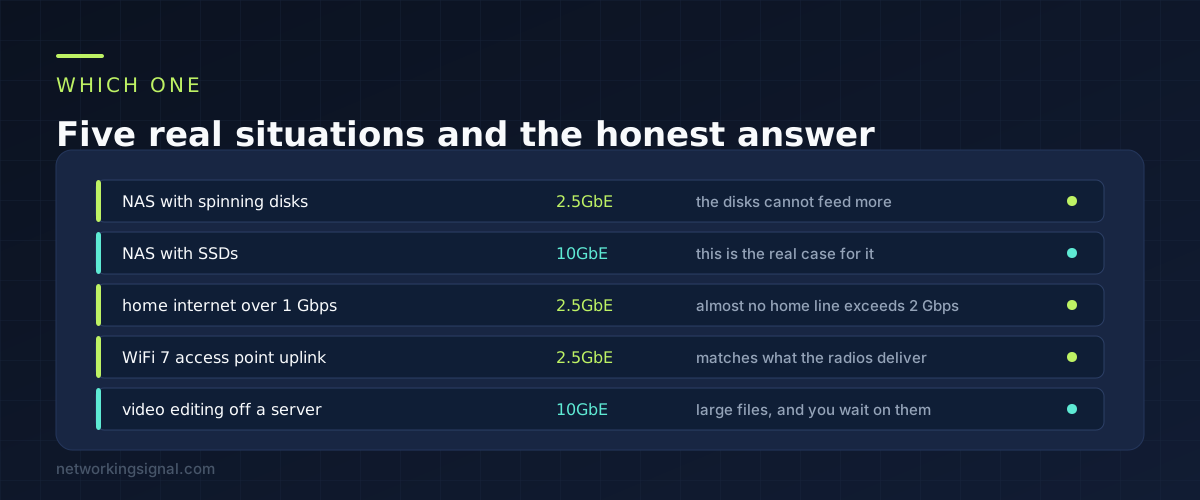
A NAS full of hard drives. 2.5GbE. The drives cannot fill it, so a faster link is idle capacity.
A NAS with SSDs, or an NVMe cache. 10GbE. This is the case the technology exists for, and the difference is obvious the first time you copy something large.
Home internet faster than 1 Gbps. 2.5GbE. Almost no residential service exceeds 2 Gbps, and a 2.5 gigabit WAN port covers everything below that with headroom.
Uplink to a WiFi 7 access point. 2.5GbE. A busy WiFi 7 access point with several clients can exceed one gigabit in aggregate, which is why the uplink is worth upgrading. It will not come close to ten. Most WiFi 7 access points ship with a 2.5 gigabit port for exactly this reason.
Editing video directly off a server. 10GbE, assuming the storage can keep up. This is the workflow where you genuinely sit and wait for a network transfer.
Yes. Multi-gig ports negotiate down to whatever the other end supports, and many switches offer a couple of 10 gigabit ports alongside 2.5 gigabit ones. That combination is a sensible design: 10 gigabit between the switch and the NAS, 2.5 gigabit everywhere else.
Rarely. It exists in the same standard as 2.5GbE and sits between the two, but the hardware is uncommon and priced closer to 10 gigabit. It is not a bad technology, there is just very little reason to seek it out.
Yes, to a full hundred metres, and that compatibility was the whole reason the standard was written. Damaged or poorly terminated cable can still fail, but in that case it was probably not delivering a reliable gigabit either.
No. A gigabit connection is fully served by gigabit equipment. Multi-gig starts to matter above 1 Gbps, or for moving files between machines inside your own house, which is the more common reason.
Barely, and not in a way you would notice. Latency inside a home network is already well under a millisecond. Multi-gig raises the ceiling on throughput. It does not make a web page load faster.
If you are picking storage to go with it, our comparison of NAS devices for home covers which models have multi-gig ports worth using.
Hand-picked articles you might also find useful.
 Cables
 Cat6, Cat6a, Cat7 or Cat8? Cat6 is right for almost every home and office. Cat7 is not a…
 Networking Gears
 The business access points worth deploying in 2026, from a $70 Omada unit to long range UniFi, plus…
 Cables
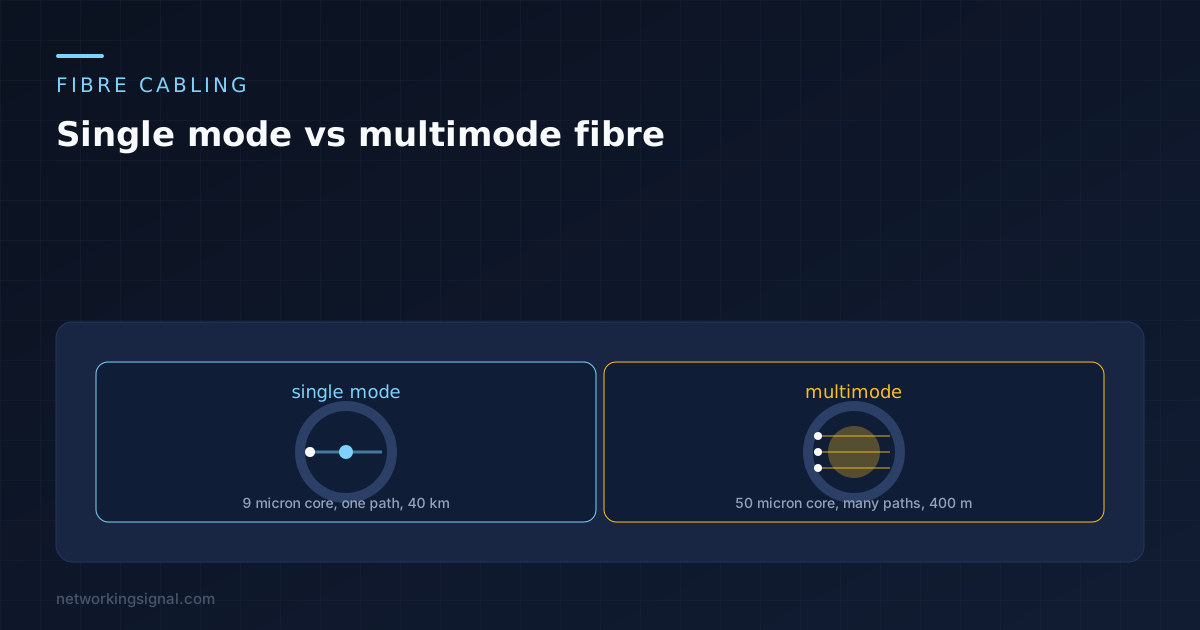
 Nine microns against fifty is the whole difference, and everything else follows from it. Distances, the OM and…