
2.5GbE vs 10GbE: Which Multi-Gig Is Worth It at Home?
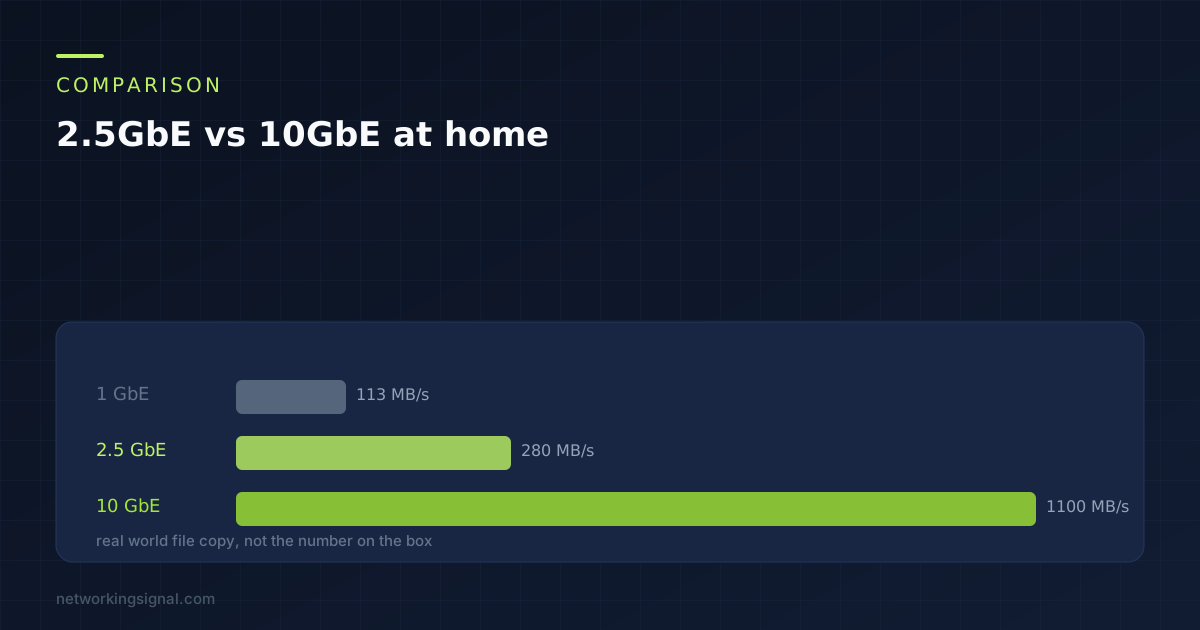
2.5GbE runs on the Cat5e already in your walls and matches what home storage can actually deliver. 10GbE…
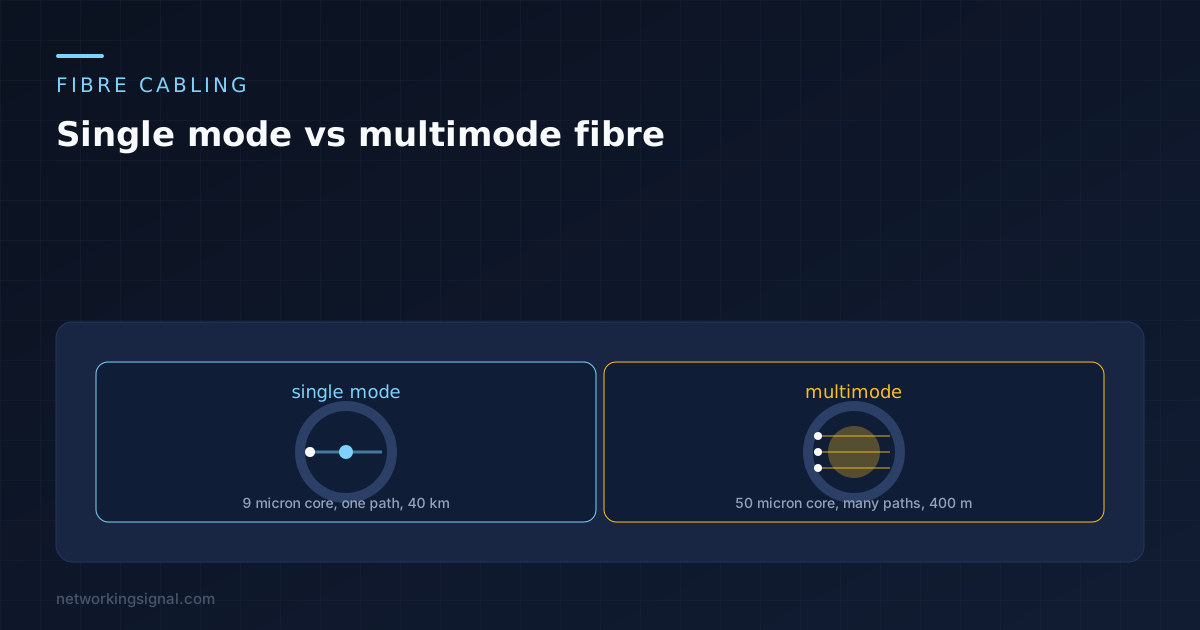
Single mode vs multimode fiber comes down to one measurement: the width of the glass core in the middle. Single mode is about 9 microns, multimode is 50. Everything else, the distance, the cost, the colour of the jacket, follows from that.
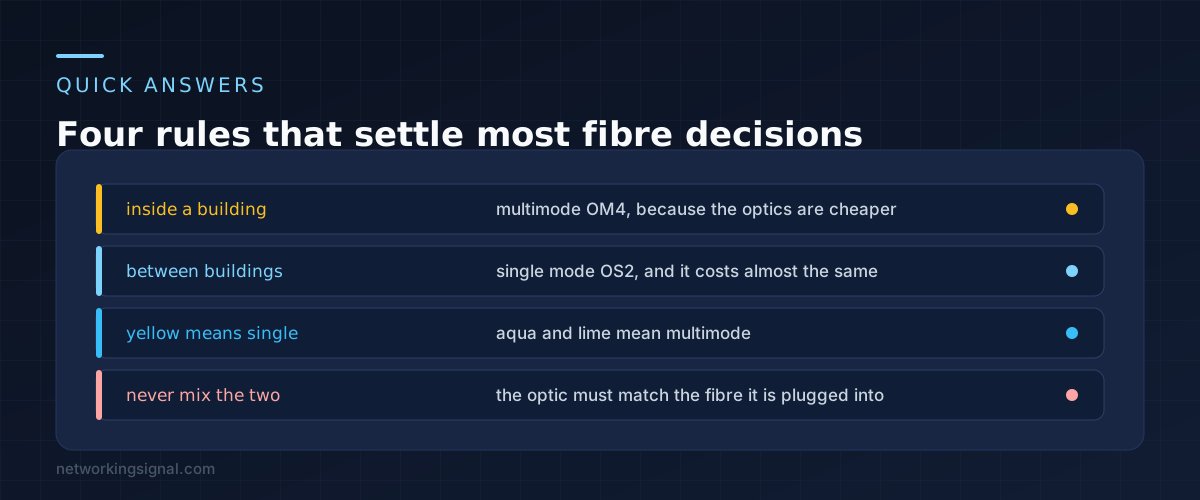
The short version for buying. Inside a building, use multimode OM4, because the transceivers are much cheaper. Between buildings, use single mode OS2, because nothing else reaches.
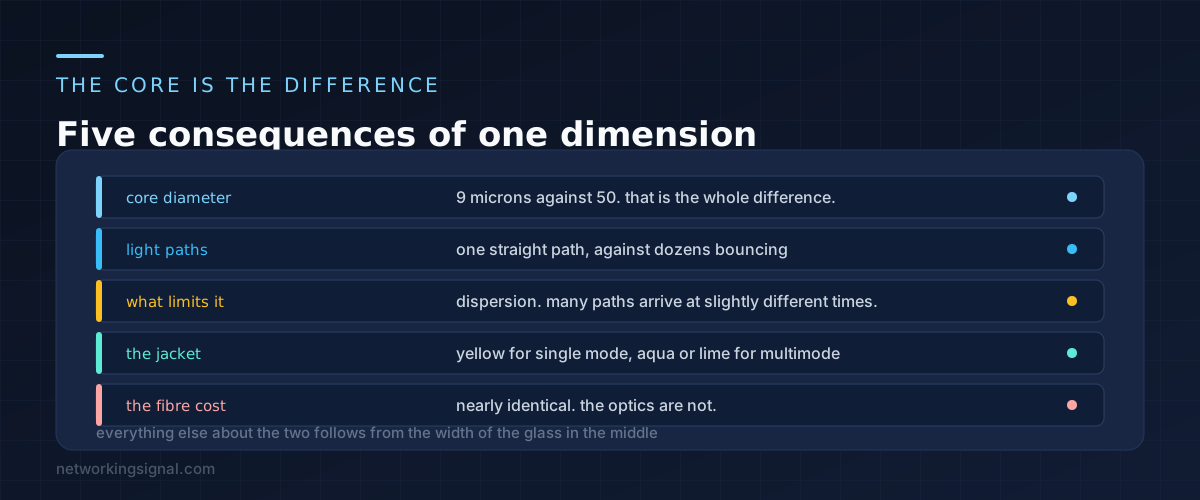
In a single mode fibre the core is so narrow that light has effectively one path through it. The beam goes in at one end and comes out at the other having travelled in something very close to a straight line.
In a multimode fibre the core is five times wider, so light entering at slightly different angles takes several different paths, bouncing off the boundary as it goes. Each of those paths is a slightly different length.
That is the problem, and it has a name: modal dispersion. A pulse of light sent as a sharp spike arrives smeared out, because the parts that took longer paths arrive later. Push it far enough and consecutive pulses overlap and the receiver can no longer tell them apart.
Single mode has almost no modal dispersion, because there is only one mode. That is why it reaches kilometres where multimode reaches hundreds of metres, and it has nothing to do with the quality of the glass.
The jackets are colour coded and worth learning. Yellow is single mode. Aqua is OM3 or OM4 multimode. Lime green is OM5. Orange is old OM1 or OM2. That colour is often your only clue on an installed cable.
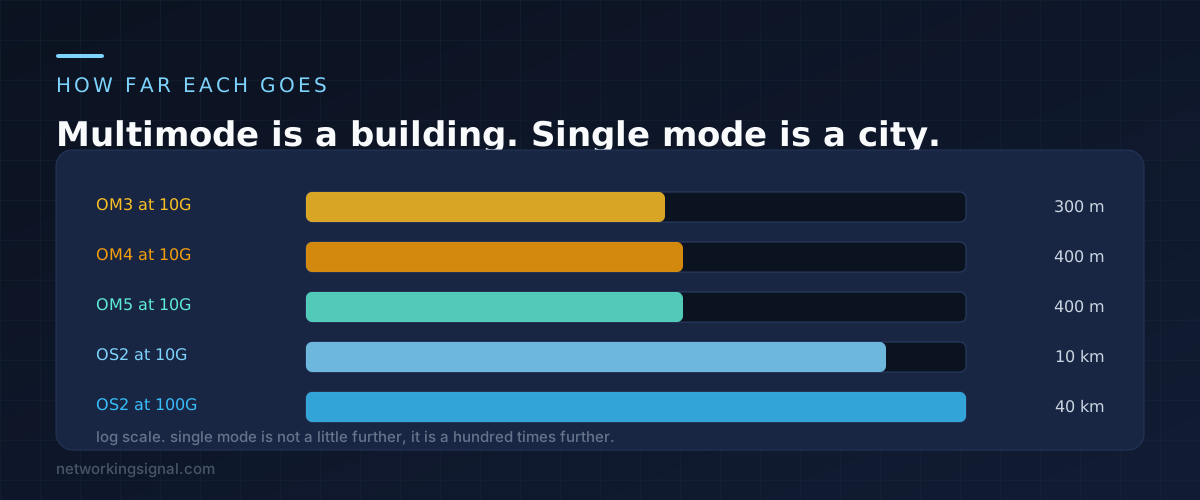
Distance depends on both the fibre and the speed you are running over it, which is the part people miss. The same cable carries gigabit much further than it carries 100 gigabit.
| Fibre | 1 Gbps | 10 Gbps | 40 and 100 Gbps |
|---|---|---|---|
| OM1 (62.5 micron) | 275 m | 33 m | Not supported |
| OM2 (50 micron) | 550 m | 82 m | Not supported |
| OM3 | 1000 m | 300 m | 100 m |
| OM4 | 1100 m | 400 m | 150 m |
| OM5 | 1100 m | 400 m | 150 m |
| OS2 single mode | 10 km | 10 km | 10 to 40 km |
Two things in that table matter more than the rest. The first is how badly OM1 falls apart at 10 Gbps: 33 metres is barely a room, which is why buildings wired with orange fibre in the 1990s had to be rewired to run anything modern.
The second is that single mode barely changes as the speed goes up. Ten gigabit and a hundred gigabit both reach 10 km on standard optics. That is the property you are buying.
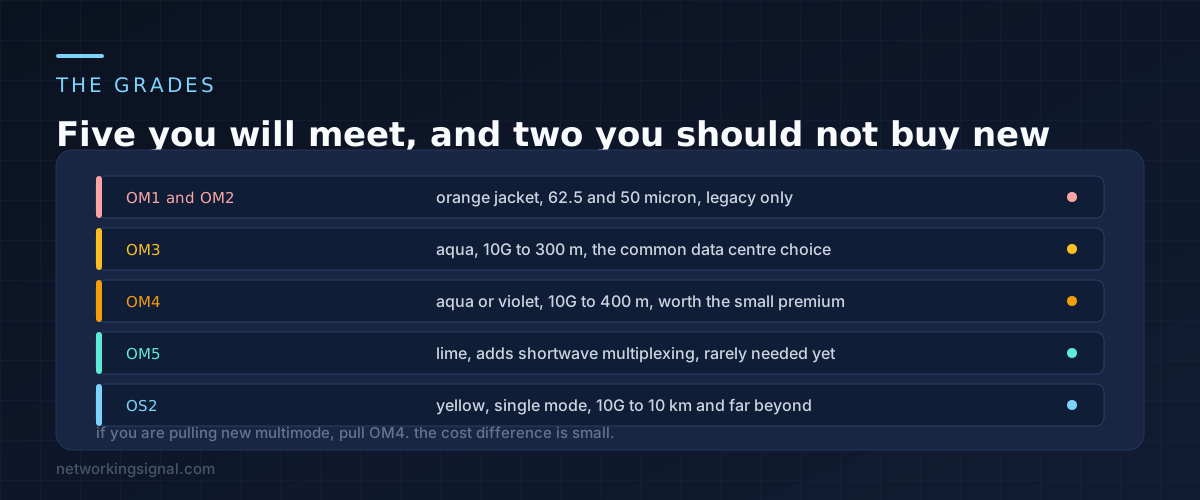
OM1 and OM2. Orange jacketed, from the era before 10 Gbps mattered. Do not buy them and do not plan around finding them in a building. If you inherit them, budget for replacement rather than working around the distance limits.
OM3. Aqua, 300 metres at 10 Gbps. Still extremely common in data centres and perfectly adequate for a floor or a rack row.
OM4. Aqua or violet, 400 metres at 10 Gbps and noticeably better at 40 and 100. It costs a little more than OM3 and the difference is small against the labour of pulling the cable, which makes it the default for anything new.
OM5. Lime green, designed for short wavelength division multiplexing so one fibre can carry several wavelengths. The technology is real and the transceivers that use it are still uncommon, so most people are paying for capability they will not use.
OS2. Yellow, single mode, 10 km at 10 Gbps as standard and far further with the right optics. OS1 exists and is for indoor tight buffered use; OS2 is what you will actually be quoted.
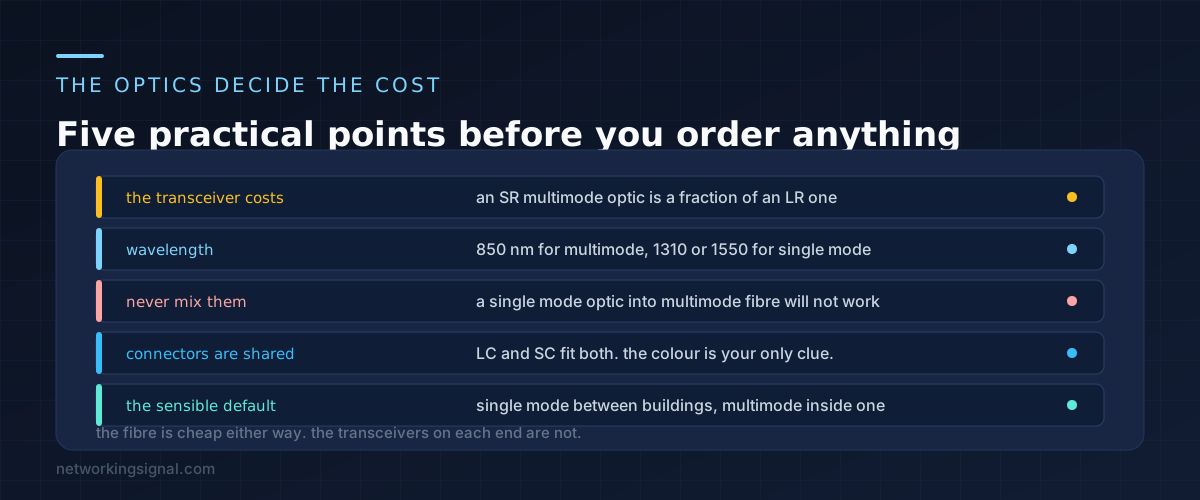
Here is the part that decides real projects. A metre of single mode fibre and a metre of multimode fibre cost roughly the same. The transceivers do not.
A 10GBASE-SR multimode optic is a simple device using an 850 nm laser over a short distance. A 10GBASE-LR single mode optic uses a 1310 nm laser with tighter tolerances and costs several times more. Across forty ports, that difference is the whole reason data centres are full of multimode.
The wavelengths matter for a practical reason. Multimode runs at 850 nm, single mode at 1310 or 1550 nm. An optic is built for one and will not work correctly on the other, so the fibre and the transceiver must match.
Putting a single mode optic on multimode fibre is a mistake people make regularly, because the connectors are identical. LC and SC plugs fit both types. The link will either fail outright or work unreliably over a short distance, and the fault looks like a bad cable.
The rule that avoids all of this: match the colour of the patch lead to the colour of the optic’s label, and check before plugging anything in. If you are documenting a lab, our guide to a home lab network diagram covers recording which is which.
No, and this is the most common misunderstanding. Both carry the same speeds. Single mode carries them much further. A 10 Gbps link over OM4 and a 10 Gbps link over OS2 run at exactly the same rate; only the distance limit differs.
Yes, and it works fine. The only cost is the transceivers. If you already have single mode optics, using them across a rack is not a problem. Some very short single mode runs need an attenuator, because a long range optic can overload a receiver a few metres away.
Colour first: yellow is single mode, aqua or lime is multimode, orange is old multimode. If the jacket is unmarked, the printing along the cable usually states the type and the core size, written as 9/125 for single mode or 50/125 for multimode.
No, which is exactly why mistakes happen. LC, SC and ST connectors all exist in both. Single mode connectors are manufactured to tighter tolerances and are sometimes marked blue for UPC or green for APC polish, but physically they fit either fibre.
Between buildings and for any run over 300 metres, yes. Inside a building, the transceiver cost usually outweighs the benefit, because you would be paying a premium on every port for distance you will never use. Where labour is the dominant cost, such as a conduit you will not open again, single mode is the safer bet.
Both are single mode. OS1 is tight buffered and intended for indoor use up to about 2 km. OS2 is loose tube, has lower attenuation and is built for outdoor and long distance runs. OS2 is what almost everything sold today is, and it is the right default.
If the decision is really about how to get a link between two points at all, our comparison of MoCA against powerline and mesh covers the copper and wireless options.
Can you explain this topic to someone else in 30 seconds? If not, re-read the key takeaways above.
The core concepts in the takeaways box above. Bookmark this page and come back when you need a refresher.
Hand-picked articles you might also find useful.
 Cables
 2.5GbE runs on the Cat5e already in your walls and matches what home storage can actually deliver. 10GbE…
 Cables
 The best bulk Ethernet cable for 2026. trueCABLE Cat6 Riser at $214 per 1000 ft is Fluke tested…
 Cables
 How to run Ethernet Cable Through Walls ? If you're looking to add an Ethernet connection to your…