
How To Connect Wifi Without Password?
Connecting to a WiFi network that is not your own without the password poses ethical and legal issues…
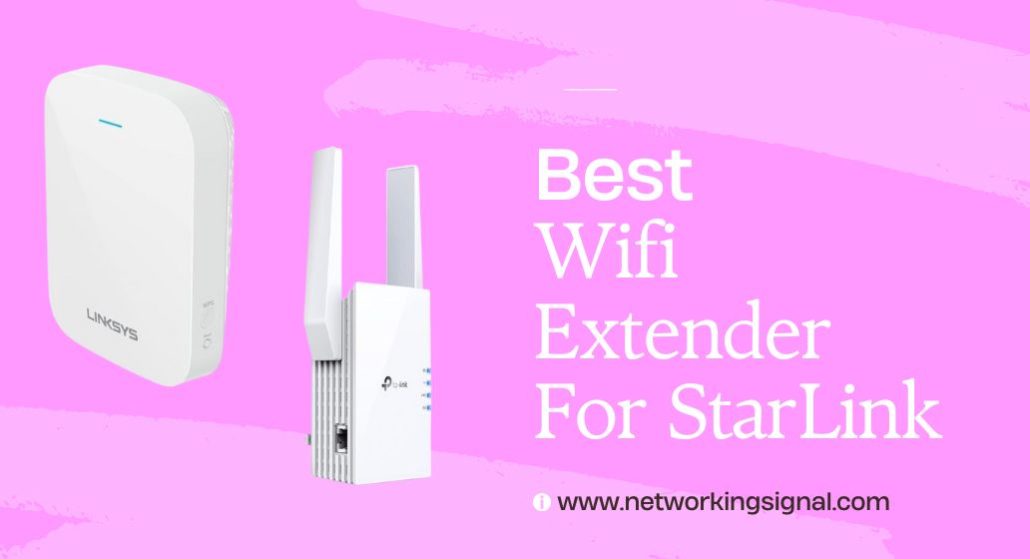
The TP-Link Deco X55 three pack ($149.97) is the best way to extend Starlink WiFi. It covers 6,500 sq ft with three nodes and has three Ethernet ports on every unit.
Do not buy a plug in extender. A traditional extender receives WiFi and rebroadcasts it on the same radio, which roughly halves throughput and inherits whatever weak signal it started with. On the large rural properties Starlink typically serves, that is the wrong tool.
Buy a mesh system if the problem is inside the house, or an outdoor access point if you need to reach a barn, workshop or yard. And enable bypass mode in the Starlink app first, or you will be running two routers and hitting double NAT.
| Product | Device | Type | Coverage | Ports | Price |
|---|---|---|---|---|---|
 | TP-Link Deco X55 (3-pack)Best overall | Indoor mesh | 6,500 sq ft | 3 per node | $149.97 |
 | TP-Link Deco X15 (3-pack)Budget pick | Indoor mesh | 5,600 sq ft | 2 per node | $105.91 |
 | WAVLINK AX1800 OutdoorBest for outdoors | Outdoor AP | 200 to 300 m | PoE gigabit | $135.99 |
 | ASUS ZenWiFi BD5 OutdoorBest for outbuildings | Outdoor mesh node | 15,000 sq ft outdoors | 2 x 2.5G PoE | $149.99 |
 | WAVLINK AC1200 OutdoorBest value outdoor | Outdoor AP | Up to 300 m | PoE gigabit | $100.00 |
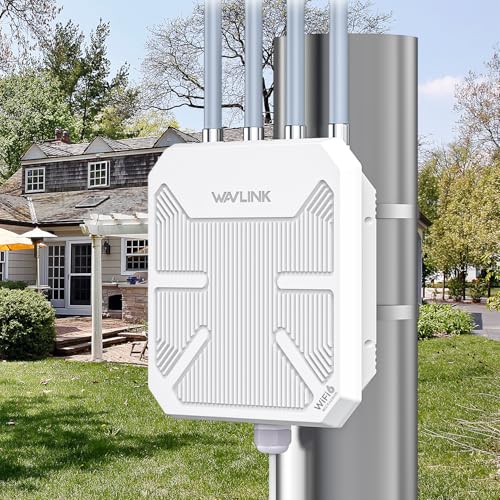 | WAVLINK AX3000 OutdoorLongest range | Outdoor AP | 200 to 300 m | PoE gigabit | $178.42 |
Search for a Starlink WiFi extender and you will mostly find plug in repeaters. They are cheap, and on a rural property they disappoint almost every time.
A repeater listens to your existing WiFi and rebroadcasts it using the same radio. It cannot transmit and receive at once, so throughput roughly halves. Worse, it can only rebroadcast the signal quality it receives. Put it where the signal is already weak, which is where you want more coverage, and it amplifies a poor signal into a poor signal covering a slightly wider area.
Two things make this worse on Starlink specifically.
The dish dictates where the router lives. Starlink needs clear sky, so the cable usually enters wherever that was easiest: a gable end, a loft, an outbuilding. That is rarely near where people actually sit, so the distance you are trying to cover is larger than in a normal house.
Rural properties are bigger. Larger footprints, thicker older walls, detached garages and workshops. A single repeated hop does not solve any of that.
Our full comparison of mesh, extenders and access points covers why this happens and which to choose.
What does work:
A mesh system if the gap is inside the house. Multiple nodes, one network name, and proper routing between them rather than a dumb rebroadcast.
An outdoor access point if the gap is a yard, a barn or a workshop. Wired back over Ethernet, so there is no halving of throughput at all.
Starlink has a router built into its power supply. Add a mesh system without dealing with it and you have two routers handing out addresses, which is double NAT. That breaks port forwarding, degrades video calls and stops smart home devices finding each other.
Gen 3 kits, the flat white router with the kickstand dish, have two Ethernet ports. Open the Starlink app, Settings, and switch on Bypass Mode. The Starlink router becomes a plain modem with its WiFi off, and your mesh takes over.
Gen 2 Standard Actuated, the rectangular dish with a cylindrical router, has no spare port. Fit a Starlink Ethernet adapter first, then enable bypass mode.
Once bypassed, set your mesh main unit to DHCP on its WAN port and it will pick up an address automatically. The Starlink app still works over the new network for obstruction checks and updates.
One thing worth knowing about speed. Starlink delivers roughly 50 to 250 Mbps depending on congestion and weather. Every device on this page carries several times that, so none of them will be your bottleneck. Buy for coverage, not for wireless speed.
Three nodes covering 6,500 sq ft, which is the shape of the problem on most Starlink properties: not enough speed missing, just not enough reach.
The feature that matters most here is three gigabit Ethernet ports on every node, nine across the pack. One port on the main unit goes to the Starlink router, and that still leaves two there and three on each satellite. A node in a workshop becomes a wired switch for whatever is out there.
It also means wired backhaul is practical. If you can run Ethernet between buildings, the far node performs as though it were the main router rather than relaying, which removes the halving penalty entirely.
AX3000 gives 2,402 Mbps on 5 GHz and 574 Mbps on 2.4 GHz, roughly ten times what Starlink delivers. The 2.4 GHz figure is the one that matters on a big property, because it is the band that reaches the far rooms once 5 GHz has given up.
Deco handles a Starlink dropout gracefully, waiting and reconnecting rather than tearing down and rebuilding the network, so a brief satellite handover does not disconnect every device in the house.
Three nodes also let you place them closer together than the coverage rating suggests, which is the correct approach in older stone or brick properties.
Buy this if the dead zones are inside the house. It is the right answer for most Starlink homes.
At $106 for three WiFi 6 nodes this is close to the cheapest way to cover a large property properly, and on Starlink the compromise barely registers.
AX1500 gives 1,201 Mbps on 5 GHz and 300 Mbps on 2.4 GHz. Against the X55 you halve the 5 GHz figure, but you are still carrying five times what Starlink delivers, so the connection remains the limit rather than the mesh.
Coverage is 5,600 sq ft across three nodes with a 120 device ceiling, and wired backhaul is supported, which is unusual at this price and genuinely valuable on a property with outbuildings.
The real compromise is the 2.4 GHz radio at 300 Mbps against the X55’s 574. On a rural property that band carries the far rooms and most of the smart home devices, so it is the one place the saving shows.
Two gigabit ports per node rather than three. Wire the backhaul and one port remains free at each node, which covers a TV or a console but not a cluster of equipment.
It runs the same Deco app and mesh firmware as the pricier models, so setup, roaming and parental controls are identical. You are giving up radio capacity, not software.
Buy this if you want three node coverage at the lowest price and Starlink is your only connection.
WAVLINK names Starlink Gen 2 and Gen 3 compatibility explicitly, and the pairing makes more sense than most marketing claims do.
If the gap you are covering is a yard, a paddock, a campsite or a parking area, no indoor mesh reaches it. An outdoor access point wired back to the Starlink router does, and because it takes a wired feed there is no halving of throughput.
Four 8 dBi detachable antennas give a rated 200 to 300 metres of radius coverage across open ground, supporting up to 256 devices. Detachable matters because you can swap them for directional antennas later if you would rather aim coverage at a barn than spread it evenly across empty fields.
Protection is the most complete you will find: IP67 sealing, 6 kV lightning protection and 15 kV static protection, rated from minus 20 to 50 degrees Celsius.
PoE means one Ethernet cable carries both power and data to the mounting point, so no outdoor socket is needed. The supplied PoE injector is not weatherproof and must stay indoors.
AX1800 delivers 1,201 Mbps on 5 GHz, well beyond Starlink’s output, which is why this rather than the AX3000 is the sensible pick for a satellite connection.
Buy this if the coverage gap is outdoors, across a yard, paddock or parking area.
This is the answer to a problem indoor mesh cannot solve: a detached garage, barn or annexe separated by an exterior masonry wall and open ground.
The approach is to stop fighting the wall and go around it. Mount the BD5 outside, run one PoE cable to it, and let it serve the far side directly. An exterior stone or brick wall costs you 15 to 30 dB, which is most of your signal, so a single cable through one wall beats any wireless path.
It is built for the job: IP65 water and dust resistance, ESD and surge protection, and a wide operating temperature range, with wall, pole and flat surface mounts included.
Two 2.5 Gbps PoE in ports let you daisy chain a second outdoor node further out, which matters on a property with several buildings.
It joins any AiMesh network, so it works alongside an ASUS router you already own rather than requiring a matched set. That is unusual for outdoor hardware and makes it a genuine mesh node rather than a standalone access point.
You will need a PoE injector or PoE switch, which is not included, and the ability to route a cable outside.
Buy this to reach a detached garage, barn or annexe that indoor mesh cannot cover.
A hundred dollars for a weatherproof outdoor access point with detachable antennas, and on Starlink the WiFi 5 radio costs you nothing you would notice.
AC1200 gives 867 Mbps on 5 GHz and 300 Mbps on 2.4 GHz. Starlink delivers 50 to 250 Mbps, so this still carries three to four times the connection at its best.
Four 7 dBi detachable omnidirectional antennas provide 360 degree coverage and can be replaced with directional ones later. Getting that flexibility at $100 rather than $135 is the reason to consider it over the AX1800.
WAVLINK is unusually candid in the listing, noting that obstacles significantly affect performance and advising you to avoid obstructions between the unit and the coverage area. That is honest in a category that routinely overstates range.
Protection is IP65 with 15 kV ESD and 6 kV lightning, which handles rain and hosing but not immersion, so this is a sheltered wall unit rather than an exposed pole unit.
Mode support is the broadest here, covering AP, repeater, router and mesh, and it connects to most wireless signals including Starlink. Use AP mode over a wired feed wherever you can.
Both active 802.3at and passive PoE are supported.
Buy this for sheltered outdoor coverage on a budget, where WiFi 5 is ample for Starlink.
The most capable outdoor unit here, and worth its price only if the area you are covering is genuinely large and open.
Four 8 dBi detachable fiberglass antennas paired with two built in amplifiers drive the signal properly within the regulatory power limit. WAVLINK rates coverage at 200 to 300 metres radius with up to 256 simultaneous connections, which suits a farm, a campsite or an RV park rather than a garden.
Environmental protection is the most complete on this page: IP67, 15 kV ESD and 6 kV lightning, operating from minus 20 to 50 degrees Celsius. For a mast in an exposed position that combination is what you want.
Mesh, AP, router, repeater and AP plus repeater modes are all available, though mesh only works between WAVLINK products.
Be clear about the trade on a Starlink connection. AX3000 gives 2,402 Mbps on 5 GHz, which is roughly ten times what the dish delivers. You are not buying speed, because there is none to use. You are buying antennas, amplifiers and sealing.
At $178.42 it is $42 more than the AX1800, which has identical IP67 and surge protection and the same 8 dBi detachable antennas. Unless you specifically want the amplifiers and the extra radio capacity for future use, the AX1800 is the better value on Starlink.
Buy this for a farm, campsite or RV park where the open area is genuinely large.
You can, but it is the weakest option. A plug in repeater rebroadcasts on the same radio, which roughly halves throughput, and it can only relay the signal quality it receives. On the large rural properties Starlink typically serves, a mesh system or an outdoor access point solves the problem properly.
Yes. Without it the Starlink router and your mesh both route, producing double NAT, which breaks port forwarding and degrades video calls and smart home discovery. Enable Bypass Mode in the Starlink app under Settings. Gen 2 kits need a Starlink Ethernet adapter fitted first.
No. Starlink delivers roughly 50 to 250 Mbps depending on congestion and weather, and every device here carries several times that. Extending coverage fixes dead zones, not speed. If the whole connection is slow, that is the dish and the satellite, not your WiFi.
Run outdoor rated Ethernet from the house and fit an outdoor access point at the far end, or put a mesh node inside the building fed by that cable. Wireless through an exterior masonry wall plus open ground is unreliable, because brick costs 10 to 15 dB and concrete 20 to 30 dB.
Only in bypass mode, where it acts as a plain modem and your mesh handles everything. Running both in routing mode causes double NAT. If bypass mode is unavailable on your account, place the Starlink router out of the way and disable its WiFi if the app allows.
Yes, at the indoor end of the cable. The lightning protection built into these units protects the unit itself, not the router and switch the cable connects back to. An Ethernet surge protector costs $15 to $30 and belongs where the cable enters the building.
For dead zones inside the house, buy the TP-Link Deco X55 three pack at $149.97. Three transmitters solve reach in a way no repeater can, and three Ethernet ports per node make wired backhaul and outbuilding switches practical.
If the gap is outdoors, the WAVLINK AX1800 at $135.99 is the right outdoor unit for Starlink, with IP67 sealing and Starlink compatibility stated. And for a detached barn or annexe, the ASUS ZenWiFi BD5 mounted outside beats any indoor solution, because it stops fighting the wall entirely.
Whatever you choose, enable bypass mode first. It is free, takes two minutes, and fixes more Starlink networking problems than any hardware.
Disclosure: Networking Signal is a participant in the Amazon Services LLC Associates Program. We earn a commission on qualifying purchases made through links on this page, at no additional cost to you. Prices shown were accurate at the time of writing and may change. We are not affiliated with SpaceX or Starlink. Quoted outdoor coverage figures are manufacturer line of sight measurements.
Hand-picked articles you might also find useful.
 Wireless
 Connecting to a WiFi network that is not your own without the password poses ethical and legal issues…
 Cables
 The best fiber optic cleaning kits in 2026. The D YEDEMC kit at $60 covers both cleaning types,…
 Wireless
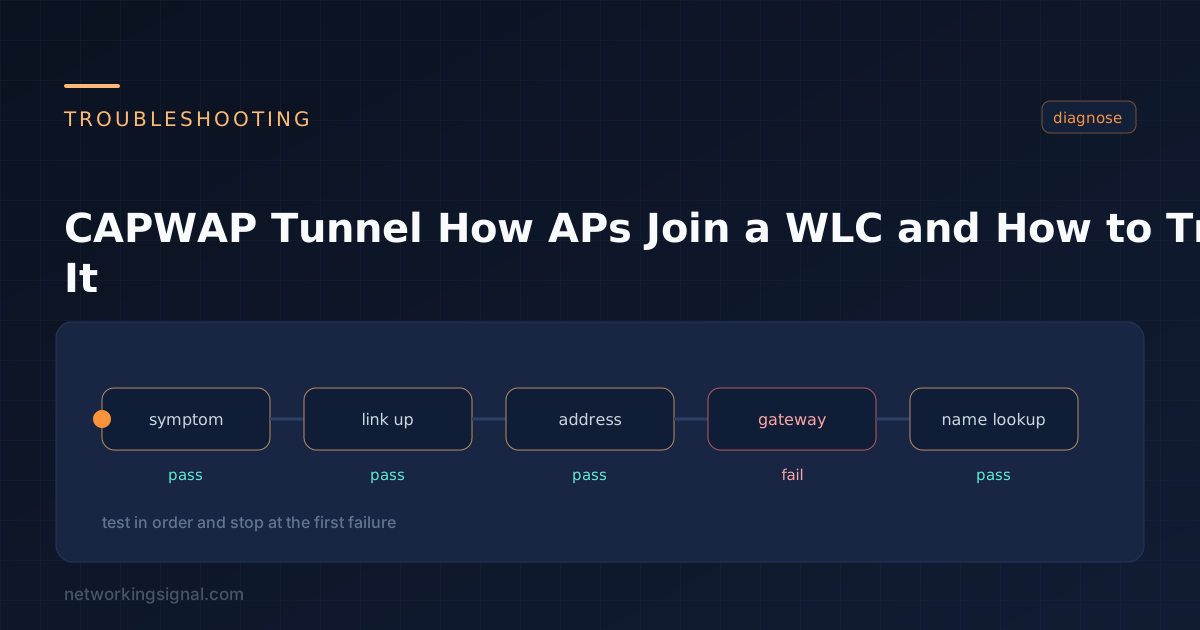
 CAPWAP carries control on UDP 5246 and data on UDP 5247 between a lightweight AP and its controller.…