
How to Convert an IP Address from Decimal to Binary
Two reliable methods for converting IP octets to binary, a lookup table for the eight bit values, worked…
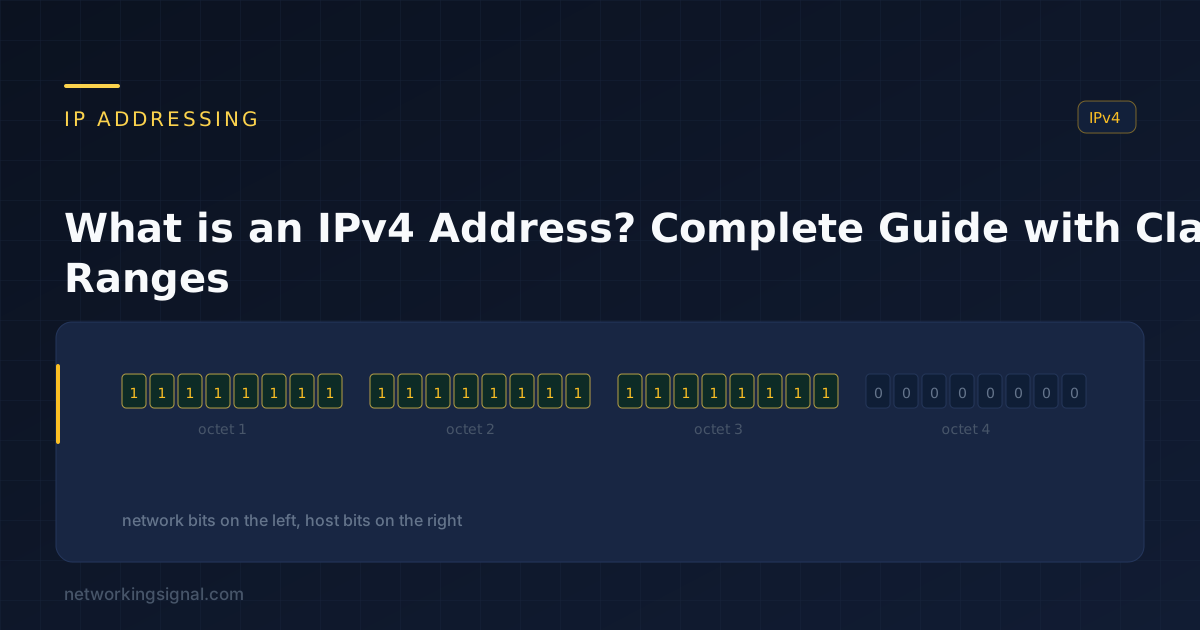
An IPv4 address is a 32-bit number that identifies a device’s network interface. It is written as four decimal numbers separated by dots, 192.168.1.10, where each number is one 8-bit octet with a value from 0 to 255.
Thirty-two bits gives 2³² = 4,294,967,296 possible addresses. That sounded limitless in 1981. It is not, and running out of them is why IPv6 and NAT exist.
Every IPv4 address is split into two parts:
What splits them is the subnet mask. In 192.168.1.10/24, the /24 means the first 24 bits are network, so the network is 192.168.1.0 and the host is .10.
Address:  192.168.1.10   = 11000000.10101000.00000001.00001010
Mask /24: 255.255.255.0  = 11111111.11111111.11111111.00000000
                            └──── network ────────┘ └─ host ─┘
Two hosts can only talk directly if their network portions match. If they do not, the traffic goes to the default gateway. This one rule explains most “I set a static IP and now nothing works” problems.
The original design divided the address space into classes by the leading bits:
| Class | First octet | Default mask | Networks | Hosts per network | Intended for |
|---|---|---|---|---|---|
| A | 1 – 126 | /8 (255.0.0.0) | 126 | 16,777,214 | Very large organisations |
| B | 128 – 191 | /16 (255.255.0.0) | 16,384 | 65,534 | Medium organisations |
| C | 192 – 223 | /24 (255.255.255.0) | 2,097,152 | 254 | Small networks |
| D | 224 – 239 | — | Multicast | One-to-many delivery | |
| E | 240 – 255 | — | Reserved | Experimental, never deployed | |
127 is missing from Class A deliberately, the entire 127.0.0.0/8 range is reserved for loopback.
Classful addressing was abandoned in 1993 in favour of CIDR (Classless Inter-Domain Routing). The reason: the class sizes were catastrophically wasteful. An organisation needing 300 addresses could not use a Class C (254 hosts), so it was given a Class B, and wasted 65,000 addresses.
CIDR lets the mask sit at any bit boundary, so that organisation gets a /23 (510 hosts) instead. Classes still appear in exams and in default behaviour on some equipment, but no modern network is designed around them.
RFC 1918 reserves three ranges that are never routed on the public internet. Anyone can use them internally, which is why 192.168.1.1 is the gateway on millions of unrelated home networks.
| Range | CIDR | Addresses | Typically used by |
|---|---|---|---|
| 10.0.0.0 – 10.255.255.255 | 10.0.0.0/8 | 16,777,216 | Large enterprises, cloud VPCs |
| 172.16.0.0 – 172.31.255.255 | 172.16.0.0/12 | 1,048,576 | Medium networks, Docker |
| 192.168.0.0 – 192.168.255.255 | 192.168.0.0/16 | 65,536 | Home and small office routers |
Note the 172 range: it is 172.16 through 172.31, not all of 172. 172.32.0.0 is public address space belonging to someone.
| Address / range | Meaning |
|---|---|
127.0.0.0/8 | Loopback, this machine. 127.0.0.1 is the usual one, but the whole /8 works. |
169.254.0.0/16 | APIPA, self-assigned when DHCP fails. Seeing one means DHCP is broken, the same fault behind “Ethernet doesn’t have a valid IP configuration”. |
0.0.0.0 | “This network” or “any address”, depending on context. In a routing table it means the default route. |
255.255.255.255 | Limited broadcast, everyone on this segment, never forwarded by routers. |
| Network address (all host bits 0) | Identifies the network itself, e.g. 192.168.1.0/24. Not assignable to a host. |
| Broadcast address (all host bits 1) | Every host on that network, e.g. 192.168.1.255/24. Not assignable. |
100.64.0.0/10 | Carrier-grade NAT space, used inside ISP networks. |
The network and broadcast addresses are why a /24 gives you 254 usable hosts, not 256.
Usable hosts = 2^(host bits) − 2. Full method in subnetting explained, with the numbers on one page in the subnetting cheat sheet.
| CIDR | Subnet mask | Host bits | Usable hosts |
|---|---|---|---|
| /30 | 255.255.255.252 | 2 | 2, point-to-point links |
| /29 | 255.255.255.248 | 3 | 6 |
| /28 | 255.255.255.240 | 4 | 14 |
| /27 | 255.255.255.224 | 5 | 30 |
| /26 | 255.255.255.192 | 6 | 62 |
| /25 | 255.255.255.128 | 7 | 126 |
| /24 | 255.255.255.0 | 8 | 254 |
| /23 | 255.255.254.0 | 9 | 510 |
| /22 | 255.255.252.0 | 10 | 1,022 |
| /16 | 255.255.0.0 | 16 | 65,534 |
Our subnet calculator does this for any address and mask, and the IP to binary converter shows the bit-level view if you are learning subnetting. The IP header is where these fields actually live on the wire, and subnetting explained walks through splitting a network step by step.
| Static | DHCP | DHCP reservation | |
|---|---|---|---|
| Set where | On the device | Automatically by the server | On the DHCP server, keyed to the MAC |
| Changes on reboot | No | Possibly | No |
| Best for | Routers, switches, firewalls | Laptops, phones, guests | Printers, servers, NAS, cameras |
DHCP reservations are almost always the right answer for devices needing a fixed address. You get the stability of static addressing with central management, and no risk of handing out an address the DHCP pool later tries to reuse.
IANA allocated its final blocks to the regional registries in February 2011. The regional registries exhausted their pools over the following decade, APNIC in 2011, RIPE in 2019, ARIN in 2015. There is no free IPv4 space left; addresses now change hands on a transfer market at real prices.
Three things kept IPv4 alive past exhaustion:
| IPv4 | IPv6 | |
|---|---|---|
| Size | 32 bits | 128 bits |
| Total addresses | ~4.3 billion | ~340 undecillion |
| Notation | Dotted decimal, 192.168.1.1 | Hex, colon-separated, 2001:db8::1 |
| Header | Variable, 20–60 bytes | Fixed 40 bytes |
| Broadcast | Yes | No, replaced by multicast |
| Address config | Manual or DHCP | SLAAC or DHCPv6 |
| NAT | Essential | Unnecessary |
| Fragmentation | By routers and hosts | Hosts only |
The two run side by side (dual stack) on most networks today, and will for years.
It is the first usable address in 192.168.1.0/24, a private range from RFC 1918, and router manufacturers converged on it as the default gateway. See our 192.168.1.1 router login guide, or the ISP-specific ones for Suddenlink and AT&T ATTWiFiManager.
Not on the same network, you get an address conflict and intermittent failure for both. On different private networks it is completely normal, which is exactly what NAT makes possible.
It is CIDR notation for the subnet mask: the number of leading bits belonging to the network portion. /24 equals 255.255.255.0.
Usually not. Your device holds a private address; your router holds the public one and translates between them. This is why every device in your house shows the same address to a “what is my IP” site.
Because the first (all host bits zero) is the network address and the last (all host bits one) is the broadcast address. Neither can be assigned to a host, leaving 254.
Public addresses are globally unique and routed on the internet. Private addresses come from the RFC 1918 ranges, are reused freely across the world, and are dropped by internet routers.
Hand-picked articles you might also find useful.
 IPv4
IPv4 Two reliable methods for converting IP octets to binary, a lookup table for the eight bit values, worked…
 IPv4
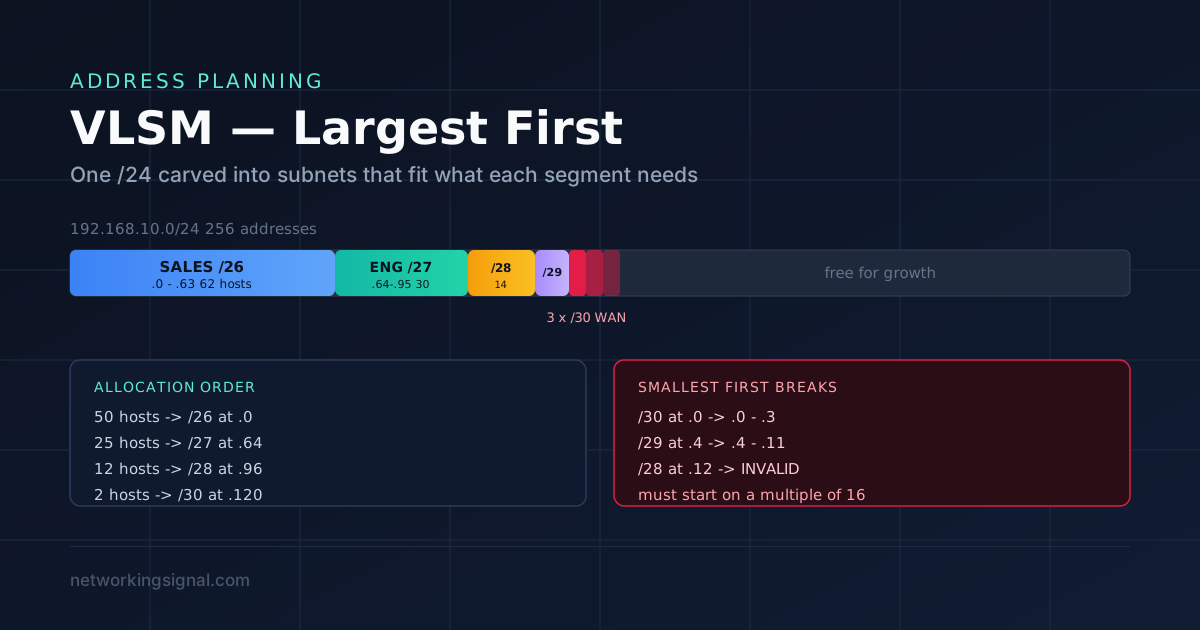
IPv4 VLSM lets you use different subnet mask lengths inside one network so each segment gets only the addresses…
 IPv4
IPv4 What is a Subnet Mask? Subnet Mask is an essential tool for network administrators . It allows them…