
What is SAML Authentication and How is it Configure on Global Protect in Azure Cloud?
What is SAML Authentication? SAML authentication is an XML-based open standard used for exchanging information about authentication and…
An Express Route circuit is a type of connection that allows you to create a private, high-bandwidth network between your on-premises locations and Azure. Express Route circuits can provide you with more consistent and lower latency than typical internet connections, as well as greater security and reliability.
You can use an Express Route circuit to connect to Azure services, such as Azure Virtual Machines, and to other cloud services, such as Office 365.
An Express Route circuit consists of the following components:
Some of the key features of an Express Route circuit include:
High bandwidth: ExpressRoute circuits can provide you with up to 10 Gbps of bandwidth.
Low latency and high reliability: ExpressRoute circuits offer more consistent and lower latency than typical internet connections. Azure ExpressRoute also provides you with built-in redundancy, so if one circuit goes down, your connection will still be up and running.
Private connectivity: ExpressRoute circuits provide you with a private connection to Azure, which can help to improve security and reliability.
Flexible and scalable: ExpressRoute circuits are flexible and can be scaled up or down to meet your changing needs.
Azure ExpressRoute circuits use Border Gateway Protocol (BGP) to exchange routing information with on-premises routers. BGP is a standard protocol that is commonly used by ISPs to exchange routing information.
By using BGP, AzureExpress Route circuits can provide you with more consistent and lower latency than typical internet connections. In addition, BGP can provide you with greater security and reliability because it uses a more sophisticated routing algorithm than the one that is used by typical internet connections.
Here are the steps to create an Express Route circuit:
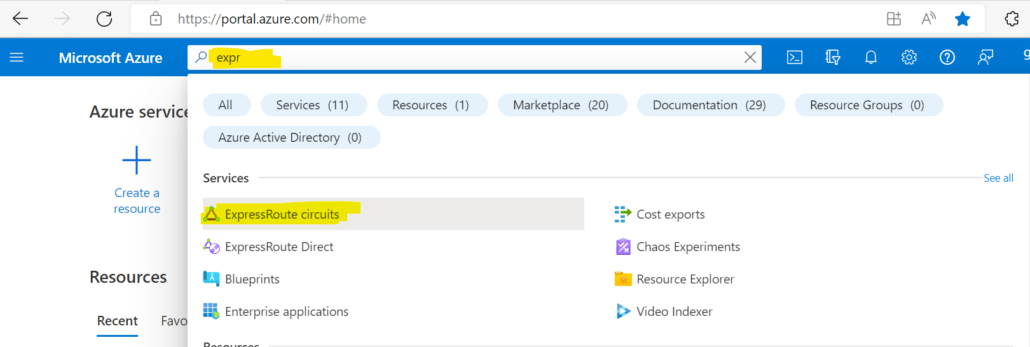
1. Log into the Azure Portal. Search for Express Route Circuit and select ‘Express Route Circuits’.
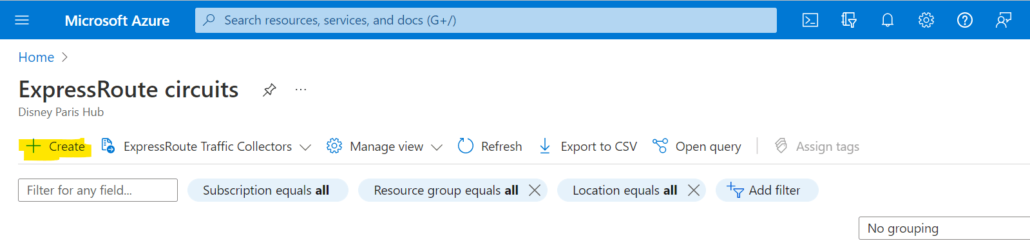
2. Click ‘Add’ to create a new circuit.
3. Select the resource group you wish to use, or create a new one. Give the circuit a name and select the location.
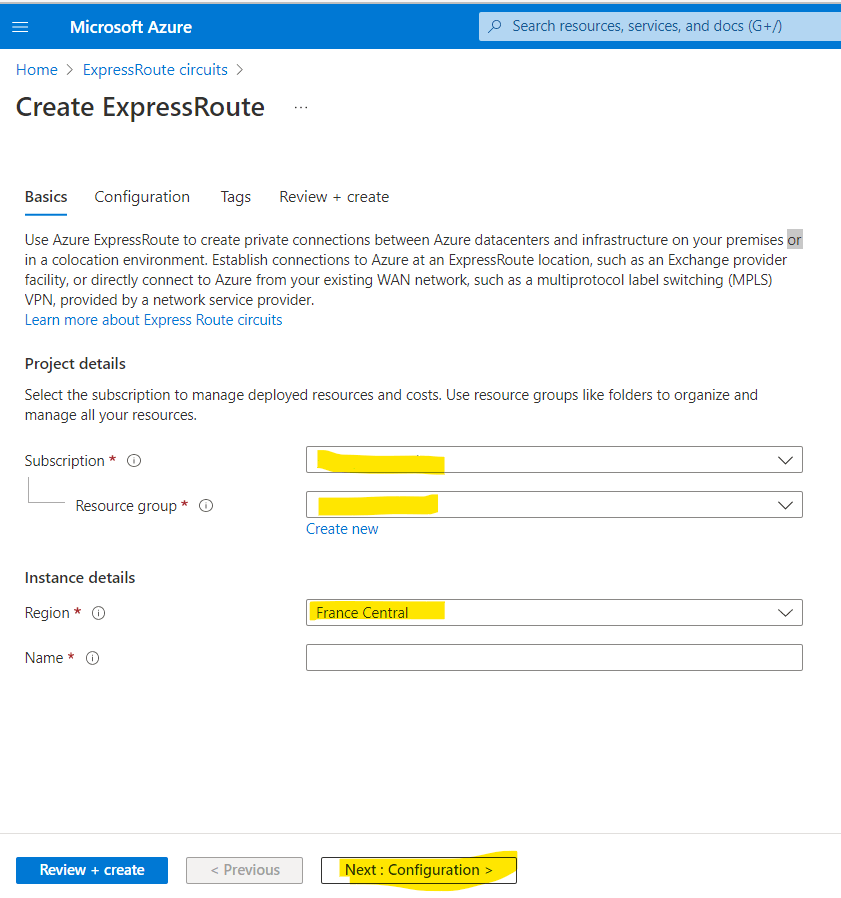
4. Select the Port Type, Provider, SKU, Billing Model, and Operations. Click on Next.
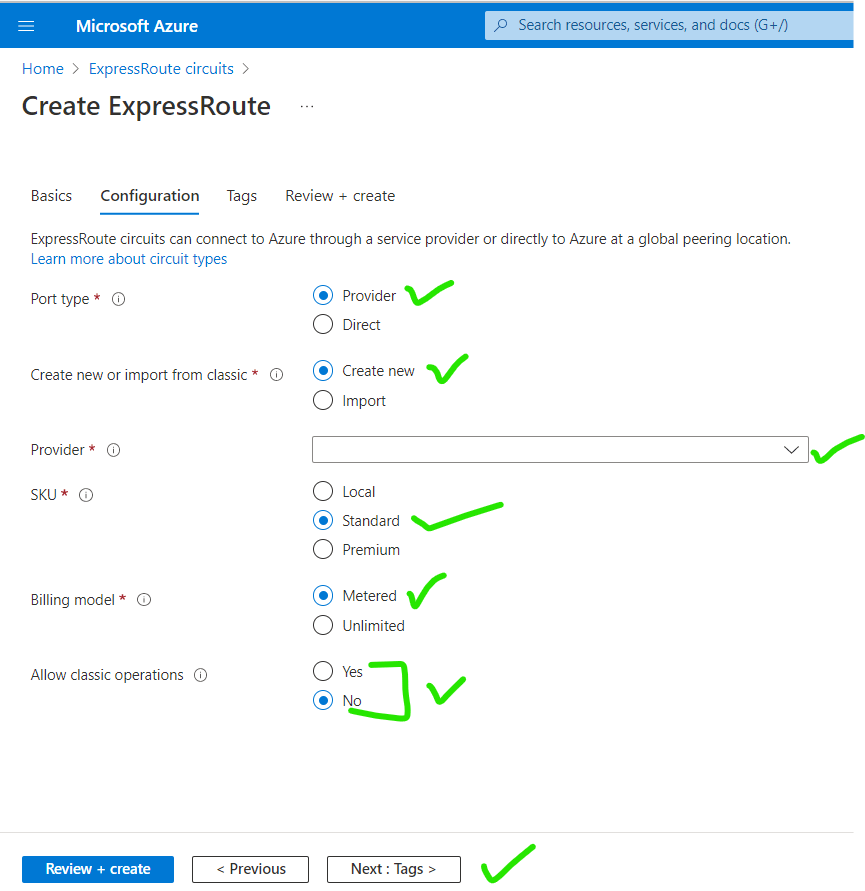
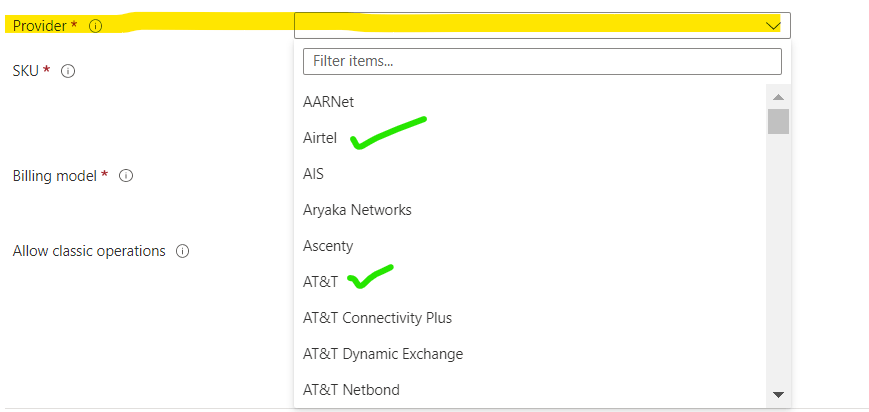
5. Add the Tag according to your needs.
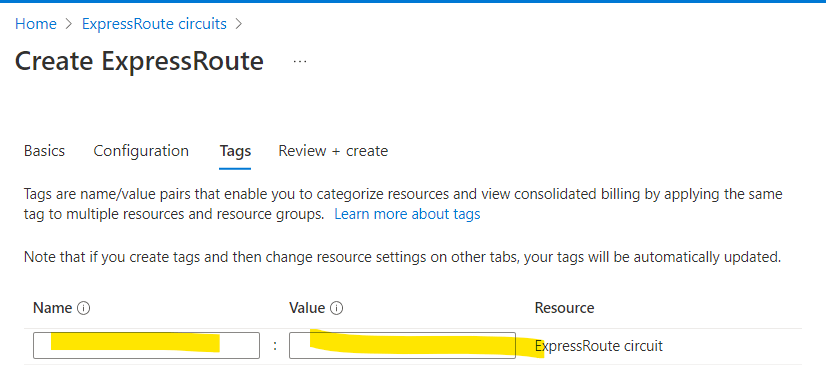
6. Now click on create and your Express Route Circuit has been created. Your new circuit will now be provisioned. You can check its status by going back to the ‘Express Route Circuits page.
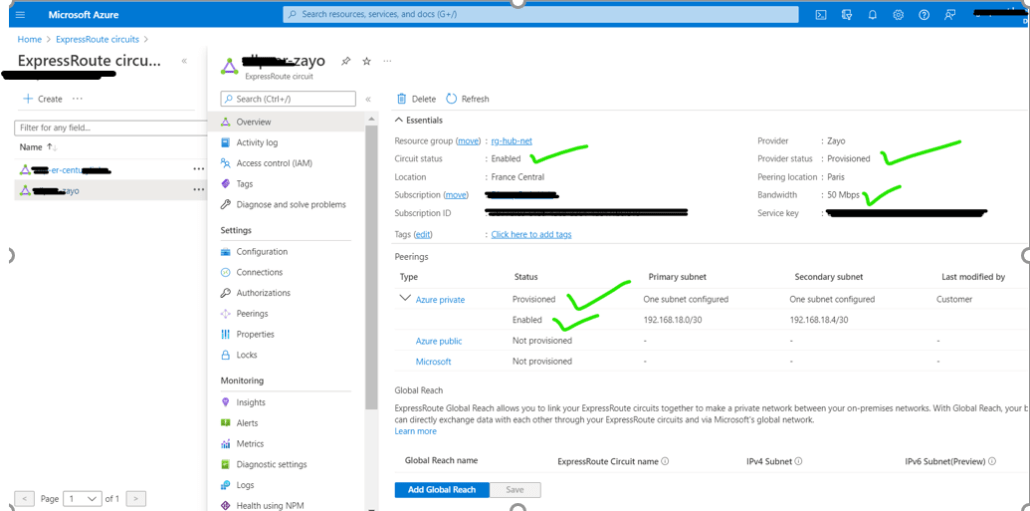
Now we are going to establish the connection between the on-premise data center to Azure Cloud.
1. Go to your newly created Express Circuit and select Connection. Select the Resource Group, Connection type(select express route), Name, and Region.
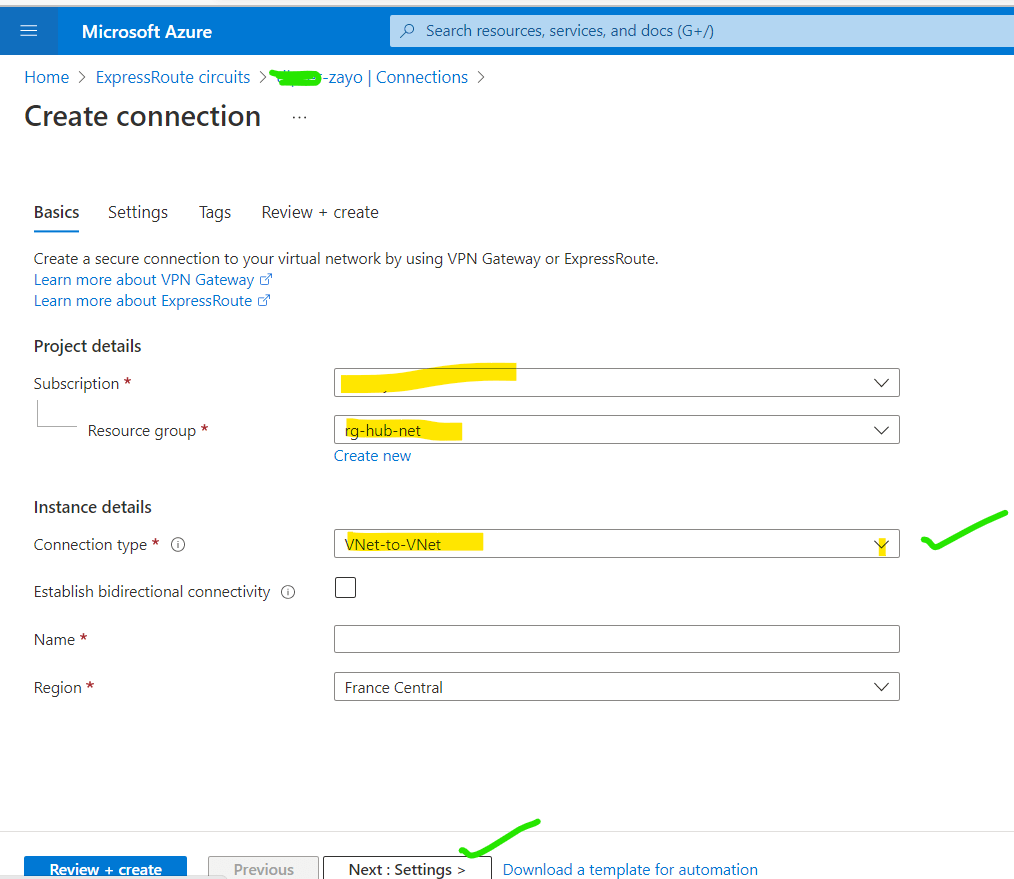

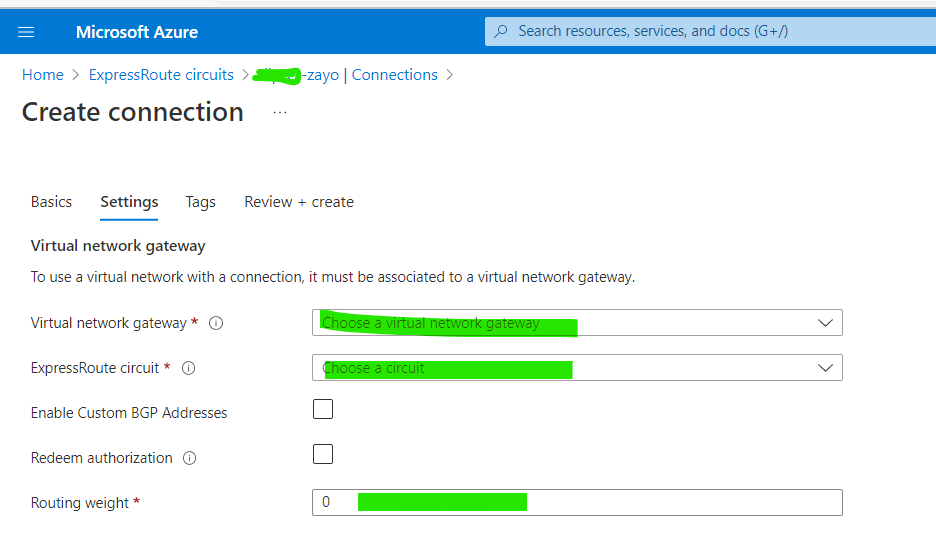
2. Go to the Setting and select the Virtual Gateway and newly Created ExpressRoute Circuit. Enter the routing weight according to your need.
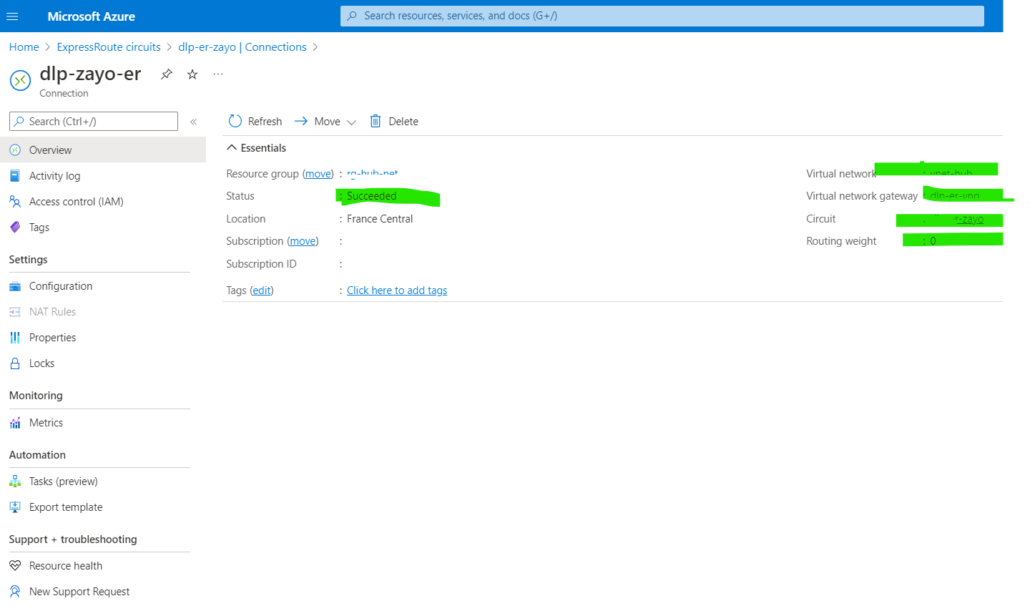
3. Now the Connection has been ready and checks the status of the Connection.
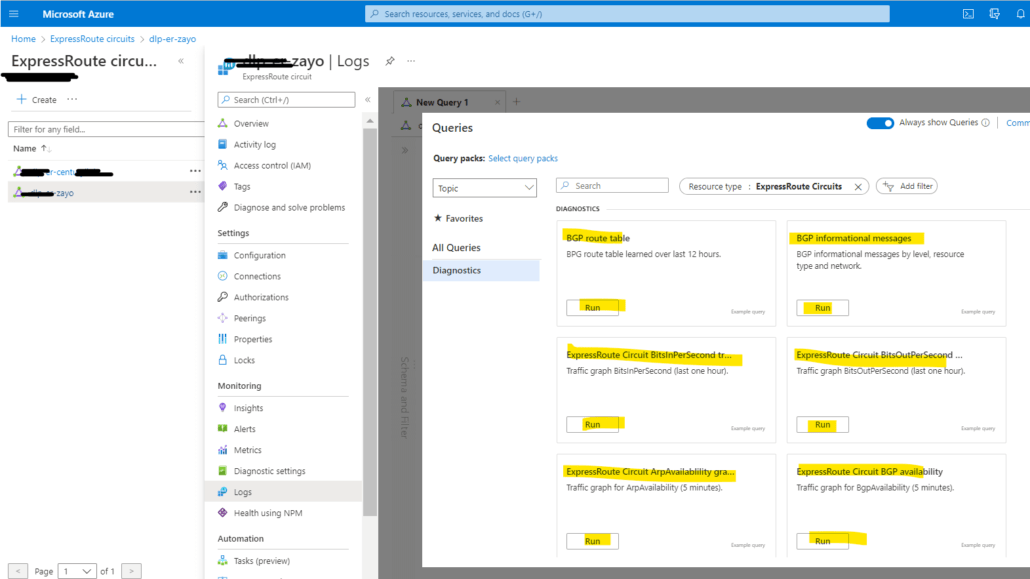
4. Troubleshoot the Express Route Circuit, go to the Logs, and select according to your troubleshooting need.
There are many advantages to using an Express Route circuit, including the following:
An Azure Virtual Network (VNet) is a representation of your own network in the cloud. It is logically isolated from other virtual networks in Azure. You have full control over your virtual networking environment, including the selection of your own IP address range, creation of subnets, and configuration of route tables and gateways. An Express Route circuit can be used to connect an Azure VNet to your on-premises network.
When you connect an Azure VNet to an Express Route circuit, the VNet is still logically isolated from other virtual networks in Azure. However, the VNet will have access to all of the resources that are available on the Express Route circuit.
You can connect multiple Azure VNets to an Express Route circuit.
The pricing for Express Route circuits depends on the following factors:
The price for an Express Route circuit also depends on whether you use a public peering connection or a private peering connection. A public peering connection is less expensive than a private peering connection.
Hand-picked articles you might also find useful.
 Cloud
Cloud What is SAML Authentication? SAML authentication is an XML-based open standard used for exchanging information about authentication and…
 Cloud
Cloud What is Cloud Networking? Cloud networking refers to the practice of designing, implementing, and managing networks in cloud…
 Cloud
Cloud A VPC is a virtual private cloud that allows you to create a private, isolated section of the…