
Software as a Service | Benefits | Working | Use case | Future | Tips
What is Software as a Service ( SaaS )? Software as a Service (SaaS) is a type of…
A virtual network gateway is a software-based, fully managed multi-tenant gateway that provides secure, connective “bridging” services. Its main purpose is to provide an Azure cloud platform for on-premises and cross-premises connectivity for both virtual networks (VNets) and sites. The Azure virtual network gateway can be used to connect Azure VNets to each other, as well as on-premises locations.
Cross-premises connectivity is an essential part of any hybrid cloud solution. The virtual network gateway provides this by connecting the on-premises network to the Azure virtual network. This connection can be used for a variety of purposes, such as providing access to Azure resources from on-premises or connecting on-premises sites to each other using the Azure virtual network as a transit hub.
The Azure virtual network gateway is a high-performance, highly available gateway that can scale to meet the needs of the largest deployments. It is designed to provide 99.9% availability and can be deployed in multiple Azure regions for added resiliency.
The Azure virtual network gateway supports both policy-based and route-based VPNs. Policy-based VPNs are the simplest to deploy but are limited in that they can only support a single tunnel. Route-based VPNs are more flexible and can support multiple tunnels.
The Azure virtual network gateway supports a variety of networking protocols and technologies, such as:
Here are the steps:
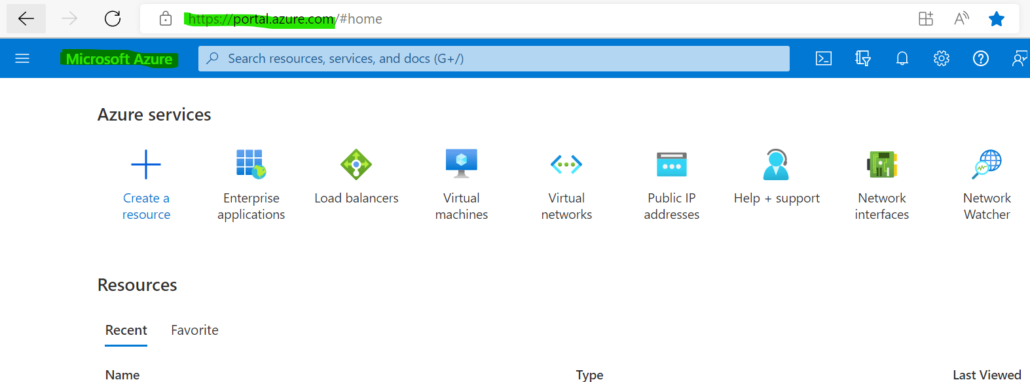
1. Log in to Azure Portal.
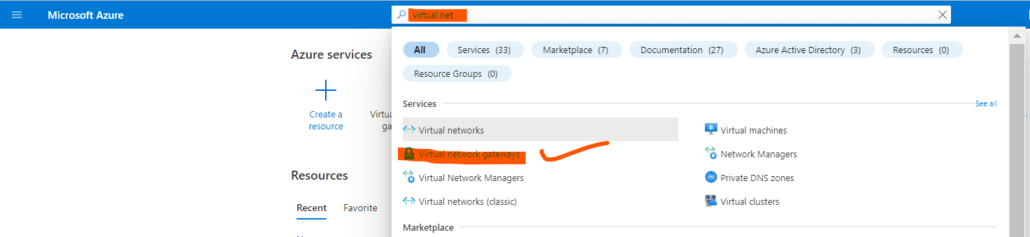
2. Search Virtual Network Gateway and Open it.
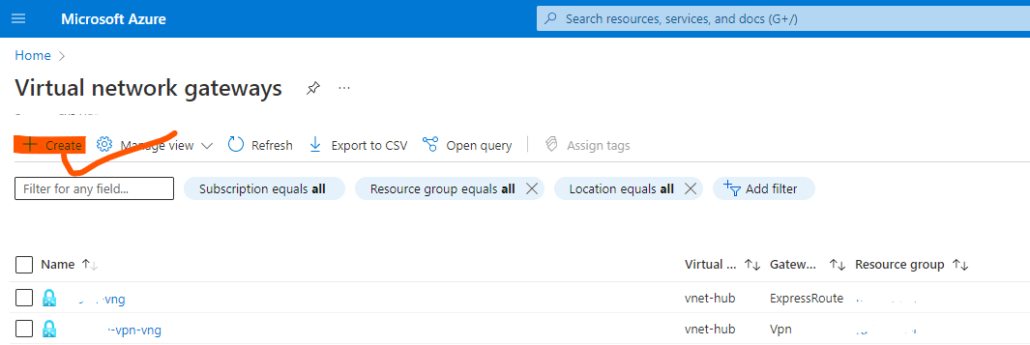
3. Click on Create for New Virtual Network Gateway.
4. Fill required things, subscription, resource group, name, region, VPN type, Vnet, public IP, SKU etc. Click on Next.
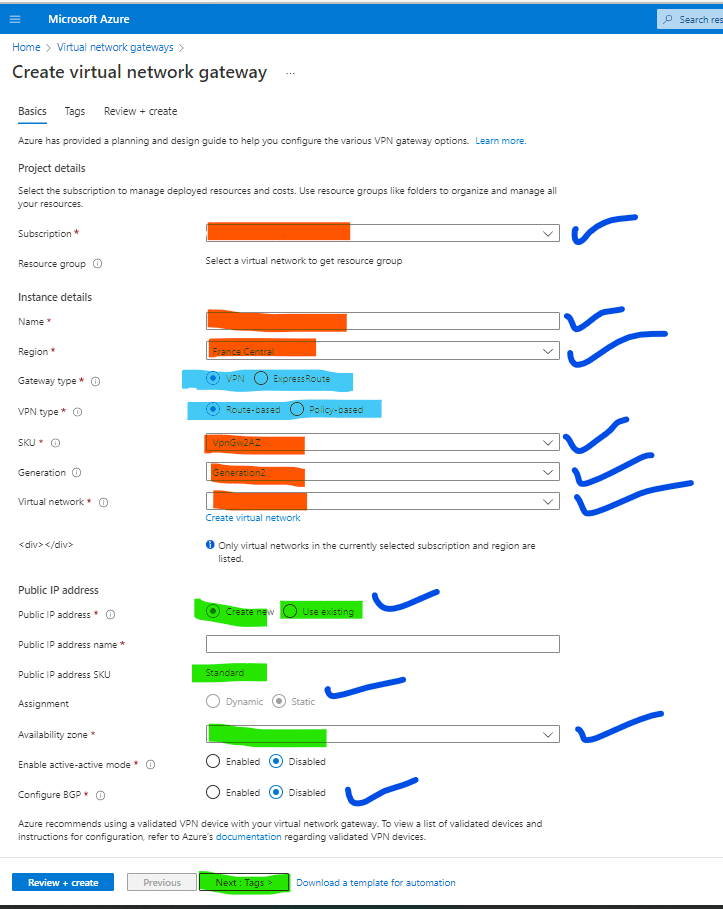
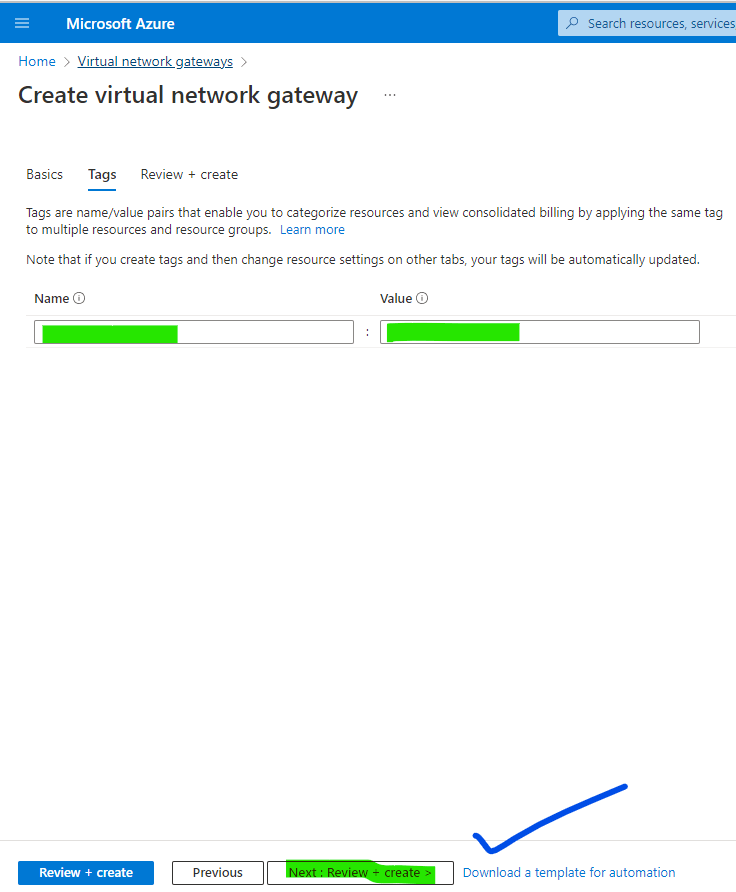
5. Do Tagging and click review and create after validating it. Now Virtual Network Gateway is ready to use.
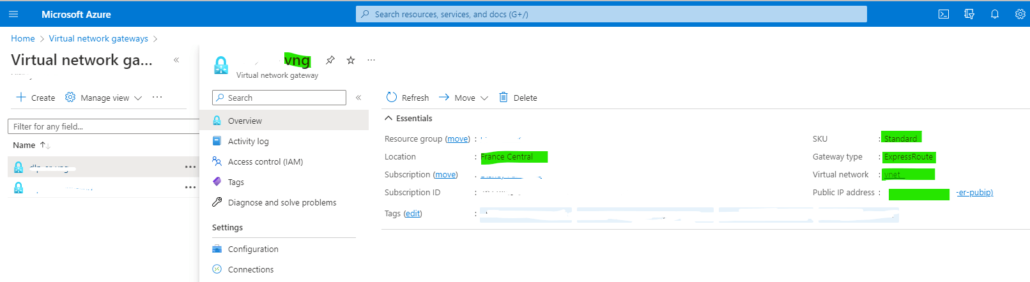
6. Virtual Network Gateway Configured.
Yes, you can create two virtual network gateways in a Vnet. This will provide you with more flexibility and scalability when connecting your on-premises network to the Azure virtual network. If one gateway goes down, the other will take over and maintain the connection.
You can connect up to 10 ExpressRoute circuits to a virtual network gateway. This will provide you with redundancy and failover in the event that one circuit goes down. Additionally, it will allow you to scale your bandwidth as needed.
Yes, a public IP address is required for a virtual network gateway. This is because the gateway will be communicating with the Azure public cloud.
The Azure virtual network gateway provides many benefits, including:
Reduced complexity: The Azure virtual network gateway is a fully managed service that can be deployed in minutes. There is no need to deploy and manage hardware or software VPN appliances.
Increased scalability: The Azure virtual network gateway can scale to meet the needs of the largest deployments. It is designed to provide 99.9% availability.
High performance: The Azure virtual network gateway is a high-performance gateway that can provide up to 10 Gbps of throughput.
Flexibility: The Azure virtual network gateway supports both policy-based and route-based VPNs. It also supports a variety of networking protocols and technologies, such as IPsec, IKEv2, SSL/TLS, BGP, and GRE.
Resiliency: The Azure virtual network gateway can be deployed in multiple Azure regions for added resiliency.
The Azure virtual network gateway has the following limitations:
When you deploy a virtual network gateway, two gateway subnets are automatically created for you in the virtual network. These subnets are used by the gateway services and must not be modified or deleted.
Incoming traffic from the on-premises network is routed to the Azure virtual network gateway through the public IP address. The traffic is then encrypted and passed through the Azure VPN gateway to the virtual network. From there, the traffic is routed to the appropriate resource based on the routing table.
Outgoing traffic from the Azure virtual network is routed to the Azure virtual network gateway. The traffic is then passed through the VPN gateway to the on-premises network. From there, the traffic is routed to the appropriate resource based on the routing table.
Hand-picked articles you might also find useful.
 Cloud
Cloud What is Software as a Service ( SaaS )? Software as a Service (SaaS) is a type of…
 Cloud
Cloud What is Server Virtualization? Server virtualization is a process of dividing a physical server into multiple isolated virtual…
 Cloud
Cloud How to deploy F5 BIG-IP VE in Azure: single vs multi-NIC, licensing models, the HA failover mechanism that…