
7 Best Mesh WiFi Systems for Thick Walls in 2026 (Tested Advice)
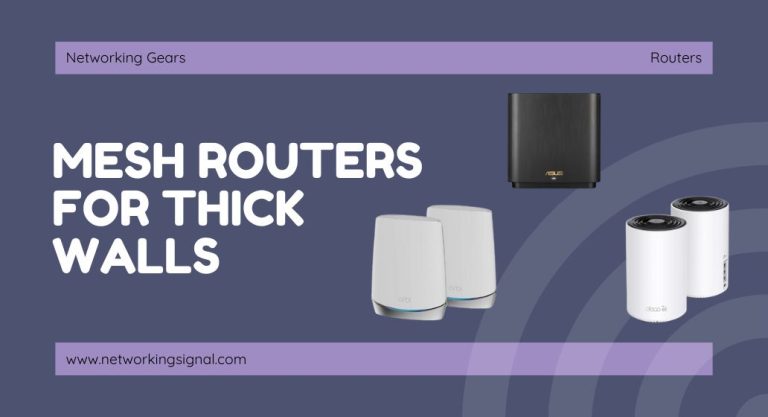
The best mesh WiFi for thick walls in 2026. The TP-Link Deco X55 three pack at $150 wins…
A dual band router has two radios and broadcasts on both the 2.4 GHz and 5 GHz bands at the same time. Devices connect to whichever suits them, and the router bridges both onto the same wired network.
Every router sold today is at least dual band. The question is no longer whether to buy one, it is whether you need to go beyond it.
| 2.4 GHz | 5 GHz | |
|---|---|---|
| Range indoors | 35–45 m | 12–20 m |
| Through walls | Good | Poor |
| Realistic speed | 50–150 Mbps | 300–1,200+ Mbps |
| Non-overlapping channels | 3 | ~24 |
| Congestion | Severe | Low |
| Device support | Everything | Anything from ~2014 |
A single-band router forces a compromise. Dual band lets your laptop take 5 GHz for speed while a smart plug in the garage takes 2.4 GHz for reach, simultaneously, with no trade-off between them. Full detail in 2.4 GHz vs 5 GHz.
Worth checking on cheaper hardware. A selectable dual band router has one radio that can be tuned to either band, you pick one, and only that band is active. A simultaneous dual band router has two radios and runs both at once.
Simultaneous is what you want, and it is what almost everything is now. If a product’s specification does not say “simultaneous”, check before buying.
An “AC1900” router advertises 1900 Mbps. That number is the sum of both bands’ theoretical maximums, roughly 600 Mbps on 2.4 GHz plus 1,300 Mbps on 5 GHz. No single device ever sees 1900.
Real throughput is typically half the negotiated rate or less, because WiFi is half duplex and shares airtime between clients. A device connected at 866 Mbps might deliver 350–450 Mbps of actual transfer, and that is normal, not a fault.
| Name | Standard | Bands | Notable for |
|---|---|---|---|
| WiFi 4 | 802.11n | 2.4 + 5 | The first widely dual band generation |
| WiFi 5 | 802.11ac | 5 only | Much faster 5 GHz; 2.4 GHz falls back to 802.11n |
| WiFi 6 | 802.11ax | 2.4 + 5 | OFDMA and MU-MIMO, far better with many devices |
| WiFi 6E | 802.11ax | 2.4 + 5 + 6 | Adds the uncongested 6 GHz band |
| WiFi 7 | 802.11be | 2.4 + 5 + 6 | 320 MHz channels, multi-link operation |
The meaningful upgrade for most homes is WiFi 6, and not for its headline speed. OFDMA lets the access point serve several devices within one transmission slot instead of queuing them, which matters enormously in a house with thirty connected things. The improvement shows up as consistency, not peak numbers.
Most dual band routers use one network name for both bands and steer capable clients toward 5 GHz. When it works it is invisible. Two things go wrong:
Splitting the network names, Home and Home-5G, costs automatic roaming between bands but gives you explicit control. If you have smart-home devices, it causes less trouble. Where the router hides the option, temporarily disabling the 5 GHz radio during setup achieves the same result.
| Situation | Buy |
|---|---|
| Apartment or small house, under ~25 devices | Dual band WiFi 6 |
| Many simultaneous heavy users on 5 GHz | Tri-band, a second 5 GHz radio splits the load |
| Large or multi-storey house with dead zones | Mesh with wired backhaul, or a second wired access point |
| Large house, no cabling possible | Tri-band mesh with a dedicated backhaul radio |
| Thick stone or concrete walls | Wired access points. No router fixes this from one location. |
A more expensive router does not extend range meaningfully. Transmit power is capped by regulation and the limiting factor is usually the client’s weaker transmitter, not the router’s. Coverage problems are solved by putting a radio closer to the problem, not by buying a bigger one.
Yes, and you almost certainly already have one, everything sold today is at least dual band. The 2.4 GHz band alone is too congested for reliable performance in any populated area.
One is more convenient and lets devices roam between bands automatically. Two gives you control and avoids IoT pairing failures and sticky-client problems. If you have smart-home devices, two causes less trouble.
That figure adds both bands’ theoretical maximums together. A single device connects to one band, and real throughput is typically half the negotiated rate because WiFi is half duplex and shares airtime.
Only up to what your connection provides. If you pay for 200 Mbps, a better router cannot exceed that, but a poor 2.4 GHz-only link might well be delivering less than 200, in which case moving to 5 GHz helps.
Only with many simultaneous heavy 5 GHz users, or as mesh backhaul. For a typical household, spending the difference on a WiFi 6 dual band router or a second access point achieves more.
It almost certainly only supports 2.4 GHz, and your phone is on 5 GHz during setup. Split the network names, or temporarily disable 5 GHz while pairing.
Hand-picked articles you might also find useful.
 Networking Gears
 The best mesh WiFi for thick walls in 2026. The TP-Link Deco X55 three pack at $150 wins…
 Routers
 The best mesh WiFi systems for Xfinity in 2026. The TP-Link Deco XE75 Pro has the 2.5 Gbps…
 Routers
 The world is on the brink of a technological revolution with 5g networks set to be rolled out…