
What is the Power Adapter of a Router: What You Need to Know
What is the Power Adapter of a Router? A power adapter, also known as a power supply, is…
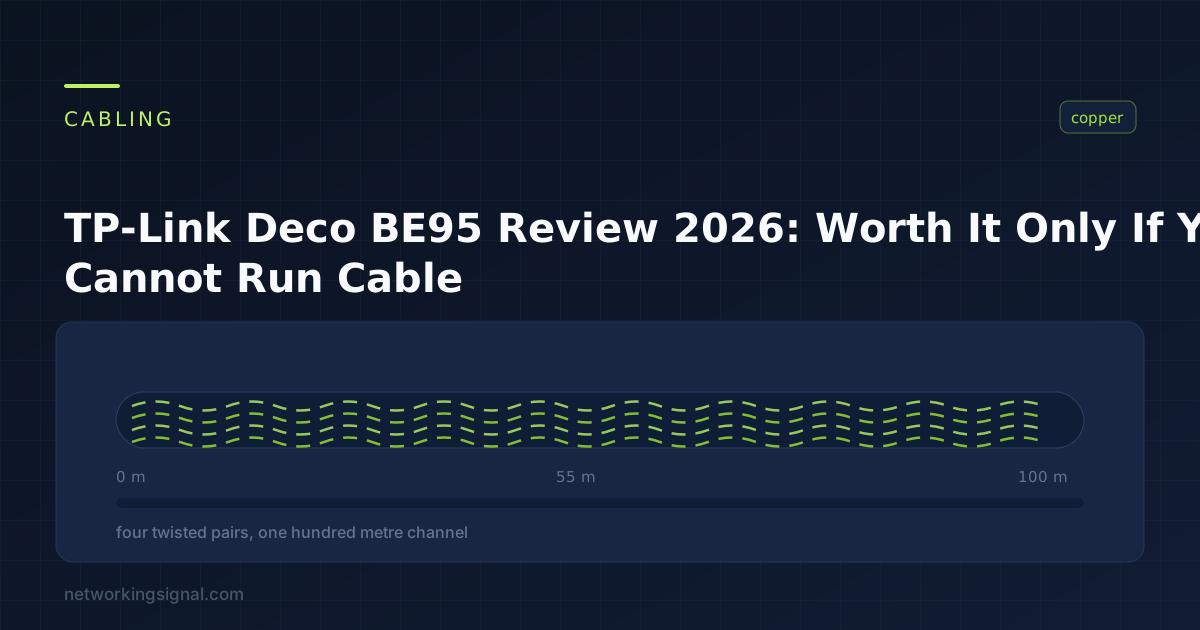
The Deco 7 Elite BE95 is the fastest home mesh TP-Link makes, and it is worth its price in exactly one situation: a large home where you cannot run Ethernet between the nodes.
Everything about the price comes down to one feature. The BE95 is quad band: 2.4 GHz, 5 GHz and two separate 6 GHz bands. The second 6 GHz band exists so the nodes can talk to each other on a dedicated 11,520 Mbps link without stealing bandwidth from your devices.
If you can run a cable between nodes, that band is wasted, and the tri band Deco BE85 does the same job for $280 less on a two pack.
And if you simply want good coverage, the Deco 7 Pro three pack covers 7,600 sq ft for $399.98, against $999.98 for a BE95 two pack covering 7,800.
| Product | System | Bands | Coverage | Top ports | Price | |
|---|---|---|---|---|---|---|
 | Deco BE95 (2-pack)The reviewed set | Quad band | 2x 6GHz + 5 + 2.4 | 7,800 sq ft | 2x 10G | $999.98 |
 | Deco BE95 (1-pack)Add a node | Quad band | 2x 6GHz + 5 + 2.4 | Single unit | 2x 10G | $499.99 |
 | Deco BE95 (3-pack)Largest homes | Quad band | 2x 6GHz + 5 + 2.4 | Very large | 2x 10G | $1,499.97 |
| Deco BE85 (2-pack)Buy this if wired | Tri band | 6 + 5 + 2.4 | Large | 2x 10G | $719.99 |
| Deco BE85 (3-pack)Most coverage | Tri band | 6 + 5 + 2.4 | 9,600 sq ft | 2x 10G | $1,079.99 |
 | Deco 7 Pro (3-pack)Best value | Tri band | 6 + 5 + 2.4 | 7,600 sq ft | 1x 10G | $399.98 |
Every review of this system quotes BE33000 and moves on. The number is worth breaking down, because it explains both the price and who should pay it.
11,520 Mbps on 6 GHz band one. 11,520 Mbps on 6 GHz band two. 8,640 Mbps on 5 GHz. 1,148 Mbps on 2.4 GHz.
Two separate 6 GHz radios is the unusual part, and it solves the oldest problem in mesh networking. It also depends on the WiFi 7 feature that ties those bands together, which we explain in what MLO actually does.
In an ordinary mesh, nodes talk to each other over the same radio your phone uses. That link is called backhaul, and it competes with your devices, which is why a two hop mesh often delivers less than half the speed of the main unit.
The BE95 dedicates the second 6 GHz band to backhaul. Nodes get an 11,520 Mbps private channel and your devices keep the rest untouched.
Here is the part that decides whether to buy it. A wired Ethernet backhaul solves the same problem, better, for the price of a cable. If you can run Cat6 between node positions, you do not need a second 6 GHz band, and you are paying roughly $280 per pair for a radio that will sit idle.
TP-Link supports simultaneous wired and wireless backhaul, so a mixed setup works: wire what you can reach and let the rest go wireless.
Worth knowing before you rely on it. 6 GHz has short range and poor wall penetration. Higher frequencies attenuate faster, and a 6 GHz signal loses noticeably more through masonry than 5 GHz does.
Two nodes on the same floor with a stud wall between them will hold a strong 6 GHz backhaul. A node in the basement and one on the second floor, through a concrete slab, may fall back to 5 GHz, at which point the expensive feature stops applying.
Test node placement before committing to the three pack.
Underdiscussed and genuinely valuable if it applies to you.
Each BE95 unit has two 10G WAN/LAN ports, and one of them is an SFP+ fibre and RJ45 combo. That combo port is unusual on a consumer mesh and means a fibre service can terminate directly into the Deco, without a media converter in between.
Plus two 2.5G ports and a USB 3.0 port per unit. Four multi gig ports on a mesh node is more than most standalone routers offer.
If your internet is 2 Gbps or faster, or you run a 10G NAS, this changes what the system can do. If you are on a 500 Mbps connection, the ports are as unused as the second 6 GHz band.
Coverage. The two pack is rated for 7,800 sq ft and supports over 200 devices. Twelve high gain antennas per unit with AI driven smart antenna steering, which adjusts the pattern based on where devices actually are.
Roaming. AI Roaming learns your home over time and hands devices between nodes more cleanly than a fixed signal threshold does. In practice a video call survives walking from one end of a house to the other, which is the test that matters.
Setup. The Deco app is the best in consumer networking. Ten minutes from box to working network, no manual channel selection, no web interface.
Security. HomeShield’s free tier gives security scanning, IoT device identification, basic parental controls, quality of service and weekly reports. The paid tier adds detailed reporting and more filtering. The free tier covers what most households need.
VPN. Both client and server are supported, and it can run a VPN and ordinary internet at the same time, so you can route some devices through a VPN and leave others direct. That is a genuinely useful feature that many consumer systems get wrong.
Three cases where the money is better spent elsewhere.
You can run Ethernet. Buy the BE85 two pack at $719.99. Same 10G ports, same 11,520 Mbps 6 GHz for clients, same app and features. You lose only the backhaul radio you would not have used.
Your internet is under a gigabit. The Deco 7 Pro three pack at $399.98 covers 7,600 sq ft, has four 2.5G ports and a 10G port, and supports 200 devices. Against the BE95 two pack at $999.98 for 7,800 sq ft, it is a fifth of the price for a fifth less headroom you were not using.
You have few WiFi 7 devices. The 6 GHz band only benefits WiFi 6E and WiFi 7 clients. Phones, laptops and consoles from before 2023 mostly cannot see it at all, so a large part of what you paid for goes unused until you replace them.
Sixteen streams across four radios, with 12 high gain antennas per unit and 4×4 MU-MIMO.
The WiFi 7 feature set is complete: Multi Link Operation, Multi-RUs, 4K-QAM and 320 MHz channels. MLO is the one that matters day to day, because a device holds two bands at once and traffic moves between them, so interference on one band does not become a dropped call.
Four hundred megabit wide channels are what produce the headline speeds, and they need clear spectrum, which is exactly what the 6 GHz band provides because so little else uses it.
Two 10G WAN/LAN ports per unit, one RJ45 and one SFP+ fibre and RJ45 combo, plus two 2.5G ports and USB 3.0. Four multi gig ports per node is more than most standalone routers.
Simultaneous wired and wireless backhaul, so you can mix cabled and wireless links across the house and the system balances traffic between them.
AI Roaming, AI driven smart antennas, HomeShield with a usable free tier, and full VPN client and server support.
The honest summary. This is excellent hardware and most people should buy something cheaper. It is the right answer for a large house with no possibility of running cable, a multi gigabit internet service and modern WiFi 7 devices. Miss any of those three and the money is better spent on a BE85 or a Deco 7 Pro.
Buy this for a large house with no cable route, multi gig internet and WiFi 7 devices.
Two hundred and eighty dollars less than the BE95 two pack, and the only thing you give up is the second 6 GHz band.
The client facing radios are effectively the same: 11,520 Mbps on 6 GHz, 8,640 Mbps on 5 GHz and 1,376 Mbps on 2.4 GHz. That 2.4 GHz figure is actually higher than the BE95’s 1,148 Mbps, which matters slightly for the far corners of a house and for smart home devices.
Ports are identical. Two 10G WAN/LAN including the SFP+ fibre combo, two 2.5G, and USB 3.0 per unit. So a multi gigabit internet service or a 10G NAS is handled exactly as well.
Twelve streams and eight high gain antennas per unit rather than sixteen streams and twelve, which reduces how many devices can be served at peak simultaneously. Both systems support over 200 devices.
Same simultaneous wired and wireless backhaul, same AI Roaming, same HomeShield, same VPN support and the same app.
The three pack at $1,079.99 covers 9,600 sq ft, more than the BE95 three pack at $1,499.97, because you can afford more nodes for the money and nodes are what produce coverage.
That is the practical argument in a sentence: on a wired backhaul, three BE85 units beat two BE95 units and cost less.
Buy this if you can run Ethernet between nodes. It is the better value at the same tier.
Three nodes covering 7,600 sq ft for $399.98. Against a BE95 two pack covering 7,800 sq ft for $999.98, the arithmetic is hard to argue with.
BE10000 tri band gives 5,188 Mbps on 6 GHz, 4,324 Mbps on 5 GHz and 574 Mbps on 2.4 GHz. Less than half the BE95’s peak, and far more than any home internet connection delivers. On a 1 Gbps service the difference is invisible.
Three units instead of two is the real advantage. Coverage comes from transmitter count, not from peak speed. A third node placed well eliminates a dead zone that no amount of bandwidth on two nodes will fix.
Ports are strong for the price: one 10G WAN/LAN and four 2.5G WAN/LAN ports, plus USB 3.0. The 10G port means a multi gigabit service is not bottlenecked, which is the practical part of what the expensive models offer.
Over 200 devices supported, simultaneous wired and wireless backhaul, AI Roaming and the same Deco app.
What you give up: no SFP+ fibre combo port, so fibre needs a media converter. Lower peak speeds, which almost nobody can use. And a shared backhaul band unless you wire it.
For most large homes on a gigabit connection, this is the sensible purchase and the BE95 is an expensive way to buy headroom you will not reach.
Buy this for a large home on a gigabit connection, which describes most people reading this.
In one situation: a large home where you cannot run Ethernet between nodes, on a multi gigabit connection, with WiFi 7 devices. Its second 6 GHz band exists to carry wireless backhaul, and a cable does that job better for far less. Miss any of those three conditions and cheaper models are better value.
The BE95 is quad band with two 6 GHz radios, the second dedicated to backhaul. The BE85 is tri band with one. Client speeds, ports and features are otherwise near identical, and the BE85 actually has higher 2.4 GHz throughput. If you wire the backhaul, buy the BE85.
Not to connect, since it supports older standards, but the 6 GHz bands only work with WiFi 6E and WiFi 7 devices. Anything from before 2023 mostly cannot see 6 GHz at all, so much of what you paid for goes unused until you replace those devices.
Less far than 5 GHz. Higher frequencies attenuate faster and pass through walls poorly, so two nodes on the same floor will hold a strong 6 GHz link while a node through a concrete slab may fall back to 5 GHz. Test placement before buying a three pack.
Yes. TP-Link supports simultaneous wired and wireless backhaul, so you can cable the nodes you can reach and let the rest connect wirelessly. The system balances traffic across both, which is the right approach in a house with partial cabling.
Not for the basics. The free tier includes security scanning, IoT device identification, basic parental controls, quality of service and weekly reports. The paid tier adds detailed reporting and more filter categories, which most households do not need.
The Deco BE95 is the best home mesh TP-Link makes and the wrong purchase for most people who consider it. Its defining feature, a dedicated 11,520 Mbps 6 GHz backhaul, is only valuable when running Ethernet is impossible.
If you can wire the nodes, buy the BE85 two pack at $719.99, or the three pack at $1,079.99 which covers 9,600 sq ft for less than a BE95 three pack.
If your connection is a gigabit or under, the Deco 7 Pro three pack at $399.98 covers essentially the same area for a fifth of the price, and a third node does more for dead zones than any amount of extra bandwidth on two.
Buy the BE95 when the house is large, the walls are impassable, the internet is multi gigabit and the devices are new. That combination is real, and it is rarer than the marketing implies.
Disclosure: Networking Signal is a participant in the Amazon Services LLC Associates Program. We earn a commission on qualifying purchases made through links on this page, at no additional cost to you. Prices shown were accurate at the time of writing and may change. Coverage figures are manufacturer estimates and vary considerably with building construction and node placement.
Hand-picked articles you might also find useful.
 Routers
 What is the Power Adapter of a Router? A power adapter, also known as a power supply, is…
 Networking Gears
 The best long range WiFi routers in 2026. The TP-Link Deco XE75 Pro three pack covers 7,200 sq…
 Routers
 The best WiFi routers under $100 in 2026. The TP-Link Archer AX55 at $75 is the sweet spot;…