
6 Best RJ45 Crimpers in 2026 (Kits Tested and Compared)
The best RJ45 crimpers for 2026. The ZOERAX 11 in 1 kit at $55.99 is the only one…
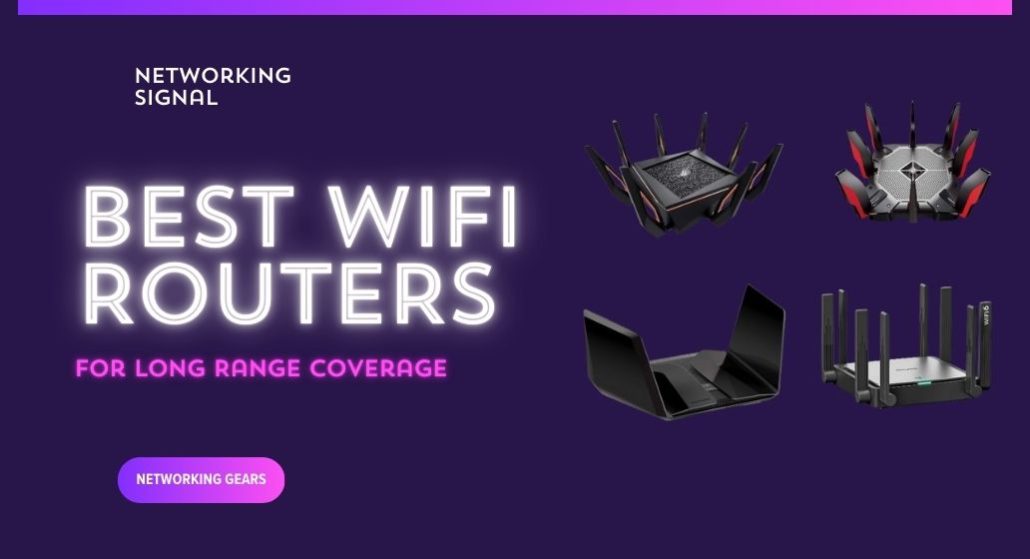
The TP-Link Deco XE75 Pro three-pack ($280) is the best answer for long range, because three transmitters spread across a property beat one powerful transmitter every time. It covers 7,200 sq ft with a dedicated backhaul radio so the far nodes keep their speed.
The thing router marketing will not tell you: every consumer router in the US transmits at the same legal ceiling, 1 watt EIRP, set by the FCC. A $300 “long range” router with eight antennas is not permitted to shout louder than a $60 one. And your phone transmits at roughly a thirtieth of that power, so the return path fails long before the router’s does. Range is a physics and regulation problem, not a spending problem.
| Product | Device | Type | Coverage | Backhaul | Price |
|---|---|---|---|---|---|
 | TP-Link Deco XE75 Pro (3-pack)Best overall | Tri-band mesh | 7,200 sq ft | Dedicated 6 GHz | $279.99 |
 | TP-Link Archer BE600Best single router | Tri-band WiFi 7 | 2,600 sq ft | n/a | $189.99 |
 | TP-Link Deco X55 (3-pack)Best value | Dual-band mesh | 6,500 sq ft | Wired or 5 GHz | $149.97 |
 | ASUS ZenWiFi BD5 OutdoorBest outdoor | Outdoor node | 15,000 sq ft outdoors | PoE wired | $149.99 |
 | ASUS ZenWiFi XT8 (2-pack)Best backhaul | Tri-band mesh | 5,500 sq ft | Dedicated 5 GHz | $249.99 |
 | ASUS RT-BE86UPremium single | Dual-band WiFi 7 | Large home | AiMesh ready | $199.00 |
 | TP-Link Archer AX21Budget pick | Dual-band WiFi 6 | Medium home | OneMesh | $59.99 |
This section will save you money, so it comes before the products.
Transmit power is capped by law. In the US the FCC limits consumer WiFi to 1 watt (30 dBm) EIRP on 2.4 and 5 GHz. Every router on this page, and every router you can legally buy, sits at or just under that ceiling. A router with eight antennas is not permitted to transmit more total power than one with four. What the extra antennas do is shape the signal and add spatial streams, not increase reach.
Your phone is the weak end of the link. A smartphone transmits at roughly 15 dBm, about a thirtieth of the router’s power, because it runs on a battery and has a tiny antenna. WiFi is two-way, so a connection only works if both directions do. Long before your router stops being heard, your phone stops being heard back. This is why you often see “full bars” on a device that cannot load a page: you are receiving the router fine, and it is not receiving you.
This is the whole reason mesh works. A mesh node is not a louder transmitter. It is a transmitter placed closer to your device, which shortens the weak return path. That is a real fix for the actual constraint, and it is why three ordinary nodes beat one exceptional router at any distance.
What genuinely does vary between routers: antenna gain and design, receive sensitivity, how faint a signal the router can still decode, which is where premium hardware earns its money, and the front-end amplifier quality. These give real but modest gains, on the order of 10 to 20% more usable distance, not double.
So the honest guidance: if you need to cover more than about 2,500 sq ft, or reach through more than two solid walls, buy multiple transmitters. Spending $300 on a single router instead will disappoint you.
Height and position, before anything else. A router on a shelf at head height, in open air, in the middle of the building, will outperform a better router in a floor-level cupboard by a wide margin. This costs nothing and is the most under-used fix there is.
2.4 GHz for distance. Lower frequencies travel further and pass through walls better. If a far room needs coverage rather than speed, make sure 2.4 GHz is enabled and consider a separate SSID so you can force a device onto it. A 30 Mbps connection that works beats a 500 Mbps one that does not arrive.
Wired backhaul. An Ethernet cable to a second access point is the most reliable range extension that exists, it does not degrade with distance, walls or interference. Every mesh system here supports it.
An outdoor node for detached buildings. Signals through an exterior masonry wall plus open ground fail badly. Mounting a weatherproof node outside and running PoE to it turns an impossible link into a reliable one.
What does not work: traditional plug-in extenders. They receive an already-weak signal and rebroadcast it, roughly halving throughput and usually creating a second network name. If you are considering one, a mesh node costs a little more and works properly.
Three transmitters, 7,200 sq ft, and a dedicated 6 GHz backhaul, this is what actually solves a range problem, as opposed to what marketing suggests solves it.
The tri-band design is the important part. On a dual-band mesh, every byte relayed to a satellite node is transmitted twice over the same radio, which halves throughput at the far end. Tri-band moves that relay traffic onto the 6 GHz band, which nothing else is using, so the far node delivers close to full speed rather than half.
Each unit has a 2.5 Gbps WAN/LAN port plus two gigabit LAN ports, so a node at the far end of the property doubles as a wired switch for a TV, a console or a desktop. That is unusual for mesh hardware, where two ports per node is standard.
Coverage is rated for up to 200 devices, and the three units give you real placement freedom. The correct approach for range is to chain them, main unit, then node two at the edge of its reliable coverage, then node three beyond that, rather than fanning both satellites out from the centre.
One caveat worth knowing: 6 GHz backhaul has short range and does not pass through dense walls well. In an open or timber-framed building it is excellent. In a stone or concrete house, the ZenWiFi XT8’s 5 GHz backhaul is the better choice.
Buy it if you need to cover a large open or timber-framed property and want full speed at the far end.
If you want one router rather than a mesh, this is the one to buy, and 2,600 sq ft is an honest figure rather than an aspirational one.
The specification that matters most for range is easy to miss: 1,032 Mbps on 2.4 GHz. Most routers manage 574 Mbps or less on the low band, and 2.4 GHz is what reaches the far room. Having genuine throughput rather than a token amount on the band that travels furthest is worth more for long-range use than a higher 5 GHz number you will never see at distance.
Six antennas with beamforming is at the top of what a consumer router carries. They cannot raise total transmit power past the legal cap, but beamforming does shape the signal toward connected devices rather than radiating evenly, which produces a real if modest gain at the edges.
The 10 Gbps and four 2.5 Gbps ports mean that if you later add a wired access point in a far room, the most reliable range extension available, this router will not bottleneck it.
Be realistic about what one router does. 2,600 sq ft assumes reasonably open space. Through two brick walls, expect substantially less, and plan on a second transmitter.
Buy it if you want one router covering a normal house well and can add a wired access point later.
At $150 for three nodes covering 6,500 sq ft, the X55 is the most range per dollar available, and if you can wire the backhaul, it matches systems costing twice as much.
Three gigabit Ethernet ports on every node is what makes that practical. Wire the nodes together and each performs like a main router, with no relay penalty at all, and you still have two free ports at each location. Systems that give you one port per satellite force you to choose between wiring the backhaul and wiring a device.
Wirelessly it is dual-band, so relayed traffic does share airtime with your devices and the far node runs at roughly half speed. That is the honest trade against the tri-band XE75 Pro, and it is worth $130 only if you cannot run cable.
574 Mbps on 2.4 GHz is strong for a dual-band system, which matters for the far corners where 5 GHz has already given up.
The practical approach for a large property: buy the X55, run Ethernet where you can, and use wireless backhaul only for the node you genuinely cannot reach with cable.
Buy it if you can run Ethernet between nodes, then it performs like a system twice its price.
If the range you need is across a garden, a yard or out to a detached building, this is a different and far more effective approach than a bigger indoor router.
Mounted outside, the BD5 has clear line of sight instead of fighting through an exterior wall, and an exterior masonry wall costs you 15 to 30 dB, which is most of your signal. ASUS rates it at up to 15,000 sq ft outdoors, a figure that is only achievable because there is nothing in the way.
PoE is what makes installation practical. One cable carries both power and data to the mounting point, so you do not need an outdoor power socket, which is usually the thing that stops people doing this properly. Two 2.5 Gbps PoE-in ports also let you daisy-chain a second outdoor node further out.
It is built for the environment: IP65 water and dust resistance, ESD and surge protection, and a minus 30 °C to 60 °C operating range, with wall, pole and flat-surface mounts in the box.
It joins any AiMesh network, so it works alongside a ZenWiFi system or an ASUS router you already own rather than needing a matched set. You will need a PoE injector or PoE switch, which is not included.
Buy it if the range you need is outdoors or to a detached building, nothing indoors will do this job.
The XT8’s dedicated backhaul runs on 5 GHz rather than 6 GHz, and for long range that older-looking choice is the right one.
Mesh range is limited by the node-to-node link, not by the link to your phone. Push a node too far and the backhaul degrades, and everything connected to that node suffers. Because 6 GHz loses roughly 5 to 10 dB more than 5 GHz over the same path, a 5 GHz backhaul stays healthy at distances where a 6 GHz one has already collapsed, which means you can space the nodes further apart and cover more ground with fewer of them.
The units are physically larger than a Deco, which gives the antennas more separation. ASUS also positions them for broad coverage rather than peak same-room throughput. Both choices favour distance over benchmark numbers.
AiMesh means a third node can be any compatible ASUS router rather than a matched unit, useful on a large property where you may already own one, or want to add the outdoor BD5 above.
Lifetime AiProtection from Trend Micro is included with no subscription. The main limitation is that it is a two-pack covering 5,500 sq ft, so genuinely large properties will need that third node.
Buy it if your nodes must sit far apart, the 5 GHz backhaul is what holds the link together.
Where the RT-BE86U earns its price for range is receive sensitivity, how faint a signal the router can still successfully decode. This is the half of the link that premium hardware genuinely improves, and it is the half that matters, because your phone’s weak transmission is what fails first.
A router that can decode a signal a few dB fainter effectively extends the usable range of every battery-powered device you own. It is not a dramatic gain, perhaps 10 to 20% more distance, but it is real, and it is the only place where paying more for a single router actually buys reach.
The 2.6 GHz quad-core processor matters for a different reason. At the edge of coverage, connections run at low data rates and need more processing per byte. A router with headroom keeps those marginal connections working where a weaker one starts dropping them.
ASUS skips the 6 GHz band here, which for range purposes is the correct decision: 6 GHz has the shortest reach of the three bands. The money goes into the amplifiers, the CPU, and a 10 Gbps port.
AiMesh means you can add nodes later, including the outdoor BD5, turning this into a mesh without replacing it, which is the sensible upgrade path if one router turns out not to be enough.
Buy it if you want the most capable single router and intend to add AiMesh nodes later.
The AX21 punches above its price for coverage because of one component most $60 routers do not have: an advanced front-end module chipset. The FEM is the amplifier stage between the radio and the antennas, and it largely determines how much clean signal actually leaves the router and how well faint returns are received.
Combined with four high-gain external antennas and beamforming, that gives it reach comparable to routers costing twice as much. It will not match a mesh system, but nothing single-unit will.
OneMesh is the reason it belongs on a long-range list at all. Start with the AX21 at $60, and if coverage falls short, add a TP-Link OneMesh extender for around $30, it joins as a proper mesh node with one network name and seamless roaming, rather than the separate SSID a generic extender creates. Two-stage spending that ends up costing $90 for a working two-transmitter network.
574 Mbps on 2.4 GHz is solid for the far rooms where 5 GHz no longer reaches.
The sensible way to use this page: buy the AX21 first, position it well, and see whether that is enough. If it is not, add a OneMesh node. You will often end up spending $90 instead of $280.
Buy it if you want to test whether one well-placed router is enough before committing to a mesh.
No single router has meaningfully longer range than the others, because transmit power is capped by regulation, 1 watt EIRP in the US, and every consumer router sits at that limit. Differences come from antenna design and receive sensitivity, worth roughly 10 to 20% more usable distance. For genuinely long range you need multiple transmitters: a mesh system, wired access points, or an outdoor node.
Indoors, roughly 100 to 150 feet on 2.4 GHz and 50 to 75 feet on 5 GHz in typical construction, before speeds become unusable. Every solid wall reduces that substantially, brick costs 10 to 15 dB and concrete 20 to 30 dB, where each 3 dB halves the signal power. Outdoors with clear line of sight, 300 feet or more is achievable.
Not directly. Total transmit power is capped regardless of antenna count, so more antennas cannot make a router louder. What they do is add spatial streams for higher throughput and improve beamforming, which focuses the signal toward connected devices instead of radiating evenly. That produces a modest real gain at the edges, not a dramatic one.
For covering distance, yes, and not marginally. A mesh node is a transmitter placed closer to your devices, which shortens the weak return path from your phone, the actual constraint on WiFi range. Three ordinary nodes will outperform one expensive router at any distance, which is why mesh appears at the top of this list.
Technically yes, in practice poorly. A traditional extender receives an already-weak signal and rebroadcasts it, roughly halving throughput and usually creating a second network name you must switch between manually. A mesh node costs a little more and relays properly on one network. If you own a TP-Link router, a OneMesh extender is the middle ground.
Yes, considerably. Lower frequencies are absorbed less by walls and travel further, so 2.4 GHz typically reaches roughly twice as far indoors. It is slower and far more congested, but for a distant room a slow connection that works beats a fast one that never arrives. Splitting your SSIDs lets you put far-away devices on 2.4 GHz deliberately.
If you need to cover a large property, buy transmitters rather than power. The TP-Link Deco XE75 Pro three-pack at $280 is the best of them, with a dedicated backhaul that keeps the far node fast. On a budget, the Deco X55 at $150 matches it once you wire the backhaul.
Before spending either amount, try the cheap version of the fix: move your existing router to head height in the middle of the building, and buy the Archer AX21 at $60 with a OneMesh node if that is not enough. And if what you actually need is range outdoors, the ZenWiFi BD5 mounted outside will beat any indoor router at any price, because it stops fighting the wall.
Disclosure: Networking Signal is a participant in the Amazon Services LLC Associates Program. We earn a commission on qualifying purchases made through links on this page, at no additional cost to you. Prices shown were accurate at the time of writing and may change. Transmit power limits cited are FCC rules for the United States; other regions set their own limits.
Hand-picked articles you might also find useful.
 Networking Gears
 The best RJ45 crimpers for 2026. The ZOERAX 11 in 1 kit at $55.99 is the only one…
 Networking Gears
 The routers that actually match a PS5 in 2026. The TP-Link Archer BE550 at $200 is the closest…
 Routers
 The best mesh WiFi systems for Xfinity in 2026. The TP-Link Deco XE75 Pro has the 2.5 Gbps…