
Smart Plug Won’t Connect to 5 GHz? Here Is the Fix
Nearly every smart plug is 2.4 GHz only, and a shared network name is what breaks pairing. The…
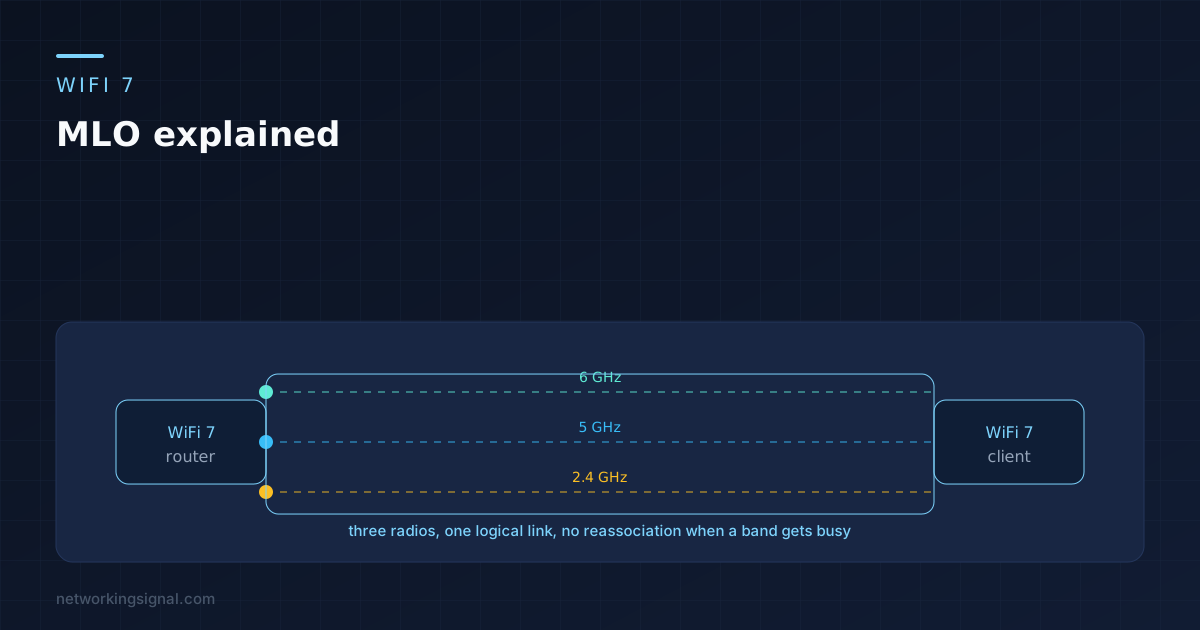
Multi-Link Operation is the one WiFi 7 feature that changes how a connection behaves rather than how fast it can theoretically go. A device with MLO holds 2.4, 5 and 6 GHz at the same time and treats them as a single link, moving traffic between them without ever disconnecting.
The confusion around it comes from people expecting bigger download numbers. That is not what it does. MLO attacks the moments when your connection stutters, and if you mostly download large files you will notice almost nothing.
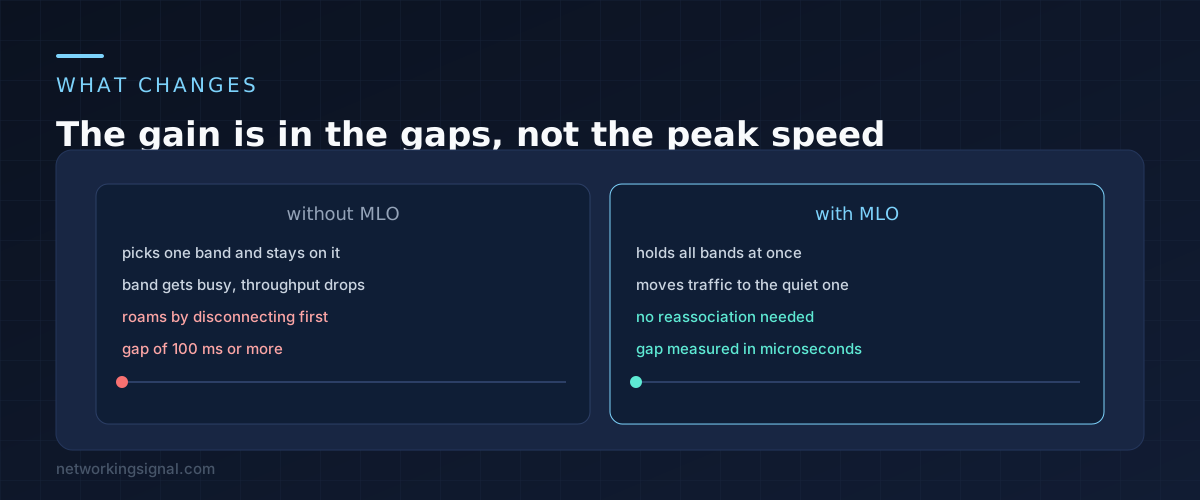
On every WiFi generation before this one, a device picked a band, associated with it, and stayed there. Moving to another band meant tearing the connection down and building a new one. That handover takes somewhere between 50 and 200 milliseconds, and during it nothing gets through.
For a file transfer, a gap like that is invisible. TCP retransmits and carries on. For a video call it is a frozen frame. For a VR headset it is enough to make somebody feel unwell.
MLO removes the handover entirely. The client authenticates once as a multi-link device and maintains links on several bands together. When 5 GHz gets congested because a neighbour started streaming, traffic shifts to 6 GHz mid stream. Nothing reassociates and nothing pauses.
There is a throughput story too, but it is smaller than the marketing suggests, and the reason is in the next section.
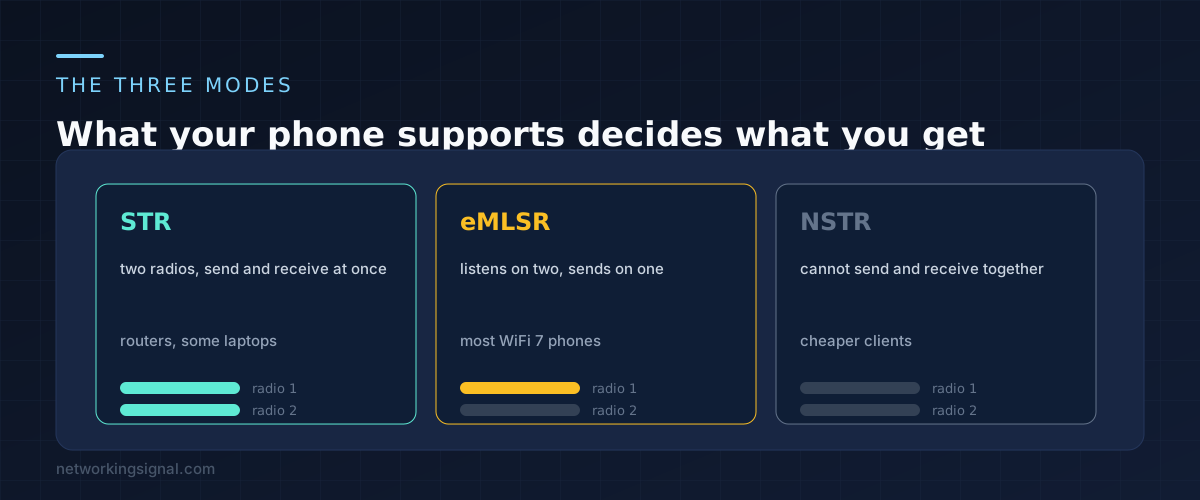
MLO is not one behaviour. The standard defines several, and which one you get depends on the radios inside the client.
STR, meaning simultaneous transmit and receive. Two genuinely independent radios, both active at once. This is the version that can add throughput, because two bands really are carrying data at the same moment. It needs enough physical separation between the antennas to stop one radio deafening the other, which is why you find it in routers and some laptops rather than phones.
eMLSR, enhanced multi-link single radio. The client listens on two bands but transmits on only one at a time, switching between them in microseconds. This is what most WiFi 7 phones implement. You get the fast switching and the interference dodging, but not doubled throughput.
NSTR, non simultaneous transmit and receive. The most limited version. The device cannot transmit on one link while receiving on another, so the two links have to be coordinated.
This is the single most useful thing to understand before buying. If your phone does eMLSR, and most do, then a router advertising huge combined speeds through MLO will not deliver them to that phone. What it will deliver is a connection that stops hiccupping.
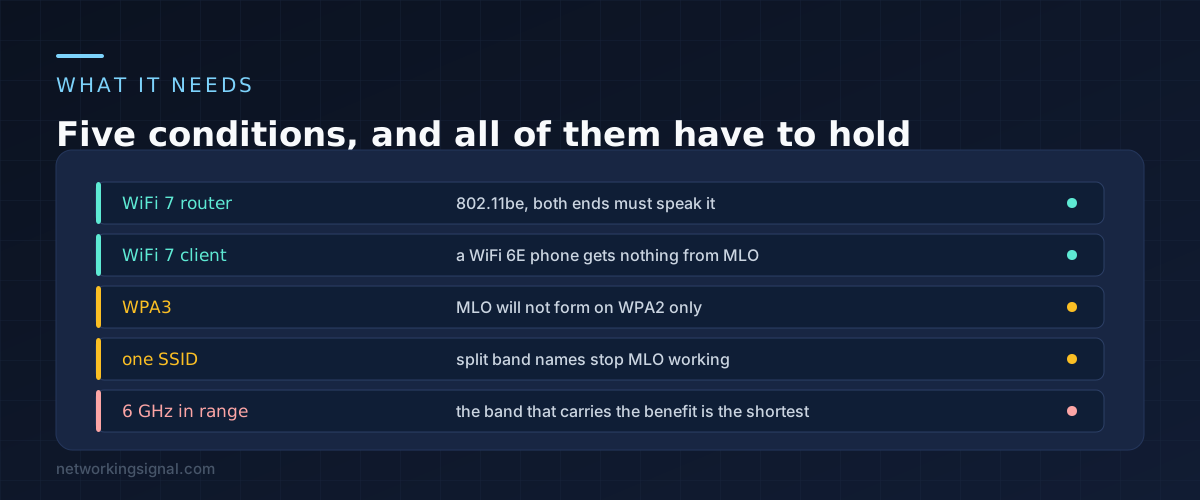
MLO fails quietly. There is no error message, the device just associates on one band the old way, and you assume it is working.
Both ends need to be WiFi 7. A WiFi 6E phone on a WiFi 7 router gets no MLO at all. This is the most common reason people see no change after upgrading the router.
WPA3 is required. MLO will not form on a network running WPA2 only. If your security is set to WPA2 for compatibility with an old device, you have switched MLO off without realising. WPA2 and WPA3 mixed mode usually works, but check.
One SSID across all bands. Plenty of people split their network into separate 2.4 and 5 GHz names, often years ago to force a stubborn smart plug onto the right band. That split stops MLO forming, because the bands have to look like one network for the client to bind them together.
6 GHz has to actually reach you. The 6 GHz band carries most of the benefit and has the worst range. Through two internal walls there may be no 6 GHz signal to link, leaving MLO combining 2.4 and 5 GHz, which is a much smaller win.
If you had to split your SSIDs for an IoT device, the better fix is a separate network for those devices rather than splitting your main one. That is covered in our guide to putting IoT devices on their own network.
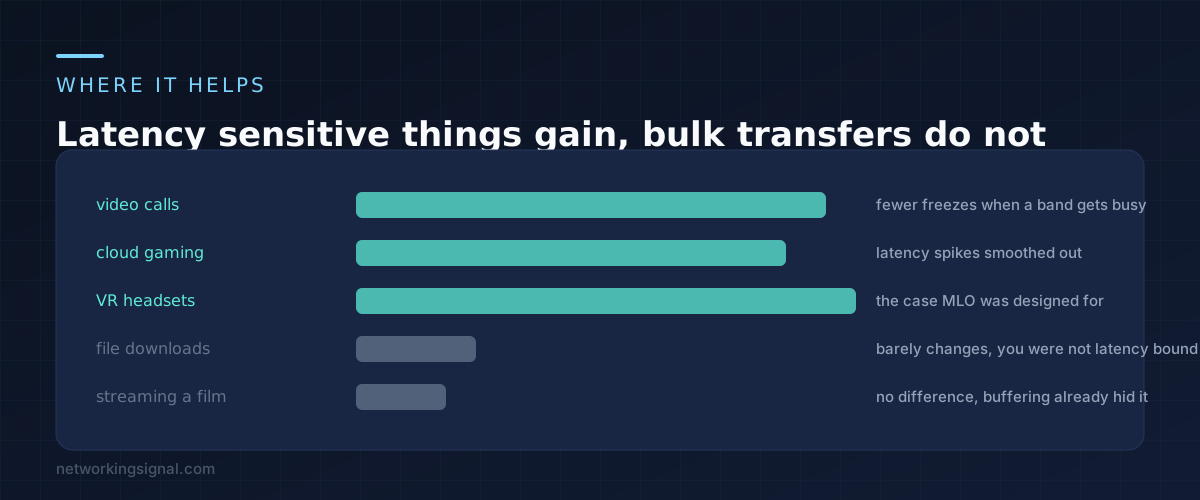
Be honest about your own usage before spending money on this.
Video calls gain the most for ordinary households. The freezes people blame on the other person are often a local band change or a moment of congestion, and MLO absorbs both.
Cloud gaming and VR gain the most in absolute terms. Both are sensitive to a single dropped interval in a way that nothing else in a home is. VR over WiFi is essentially the use case the feature was designed around.
Downloads, backups and streaming gain close to nothing. Those are throughput bound and already buffered, so a 100 millisecond gap that MLO would have prevented was never visible in the first place.
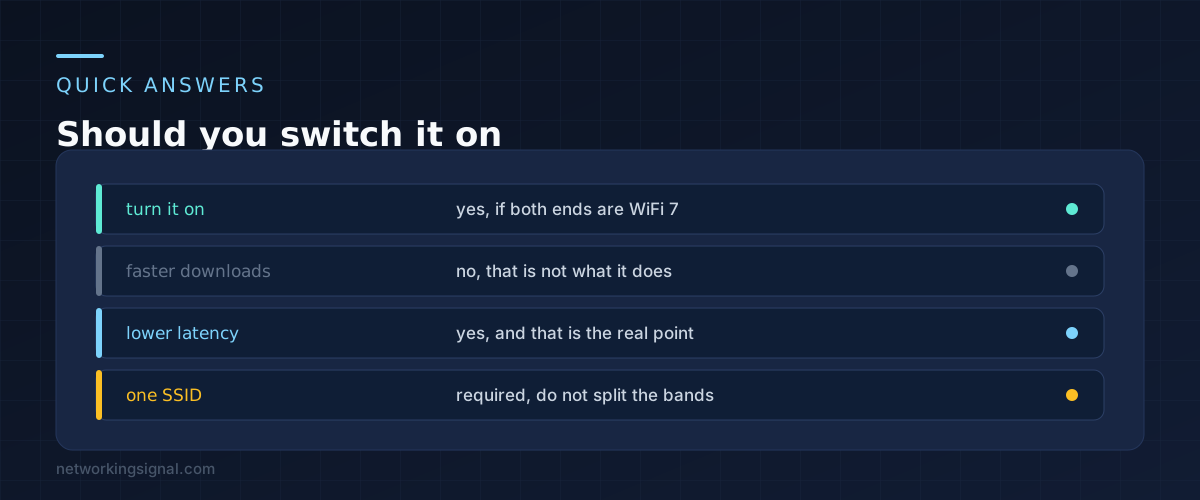
Yes, if you have the hardware on both ends. There is no meaningful downside and it is usually on by default on WiFi 7 routers, sometimes labelled Multi-Link Operation and sometimes buried under an advanced wireless menu.
Two settings are worth checking at the same time. Make sure security is set to WPA3 or WPA2/WPA3 mixed rather than WPA2 only, and make sure the bands share one network name.
Do not judge the result with a speed test. Run a video call while somebody else streams something, and see whether it holds together better than it used to. That is the thing that changed.
Slightly, on devices doing true simultaneous transmit and receive, because two radios are active. On eMLSR devices, which is most phones, the difference is small because only one radio transmits at a time.
No, a single WiFi 7 router is enough. Some mesh systems also use MLO for the link between nodes, which is a different thing from the client link and can improve backhaul.
No. MLO improves a connection you already have. A dead spot is a coverage problem, and the fix is another access point. Our comparison of mesh, extenders and access points covers which one to use.
No, they are separate WiFi 7 features. A 320 MHz channel is a very wide channel in the 6 GHz band, which raises peak speed. MLO is about using several bands at once. Most homes cannot use 320 MHz cleanly anyway, because there is rarely that much clear spectrum.
Hand-picked articles you might also find useful.
 Wireless
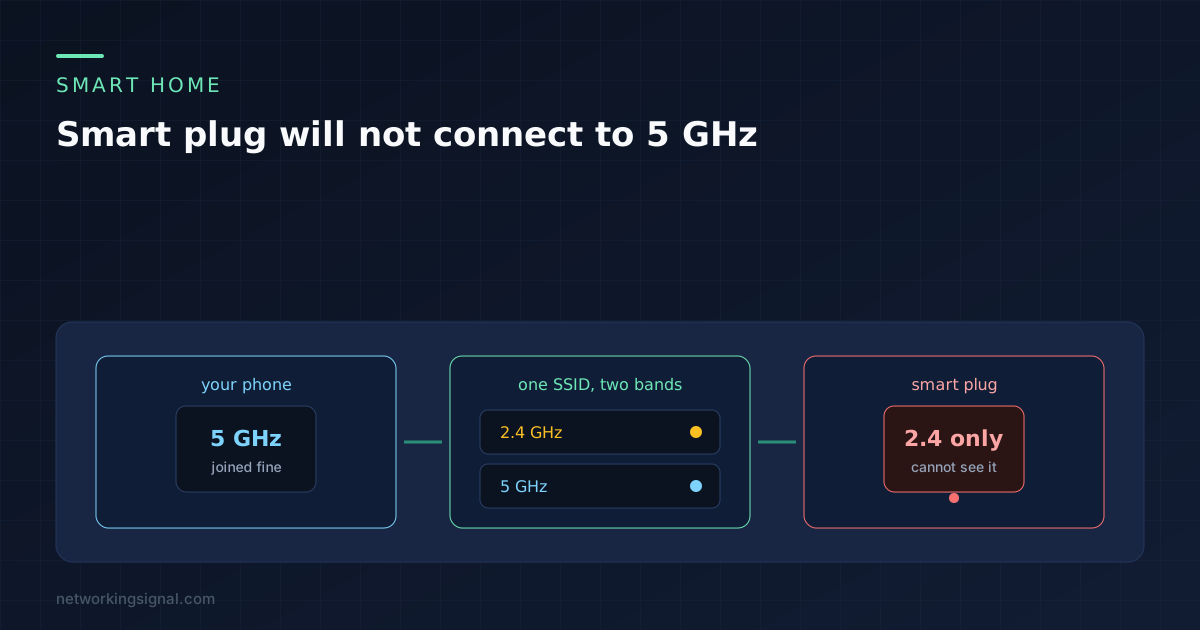
 Nearly every smart plug is 2.4 GHz only, and a shared network name is what breaks pairing. The…
 Wireless
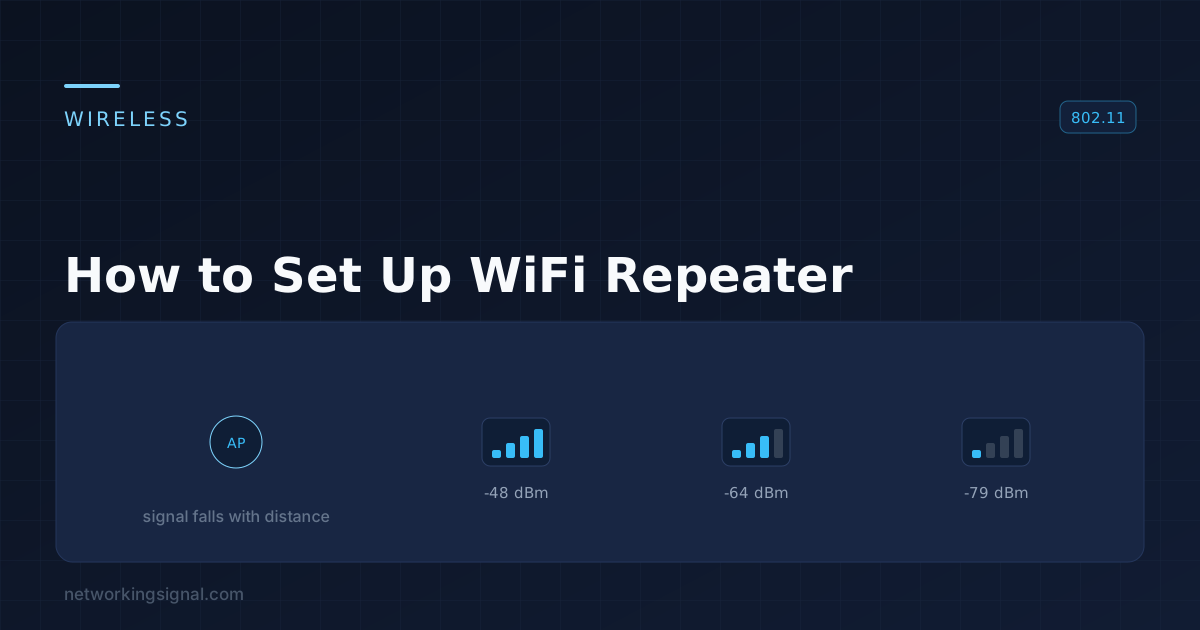
 In this guide, I will walk you through the step-by-step process of setting up a WiFi repeater to…
![Wireless Controller in Networking [ Ultimate Guide ]](https://www.networkingsignal.com/wp-content/uploads/2026/09/auto/art-wireless-controller-in-networking.svg) Wireless
Wireless Wireless networking has made it possible to connect multiple devices over the internet with ease. One of the…