
8 Best WiFi 7 Routers in 2026: Tested Picks for Every Budget
The best WiFi 7 routers in 2026, compared on real specs. The TP-Link Archer BE550 wins overall at…

The TP-Link Archer BE600 ($190) is the best router under $200, tri-band WiFi 7, a real 6 GHz radio, a 10 Gbps port and four more at 2.5 Gbps. Nothing else at this price gives you all four.
If your network is mostly wired, the ASUS RT-BE82U at $158 is the better buy: five 2.5 Gbps ports rather than one fast port and three slow ones, plus AiProtection with no subscription.
And be honest about whether you need this page. Under $200 buys you multi-gig Ethernet and a 6 GHz radio. If your plan is 500 Mbps, you have no 10 GbE devices, and your house is under 2,000 sq ft, a $75 router does the same job.
| Product | Router | Bands | Fast ports | Coverage | Price |
|---|---|---|---|---|---|
 | TP-Link Archer BE600Best overall | Tri-band BE9700 | 10G + 4 × 2.5G | 2,600 sq ft | $189.99 |
 | ASUS RT-BE82UBest wired | Dual-band 6.5 Gbps | 5 × 2.5G | Large home | $157.99 |
 | ASUS RT-BE58UBest for VPN | Dual-band BE3600 | 2.5G dual-WAN | Mid-size home | $144.99 |
 | TP-Link Archer BE400Best value | Dual-band BE6500 | 2 × 2.5G | 2,400 sq ft | $129.99 |
 | NETGEAR Nighthawk RS90Easiest setup | Dual-band BE3600 | 2.5G WAN | 2,000 sq ft | $129.00 |
 | TP-Link Archer AXE75Best WiFi 6E | Tri-band AXE5400 | Gigabit only | Large home | $99.00 |
 | TP-Link Archer AX55Budget pick | Dual-band AX3000 | Gigabit only | Medium home | $74.99 |
The $100 to 200 band is where routers stop being appliances and start being network equipment. Three things change, and only one of them is about WiFi.
Multi-gig Ethernet, and how much of it. Below $100 you get gigabit ports, occasionally one at 2.5 Gbps. Above $130 you get several 2.5 Gbps ports, and at the top of this range a 10 Gbps port appears. This is the single biggest practical difference, and it only matters if you have a multi-gig internet plan or fast devices to wire.
The processor. A $75 router runs a dual-core chip at around 1 GHz. A $160 router runs a quad-core at 2 GHz or more. Nobody markets this well, but it determines whether QoS, a VPN tunnel and a firewall can run simultaneously without adding latency of their own. It is also why expensive routers stay responsive with sixty devices where cheap ones start dropping them.
A genuine 6 GHz radio. Tri-band under $200 exists but is not universal, the Archer BE600 and AXE75 have it, the ASUS RT-BE82U and RT-BE58U do not. Manufacturers at this price often spend the money on Ethernet and CPU instead, which is frequently the better trade.
What still does not appear under $200: an SFP+ cage, dual 10 Gbps ports, or tri-band WiFi 7 with a full 320 MHz 6 GHz radio and multi-gig everywhere. Those start around $300.
It is worth being direct about this, because the honest answer for a lot of readers is that a cheaper router is the correct purchase.
Stay under $100 if your internet plan is 500 Mbps or slower, your home is under 2,000 sq ft, you have no devices with 2.5 GbE or faster network ports, and your device count is under thirty. In that situation the extra $100 buys capacity that never gets used. Our routers under $100 guide covers what to buy instead.
Spend the $200 if any of these apply: your plan exceeds 1 Gbps, you have a NAS or a desktop with a multi-gig port, you run a VPN at the router, your device count is over forty, or you want the router to still be current in five years.
And if the problem is coverage rather than speed, do not buy a more expensive router at all, buy a mesh system. A $200 router does not reach further than a $75 one in any way that solves a dead zone two rooms away. Our mesh guide covers that case.
The BE600 is the only router under $200 that gives you everything: a real 6 GHz radio with 320 MHz channels, a 10 Gbps port, and four more ports at 2.5 Gbps. Most routers at this price make you choose between the radio and the Ethernet.
Speeds are 5,765 Mbps on 6 GHz, 2,882 Mbps on 5 GHz and 1,032 Mbps on 2.4 GHz. The 2.4 GHz figure is worth noting, over 1 Gbps on the low band is unusual, and it is the band carrying your smart-home devices and anything on the far side of a wall.
The 10 Gbps WAN/LAN port is the reason to buy this rather than the ASUS. Multi-gig fibre above 2.5 Gbps is reaching more markets each year, and this is the cheapest tri-band WiFi 7 router that will not cap it. Even if you never get such a plan, the port works as a 10 Gbps LAN connection to a NAS.
Coverage is rated at 2,600 sq ft for up to 120 devices from six antennas with beamforming, a real step up from the 2,000 sq ft typical at this price, and enough to cover a two-storey house from a central position.
The one caveat is platform age. It is newer than TP-Link’s BE550, so there is less accumulated firmware history. TP-Link’s release firmware is generally solid and improves quickly, but if you would rather be on a proven platform, that is the trade.
Buy it if you want one router that is not compromised anywhere and expect to keep it five years.
Five 2.5 Gbps ports is the specification that makes this router different, and it is rarer than it should be. Almost every competitor gives you one fast port for the internet and then three or four gigabit ports for everything else, which means your NAS, your desktop and your mesh backhaul all share the slow half of the router.
Here every port runs at 2.5 Gbps. Wire a NAS, a workstation and a switch, and none of them is throttled. For anyone with a home lab, a media server, or wired devices in more than one room, that is worth more than an extra wireless band.
ASUS skips the 6 GHz radio and puts the money into the wired side and the processor instead. Dual-band WiFi 7 gives 6,500 Mbps combined with 4096-QAM and Multi-Link Operation, everything WiFi 7 offers except 320 MHz channels, which need a 6 GHz band your phone probably cannot use through a wall anyway.
The software is the other argument. AiProtection Pro from Trend Micro is included permanently with no subscription, where TP-Link and NETGEAR both gate comparable features. AiMesh means you can add any compatible ASUS router as a node later rather than replacing the system.
Buy it if you have wired devices in more than one room, a NAS, a desktop, a switch, and want none of them slowed.
If you want VPN handled once at the router rather than configured on every device, this is the cheapest sensible way to do it. WireGuard and OpenVPN both work, as client and as server, and, the part that matters most, you can route specific devices through the tunnel while everything else goes direct.
That selective routing is what makes router-level VPN practical. Pushing an entire household through a VPN breaks streaming services and slows everything; routing one laptop while the TV and the console go direct is what people actually want, and most routers cannot do it.
Dual-WAN is the second reason. Run your main broadband with a phone tethered over USB as automatic failover, and the router switches over when the line drops. For anyone working from home on an unreliable connection, that is worth more than an extra gigabit of theoretical throughput.
Wireless is dual-band BE3600 with MLO across 2.4 and 5 GHz and no 6 GHz radio. Smart Home Master provides three SSIDs, enough to separate IoT devices, guests and your own traffic onto different networks.
The honest weakness is value: at $145 it is $55 more than the Archer BE230, which has similar radios and two 2.5 Gbps ports. You are paying for the VPN and failover features specifically. If you will not use them, buy the cheaper router.
Buy it if you want router-level VPN with selective routing and a backup connection when the line drops.
The BE400 is the value pick because it delivers 5,764 Mbps on 5 GHz, near the top of what dual-band WiFi 7 can do, for $130. That is more 5 GHz throughput than the $158 ASUS and more than several tri-band routers manage on their main band.
Six streams and six high-performance antennas cover 2,400 sq ft for up to 90 devices. Six antennas at $130 is generous; most routers here have four.
Port layout is one 2.5 Gbps WAN/LAN, one 2.5 Gbps LAN, and three gigabit LAN. Enough for a multi-gig plan plus one fast wired device, which covers the majority of households. If you need more than that, the RT-BE82U’s five fast ports are worth the extra $28.
Multi-Link Operation works across 2.4 and 5 GHz, so the practical WiFi 7 benefit is present. What is missing is the 6 GHz radio and therefore 320 MHz channels, the same trade every dual-band WiFi 7 router makes.
Against the $190 BE600 you give up the 6 GHz band, the 10 Gbps port and two 2.5 Gbps ports. Whether that is worth $60 depends entirely on whether you have anything to plug into them.
Buy it if you want most of the BE600 for $60 less and have nothing that needs a 10 Gbps port.
The RS90 exists for people replacing an ISP box who want the process to be painless. NETGEAR’s Nighthawk app is the most forgiving setup flow of any brand here, it detects the connection type, walks you through bridge mode if your gateway needs it, and gets you online without ever showing a settings page.
The specification is modest and, unusually, honestly stated. Dual-band BE3600 across 2.4 and 5 GHz for up to 3.6 Gbps combined, 2,000 sq ft, up to 50 devices. NETGEAR describes it as roughly 1.2× the throughput of comparable WiFi 6 hardware, which is a realistic claim rather than a marketing one.
A 2.5 Gbps WAN port plus four gigabit LAN ports is the right layout for its buyer: enough to accept a multi-gig plan, enough sockets for a TV, a console and a printer, and nothing you will never use.
The caveat is NETGEAR’s subscription model. Armor security and advanced parental controls are paid add-ons where ASUS includes comparable features outright. Over a five-year ownership that annual cost changes the comparison considerably, factor it in before choosing this over the RT-BE58U.
Buy it if you want to swap out an ISP router in ten minutes and never open a settings page.
The AXE75 is the cheapest genuine tri-band router here, and if you own WiFi 6E devices it can outperform pricier dual-band WiFi 7 routers on the specific traffic that uses the 6 GHz band.
2,402 Mbps on 6 GHz, 2,402 Mbps on 5 GHz and 574 Mbps on 2.4 GHz, 5,400 Mbps across three radios for $99. The 6 GHz band is completely uncongested because no legacy device can use it, so in the same room as the router it is exceptionally clean and fast.
The hardware behind it is what keeps it stable: a 1 GHz dual-core CPU with 512 MB of memory, and a housing designed around heat dissipation. Running three radios generates heat, and thermal throttling is the usual reason cheap tri-band routers degrade after a few minutes.
Its clear weakness against everything above it is Ethernet: gigabit ports only. On a plan above 1 Gbps that is a hard cap, and no amount of wireless capability works around it.
EasyMesh support means you can extend it later with compatible extenders or routers, and the VPN server and client cover OpenVPN, PPTP and L2TP.
Buy it if you have WiFi 6E devices near the router and your internet plan is a gigabit or less.
The AX55 is here as a reality check. At $75 it delivers 2,402 Mbps on 5 GHz and 574 Mbps on 2.4 GHz, which exceeds what a gigabit internet plan produces over WiFi in practice. For a large share of the people reading a “under $200” guide, this is the correct purchase and the other $125 buys nothing.
The improved cooling design is why it beats the cheaper AX21, a larger heatsink and reworked case mean it holds speed under sustained load rather than throttling after ten minutes.
Four high-gain external antennas with beamforming cover a normal two- or three-bedroom home. VPN server and client support is included, which is unusual under $100 and covers the main reason people step up to the RT-BE58U.
What you give up against everything above it: gigabit ports only, no 6 GHz band, no WiFi 7, and a processor that will struggle past forty or fifty devices. Every one of those matters only if it describes your situation, and for many households, none of them do.
Buy it if your plan is a gigabit or less with under forty devices, the extra $125 would be wasted.
Only if you can use what the extra money buys: multi-gig Ethernet ports, a faster processor for QoS and VPN, and in some cases a 6 GHz radio. If your plan is a gigabit or less, you have no multi-gig devices and under forty connections, a $75 router performs identically in daily use.
It is the better long-term buy. Every WiFi 7 router here is dual-band except the Archer BE600, so you mostly get Multi-Link Operation rather than 320 MHz channels, but MLO is the feature that improves a busy network, keeping latency stable when a band gets congested. Buying WiFi 7 now costs nothing in compatibility, since all older devices still connect normally.
One if your only fast device is the internet connection. Two if you also have a NAS or a multi-gig desktop. Five, as on the ASUS RT-BE82U, only if you are wiring several rooms or feeding a switch. Count your actual multi-gig devices before paying for ports.
Usually not. Range is limited by physics and by transmit power regulations that apply equally to a $75 and a $200 router. If the problem is a room that has no signal, a mesh system or a wired access point solves it; a more expensive single router will not.
Dual-band, unless you own WiFi 6E or WiFi 7 client devices that will sit near the router. The 6 GHz band is fast and uncongested but barely survives one wall. Manufacturers who skip it at this price usually spend the money on Ethernet ports and processor instead, which benefits more people.
Five to seven years, longer than a cheaper one, not because the radio ages differently, but because the multi-gig ports and faster processor keep it useful as your plan speed and device count grow. The usual reason to replace a router is that it can no longer handle the load, not that its wireless standard became obsolete.
The TP-Link Archer BE600 at $190 is the most complete router under $200: tri-band WiFi 7, a 10 Gbps port, four 2.5 Gbps ports, and 2,600 sq ft of coverage. Nothing else here does all of that.
If your network is wired rather than wireless, the ASUS RT-BE82U at $158 is the smarter buy, five 2.5 Gbps ports means nothing on your LAN is throttled, and AiProtection costs nothing extra. And if your plan is a gigabit with under forty devices, buy the Archer AX55 at $75 and put the difference somewhere it will be felt.
Disclosure: Networking Signal is a participant in the Amazon Services LLC Associates Program. We earn a commission on qualifying purchases made through links on this page, at no additional cost to you. Prices shown were accurate at the time of writing and may change. Product selections are based on published specifications and independent testing reports, we are not paid to feature specific brands.
Hand-picked articles you might also find useful.
 Routers
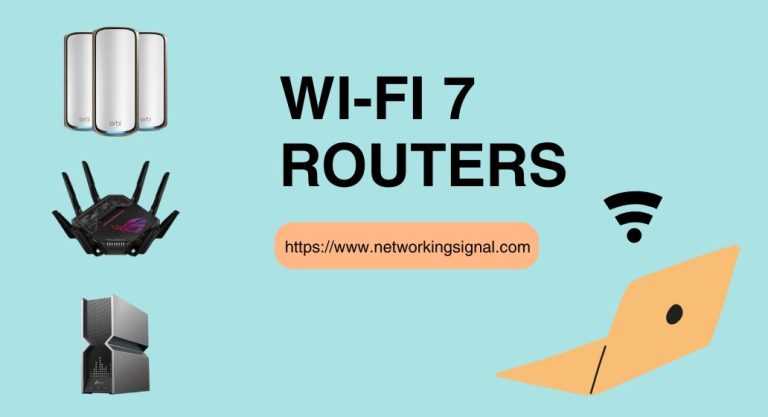
 The best WiFi 7 routers in 2026, compared on real specs. The TP-Link Archer BE550 wins overall at…
 Routers
 The best routers for Starlink in 2026. The TP-Link Archer AX55 at $74.99 exceeds what the dish delivers,…
 Networking Gears
 The best gaming routers in 2026, ranked on latency handling rather than headline speed. The ASUS RT-BE86U at…
One response to “7 Best WiFi Routers Under $200 in 2026 (Tested and Compared)”
Interesting read! I’m in the market for a new router and this list is super helpful. Great to see the TP-Link Archer C2300 at the top of the list – I’ve heard excellent things about it. Can’t wait to try it out! 📽💻