
802.11ac (Wi-Fi 5): Speed, Range & Wi-Fi 6 Compared
802.11ac, also called Wi-Fi 5, explained: real-world speeds, range, device compatibility and when upgrading to Wi-Fi 6 or…
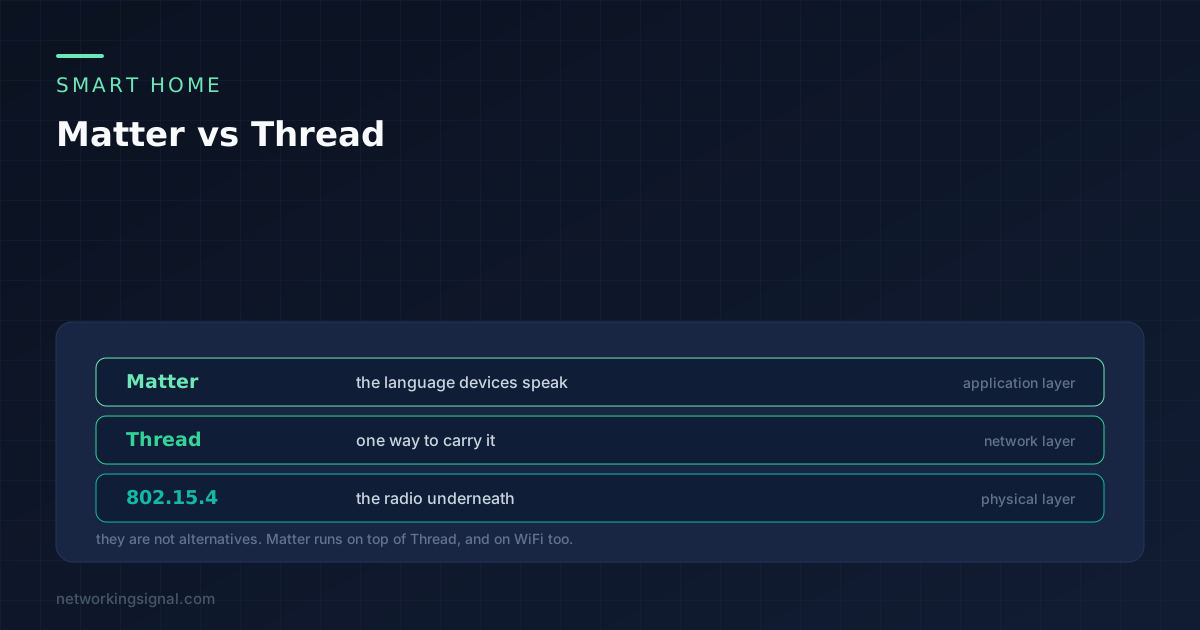
Matter vs Thread is a comparison that does not quite work, because the two things sit at different levels. Matter is an application standard: it defines what a bulb, a lock or a sensor says. Thread is a network standard: it defines how that message travels.
A Matter device can use Thread, WiFi or ethernet underneath. Asking which to choose is like asking whether to use HTTP or ethernet. The useful question is which radio a particular device should have, and that has a clear answer.
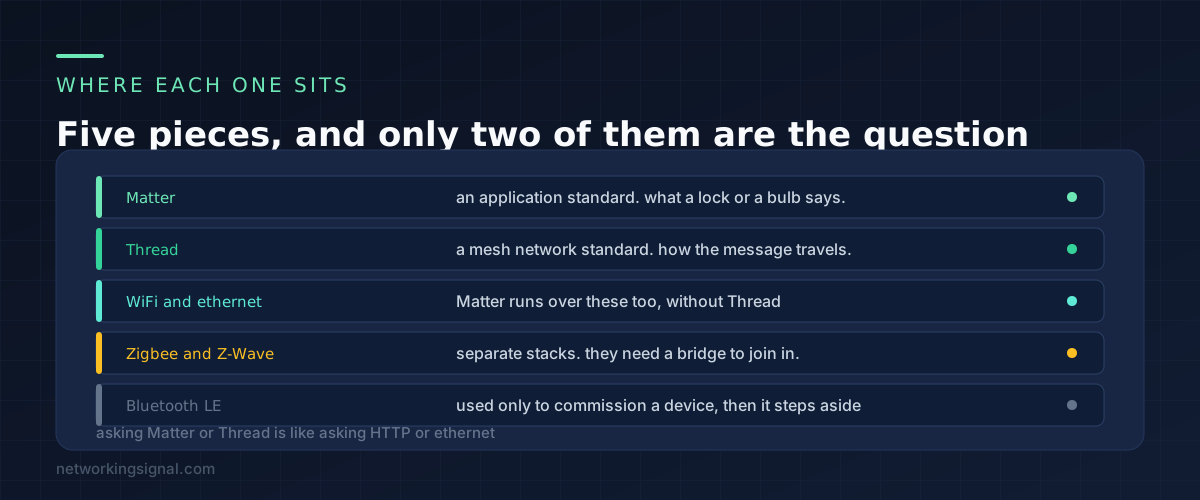
Matter is the vocabulary. It says what a light bulb is, what commands it accepts, and how a controller discovers it. Because every certified device speaks the same vocabulary, an Apple, Google or Amazon controller can operate a device from any brand. That interoperability is the entire reason Matter exists.
Thread is a low power mesh network built on the 802.15.4 radio, the same radio Zigbee uses. It carries IPv6 packets, which is what lets Matter run over it unchanged.
WiFi and ethernet carry Matter equally well. A Matter over WiFi plug is a fully valid Matter device and needs no extra hardware at all.
Zigbee and Z-Wave are separate stacks that do not speak Matter. They join a Matter home through a bridge, which translates. Plenty of hubs do this, and it works, but it is a translation layer rather than native support.
Bluetooth LE appears during setup and then steps aside. Almost every Matter device is commissioned over Bluetooth and then handed the credentials for its real network.
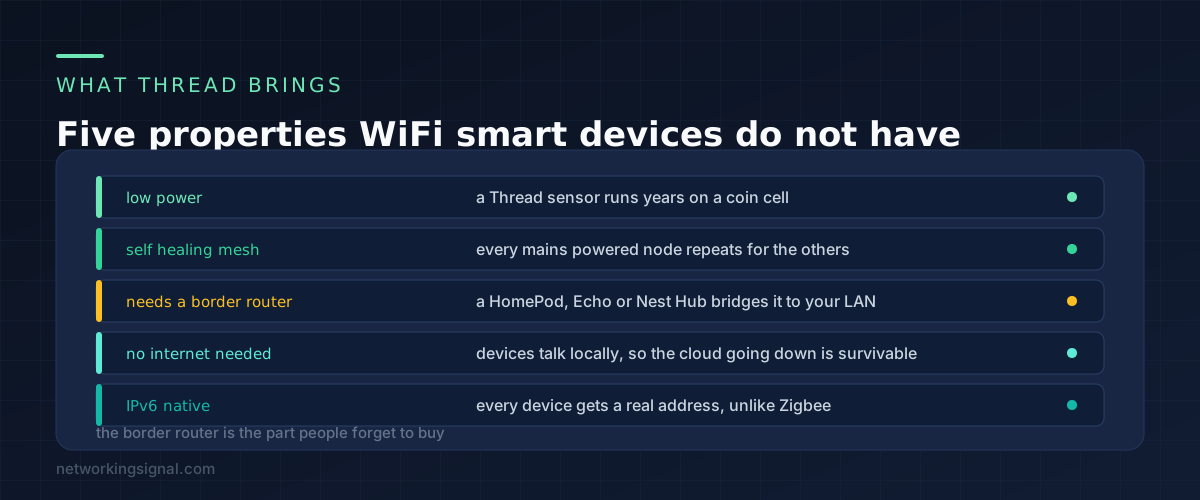
Power. This is the real argument. A Thread sensor wakes, sends a few bytes and sleeps, and runs for years on a coin cell. A WiFi sensor has to maintain an association with an access point, and even sleeping it drains a battery in months. If a device runs on batteries, Thread is a different category of product.
Mesh. Every mains powered Thread device acts as a router for the others. Add a Thread smart plug in the hallway and every battery sensor near it gets a shorter hop. The network heals itself when a node disappears, and nobody has to plan it.
Local operation. Thread devices talk directly to each other and to the controller over your own network. A cloud outage does not stop a light switch from working, which is not true of a great many WiFi devices.
Native IPv6. Every Thread device has a real IP address, so there is no protocol translation in the middle. This is the technical reason Thread carries Matter cleanly where Zigbee needs a bridge.
But it needs a border router. Thread devices cannot reach your normal network on their own. Something has to sit on both, and that something is a Thread border router. The good news is you may already own one: recent HomePods and Apple TVs, Echo devices from the fourth generation, Nest Hubs and several eero and SmartThings models all include one. The bad news is that nobody tells you this before you buy a Thread sensor.
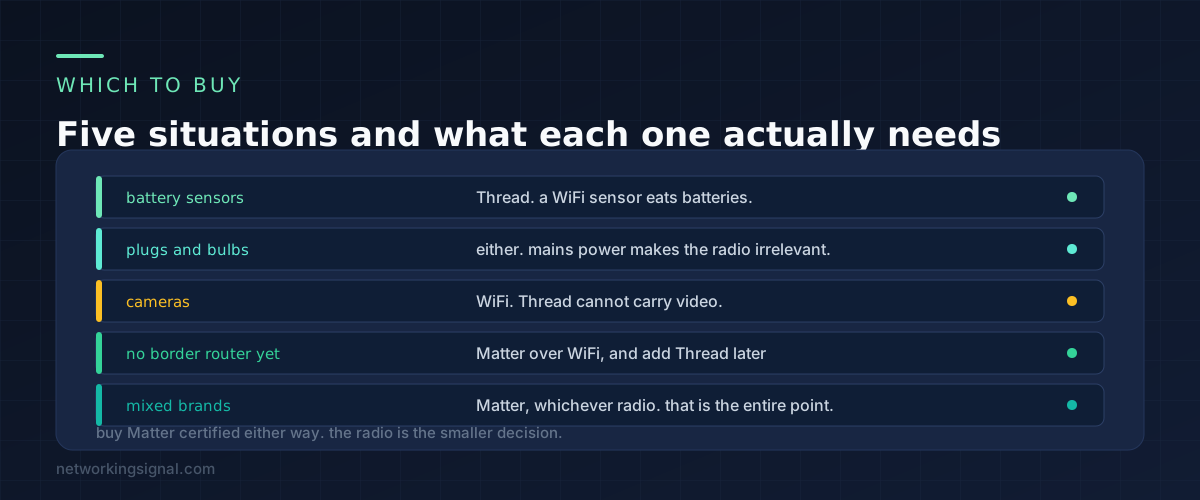
Battery powered sensors: Thread. Door contacts, motion sensors, temperature sensors, leak detectors. The battery life difference is measured in years against months, and it decides whether you maintain the system or abandon it.
Plugs, switches and bulbs: either. They are on mains power, so the power argument disappears. Thread still gives you a more responsive local network and strengthens the mesh for your sensors, which is a mild preference rather than a requirement.
Cameras and doorbells: WiFi. Thread is designed for small messages and cannot carry a video stream. Any camera claiming Matter support is using WiFi underneath.
If you own no border router: Matter over WiFi. Perfectly valid, works today, and needs no new hardware. You can add Thread devices later once you have a border router, and both will sit in the same Matter home.
If you are mixing brands: Matter, whichever radio. That is the whole point of it. A Matter certified device works with Apple Home, Google Home and Alexa without any of them being the owner of the device.
If your smart devices are going on their own network segment, which is worth doing, our guide to an IoT VLAN at home covers the practical setup.
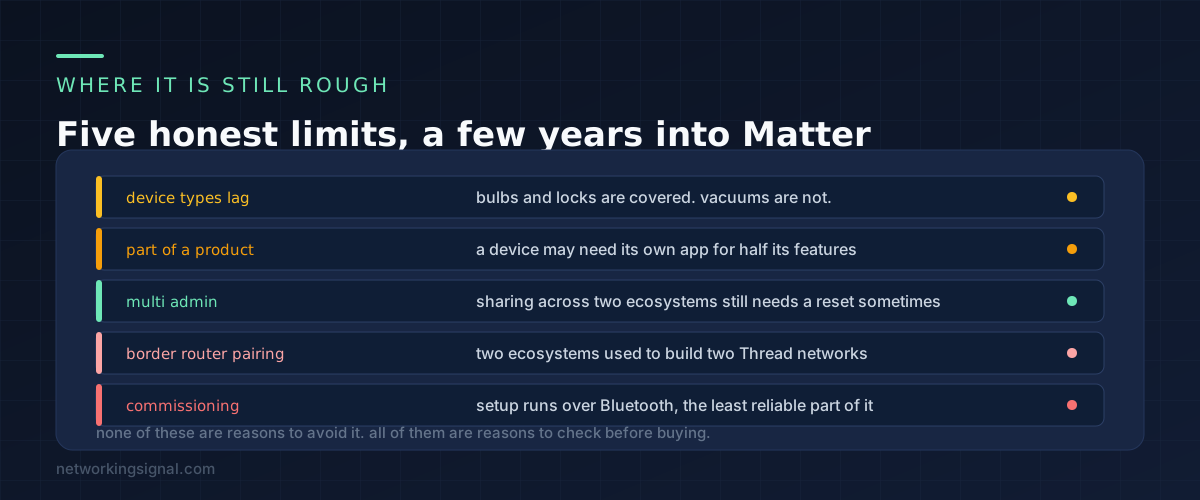
Matter has been shipping for a few years now and it is genuinely better than what came before. It is also not finished, and it is worth knowing where the rough edges are before you commit a whole house to it.
Device type support lags. Bulbs, plugs, switches, locks, thermostats and sensors are well covered. Robot vacuums, cameras and anything unusual are either newly added or still absent, and a manufacturer may support Matter for part of a product’s features and use its own app for the rest.
Multi admin is better than it was. Sharing one device across Apple Home and Google Home works through a pairing code, and it is genuinely useful in a household where people use different phones. It is also the feature most likely to need a device reset when something goes wrong.
Border router interoperability took time. Early on, an Apple border router and a Google one would form separate Thread networks in the same house. Recent firmware handles shared Thread credentials much better, but if you are running two ecosystems it is worth checking both are on current software.
Commissioning can be fiddly. Setup happens over Bluetooth, and Bluetooth pairing is the least reliable part of any smart home. If a device will not commission, move the phone next to it, which solves it most of the time.
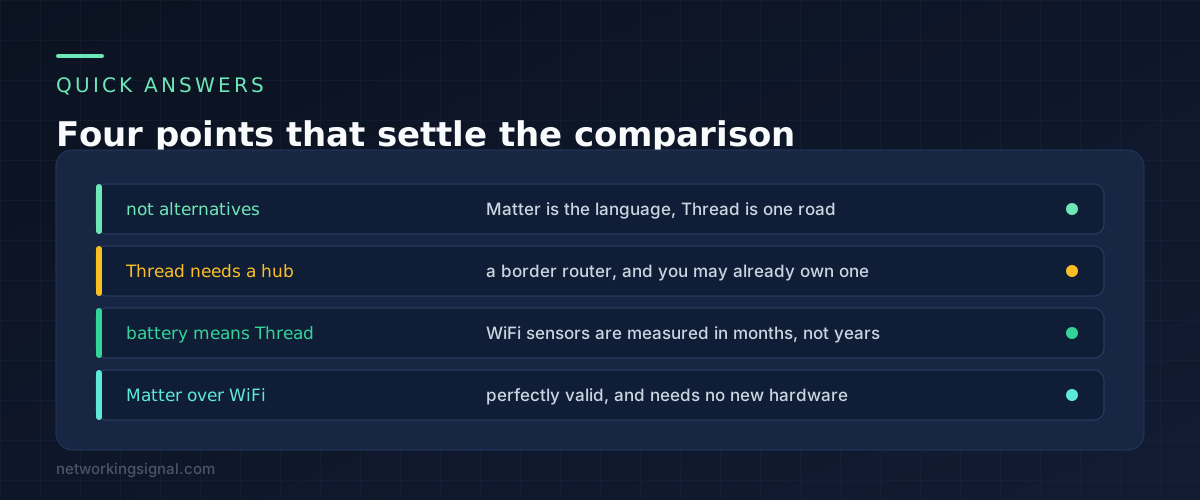
Only for battery devices. If everything you plan to buy plugs into a wall, Matter over WiFi is fine and simpler. The moment you want door sensors or motion sensors, Thread stops being optional in any practical sense.
It is a device on both your Thread network and your normal network, passing traffic between them. Likely candidates already in your house include an Apple TV 4K or HomePod mini, an Echo fourth generation or later, a Nest Hub second generation, or certain eero and SmartThings hubs. Check the spec sheet for the words Thread border router.
Gradually, for new products. They use the same radio but Thread carries IPv6 natively while Zigbee needs a bridge, which matters in a Matter world. Existing Zigbee devices keep working through a bridge and there is no reason to replace anything that works.
Local control does, which is one of the better things about it. A controller on your own network can operate Matter devices without the internet. Remote access from outside the house and voice assistants that process speech in the cloud both stop.
Yes. Matter supports multiple administrators. Pair it with the first ecosystem, then generate a pairing code from that app and use it in the second. Both then control the device directly rather than one proxying for the other.
No. Replace things as they fail or when you add something new, and buy Matter certified from then on. The benefit is interoperability for future purchases, which is not a reason to throw away working hardware.
If a new device refuses to join at all, the cause is often the band rather than the protocol, which we covered in why a smart plug will not connect to 5 GHz.
Can you explain this topic to someone else in 30 seconds? If not, re-read the key takeaways above.
The core concepts in the takeaways box above. Bookmark this page and come back when you need a refresher.
Hand-picked articles you might also find useful.
 Wireless
 802.11ac, also called Wi-Fi 5, explained: real-world speeds, range, device compatibility and when upgrading to Wi-Fi 6 or…
 Wireless
 What is MU-MIMO Technology? MU-MIMO technology is a wireless communication technology that allows multiple users to be served…
 Wireless
 In the realm of networking, Access Points (APs) play a pivotal role in providing seamless wireless connectivity to…