
How can you prevent others from eavesdropping on network traffic when operating a pc on a public Wi-Fi hotspot?
In today's digital age, the convenience of public Wi-Fi hotspots is undeniable, allowing us to stay connected while…
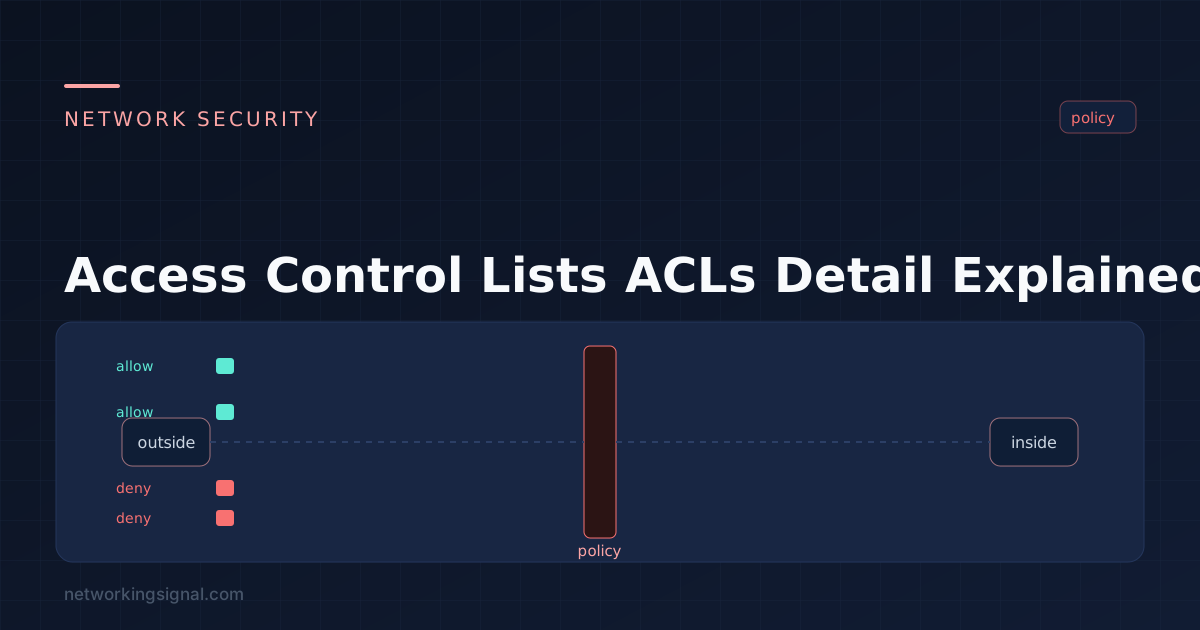
The acronym ACL stands for Access Control Lists. An access control list is a set of rules that allow or deny the entry of certain users, processes, and systems into a computer system or network.
These lists are used to establish and enforce security policies for all types of networks, including local area networks (LANs), wide-area networks (WANs), and even the Internet.
Access control lists are created based on user permissions and other criteria such as source IP address, destination IP address, protocol type (e.g., TCP/IP), port number, etc. Access control lists can also be used to determine who is allowed access to certain resources such as files, directories, printers, and other network resources.
Access control lists can also be used to determine which users have access to certain programs or applications, such as web servers and databases.
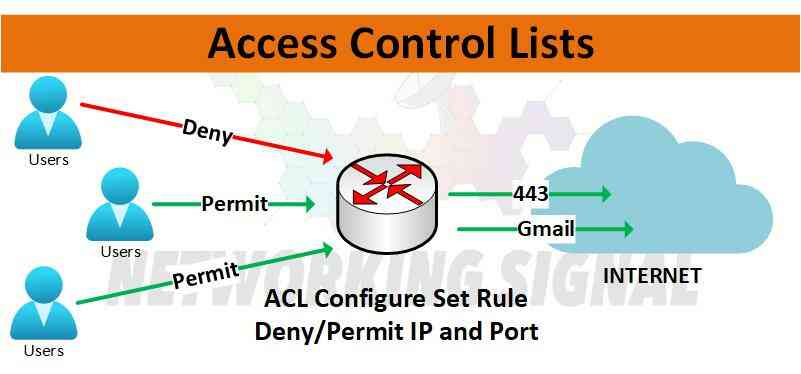
There are two main types of access control lists:
Standard ACLs are the most commonly used type, and they contain rules that allow or deny access to resources on a network.
The standard ACL range typically starts at number 1 and goes up to 99. This range is used for basic access control list rules that filter traffic based on the source IP address.
Extended ACLs contain more detailed rules that can be used to limit traffic from certain sources or restrict specific actions, such as denying requests from certain hosts or allowing only certain types of traffic.
The extended ACL range typically starts at 100 and goes up to 199. This range is used for more complex access control list rules that filter traffic based on source and destination IP addresses, as well as other parameters such as port numbers or specific actions.
There are many benefits to using access control lists, including the following:
Enhanced security: Access Control Lists provide a better way to secure networks by allowing administrators to specify who should and shouldn’t have access to certain resources.
Increased efficiency: ACLs allow administrators to quickly identify which users and systems are allowed access, eliminating the need for manual authentication.
Reduced complexity: By using access control lists, administrators can group users and specify their rights in an organized manner that is easy to understand.
To configure a standard ACL in a router, follow these steps:
1. Select the interface where the access control list will be applied.
2. Enter “access-list” followed by the number of the ACL (this should be between 1 and 99).
3. Add each rule to the ACL, one at a time. Each rule should specify a source IP address, destination IP address, and protocol type (if applicable).
4. When all the rules have been added to the ACL, save the changes by entering “write memory”.
Example:
The access-list 10 Permit any command is used to allow all traffic that matches the criteria specified in the other rules of the ACL. This can be useful for allowing certain types of traffic, such as only permitting HTTP or HTTPS traffic from specific IP addresses, while blocking all other traffic from those same IP addresses. It also allows administrators to quickly grant or deny access to certain resources without having to create a separate rule for each resource.
Implicitly denying all traffic that does not match the other rules in an ACL can be a dangerous practice, as it can leave networks open to security risks. Without using the “Permit any” command, all traffic that does not match the specified criteria would be blocked, including legitimate traffic from trusted sources.
To configure an extended ACL in a router, follow these steps:
1. Select the interface where the access control list will be applied.
2. Enter “access-list” followed by the number of the ACL (this should be between 100 and 199).
3. Add each rule to the ACL, one at a time. Each rule should specify the source IP address, destination IP address, protocol type (if applicable), and other parameters such as port numbers or specific actions that are to be allowed or denied.
4. When all the rules have been added to the ACL, save the changes by entering “write memory”.
Example:
Yes, it is possible to create access control lists with multiple rules. Each rule should specify a source IP address, destination IP address, and protocol type (if applicable). Additional parameters such as port numbers or specific actions can also be included in the rule.
Yes, ACLs can be used to control access to certain resources. By using access control lists, administrators can grant or deny access to users and systems based on their IP address and other criteria. This allows administrators to quickly identify which users and systems are allowed access without needing manual authentication.
Yes, it is possible to use ACLs to restrict outgoing traffic. By adding a rule that denies certain types of traffic from being sent outbound, administrators can limit the types of traffic that are allowed to leave the network. This can be useful for blocking malicious or unauthorized traffic from leaving the network.
The main difference between standard and extended ACLs is that an extended ACL allows for more specific criteria to be used when defining rules.
Yes, it is possible to use an extended access control list to filter traffic based on port numbers. By specifying a source and destination IP address and port number, an administrator can restrict certain types of traffic from entering or leaving the network. This can be useful for preventing unauthorized access to certain systems or services on the network.
Typically, there are five levels of access control lists: Standard, Extended, Named, Dynamic, and Reflexive. Each type of ACL allows for a different level of granularity when creating rules, making them suitable for different networking scenarios.
Hand-picked articles you might also find useful.
 Security
 In today's digital age, the convenience of public Wi-Fi hotspots is undeniable, allowing us to stay connected while…
 Security
 11 Ways to Improve Network Security Keep your network up to date Use strong passwords and authentication encrypt…
 Security
 IP spoofing forges the source address in a packet header to hide the sender or impersonate a trusted…