
7 Best Outdoor Security Camera Systems With NVR in 2026 (Wireless and PoE)
The best outdoor NVR camera systems in 2026. Wireless does not mean no cables, because every camera still…
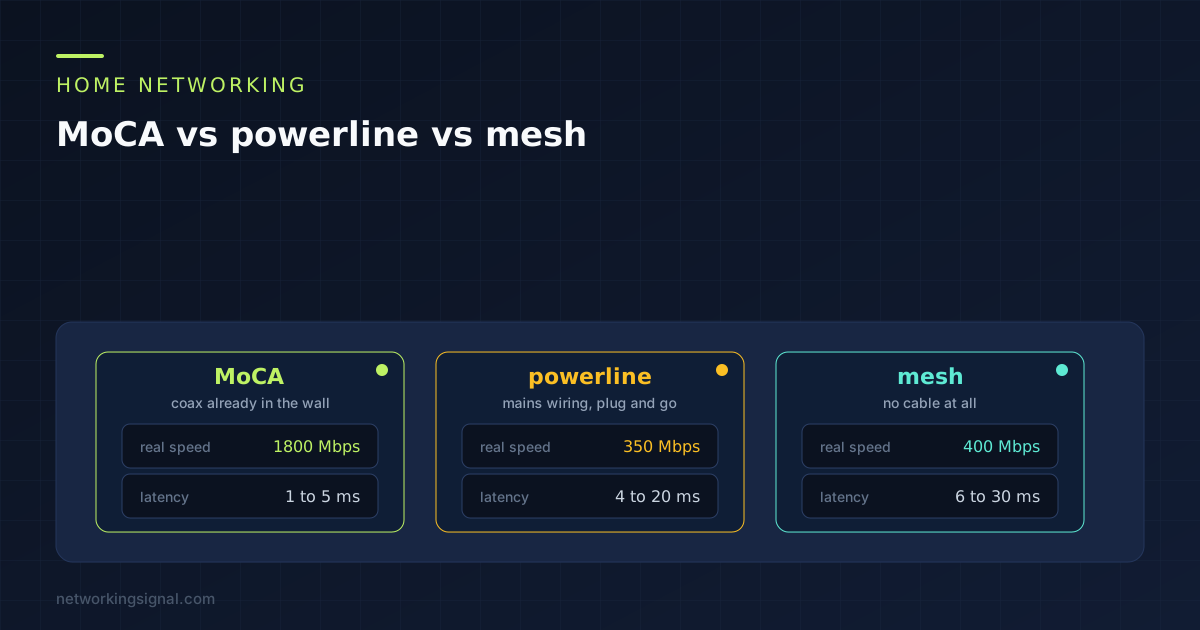
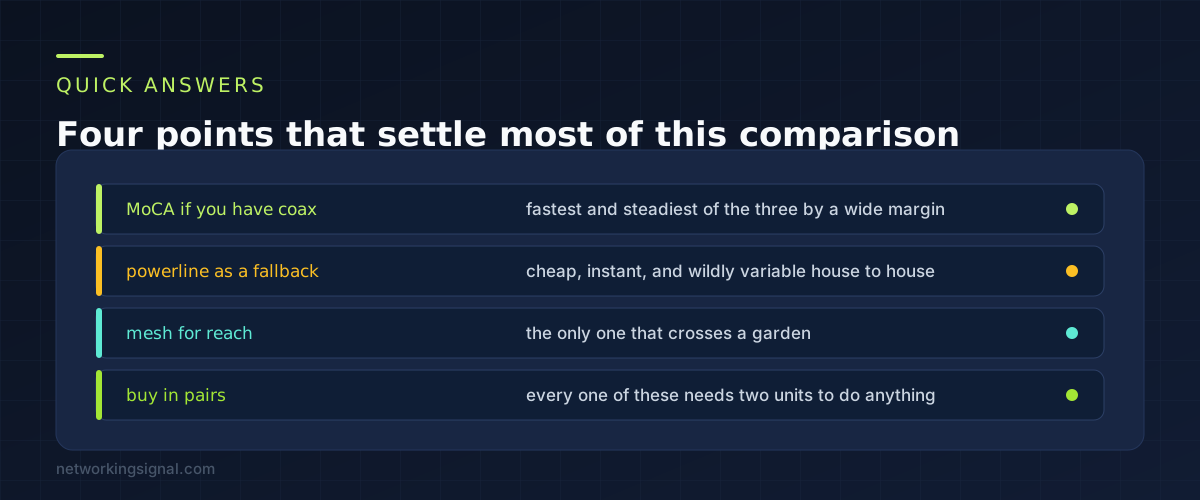
MoCA vs powerline comes down to one thing: whether there is coax in the room you want to reach. If there is, MoCA wins and it is not close. It runs at around 1800 Mbps in practice with latency of a few milliseconds, which is close enough to real ethernet that you will not notice the difference.
Powerline is the fallback when there is no coax. It is cheap and instant, and it is also the one that varies most from house to house. Mesh is what you use when neither cable exists, or when the destination is across a garden.
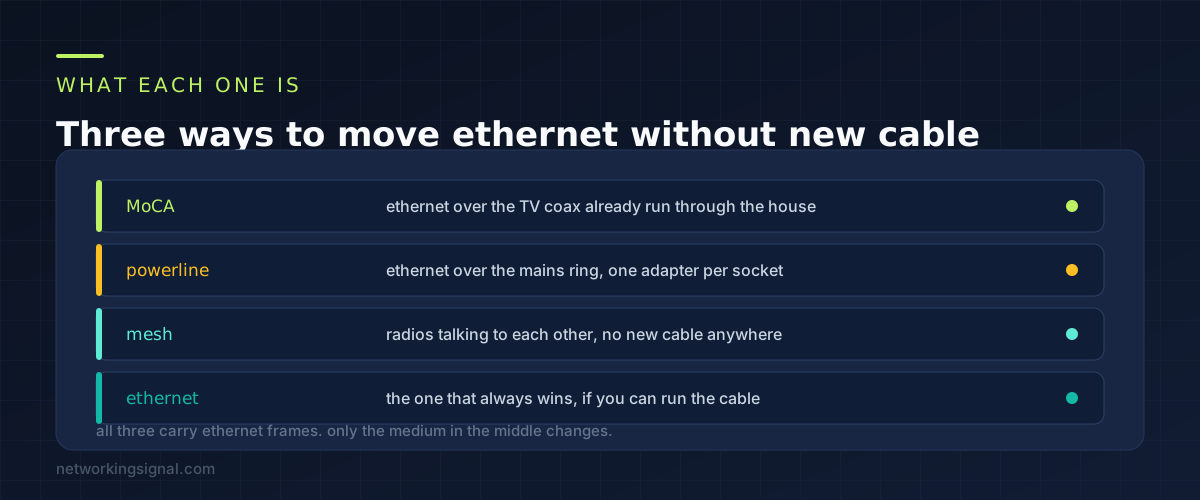
MoCA stands for Multimedia over Coax Alliance, and it does what the name says. It puts ethernet onto the same coaxial cable that used to carry cable TV, using frequencies well above anything the TV signal uses. If your house was built or wired in the last thirty years, there is probably coax in several rooms already.
Powerline puts ethernet onto the mains wiring. You plug an adapter in near the router, another one in the far room, and the two find each other over the electrical circuit. No configuration, no cable, and no way to know whether it will work until you try it.
Mesh uses radio between the nodes. There is no wire at all, which is the attraction and also the limitation, because every hop shares airtime with the clients it is serving.
Worth saying once: if you can run an ethernet cable, run one. Everything below exists because most people cannot, or will not, drill through a wall.
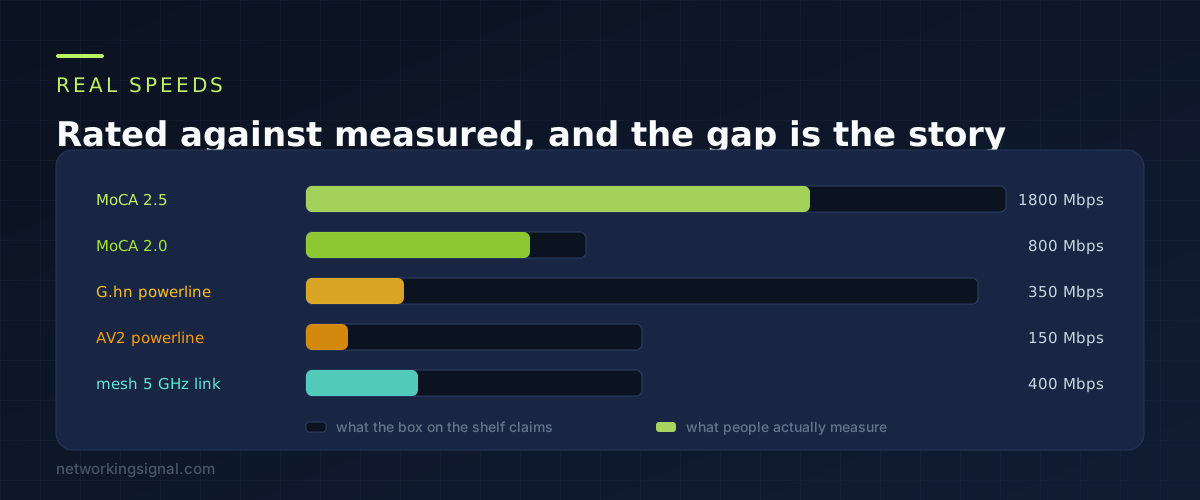
Every one of these technologies is sold on a headline figure that nobody achieves. The gap is small for MoCA and enormous for powerline, and that difference is the single most useful thing to know before you spend money.
| Technology | Rated | Typical real | Added latency |
|---|---|---|---|
| MoCA 2.5 | 2500 Mbps | 1600 to 1900 Mbps | 1 to 5 ms |
| MoCA 2.0 | 1000 Mbps | 700 to 850 Mbps | 1 to 5 ms |
| G.hn powerline | 2400 Mbps | 200 to 500 Mbps | 4 to 20 ms |
| AV2 powerline | 1200 Mbps | 100 to 250 Mbps | 4 to 20 ms |
| Mesh 5 GHz backhaul | 1200 Mbps | 300 to 600 Mbps | 6 to 30 ms |
MoCA delivers close to its rated figure because coax is a shielded cable built to carry high frequencies. That is unusual honesty for consumer networking gear.
Powerline is the opposite. G.hn adapters advertise 2400 Mbps and give 200 to 500 in a modern house. In an older house split across two circuits, under 50 is common. AV2, the older generation still widely sold, is worth avoiding unless the price difference is trivial.
Mesh figures assume one hop with clear line of sight. Each additional hop or wall roughly halves what is left. Tri band systems that keep one radio purely for backhaul hold up much better, and that is what the extra money buys.
Latency is where MoCA pulls further ahead. It adds 1 to 5 milliseconds. Powerline adds 4 to 20 and jitters. Mesh adds 6 to 30 depending on interference. For file transfers this hardly matters, and for a game or a video call it is the whole experience.
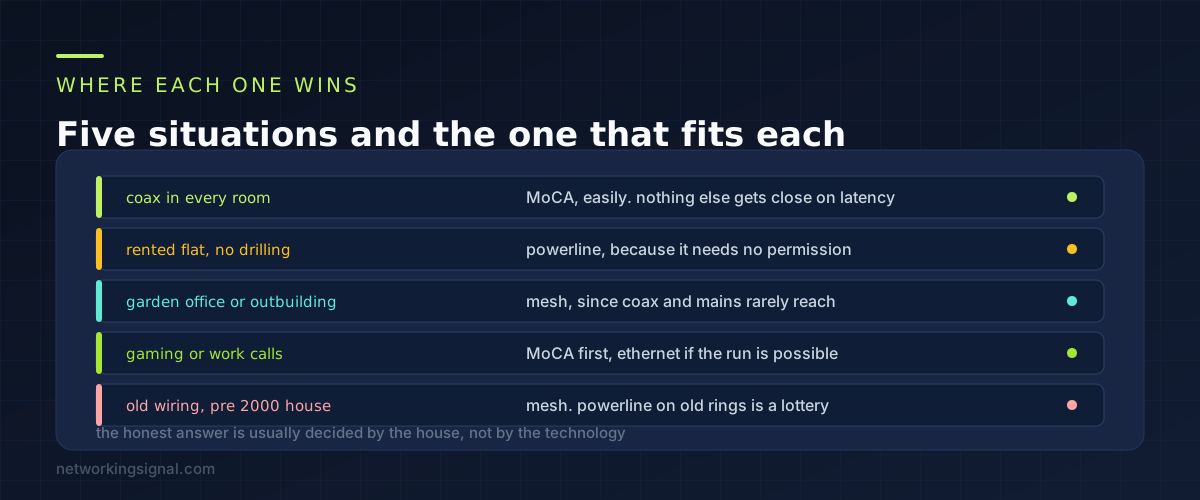
With coax outlets in the rooms that matter, buy a pair of MoCA 2.5 adapters and stop reading. This is the best outcome available short of running cable, and it costs about the same as a decent powerline kit.
If you rent and cannot drill or touch the wiring, powerline is the answer. Two adapters, two sockets, done in five minutes and it all comes with you when you move.
For a garden office, a shed or a garage on a separate supply, use mesh or an outdoor access point. Powerline usually fails across a separate consumer unit, and coax almost never reaches an outbuilding.
To fix lag on a games console or a work laptop, go MoCA if there is coax, ethernet if you can manage a run. Powerline can work, but the jitter is what causes the problem you are trying to solve, so it is a gamble.
In a house wired before 2000, or one that has been extended, powerline is a lottery, because extensions frequently sit on a second ring main and the signal will not cross between them. Try it with a returnable pair before committing.
If the real goal is better WiFi rather than a wired link, the comparison you want is our guide to mesh against an extender against an access point, because that is a different question with a different answer.
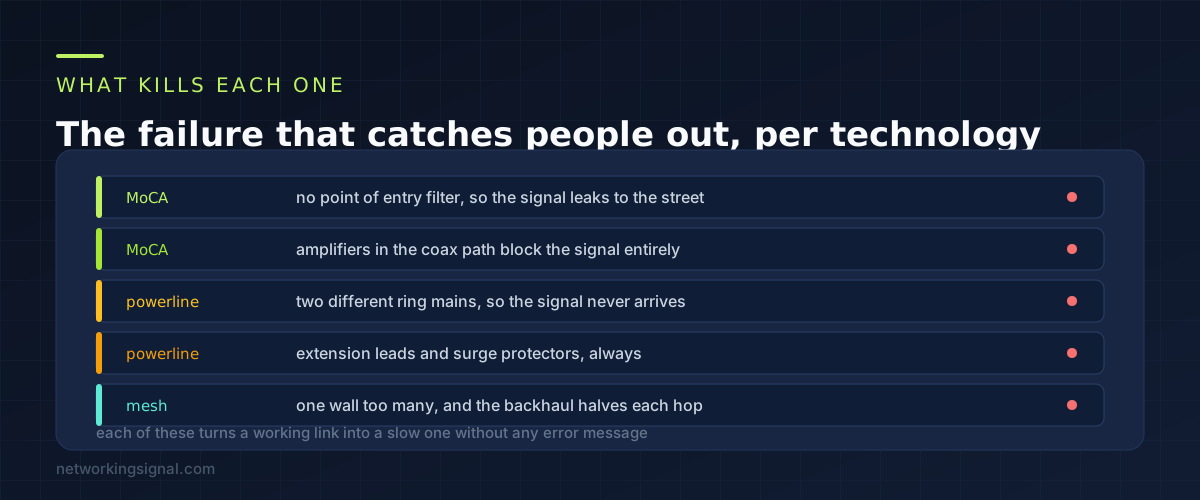
MoCA and the point of entry filter. Your MoCA signal travels the whole coax network, including out to the street if nothing stops it. A point of entry filter is a small screw on part fitted where the cable enters the house. It reflects the MoCA frequencies back inside, which both improves your throughput and stops a neighbour on the same trunk from seeing your traffic. Adapters often include one and people leave it in the box.
MoCA and amplifiers. Any amplifier or unidirectional splitter in the coax path will block MoCA completely. Splitters need to be rated to at least 1675 MHz. An old 5 to 1000 MHz splitter passes TV perfectly and stops MoCA dead, which makes it a genuinely confusing failure.
Powerline and separate circuits. The adapters need to be on the same ring main. Kitchen circuits, garage circuits and extension circuits are frequently separate, and the signal has to travel all the way back to the consumer unit and out again, if it makes it at all.
Powerline and anything between the adapter and the wall. Extension leads, surge protectors and filtered power strips all attenuate the signal, and surge protectors are designed to remove exactly the kind of high frequency noise powerline uses. Plug directly into the wall socket, every time. This one instruction fixes a large share of complaints.
Mesh and the hop count. A wireless backhaul roughly halves in throughput per hop unless the system has a dedicated radio for it. Two hops from the router and you are down to a quarter, and no amount of node placement changes the arithmetic.
Yes. MoCA does not care what your internet service is. It only needs coax between two points inside the house. Plenty of people with fibre have coax left over from a previous cable provider and it works perfectly for this.
No. MoCA 2.5 runs between 1125 and 1675 MHz, above the frequencies cable services use. Fit the point of entry filter, use splitters rated to 1675 MHz, and the two coexist without either noticing the other.
They need the same standard, and in practice buying the same brand is the safe route. HomePlug AV2 adapters from different brands usually pair, and G.hn adapters usually do not talk to HomePlug at all. Mixing generations means both drop to the slower one.
Around 3 to 5 watts each while active, so about 8 watts for a pair running constantly. That works out to a few pounds or dollars a year. Most modern ones drop to well under a watt when idle.
That is the best home setup there is, and it is what most people should build. Use MoCA or ethernet to carry traffic to the far end of the house, then put a mesh node or access point there running on a wired backhaul. You get mesh coverage without the wireless backhaul penalty, which is the thing that makes mesh disappointing.
Set a password on the adapters, which every current model supports and most people skip. Combined with the point of entry filter it is fine. In a converted building where flats share coax trunking, do both rather than one.
Whichever you pick, plan where the second unit lands before you buy, using the approach in our guide to setting up a home network.
Can you explain this topic to someone else in 30 seconds? If not, re-read the key takeaways above.
The core concepts in the takeaways box above. Bookmark this page and come back when you need a refresher.
Hand-picked articles you might also find useful.
 Networking Gears
 The best outdoor NVR camera systems in 2026. Wireless does not mean no cables, because every camera still…
 Networking Gears
 The best mesh WiFi for thick walls in 2026. The TP-Link Deco X55 three pack at $150 wins…
 Networking Gears
 The best PoE switches for 2026, compared on power budget rather than port count. Includes how to size…