
STP Loop Protection – By Using Loop Guard, Root Guard and BPDU Guard
In this article, we learn how to work and use STP loop protection in the Cisco switch. We…
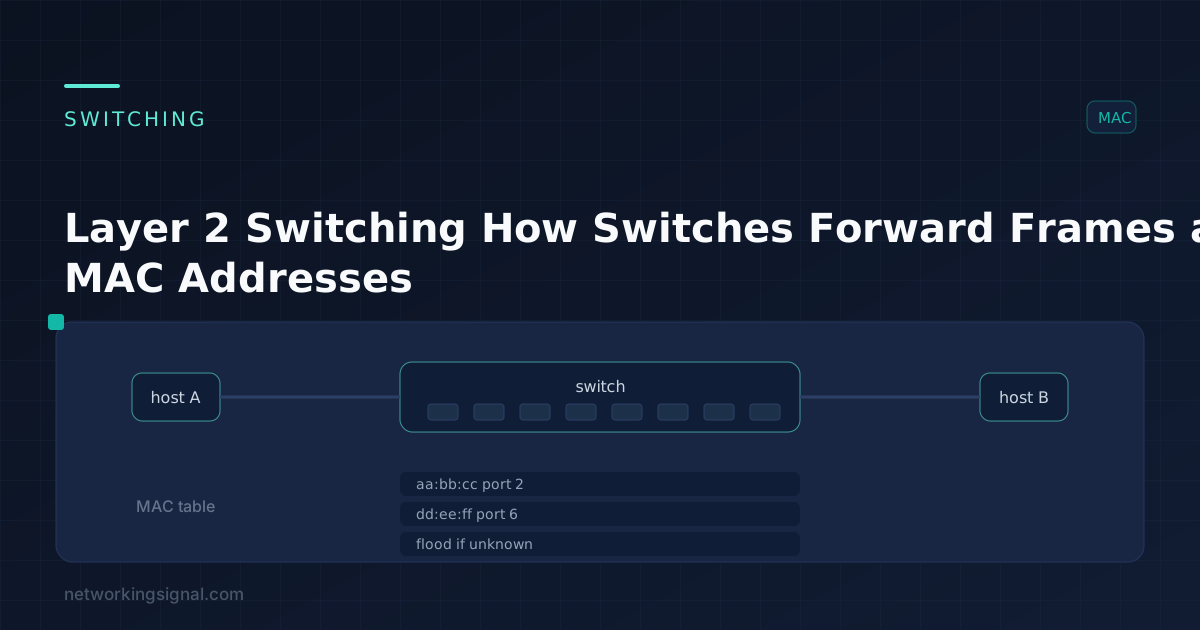
Layer 2 switching is forwarding Ethernet frames based on MAC addresses, at the data link layer of the OSI model. The switch never opens the IP header. It reads the destination MAC, consults a table, and sends the frame out of one port, in hardware, in microseconds.
Everything a Layer 2 switch does reduces to three functions: address learning, forwarding and filtering, and loop avoidance. Understanding those three explains nearly every switching behaviour and most switching interview questions.
A switch starts with an empty MAC address table (also called the CAM table, after the content-addressable memory it lives in). It fills the table by reading the source MAC of every frame that arrives:
0011.2233.4455.0011.2233.4455 → Gi0/3, VLAN 10.Entries can also be added statically:
Switch(config)# mac address-table static 0011.2233.4455 vlan 10 interface Gi0/3Static entries never age out and are used to pin a critical device to a known port. Verify either kind with:
Switch# show mac address-table
Switch# show mac address-table dynamic vlan 10Once a frame’s destination MAC is read, the switch does exactly one of three things:
| Situation | Action | Name |
|---|---|---|
| Destination MAC is in the table, on a different port | Send out that one port only | Forward |
| Destination MAC is in the table, on the same port the frame arrived on | Drop the frame | Filter |
| Destination MAC is not in the table | Send out every port in the VLAN except the source port | Flood (unknown unicast flooding) |
Broadcast frames (ffff.ffff.ffff) and unknown multicast are always flooded within the VLAN. This is why a switch does not break up a broadcast domain, only a router or a VLAN boundary does that. See collision and broadcast domains for the full distinction.
Layer 2 frames have no TTL field. A looped frame therefore circulates forever, and because broadcasts are flooded, a single physical loop produces a broadcast storm that saturates every link within seconds, plus MAC table instability as the switch keeps relearning the same address on different ports.
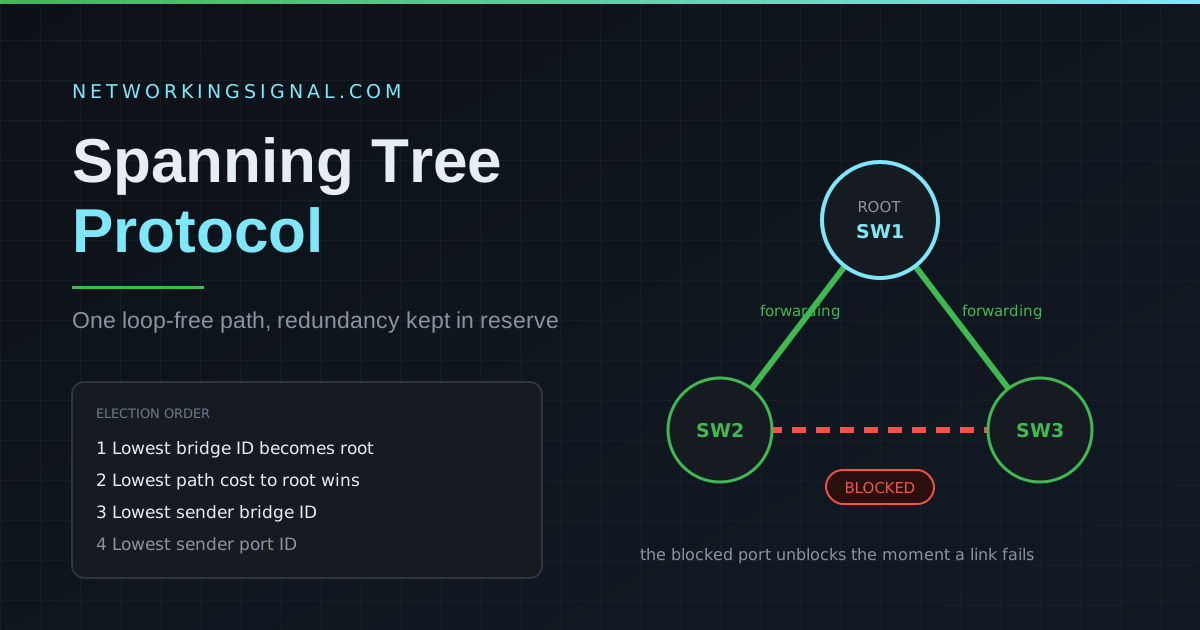
Spanning Tree Protocol solves this by electing a root bridge and blocking redundant paths, leaving exactly one active path between any two points, and reactivating a blocked link when the primary fails.
How much of a frame a switch reads before it starts forwarding is a latency-versus-integrity trade-off:
| Method | Reads before forwarding | Latency | Error handling |
|---|---|---|---|
| Store-and-forward | The entire frame | Highest, varies with frame size | Verifies the FCS and discards corrupt frames |
| Cut-through (fast forward) | First 6 bytes (destination MAC) | Lowest, fixed, around 6 bytes’ worth | None, forwards corrupt frames and runts too |
| Fragment-free | First 64 bytes | Low | Catches collision fragments (runts), misses later corruption |
Fragment-free is the compromise: 64 bytes is the minimum valid Ethernet frame size, so any frame shorter than that is a collision fragment and can be discarded, while the switch still avoids buffering the whole frame.
Modern enterprise switches use store-and-forward almost universally, it is required for QoS inspection, for changing speeds between ports, and for not propagating errors. Cut-through survives in ultra-low-latency environments such as high-frequency trading and some data centre fabrics, where microseconds matter more than filtering the occasional bad frame.
| Layer 2 switch | Layer 3 switch | Multilayer switch | |
|---|---|---|---|
| Forwards on | MAC address | IP address | Both, plus Layer 4 information |
| Table used | CAM / MAC address table | Routing table and FIB | Both |
| Inter-VLAN routing | No | Yes, in hardware | Yes |
| Typical use | Access layer | Distribution and core | Core, and QoS or policy enforcement |
A Layer 3 switch is not a router replacement in every sense, it routes very fast between local VLANs but usually lacks WAN interfaces and the full routing feature set. What it does have is CEF, which pre-builds a forwarding table (FIB) and an adjacency table so the hardware can forward without punting packets to the CPU. That replaced the older process switching (a routing lookup per packet, done in software) and fast switching (first packet in software, subsequent packets from a cache).
They are the same thing. “CAM table” refers to the content-addressable memory the table is stored in, which allows a lookup by value in a single operation. Cisco documentation uses “MAC address table”; engineers say both.
No. A Layer 2 switch floods broadcasts to every port in the VLAN. Breaking up broadcast domains requires VLANs or a router.
The switch can no longer learn new addresses and floods traffic for unknown destinations out of every port. Attackers exploit this deliberately, MAC flooding forces the switch to behave like a hub so traffic can be captured. Port security is the defence.
Because the switch has no way to know the destination does not exist. Flooding guarantees delivery if the host is reachable at all, and the reply immediately teaches the switch the correct port so it only happens once.
Rarely, and only where latency is critical, high-frequency trading and certain data centre fabrics. Store-and-forward is the default everywhere else because it filters corrupt frames and supports QoS and speed conversion.
300 seconds by default on Cisco switches, refreshed each time a frame is seen from that address. Static entries never expire.
Hand-picked articles you might also find useful.
 Switching
 In this article, we learn how to work and use STP loop protection in the Cisco switch. We…
 Switching
 One question decides it: do you need VLANs. Everything else follows. What each tier adds, the price steps,…
 Routing & Switching
 Complete guide to STP (Spanning Tree Protocol) — how it works, port states, root bridge election, RSTP vs…
2 responses to “Layer 2 Switching — How Switches Forward Frames and Learn MAC Addresses”
[…] OSI model (in which 7 layers working- Application layer, Presentation Layer, Session Layer, Transport Layer, Network Layer, Data Link Layer, Physical Layer) is a generic and independent standard protocol. it is acting as the gateway of communication between the user and network end. Switches operated at layer 2 in OSI model i.e. Data Link Layer. […]
Hello Jaspreet Singh,
You Blog is awesome and full of networking knowledge i really like this.
Good work and keep it up.
you well explained the topics.